1. Introduction
This instruction manual provides essential information for the safe and efficient installation, operation, and maintenance of the PHOENIX CONTACT PT 10 (3212120) feed-through terminal block. Please read this manual thoroughly before using the product to ensure proper handling and to prevent potential hazards.
2. Safety Information
Warning: Electrical work should only be performed by qualified and authorized personnel. Failure to follow these safety instructions can result in electric shock, fire, or serious injury.
- Always disconnect power before installing, wiring, or performing maintenance on the terminal block.
- Ensure all connections are secure and comply with local electrical codes and standards.
- Do not exceed the specified voltage and current ratings of the terminal block.
- Use appropriate personal protective equipment (PPE) when working with electrical systems.
- Inspect the terminal block for any damage before installation. Do not use damaged components.
3. Product Overview and Features
The PHOENIX CONTACT PT 10 (3212120) is a 1-level, 1-potential, 2-connection feed-through terminal block designed for DIN rail mounting. It utilizes push-in connection technology, offering fast and tool-free wiring for solid and stranded conductors with ferrules. This terminal block is suitable for various industrial electrical applications.
Key Features:
- Push-in Connection: Enables quick and easy wiring without special tools.
- DIN Rail Mounting: Standard mounting for industrial control cabinets.
- Compact Design: Efficient use of space.
- Wide Wire Range: Accommodates wire sizes from 20 AWG to 6 AWG.
- High Current and Voltage Ratings: Rated for 57A and 1 kV.
Product Images:
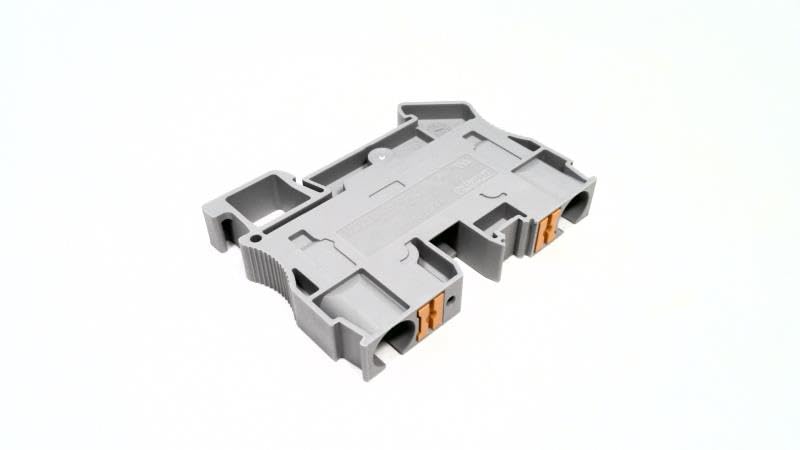
Figure 1: Overall view of the PHOENIX CONTACT PT 10 terminal block, showcasing its gray housing and compact design.
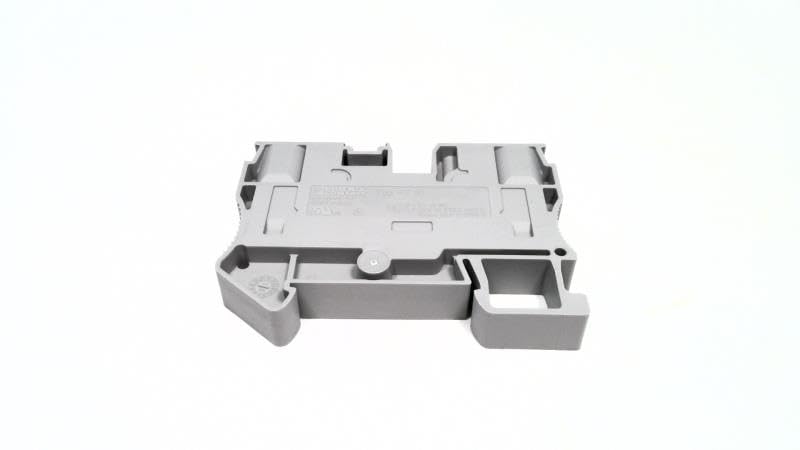
Figure 2: Top view of the terminal block, highlighting the labeling area and general form factor.
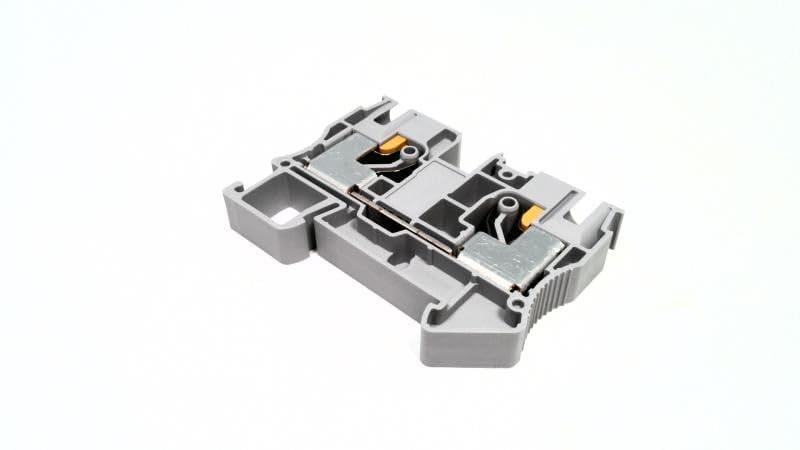
Figure 3: Internal view of the terminal block, illustrating the metal components of the push-in connection mechanism.
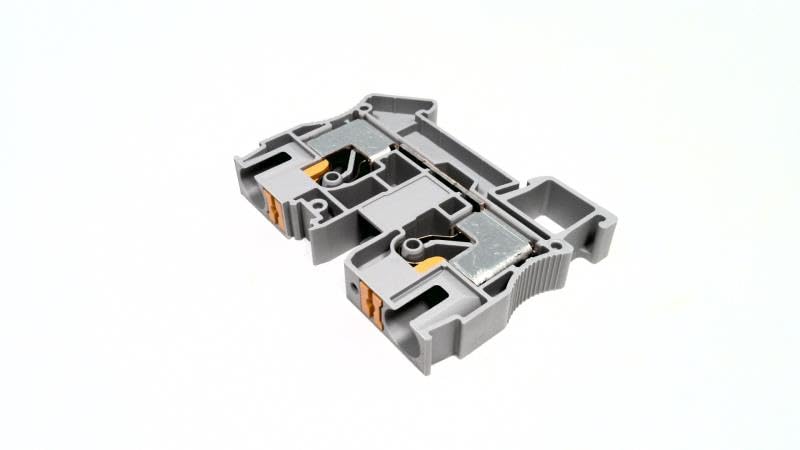
Figure 4: Angled internal view, providing a clearer perspective of the wire entry points and the internal conductor path.
4. Setup and Installation
4.1. DIN Rail Mounting
- Ensure the DIN rail is securely mounted within the enclosure.
- Align the terminal block with the DIN rail.
- Press the terminal block firmly onto the DIN rail until it clicks into place. Ensure it is seated correctly and cannot be easily dislodged.
- Use end clamps to secure the assembly on the DIN rail, preventing lateral movement.
4.2. Wire Connection (Push-in Technology)
The PT 10 terminal block uses push-in connection technology for quick and reliable wiring.
- Prepare the Wire: Strip the insulation from the conductor according to the recommended strip length (typically 10-12 mm, refer to product datasheet for exact value). For stranded wires, it is highly recommended to use ferrules.
- Insert Conductor: For solid conductors or stranded conductors with ferrules, simply push the prepared conductor directly into the wire entry opening until it reaches the stop. A secure connection is made automatically.
- Verify Connection: Gently pull on the conductor to ensure it is firmly seated and cannot be easily removed.
- Removing a Conductor: To remove a conductor, insert a screwdriver into the orange release button/opening and pull the conductor out.
The terminal block supports a minimum wire size of 20 AWG and a maximum wire size of 6 AWG. The conductor part CSA is 0.6 inch (16 mm).
5. Operating Instructions
Once installed and wired correctly, the PHOENIX CONTACT PT 10 terminal block operates as a passive feed-through connection point. No specific operational steps are required beyond ensuring secure and correct wiring.
- Ensure all connected circuits are within the rated voltage and current limits of the terminal block.
- Regularly inspect connections for any signs of loosening or damage, especially in environments with vibration.
6. Maintenance
The PHOENIX CONTACT PT 10 terminal block is designed for minimal maintenance. However, periodic inspection is recommended to ensure continued reliable operation.
- Visual Inspection: Periodically check the terminal block for any signs of physical damage, discoloration, or corrosion.
- Connection Integrity: Verify that all wire connections remain secure.
- Cleaning: If necessary, clean the exterior of the terminal block with a dry, lint-free cloth. Do not use abrasive cleaners or solvents. Ensure power is disconnected before cleaning.
7. Troubleshooting
Most issues related to terminal blocks stem from incorrect installation or wiring.
- No Continuity:
- Check if the wire is fully inserted into the push-in connection.
- Ensure the wire insulation is stripped to the correct length and not interfering with the connection.
- Verify the wire gauge is within the specified range (20 AWG to 6 AWG).
- Inspect the wire for breaks or damage.
- Loose Connection:
- Re-insert the wire, ensuring it is pushed in firmly until it stops.
- If using stranded wire, ensure a ferrule is properly crimped and used.
- Overheating:
- Ensure the current flowing through the terminal block does not exceed its rated current of 57A.
- Check for loose connections, which can cause resistance and heat.
8. Specifications
| Attribute | Value |
|---|---|
| Model Number | PT 10 (3212120) |
| Number of Positions | 2 |
| Number of Levels | 1 |
| Minimum Wire Size (AWG) | 20 AWG |
| Maximum Wire Size (AWG) | 6 AWG |
| Conductor Part CSA | 0.6 inch (16 mm) |
| Wire Connection Method | Push-in |
| Rated Current | 57A |
| Rated Voltage | 1 kV |
| Mounting Type | DIN Rail |
| Color | Gray |
| Product Family | CLIPLINE PT Series |
| Package Dimensions | 2.65 x 0.4 x 0.4 inches |
| Weight | 1.45 Pounds |
| Manufacturer | PHOENIX CONTACT |
9. Warranty and Support
For warranty information, technical support, or further assistance with your PHOENIX CONTACT PT 10 (3212120) terminal block, please contact PHOENIX CONTACT directly through their official website or customer service channels. Ensure you have your product model number (PT 10, 3212120) available when seeking support.
PHOENIX CONTACT Official Website: www.phoenixcontact.com


