
Introduction
This manual provides essential information for the safe and efficient operation of your Hisense 12000-BTU DOE 115-Volt White Vented Wi-Fi enabled Portable Air Conditioner, model AP1222CW1W. This unit is designed for large rooms (up to 550 sq. ft.) and offers versatile comfort with cooling, fan, and dehumidifier modes. Its drain-free design simplifies maintenance, and quiet operation ensures peace of mind. For convenient control, the unit can be operated via the ConnectLife smart app or the included remote control.
Key Features:
- 12,000 BTU Cooling Power
- Suitable for rooms up to 550 sq. ft.
- Four modes of comfort: Cooling, Fan, Dehumidifier
- Convenient drain-free design
- Quiet operation
- Wi-Fi enabled with ConnectLife smart app control
- Includes remote control
Product Overview
Familiarize yourself with the components and appearance of your portable air conditioner.
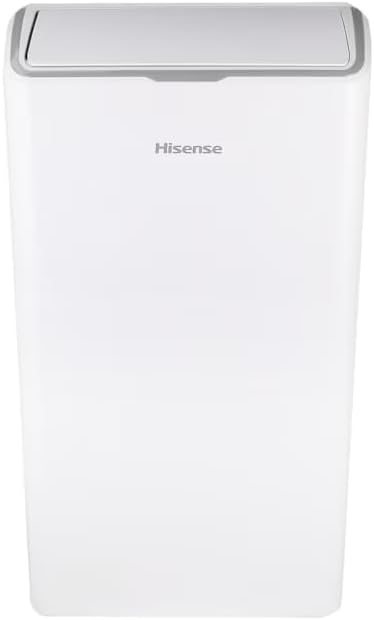
Front view of the Hisense Portable Air Conditioner, showcasing its sleek white design.
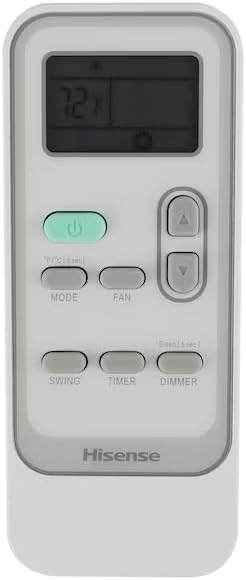
The included remote control for convenient operation, featuring temperature, mode, fan, timer, swing, and dimmer buttons.

Side profile of the air conditioner, showing its compact footprint.
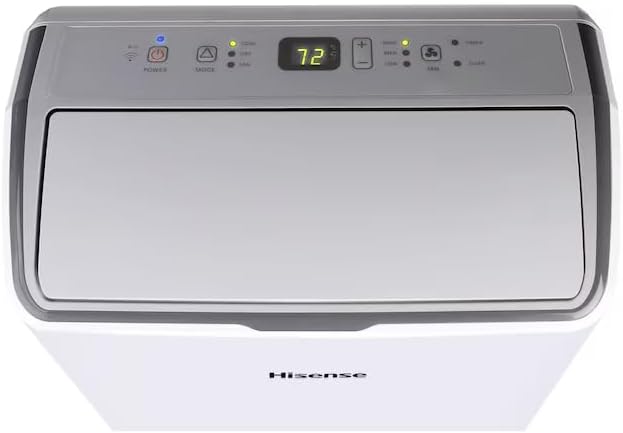
Top view of the unit, highlighting the integrated digital control panel.

Rear view of the unit, showing the exhaust hose connection point and power cord.

A lifestyle image demonstrating the use of the remote control with the unit's digital display.
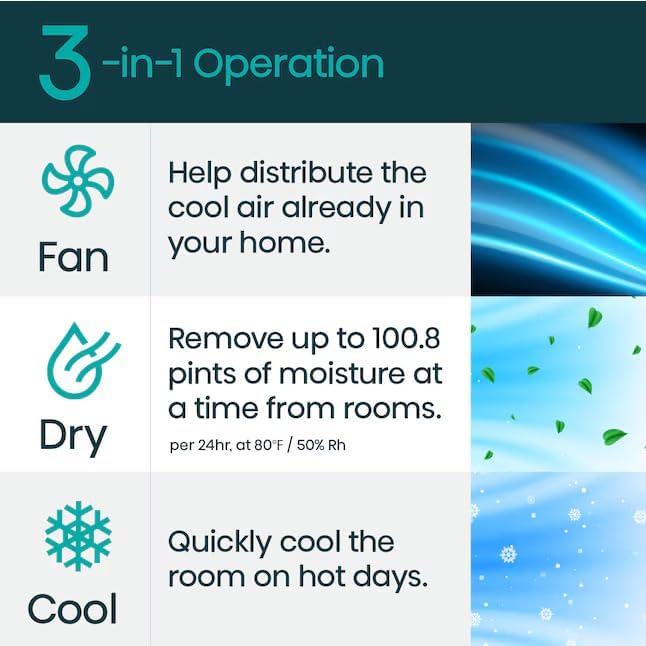
A graphic detailing the three operational modes: Fan for air circulation, Dry for dehumidification, and Cool for active cooling.
Setup and Installation
Unpacking:
- Carefully remove the unit and all accessories from the packaging.
- Retain packaging materials for future storage or transport.
Window Installation:
The portable air conditioner requires venting to the outside. The unit comes with a window panel kit for easy installation.
- Open the window where the unit will be placed.
- Insert the provided window panel into the window opening. Adjust the panel to fit securely within the window frame.
- Attach the exhaust hose to the designated port on the back of the air conditioner.
- Connect the other end of the exhaust hose to the opening in the window panel. Ensure a tight seal to prevent air leakage.
- Close the window firmly against the window panel to secure the installation.
Ensure the unit is placed on a stable, level surface and is within reach of a grounded electrical outlet.
Operating Instructions
Control Panel and Remote Control:
The unit can be controlled using the intuitive top-mounted control panel or the included remote control. The remote allows for convenient operation from a distance.
Operating Modes:
- Cooling Mode: Select this mode for active cooling. Adjust the desired temperature using the up/down arrows. The unit will cool the room to the set temperature.
- Fan Mode: Circulates air without cooling. Useful for improving air circulation. Fan speed can typically be adjusted (Low, Medium, High).
- Dehumidifier Mode: Removes excess moisture from the air. This mode is ideal for humid environments and helps prevent mold and mildew growth. The unit features a convenient drain-free design, eliminating the need for frequent manual draining of condensed moisture.
Additional Functions:
- Timer: Set a specific time for the unit to turn on or off automatically.
- Dimmer: Adjust the brightness of the display lights on the unit.
- Swing: Activates the automatic swing function of the air outlet louvers for wider air distribution.
Maintenance
Regular maintenance ensures optimal performance and longevity of your air conditioner.
Filter Cleaning:
The air filter should be cleaned regularly, typically every two weeks, or more often depending on usage and air quality. A dirty filter can reduce cooling efficiency and airflow.
- Unplug the air conditioner from the power outlet.
- Locate and remove the air filter (refer to the diagram in the Product Overview section for filter location).
- Clean the filter using a vacuum cleaner to remove dust and debris. For stubborn dirt, wash the filter gently with lukewarm water and a mild detergent.
- Allow the filter to air dry completely before reinserting it into the unit. Do not expose the filter to direct sunlight or heat.
Unit Cleaning:
Wipe the exterior of the unit with a soft, damp cloth. Do not use harsh chemicals, abrasives, or solvents.
Storage:
If storing the unit for an extended period, ensure it is completely dry. Drain any remaining water from the unit (if applicable, though this model is drain-free for condensed moisture, check manual for any specific long-term storage draining). Clean the filter and store the unit in a dry, cool place, preferably in its original packaging.
Troubleshooting
Before contacting customer service, please refer to the following common issues and solutions:
| Problem | Possible Cause | Solution |
|---|---|---|
| Unit does not turn on | No power supply; Power cord unplugged; Circuit breaker tripped. | Check power outlet; Ensure power cord is securely plugged in; Reset circuit breaker. |
| Insufficient cooling | Dirty air filter; Exhaust hose not properly installed; Room size too large; Doors/windows open. | Clean air filter; Ensure exhaust hose is securely connected and sealed; Close doors and windows; Verify room size is within specifications. |
| Unit is noisy | Unit not on a level surface; Obstruction in fan. | Place unit on a flat, stable surface; Check for and remove any obstructions. |
If the problem persists after attempting these solutions, please contact Hisense customer support.
Specifications
| Feature | Detail |
|---|---|
| Brand Name | Hisense |
| Model Info | AP1222CW1W |
| Product Dimensions | 16.34 x 18.11 x 33.15 inches |
| Item Model Number | AP1222CW1W |
| Efficiency | High Efficiency |
| Capacity | 1 Tons |
| Installation Type | Portable |
| Form Factor | Portable |
| Special Features | Remote Controlled, Portable |
| Color | White |
| Voltage | 115 Volts |
| Certification | Energy Star |
| Cooling Power | 12000 British Thermal Units |
| BEE Star Rating | Energy Star |
| Seasonal Energy Efficiency Ratio (SEER) | 2.6 |
| Refrigerant | R-32 |
Warranty and Support
Warranty Information:
The Hisense AP1222CW1W Portable Air Conditioner is backed by a 2-year warranty on both parts and labor.
Customer Support:
For further assistance, technical support, or warranty claims, please visit the official Hisense Store on Amazon or refer to the contact information provided in your product registration materials.


