
1. Introduction
This manual provides essential information for the safe and efficient operation of your Hisense ConnectLife Smart Control 50 Pint Dehumidifier. Please read all instructions carefully before use and retain this manual for future reference.

Figure 1: Hisense ConnectLife Smart Control 50 Pint Dehumidifier.
2. Safety Information
Always follow basic safety precautions when using electrical appliances to reduce the risk of fire, electric shock, and injury. This includes:
- Ensure the dehumidifier is placed on a level, stable surface.
- Do not operate the unit with a damaged cord or plug.
- Keep the unit away from water and other liquids.
- Do not block air inlets or outlets.
- Unplug the unit before cleaning or performing any maintenance.
- This appliance is for residential use only.
3. Product Features
The Hisense ConnectLife Smart Control Dehumidifier is designed to efficiently remove moisture from your environment. Key features include:
- Quiet Operation: Operates at 46 dB(A) on Low setting for minimal disturbance.
- Energy Efficient: Energy Star certified to help reduce utility costs.
- Full Tank Alert: Notifies you when the water collection bucket is full and automatically shuts off.
- Easy to Use: Features simple manual controls for straightforward operation.
- Remote Control: Compatible with the Hisense ConnectLife App for remote settings adjustment and monitoring.
- Smart Home Integration: Works with Hey Google and Alexa for voice control.
- Three Fan Speeds: Auto, High, and Low settings to suit your needs.
- Continuous Drainage Option: Allows for direct connection to a drain hose for uninterrupted operation.

Figure 2: ConnectLife App integration for smart control.
4. Setup
- Unpacking: Carefully remove the dehumidifier from its packaging. Retain packaging materials for future storage or transport.
- Placement: Place the unit on a firm, level surface in an area where the temperature will not fall below 41°F (5°C). Ensure there is at least 8 inches (20 cm) of air space on all sides for proper air circulation.
- Power Connection: Plug the power cord into a grounded electrical outlet.
- Initial Operation: The unit is ready for operation. For optimal performance, allow the unit to stand upright for at least 24 hours before plugging it in if it was transported on its side.
5. Operating Instructions
Control Panel Overview
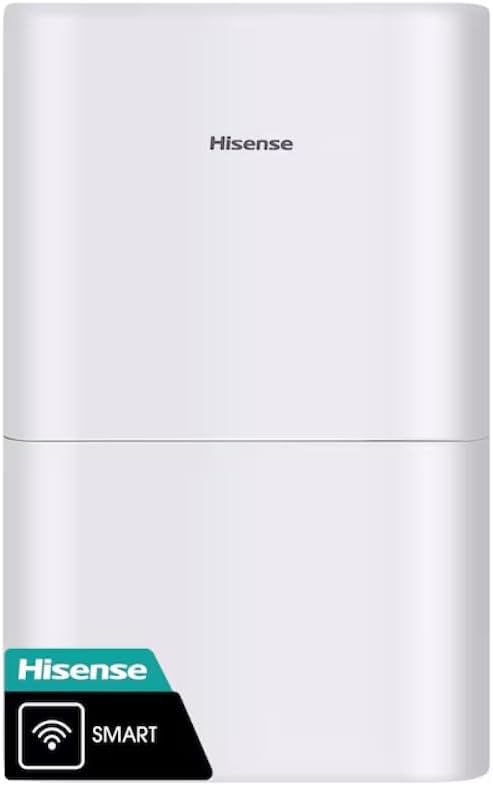
Figure 3: Dehumidifier Control Panel.
- Power Button: Press to turn the unit ON or OFF.
- Mode Button: Cycle through operating modes: Auto Dry, Continuous, Manual Set.
- Timer Button: Set a timer for automatic ON/OFF operation.
- Fan Button: Adjust fan speed: Auto, High, Low.
- Humidity Adjustment (+/-): In Manual Set mode, use to set desired humidity level (e.g., 30% to 80%).
- Clean Filter Indicator: Illuminates when the filter needs cleaning.
- Empty Bucket Indicator: Illuminates when the water collection bucket is full and requires emptying.
Operating Modes
- Auto Dry: The unit automatically adjusts fan speed and humidity settings to maintain a comfortable humidity level.
- Continuous: The unit operates continuously, regardless of the humidity level, until the bucket is full or the unit is turned off.
- Manual Set: Allows you to manually set a target humidity level. The unit will operate until this level is reached, then cycle on and off to maintain it.
ConnectLife App Control
Download the Hisense ConnectLife App from your device's app store. Follow the in-app instructions to connect your dehumidifier for remote control and monitoring. The app allows you to change settings, monitor humidity levels, and receive alerts from anywhere.
6. Maintenance
Emptying the Water Bucket
When the "Empty Bucket" indicator illuminates, the unit will stop operating. To empty:
- Gently pull out the water collection bucket from the front of the unit.
- Carefully carry the bucket to a sink or drain.
- Pour out the collected water.
- Slide the empty bucket back into the dehumidifier until it clicks into place. The unit will resume operation.

Figure 4: Removing the water collection bucket.
Continuous Drainage
For continuous operation without emptying the bucket, connect a standard garden hose (not included) to the drainage port on the back of the unit. Ensure the hose is sloped downwards to allow gravity drainage and is free of kinks or obstructions.

Figure 5: Continuous drainage port.
Cleaning the Air Filter
When the "Clean Filter" indicator illuminates, clean the air filter to maintain efficiency. Unplug the unit, remove the filter from the back, wash it with warm, soapy water, rinse thoroughly, and allow it to air dry completely before reinserting.

Figure 6: Rear view with air filter access.
7. Troubleshooting
If your dehumidifier is not operating correctly, refer to the following common issues:
- Unit does not turn on: Check if the power cord is securely plugged in. Ensure the water bucket is correctly installed and not full. Verify the room temperature is within the operating range (41°F - 90°F).
- No water collected: Check if the humidity setting is too high. Ensure the air filter is clean. Verify that the continuous drainage hose (if used) is not clogged or improperly installed.
- Unit is noisy: Ensure the unit is on a level surface. Check for any obstructions in the air inlets or outlets.
- "Empty Bucket" indicator remains on after emptying: Ensure the bucket is fully inserted and correctly seated.
For issues not covered here, please contact customer support.
8. Specifications
| Model Number | DH7021W1WG |
| Brand | Hisense |
| Capacity | 50 Pints per Day |
| Tank Volume | 50 Pints |
| Floor Area Coverage | Up to 4500 Square Feet |
| Noise Level | 46 dB(A) (Low) |
| Number of Speeds | 3 (Auto, High, Low) |
| Product Dimensions (D x W x H) | 10.7"D x 15.1"W x 24.8"H |
| Material | Plastic |
| Smart Home Compatibility | ConnectLife App, Hey Google, Alexa |
| Energy Star Certified | Yes |
9. Warranty and Support
This Hisense dehumidifier comes with a 1-year limited warranty. For warranty claims, technical support, or service inquiries, please refer to the contact information provided in your product packaging or visit the official Hisense website.