1. Introduction
Thank you for purchasing the SABYDICAR Portable Floor Standing Bladeless Tower Fan. This versatile appliance offers both cooling and heating functionalities, an 80° oscillation feature, multiple speed settings, and a convenient timer. Designed for safety and efficiency, it is suitable for various indoor environments such as bedrooms, living rooms, and offices. Please read this manual thoroughly before operation to ensure proper use and maintenance.
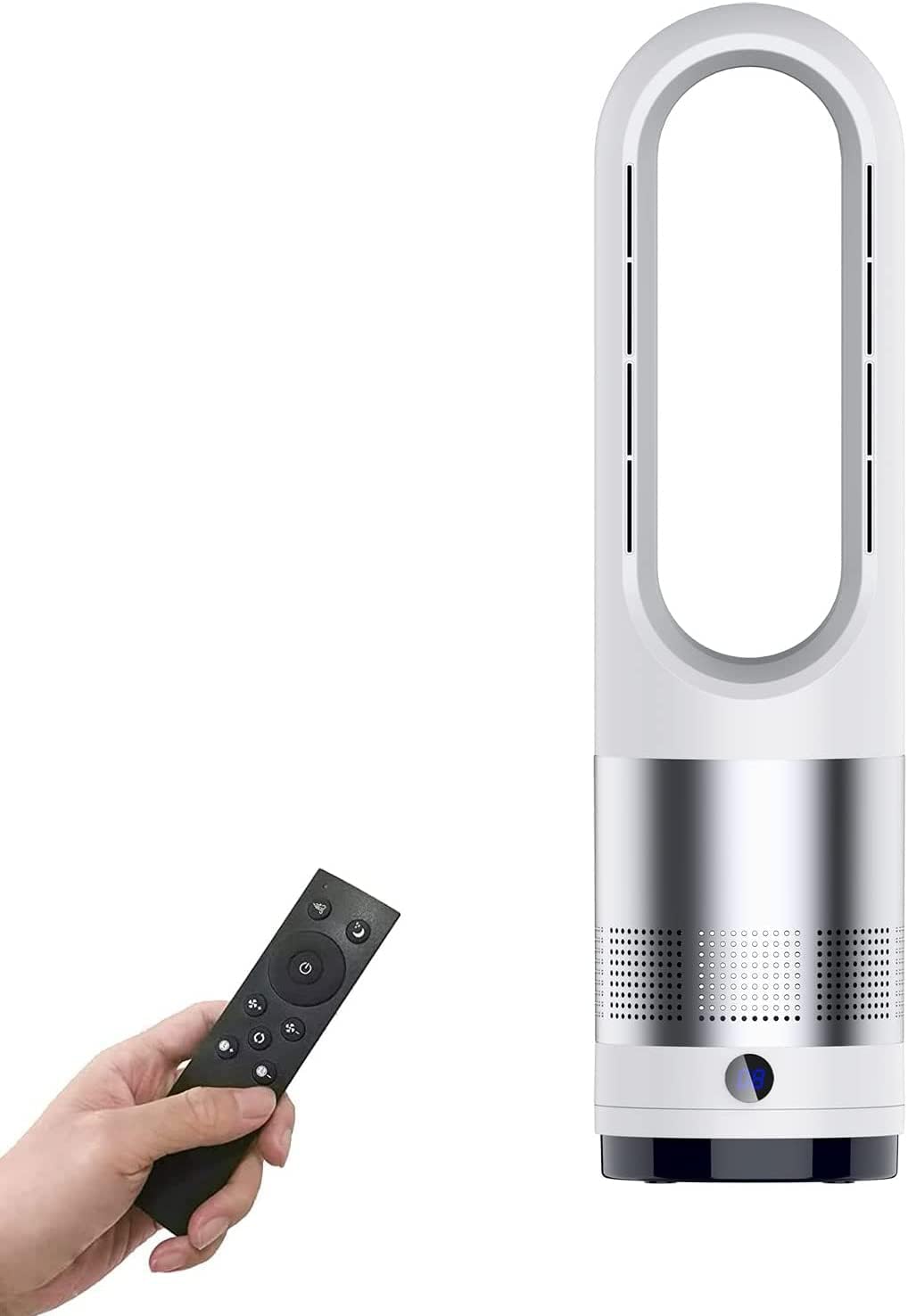
Image 1.1: The SABYDICAR Bladeless Tower Fan in silver, shown with its accompanying remote control.
2. Safety Information
To ensure safe operation and prevent damage, please adhere to the following safety guidelines:
- Do not cover the air outlet when the fan is operating, as this can lead to overheating and malfunction.
- Ensure the fan is placed on a stable, flat surface to prevent tipping.
- Keep the appliance away from water or other liquids. Do not operate with wet hands.
- This appliance is for indoor use only.
- Unplug the fan from the power outlet before cleaning or performing any maintenance.
- Do not insert any objects into the fan's openings.
- Keep children and pets away from the fan during operation. The bladeless design enhances safety, but supervision is always recommended.

Image 2.1: The fan's bladeless design contributes to a safer environment, especially around children.
3. Setup
- Unpacking: Carefully remove the fan and all accessories from the packaging. Retain packaging for future storage or transport.
- Placement: Place the fan on a firm, level surface. Ensure there is adequate space around the fan for optimal airflow and oscillation. Avoid placing it directly against walls or furniture.
- Power Connection: Plug the main cable (1.5m length) into a standard 110V~240V AC power outlet.
4. Operating Instructions
The SABYDICAR Bladeless Tower Fan can be operated using the control panel on the unit or the included remote control. The remote control has a range of up to 6 meters.
4.1 Power On/Off
- Press the Power button (symbol: ⏻) on the unit or remote control to turn the fan on or off.
4.2 Mode Selection (Cooling/Heating)
- The fan features dual functionality: cooling and heating.
- In Cooling Mode (40W power consumption), the fan provides a refreshing airflow. There are 8 speed levels available.
- In Heating Mode (1400W power consumption), the ceramic element heats up quickly (within 2 seconds) to provide stable, warm airflow. There are 3 heat levels available.
- Use the Mode button on the remote or unit to switch between cooling and heating modes.
4.3 Speed Adjustment
- Press the Speed button (symbol: ▲/▼) to cycle through the available speed levels (8 for cooling, 3 for heating). The LED display will indicate the current setting.

Image 4.1: Key operational features of the fan, including multiple speed levels and quiet operation.
4.4 Oscillation Function
- Press the Oscillation button (symbol: ↻) to activate the 80° swing function, distributing air across a wider area. Press again to stop oscillation.

Image 4.2: Illustration of the fan's 80-degree oscillation capability, providing wide area coverage.
4.5 Timer Function
- The fan features an 8-hour timer function. Press the Timer button (symbol: ⏱) repeatedly to set the desired operating duration. The fan will automatically turn off after the set time.

Image 4.3: The 8-hour smart timing feature allows for comfortable sleep without manual intervention.
5. Maintenance
Regular cleaning ensures optimal performance and extends the lifespan of your fan.
- Cleaning: The bladeless design makes cleaning easy. Unplug the fan before cleaning. Wipe the exterior surfaces with a soft, damp cloth. Do not use abrasive cleaners or solvents.
- Storage: If storing the fan for an extended period, unplug it, clean it thoroughly, and store it in a cool, dry place, preferably in its original packaging.
6. Troubleshooting
If you encounter issues with your fan, please refer to the following common problems and solutions:
| Problem | Possible Cause | Solution |
|---|---|---|
| Fan does not turn on. | Not plugged in; power outlet malfunction; power button not pressed. | Ensure the power cord is securely plugged into a working outlet. Press the power button on the unit or remote. |
| Weak airflow/heating. | Air inlet/outlet blocked; low speed setting. | Ensure air inlets and outlets are clear of obstructions. Increase the speed setting. |
| Remote control not working. | Batteries depleted; obstruction between remote and fan; remote out of range. | Replace remote control batteries. Remove any obstructions. Ensure remote is within 6m range and pointed towards the fan. |
| Unusual noise during operation. | Fan not on a level surface; internal obstruction. | Place the fan on a stable, level surface. If noise persists, unplug the unit and contact customer service. |
7. Specifications
| Product Name | Multifunctional Bladeless Fan (Dual function of heating and cooling) |
| Brand | SABYDICAR |
| Model | B0B2M4XVVP |
| Material | ABS + PC + Copper motor |
| Rated Frequency | 50Hz |
| Rated Voltage | 110V~240V |
| Noise Level | 40-50dB |
| Timer Function | 8 hours |
| Swing Angle | 80° |
| Energy Efficiency | Level 1 |
| Size | 18 inches (approx. 60cm height, 15cm width) |
| Power Consumption (Cooling) | 40W |
| Power Consumption (Heating) | 1400W |
| Operation Mode | Remote Control |
| Remote Control Range | 6m |
| Net Weight | 2.2kg |
| Main Cable Length | 1.5m |

Image 7.1: Approximate dimensions of the SABYDICAR Bladeless Tower Fan.
8. Customer Service and Warranty
SABYDICAR is committed to providing excellent customer service. If you have any questions, concerns, or require assistance with your product, please do not hesitate to contact our customer service team.
- Due to time differences, we aim to reply to all inquiries within 24 hours.
- Please refer to your purchase documentation for specific warranty details.