1. Introduction
Thank you for choosing the TESSAN Universal Travel Adapter Model 633FV. This adapter is designed to provide a convenient and versatile power solution for your electronic devices while traveling internationally. It features multiple plug types, AC outlets, and USB charging ports to meet your diverse power needs across various countries.
2. Important Safety Instructions
Please read and understand all safety instructions before using this product. Failure to follow these instructions may result in electric shock, fire, or serious injury.
- This is NOT a voltage converter. This travel adapter is only suitable for dual-voltage appliances or global devices with an input voltage range of 100V to 250V. It does not transform voltage or change the frequency of the mains supply. Ensure your devices are compatible with the local voltage.
- Do not use with high-power appliances such as hair dryers, curling irons, or electric kettles that exceed the adapter's maximum wattage (2500W at 250V AC, 1100W at 110V AC).
- Do not expose the adapter to liquids, moisture, or extreme temperatures.
- Do not disassemble or modify the adapter.
- Keep out of reach of children.
- Always unplug the adapter from the wall socket when not in use.
- The adapter is equipped with dual 10A overload protection fuses. If a fuse blows, replace it with a spare fuse of the same rating.

Image: Safety information highlighting the dual 10A fuse and warnings against using the adapter with high-power appliances like hair dryers, straighteners, and electric kettles.
3. Product Overview
The TESSAN Universal Travel Adapter 633FV is a compact and versatile charging solution for global travelers. It integrates multiple international plug types and offers extensive charging capabilities.
3.1 Key Features
- Universal Compatibility: Features EU (Type C), UK (Type G), AU (Type I), and US (Type A/B) plug types, compatible with over 150 countries.
- Multi-Device Charging: Equipped with 1 AC socket, 2 USB-A ports, and 3 USB-C ports, allowing simultaneous charging of up to 6 devices.
- High Power Output: AC socket supports up to 2500W at 250V AC or 1100W at 110V AC. USB-A ports provide 5V/2.4A MAX total, and USB-C ports provide 5V/3A MAX total.
- Compact and Portable: Designed for travel, measuring approximately 5 x 5.3 x 7.1 cm, saving luggage space.
- Dual Fuse Protection: Includes two 10A overload protection fuses for enhanced safety.
3.2 Components

Image: The TESSAN Universal Travel Adapter in use, demonstrating its ability to charge 6 devices simultaneously (1 AC, 3 USB-C, 2 USB-A). The image also shows the maximum wattage of 2500W.
- AC Socket: Universal AC outlet for connecting electrical appliances.
- USB-A Ports (x2): For charging devices compatible with USB-A cables.
- USB-C Ports (x3): For charging devices compatible with USB-C cables.
- Retractable Plugs: Sliders on the side to deploy EU, UK, AU, and US plug types.
- Fuse Compartment: Contains the main fuse and a spare fuse.

Image: A detailed view of the adapter's charging capabilities, showing 3 USB-C ports and 2 USB-A ports, suitable for various USB devices. It indicates a total USB output of 28W Max, with USB-A at 12W Max and USB-C at 15W Max.
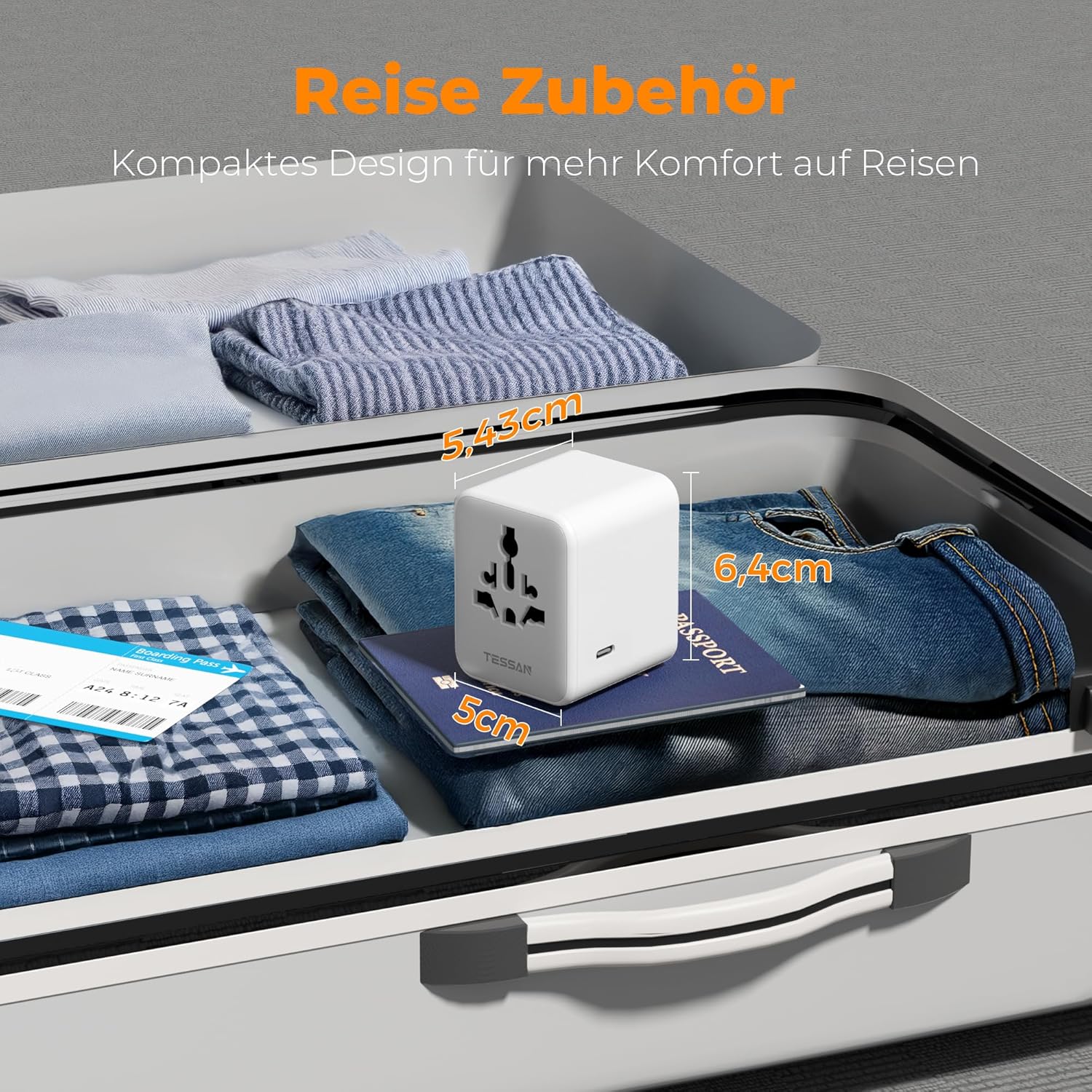
Image: The compact design of the TESSAN travel adapter, shown next to a passport in a suitcase, highlighting its portability with dimensions of 5cm x 5.3cm x 7.1cm.
4. Setup and Operation
4.1 Selecting the Correct Plug Type
The adapter features retractable pins for different regions. To select the appropriate plug type:
- Identify the plug type required for your destination country.
- Slide the corresponding button on the side of the adapter to extend the correct pins.
- Ensure only one plug type is extended at a time. Push the extended pins back in when not in use or when switching to another plug type.
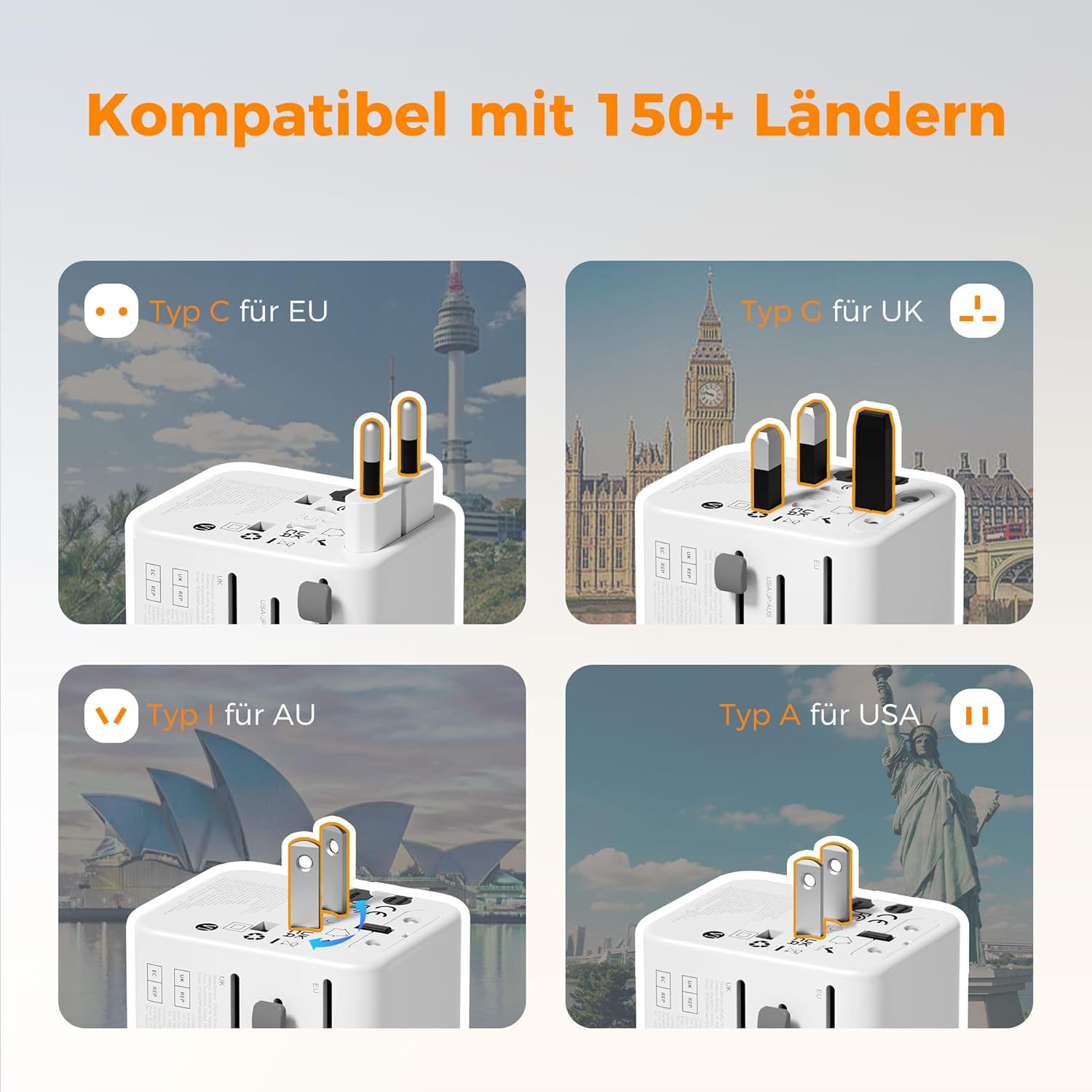
Image: Visual guide demonstrating the four main plug types (EU, UK, AU, USA) that can be deployed from the adapter, compatible with over 150 countries.
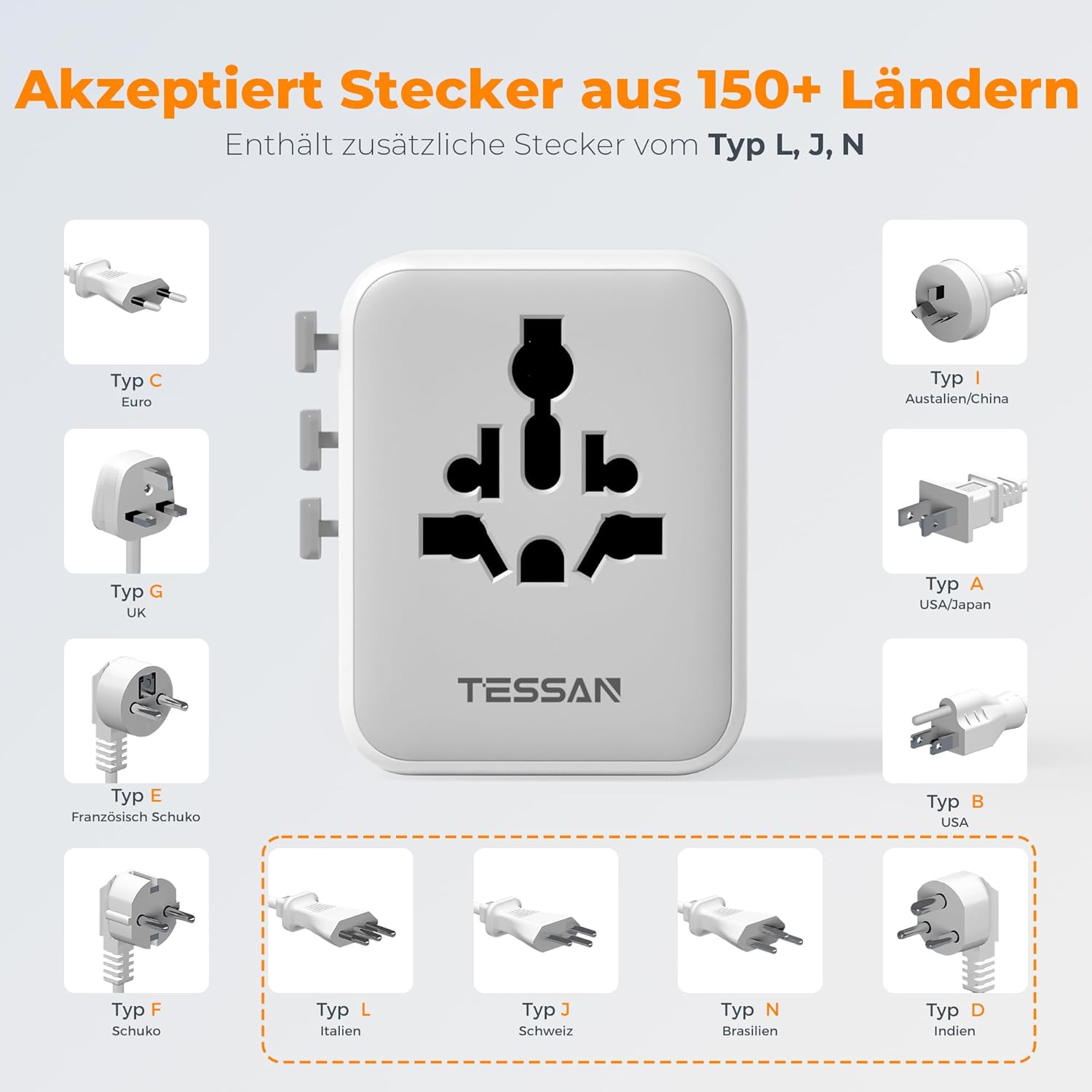
Image: Illustration of the adapter's universal input socket, which accepts plugs from over 150 countries, including Type C (Euro), Type G (UK), Type E (French Schuko), Type F (Schuko), Type I (Australia/China), Type A (USA/Japan), Type B (USA), Type L (Italy), Type J (Switzerland), Type N (Brazil), and Type D (India).
4.2 Connecting Devices
- Once the correct plug type is extended, insert the adapter firmly into the wall socket.
- For AC-powered devices, plug your device's power cord into the universal AC socket on the front of the adapter.
- For USB-powered devices, connect your USB-A or USB-C charging cable to the corresponding ports on the adapter and then to your device.
- You can charge up to 6 devices simultaneously (1 AC device, 2 USB-A devices, and 3 USB-C devices).
Video: A demonstration of the TESSAN Universal Travel Adapter, showcasing its compatibility with various international plug types (USA, Australia, UK, EU) and its ability to charge multiple devices via USB-C and USB-A ports. The video highlights its compact size and convenience for travelers.
5. Maintenance
5.1 Cleaning
To clean the adapter, ensure it is unplugged from the wall socket and all devices are disconnected. Wipe the surface with a dry, soft cloth. Do not use liquid cleaners or abrasive materials.
5.2 Fuse Replacement
The adapter is equipped with a replaceable 10A fuse and includes a spare. If the adapter stops working, the fuse may have blown due to an overload. To replace the fuse:
- Ensure the adapter is unplugged from the wall socket.
- Locate the fuse compartment, usually marked "FUSE", on the side of the adapter.
- Carefully open the fuse compartment. You may need a small flat-head screwdriver or a similar tool to gently pry it open.
- Remove the blown fuse and replace it with the spare 10A fuse provided.
- Close the fuse compartment securely.
- Plug the adapter back into the wall socket and test its functionality.
If the adapter still does not work after replacing the fuse, discontinue use and contact customer support.
Image: A detailed view of the adapter's fuse compartment, illustrating the location of the dual 10A fuses for overload protection.
6. Troubleshooting
| Problem | Possible Cause | Solution |
|---|---|---|
| Adapter is not powering on/charging devices. |
|
|
| Devices are charging slowly or intermittently. |
|
|
| Adapter feels hot during use. |
|
|
7. Specifications
| Feature | Detail |
|---|---|
| Brand | TESSAN |
| Model | 633FV |
| Color | Grey |
| Product Weight | 167 Grams |
| Input Voltage | 100-250 Volts AC, 50-60 Hz |
| AC Output | Max 10A, 2500W at 250V AC, 1100W at 110V AC |
| USB-A Output | 5V/2.4A MAX (Total for 2 ports) |
| USB-C Output | 5V/3A MAX (Total for 3 ports) |
| Total USB Output | 28W Max |
| Plug Types | Type C (EU), Type G (UK), Type I (AU), Type A/B (USA) |
| Total Sockets | 1 AC Socket, 5 USB Ports (2 USB-A, 3 USB-C) |
| Dimensions | Approx. 5 x 5.3 x 7.1 cm |
8. Warranty and Support
For warranty information or technical support, please refer to the documentation provided with your purchase or visit the official TESSAN website. If you encounter any issues not covered in this manual, please contact TESSAN customer service for assistance.


