
1. Introduction
Thank you for purchasing the Heayzoki MP3 Music Player. This compact and portable device is designed to provide a high-quality audio experience with lossless decoding sound. It supports memory card expansion up to 64GB, allowing you to carry a vast library of music and audiobooks. This manual provides essential information for setting up, operating, and maintaining your MP3 player.
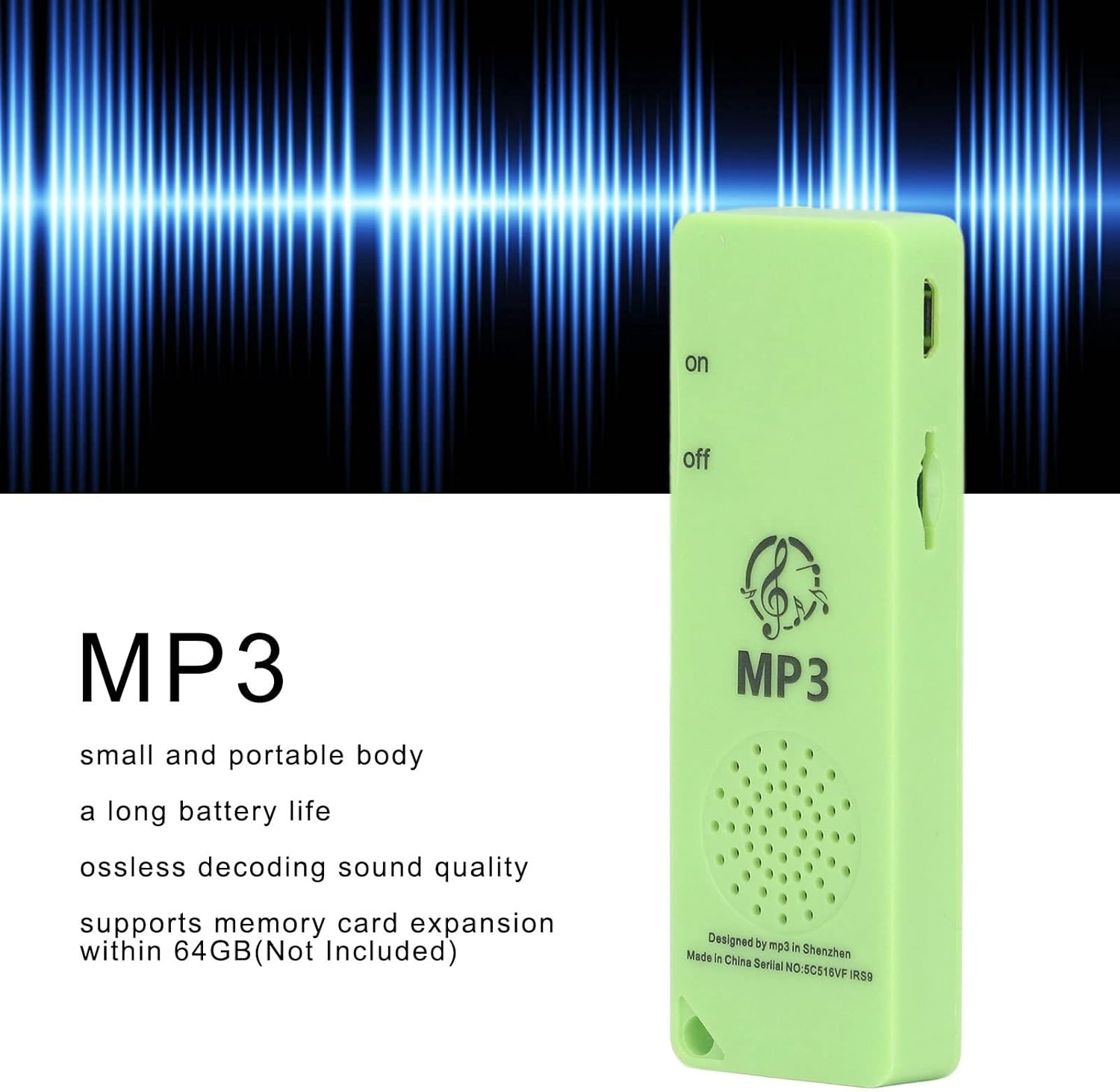
Figure 1: Front view of the Heayzoki MP3 Music Player, illustrating its compact design and audio capabilities.
2. Package Contents
Ensure all items are present in the package:
- 1 x Heayzoki MP3 Player
- (Memory Card Not Included)
3. Device Overview
Familiarize yourself with the various parts of your MP3 player.

Figure 2: Top view of the MP3 player, highlighting the headphone jack and the On/Off switch.

Figure 3: Side view of the MP3 player, showing the USB port for charging and data transfer, along with the On/Off switch.
- On/Off Switch: Located on the side, slide to turn the device on or off.
- Headphone Jack: Standard 3.5mm audio output for headphones.
- USB Port: For charging the device and transferring files from a computer.
- Memory Card Slot: For inserting a microSD card (up to 64GB).
- Speaker: Integrated speaker for direct audio playback.
4. Setup
4.1. Charging the Device
- Connect the MP3 player to a computer's USB port or a USB wall adapter using a compatible USB cable.
- The device will begin charging automatically. The built-in Polymer Lithium Battery has a capacity of 180mAh.
- Allow sufficient time for a full charge before first use.
4.2. Inserting a Memory Card
The MP3 player supports memory card expansion up to 64GB (memory card not included).
- Locate the memory card slot on the side of the device.
- Gently insert a microSD card into the slot until it clicks into place. Ensure the card is oriented correctly.
- To remove, gently push the card inward until it springs out.
4.3. Transferring Files
- Connect the MP3 player to your computer using the USB cable.
- The device should appear as a removable disk drive on your computer.
- Drag and drop your MP3 audio files or e-book files into the device's storage or the inserted memory card.
- Once files are transferred, safely eject the device from your computer before disconnecting the USB cable.
5. Operating Instructions
5.1. Power On/Off
- To turn on the device, slide the "on/off" switch to the "on" position.
- To turn off the device, slide the "on/off" switch to the "off" position.
5.2. Playing Music
- Ensure your audio files are loaded onto the device or memory card.
- Connect headphones to the 3.5mm headphone jack for private listening, or use the built-in speaker.
- The device will automatically detect and play compatible MP3 files. Use the physical controls (if present, not detailed in product info) to navigate tracks or adjust volume.
- The player supports lossless decoding sound quality for an enhanced listening experience.
5.3. Listening to Audiobooks/Novels
The MP3 player is suitable for listening to audiobooks and novels without lag. Transfer your audio novel files to the device as described in Section 4.3.
6. Maintenance
- Cleaning: Use a soft, dry cloth to clean the device. Avoid liquid cleaners or abrasive materials.
- Storage: Store the MP3 player in a cool, dry place away from direct sunlight and extreme temperatures.
- Battery Care: To prolong battery life, avoid fully discharging the battery frequently. Charge the device regularly, even if not in use for extended periods.
- Water Exposure: This device is not waterproof. Avoid exposure to water or high humidity.
7. Troubleshooting
| Problem | Possible Cause | Solution |
|---|---|---|
| Device does not turn on. | Battery is discharged. | Charge the device for at least 30 minutes. |
| No sound from headphones. | Headphones not properly connected or faulty. Volume too low. | Ensure headphones are fully plugged in. Test with another pair of headphones. Increase volume. |
| Computer does not recognize the device. | Faulty USB cable or port. Driver issue. | Try a different USB cable or a different USB port on your computer. Restart your computer. |
| Cannot play music files. | Unsupported file format. Files not properly transferred. Memory card issue. | Ensure files are in MP3 format. Re-transfer files. Check if the memory card is inserted correctly and functioning. |
8. Specifications
| Brand | Heayzoki |
| Model Name | portable mini mp3 player |
| Model Number | Heayzokihxw9s4duba6352-12 |
| Item Type | MP3 Player |
| Material | ABS |
| Built-in Battery | 180mAh Polymer Lithium Battery |
| Memory Card Support | Up to 64GB (MicroSD) |
| Connectivity Technology | Aux, USB |
| Supported Media Type | SD Card |
| Supported Standards | MP3 |
| Special Features | E-Book, Portable |
| Color | Green |
| Screen Size | 0.6 inches (LCD) |
| Item Weight | 21 g |
| Manufacturer | Heayzoki |
9. Warranty and Support
For warranty information and customer support, please refer to the documentation provided with your purchase or contact the retailer. Specific warranty terms may vary by region and retailer.
For further assistance, please visit the Heayzoki Store on Amazon.