
BAOFENG BL-1
Contents
Baofeng BL-1 1500mAh Replacement Battery User Manual
Model: BL-1
1. Product Overview
The Baofeng BL-1 is a high-quality, original replacement Li-ion battery designed for specific two-way radio models. It provides reliable power and features a convenient USB-C charging port for versatile charging options.

Image: Two Baofeng BL-1 1500mAh Li-ion replacement batteries, showing the front view with product labels.
Key Features:
- Compatibility: Specifically designed for Baofeng BF-88ST and Retevis H-777 two-way radios.
- Capacity: 1500mAh Li-ion battery, providing extended usage time.
- Voltage: 3.7V.
- USB-C Charging: Integrated USB-C port allows direct charging without a desktop charger.
- Fast Charging: Achieves full charge in 3-4 hours, up to 30% faster than traditional desktop chargers.
- Long Service Time: Typical use for 25 hours and continuous use for 9 hours.
2. Setup
Battery Installation:
- Ensure your two-way radio (Baofeng BF-88ST or Retevis H-777) is powered off before installation.
- Locate the battery compartment on the back of your radio.
- Align the battery with the compartment, ensuring the metal contacts on the battery match the contacts within the radio.
- Gently push the battery into place until it clicks securely. Some models may require sliding the battery down into position.
- Close the battery compartment cover, if applicable, ensuring it is latched properly.
Once installed, the radio is ready for operation or charging.
3. Operating
Charging the Battery:
The BL-1 battery features a built-in USB-C charging port, allowing for convenient charging using a standard USB-C cable and adapter (not included). This eliminates the need for a separate desktop charger.
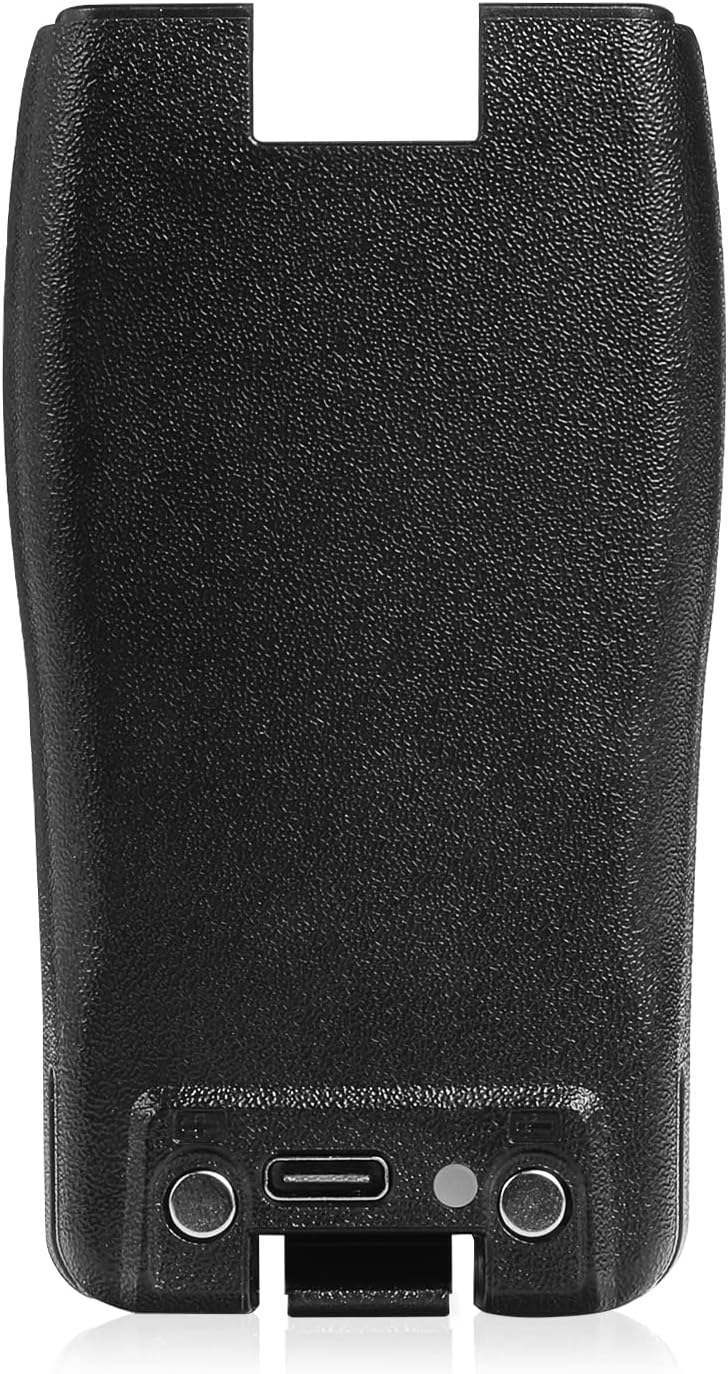
Image: Top view of the Baofeng BL-1 battery, highlighting the integrated USB-C charging port and charging indicator light.

Image: A close-up view of the Type-C interface on the Baofeng BL-1 battery, indicating the charging port.
- Connect a compatible USB-C charging cable to the USB-C port on the battery.
- Connect the other end of the USB-C cable to a USB power adapter (e.g., wall adapter, power bank, computer USB port).
- The charging indicator light on the battery will illuminate to show that charging is in progress.
- A full charge typically takes 3-4 hours. The indicator light may change color or turn off when charging is complete (refer to your radio's specific charging indicators if charging while installed).
The battery can be charged independently or while installed in the compatible radio.
Battery Life:
A fully charged BL-1 battery provides approximately 25 hours of typical use and 9 hours of continuous transmission/reception, depending on usage patterns and radio settings.
4. Maintenance
General Care:
- Keep the battery contacts clean and dry. Use a soft, dry cloth to wipe them if necessary.
- Avoid exposing the battery to extreme temperatures (hot or cold), direct sunlight, or high humidity.
- Do not disassemble, puncture, or short-circuit the battery terminals.
- Do not dispose of the battery in fire.
Storage:
If storing the battery for an extended period, ensure it is charged to approximately 50% capacity. Store it in a cool, dry place away from direct sunlight and corrosive materials. Periodically recharge the battery to maintain its health if stored for very long durations.
5. Troubleshooting
| Problem | Possible Cause | Solution |
|---|---|---|
| Battery not charging. |
|
|
| Battery not powering the radio. |
|
|
| Short battery life. |
|
|
6. Specifications
| Specification | Value |
|---|---|
| Battery Type | Li-ion / Lithium-ion |
| Model | BL-1 |
| Voltage | 3.7V (DC) |
| Capacity | 1500mAh |
| Charging Time (USB-C) | 3-4 hours |
| Item Weight | 3.52 ounces |
| Package Dimensions | 4.06 x 2.32 x 1.5 inches |
| Compatible Models | Baofeng BF-88ST, Retevis H-777 |

Image: Diagram showing the dimensions of the Baofeng BL-1 battery: 3.74 inches (height), 1.77 inches (width), and 0.59 inches (thickness).
7. Warranty and Support
Warranty Information:
Specific warranty terms for the Baofeng BL-1 battery may vary. Please refer to the warranty information provided at the time of purchase or contact the seller/manufacturer directly for details regarding warranty coverage and duration.
Customer Support:
For technical assistance, troubleshooting beyond this manual, or inquiries about your product, please contact BAOFENG customer support. You can typically find contact information on the BAOFENG official website or through the retailer where the product was purchased.
Visit the official BAOFENG store for more products and information: BAOFENG Store on Amazon
Documents and downloads
Ask a question about this manual
Ask about setup, troubleshooting, compatibility, parts, safety, or missing instructions. Manuals+ will review the question and use this page’s manual context to help answer it.