
Midea AMS150-BC
Midea 2-in-1 Bladeless Tower Fan & Air Purifier
Model: AMS150-BC
Introduction
This user manual provides essential information for the safe operation, maintenance, and troubleshooting of your Midea 2-in-1 Bladeless Tower Fan & Air Purifier. Please read this manual thoroughly before using the appliance and retain it for future reference.
The Midea AMS150-BC combines the functions of a powerful tower fan and an efficient air purifier, designed to enhance air quality and comfort in your home or office. It features a bladeless design for safety, multiple speed settings, various wind modes, and advanced air purification technology.
Important Safety Information
Always follow basic safety precautions when using electrical appliances to reduce the risk of fire, electric shock, and injury to persons.
- Do not operate the fan with a damaged cord or plug.
- Do not run cord under carpeting. Do not cover cord with throw rugs, runners, or similar coverings. Arrange cord away from traffic area and where it will not be tripped over.
- Do not immerse the fan in water or other liquids.
- Unplug the fan from the outlet when not in use, when moving it from one location to another, and before cleaning.
- Do not allow children to play with the fan.
- Ensure the fan is placed on a stable, level surface to prevent tipping.
- Do not block air openings or operate near flammable materials.
Package Contents
Verify that all items are present in the package:
- Midea Bladeless Tower Fan & Air Purifier Unit
- Remote Control
- H13 HEPA Filters (pre-installed or separate)
- User Manual (this document)
Setup
Follow these steps for initial setup:
- Unpacking: Carefully remove the unit and all accessories from the packaging. Retain packaging for future storage or transport.
- Placement: Place the fan on a firm, level surface. Ensure there is adequate space around the unit for proper airflow, at least 30 cm (12 inches) from walls or furniture.
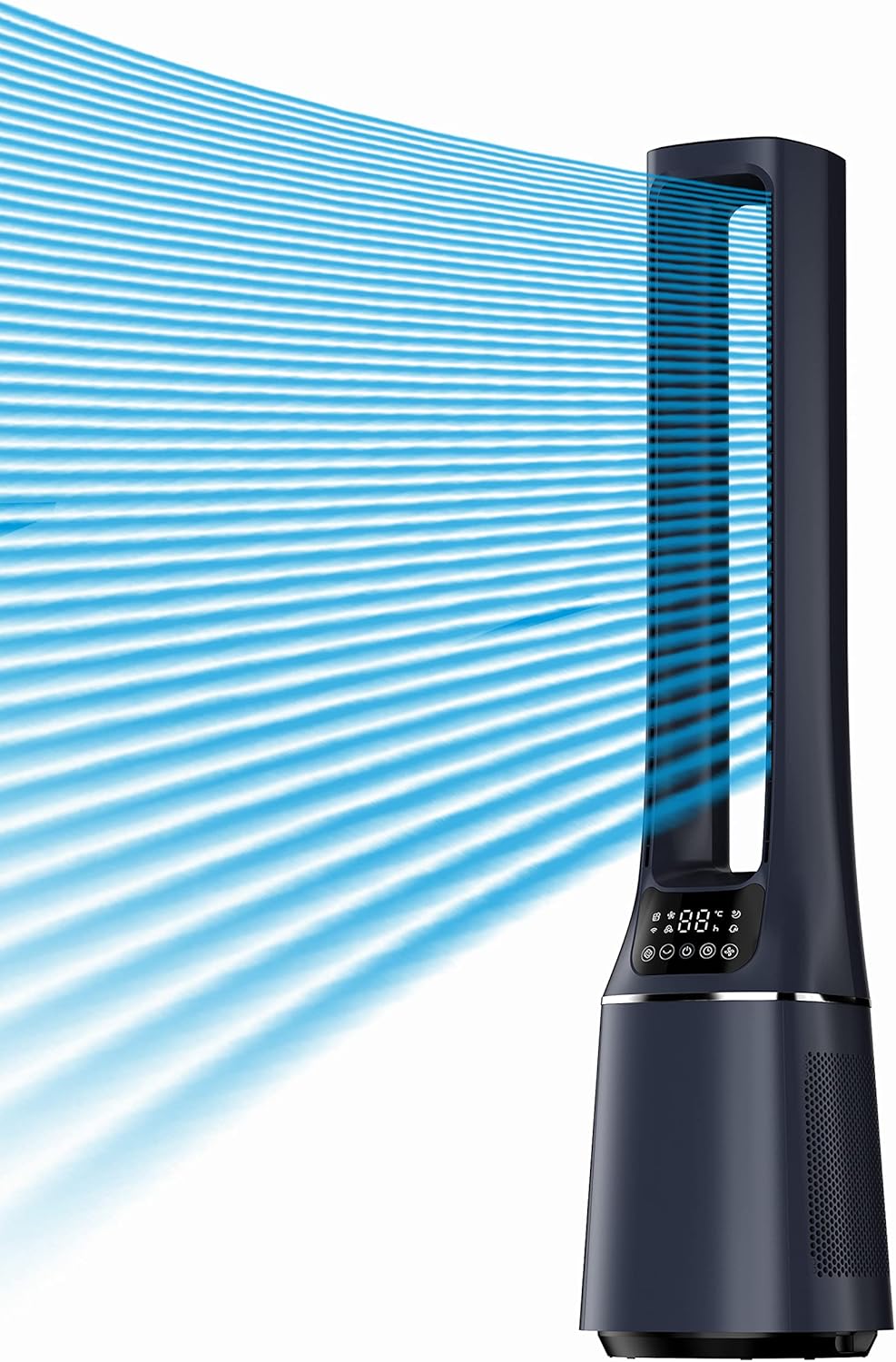
Image: The Midea Bladeless Tower Fan & Air Purifier demonstrating its powerful airflow. Position the fan to allow for optimal air circulation.
- Filter Installation (if not pre-installed):
- Locate the filter compartment, typically at the base of the unit.
- Open the compartment cover.
- Insert the H13 HEPA filters as indicated by the arrows or guides. Ensure they are seated correctly.
- Close the compartment cover securely.

Image: An internal view illustrating the double H13 HEPA filters and the path of air purification, including Net Ion Technology.
- Power Connection: Plug the power cord into a standard electrical outlet.
Operating Instructions
Your Midea Bladeless Tower Fan & Air Purifier can be operated using the control panel on the unit or the included remote control.
Control Panel and Remote Control
The control panel features an LED display and touch-sensitive buttons. The remote control provides full functionality from a distance.

Image: The fan in a living room setting, demonstrating its ability to customize comfort with features like 10-speed settings, a 12-hour timer, and 60-degree oscillation.
Basic Functions
- Power On/Off: Press the power button (⏻) to turn the unit on or off.
- Speed Adjustment: Use the speed buttons (+ / -) to cycle through 10 fan speed settings.

Image: An illustration of the powerful DC motor, highlighting its quiet operation (38dB), 10-speed settings, and 4 available wind modes.
- Oscillation: Press the oscillation button (↻) to activate or deactivate the 60-degree widespread oscillation function.
- Timer: Press the timer button (⏷) to set the auto-off timer for up to 12 hours. Each press increases the timer by one hour.
Wind Modes
The unit offers 4 distinct wind modes:
- Normal Mode: Provides a constant airflow at the selected speed.
- Natural Mode: Simulates natural breeze by varying fan speed. This mode is designed for quiet operation.
- AI Smart Wind Mode: The fan automatically adjusts its speed based on the ambient room temperature detected by the built-in sensor.

Image: A graph demonstrating SensiCool Technology, where the fan's speed level automatically adjusts according to detected ambient temperature changes throughout the day.
- Ion Wind Mode: Activates the Net Ion Technology for enhanced air purification.
Special Features
- Ultra-Silent Operation (Sleep Mode): At its lowest fan speed, the unit operates as low as 36dB, providing a quiet environment suitable for sleeping. The display light can automatically turn off in sleep mode.

Image: A visual representation of the fan's quiet operation, with a sleeping person and a decibel scale indicating a low noise level of 38 dB, comparable to a whisper.

Image: A graph illustrating the Auto Sleep Mode, which gradually reduces fan speed over 30, 60, and 90 minutes for undisturbed sleep.
- Bladeless Design: Provides enhanced safety, especially in homes with children or pets, and simplifies cleaning.

Image: A father and child safely interacting with the bladeless fan, emphasizing its added safety for households with children or pets.
- Air Purification: Utilizes Double H13 HEPA filters and Net Ion Technology to remove 99.97% of airborne pollutants, including dust, allergens, smoke, pollen, and pet dander.

Image: A detailed diagram illustrating the air purification system, including the H13 True HEPA filter, pre-filter, and shell-cover, and their roles in removing pollutants.

Image: An illustration depicting the Net Ion Technology in action, showing how positive and negative ions are released to neutralize airborne particles.
Maintenance
Regular maintenance ensures optimal performance and longevity of your appliance.
- Cleaning the Exterior:
- Always unplug the unit before cleaning.
- Wipe the exterior surfaces with a soft, damp cloth. Do not use abrasive cleaners or solvents.
- Ensure no water enters the internal components.
- Filter Replacement:
- The H13 HEPA filters should be replaced periodically, typically every 6-12 months, depending on usage and air quality.
- Refer to the filter installation steps in the "Setup" section for guidance on accessing and replacing filters.
- Replacement filters can be purchased from authorized Midea retailers or online.
Troubleshooting
If you encounter issues, refer to the following table for common problems and solutions.
| Problem | Possible Cause | Solution |
|---|---|---|
| Unit does not turn on. | No power supply; Power cord not securely plugged in. | Check power outlet; Ensure power cord is fully inserted. |
| Weak airflow. | Filters are dirty or clogged; Air intake/outlet blocked. | Replace filters; Clear any obstructions. |
| Unusual noise. | Unit not on a level surface; Foreign object inside; Dirty filters. | Place on a flat surface; Unplug and check for obstructions (if safe); Replace filters. |
| Remote control not working. | Batteries are dead or incorrectly inserted; Obstruction between remote and unit. | Replace batteries; Ensure clear line of sight. |
If the problem persists after attempting these solutions, please contact Midea customer support.
Specifications
| Feature | Detail |
|---|---|
| Model | AMS150-BC |
| Type | 2-in-1 Bladeless Tower Fan & Air Purifier |
| Dimensions (D x W x H) | 25.5D x 25.5W x 109H Centimetres |
| Weight | 14.9 Pounds |
| Power Source | AC |
| Fan Speeds | 10 |
| Wind Modes | Normal, Natural, AI Smart Wind, Ion Wind |
| Oscillation Angle | 60 degrees |
| Timer | 12 Hours (Programmable) |
| Air Filtration | Double H13 HEPA Filters, Net Ion Technology |
| Noise Level (Min) | 36dB (Sleep Mode) |
| Control Type | Remote Control, Touch Screen LED Display |
| Safety Certification | UL Certified |
Warranty and Support
Warranty: The Midea Bladeless Tower Fan & Air Purifier (Model AMS150-BC) comes with a 1-Year limited manufacturer warranty against manufacturing defects. This warranty covers defects in materials and workmanship under normal use. It does not cover damage resulting from misuse, accident, alteration, or unauthorized repair. Please retain your proof of purchase for warranty claims.
Customer Support: For technical assistance, warranty claims, or to purchase replacement parts (such as filters), please contact Midea customer support.
You can find contact information on the official Midea website or through your local retailer.
Related documentsAMS150-BC


Ask a question about this manual
Ask about setup, troubleshooting, compatibility, parts, safety, or missing instructions. Manuals+ will review the question and use this page’s manual context to help answer it.