
1. Safety Information
Please read all instructions carefully before assembly and use. Keep this manual for future reference.
- Always assemble the desk according to the provided instructions.
- Ensure the desk is stable and secure before use, especially when the drawer is open or items are placed on the shelves.
- Do not overload the desk or shelves. Refer to the specifications for weight limits.
- Keep small parts away from children during assembly to prevent choking hazards.
- Use the desk on a level surface to prevent tipping.
2. Package Contents
Verify that all components are present before beginning assembly. Each part is labeled with a letter for easy identification.
Components:
- Desk Top (1)
- Frame (2)
- Shelf Frame (2)
- Drawer Support Bar (1)
- Drawer (1)
- Storage Bin (1)
- Connecting (1)
- Connecting Frame (1)
Hardware:
- Screws (I*10, J*20)
- Allen Wrenches (K*1, L*1)

Figure 2.1: SHW 46-Inch Mission Computer Desk with Side Shelf and Drawer in Rustic Brown.
3. Assembly Instructions
Follow the step-by-step diagrams provided in your included instruction booklet. The assembly process is designed to be straightforward.
General Tips:
- Lay out all parts and hardware before starting.
- Place the desk components on a soft surface, such as a blanket or carpet, during assembly to prevent scratches or damage.
- Do not fully tighten all screws until all pieces are in place and the desk is properly aligned. Once assembled, go back and tighten all screws securely.
- The side shelf can be installed on either the left or right side of the desk to suit your preference.

Figure 3.1: The side shelf can be installed on either the left or right side.
Assembly Video Guide:
Video 3.1: Official setup guide for the SHW 46-Inch Mission Computer Desk, demonstrating the assembly process step-by-step.
4. Product Features
- Functional 46-Inch Desktop: Provides a generous surface for monitors, laptops, and daily work tools, making it ideal for home office setups or study areas.
- Integrated Drawer and Side Shelf: Includes a built-in drawer for storing stationery or electronics, plus a side shelf to keep books, binders, or decor neatly organized.
- Mission-Style Design: Clean lines and classic vertical slats offer a timeless, professional look that complements both traditional and contemporary home interiors.
- Sturdy and Durable Build: Crafted from engineered wood with a laminated finish for long-lasting use and dependable support during daily tasks.

Figure 4.1: The SHW Mission Computer Desk in a typical home office setup.
5. Operation
Using the Integrated Drawer:
The desk features a pull-out drawer located beneath the main desktop. This drawer includes plastic dividers that can be customized to organize pens, notepads, and other office supplies. Simply slide the dividers into the desired slots to create compartments.
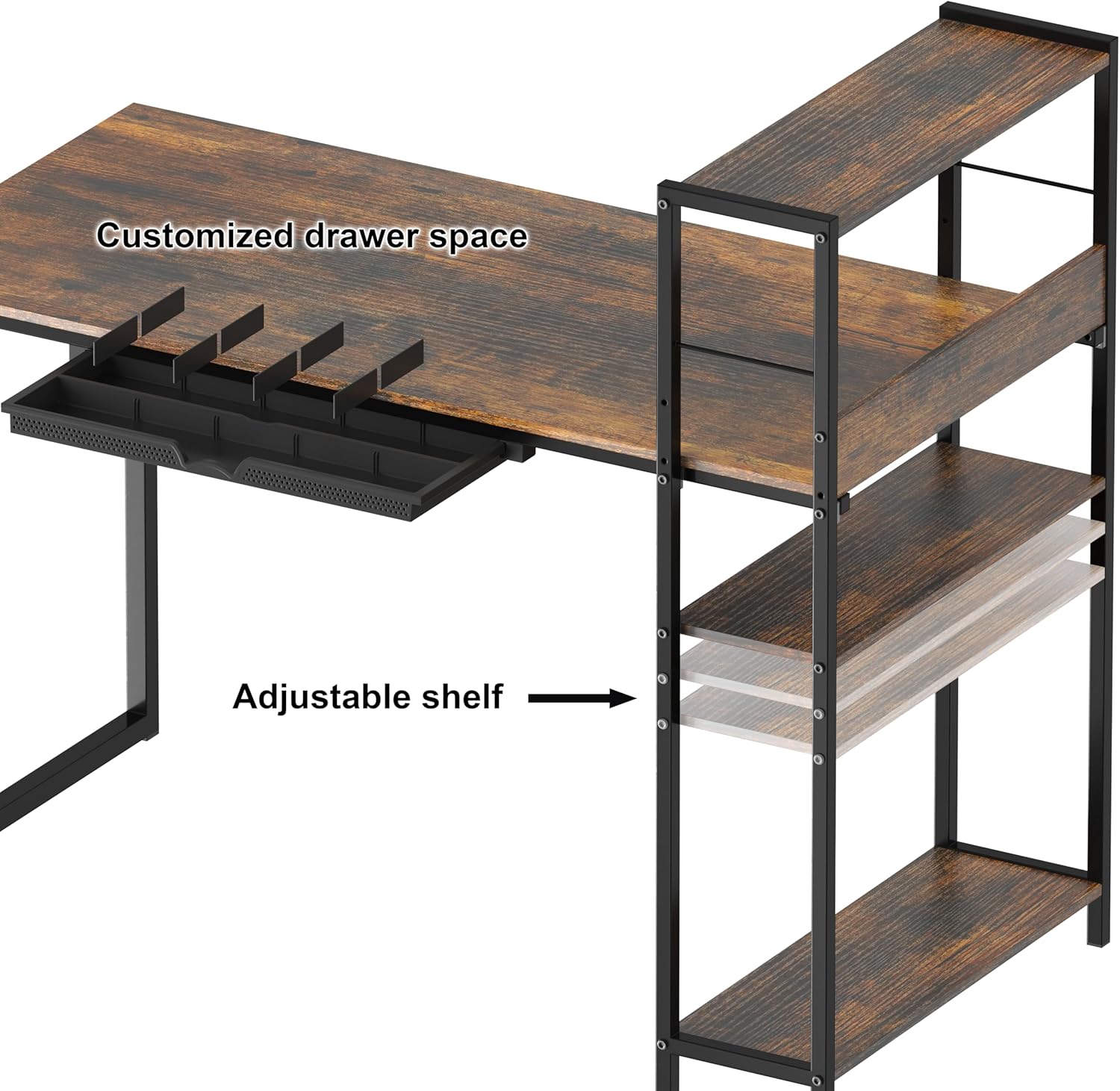
Figure 5.1: Integrated drawer with customizable dividers.
Adjusting the Side Shelf:
The side shelf unit offers adjustable shelves. To adjust a shelf, remove any items, then carefully lift the shelf and reposition it into the desired height slots on the shelf frame. Ensure the shelf is securely seated before placing items on it.

Figure 5.2: Adjustable shelf mechanism.
Using the Storage Bin:
A fabric storage bin is provided to fit into one of the side shelf compartments. This bin is suitable for holding headphones, cables, or other items you wish to keep neatly tucked away.
6. Maintenance
- Cleaning: Wipe the desk surfaces with a soft, damp cloth. Avoid harsh chemicals or abrasive cleaners that may damage the finish.
- Tightening Screws: Periodically check all screws and connections to ensure they remain tight. Re-tighten as necessary to maintain stability.
- Avoid Excessive Moisture: Protect the desk from prolonged exposure to moisture or direct sunlight to prevent warping or discoloration.
7. Troubleshooting
Issue: Screw does not fit or tighten properly.
Solution: Ensure you are using the correct screw for the designated hole as indicated in the assembly instructions. If a hole appears to be defective, try a different screw from the spare parts. Do not force screws, as this can strip the threading or damage the material. If the issue persists, contact customer support.
Issue: Desk feels unstable or wobbly.
Solution: Check that all screws are fully tightened. Ensure the desk is placed on a flat, level surface. If necessary, adjust the leveling feet (if present) on the bottom of the desk legs to compensate for uneven floors.
8. Specifications
| Brand | SHW |
| Model Number | OD-12F-R |
| Product Dimensions (Desk Only) | 24"D x 46"W x 28"H |
| Product Dimensions (Including Shelves) | 23.5"D x 46.1"W x 39.75"H |
| Color | Rustic Brown |
| Style | Modern, Mission-Style |
| Base Material | Alloy Steel |
| Top Material Type | Engineered Wood |
| Finish Type | Painted, Laminated |
| Special Features | Adjustable Shelf, Drawer |
| Number of Drawers | 1 |
| Number of Shelves | 3 (Open Shelves) |
| Required Assembly | Yes |
| Assembly Tools Included | Yes |
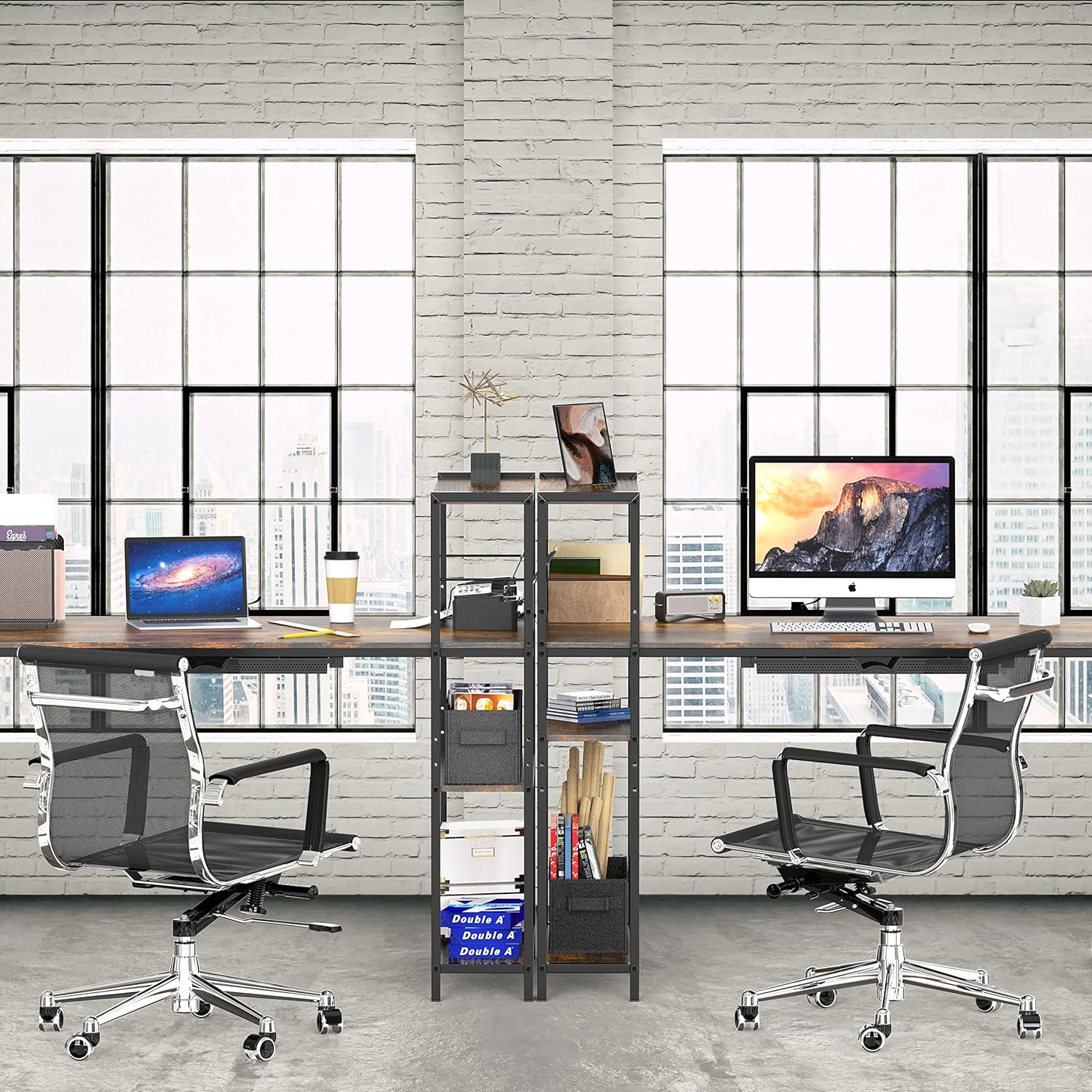
Figure 8.1: Detailed product dimensions.
9. Warranty and Support
This product comes with a Limited Warranty. For specific details regarding warranty coverage, please refer to the documentation included with your purchase or contact SHW customer support.
If you encounter any issues or have questions not covered in this manual, please contact SHW customer service for assistance. Contact information can typically be found on the product packaging or the official SHW website.