
Sealy KTHB-ATVS-Q
Sealy Electric Blanket Queen Size Instruction Manual
Model: KTHB-ATVS-Q
1. Important Safety Instructions
Please read all instructions carefully before using your Sealy Electric Blanket. Retain this manual for future reference. Failure to follow these instructions may result in fire, electric shock, or injury.
- Do not use with infants, children, incapacitated persons, or anyone insensitive to heat.
- Do not use with a damaged cord or plug. If the cord or plug is damaged, contact customer support.
- Do not use with other heating devices, such as heating pads or other electric blankets.
- Do not use if wet. Ensure the blanket is completely dry before connecting to power.
- Avoid tucking in the control unit or power cord. Ensure they are not pinched or covered.
- Do not dry clean. Dry cleaning solvents may damage the insulation of the heating elements.
- Do not use pins or other metallic objects with this blanket, as they may damage the wiring.
- Always disconnect the power cord from the outlet when not in use or before cleaning.
- This blanket is designed for household use only.
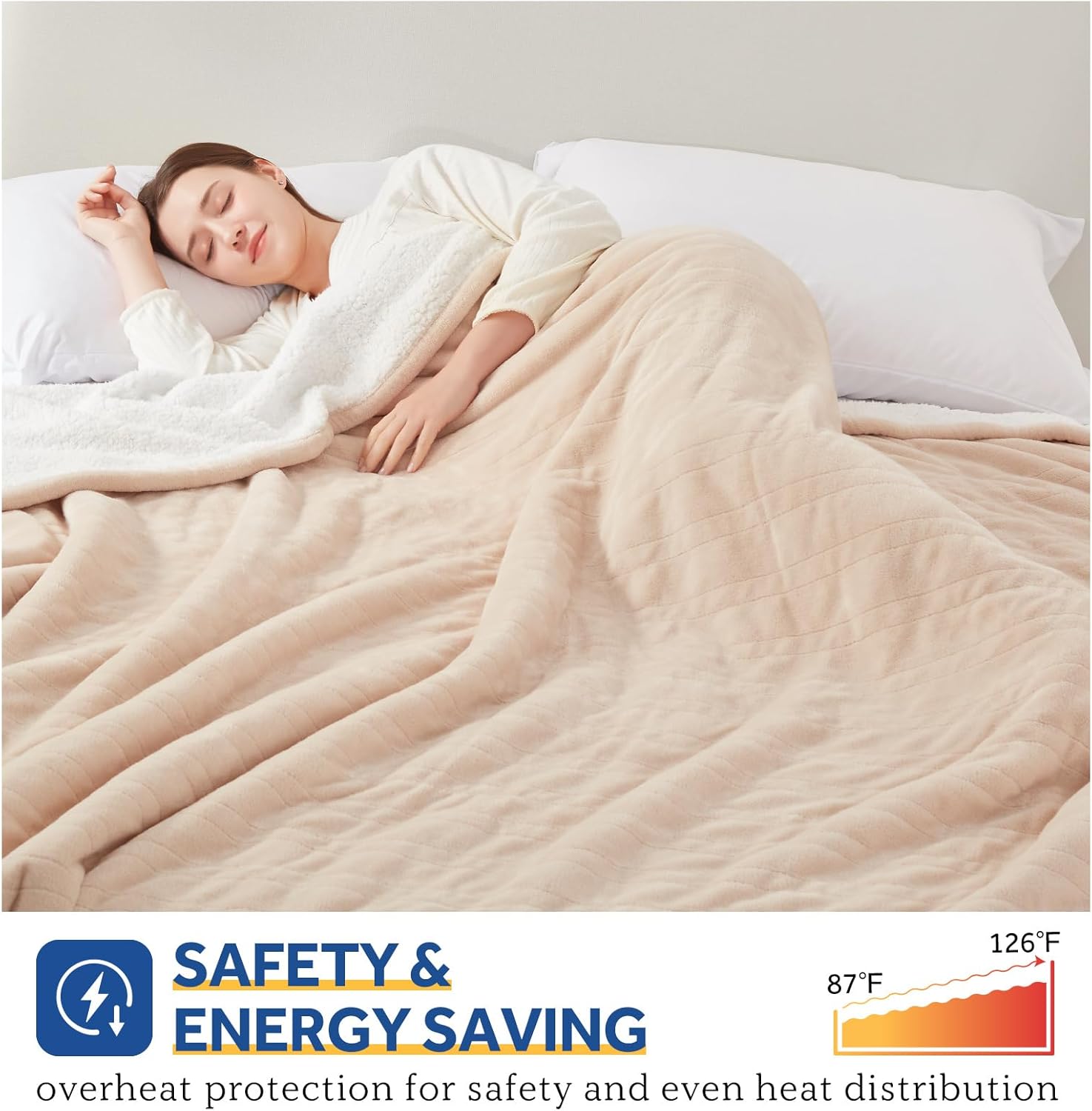
Image: The blanket features overheat protection and even heat distribution for user safety and energy efficiency.
2. Product Overview
The Sealy Electric Blanket provides warmth and comfort with its soft flannel and sherpa materials. This Queen size blanket (84" x 90") includes advanced features for personalized heating and safety.
Components:
- 1 x Sealy Electric Blanket (Queen Size)
- 2 x Digital Temperature Controllers
- 1 x User Manual
Key Features:
- Material: Soft flannel on one side and cozy sherpa on the other, made from 100% polyester.
- Dual Digital Controllers: Allows independent heat adjustment for two users.
- 10 Heat Settings: Temperature range from 87°F to 126°F.
- Auto Shut-Off Timer: Adjustable from 1 to 12 hours.
- Fast Heating: Quickly reaches desired temperature.
- Safety Certified: ETL & FCC certified with lower electromagnetic radiation and overheating protection.
- Machine Washable: Easy to clean after disconnecting controllers.

Image: The Sealy electric blanket, folded, showcasing its two independent digital controllers.

Image: The blanket features soft flannel and sherpa material for comfort.
3. Setup and Installation
- Unpack: Carefully remove the electric blanket and its components from the packaging.
- Position the Blanket: Lay the electric blanket flat on your bed, ensuring it is evenly spread and not bunched up. The connector ports should be positioned at the foot of the bed.
- Connect Controllers: Plug each digital controller's cord into the corresponding port on the blanket. Ensure a secure connection.
- Connect to Power: Plug the power cords from the controllers into a standard 120V AC electrical outlet. Avoid using extension cords or power strips. Ensure the cords are not pinched between the mattress and bed frame.

Image: The electric blanket properly laid out on a bed.
4. Operation
Your Sealy Electric Blanket features dual controls, allowing two users to customize their heat settings independently.
Using the Digital Controller:
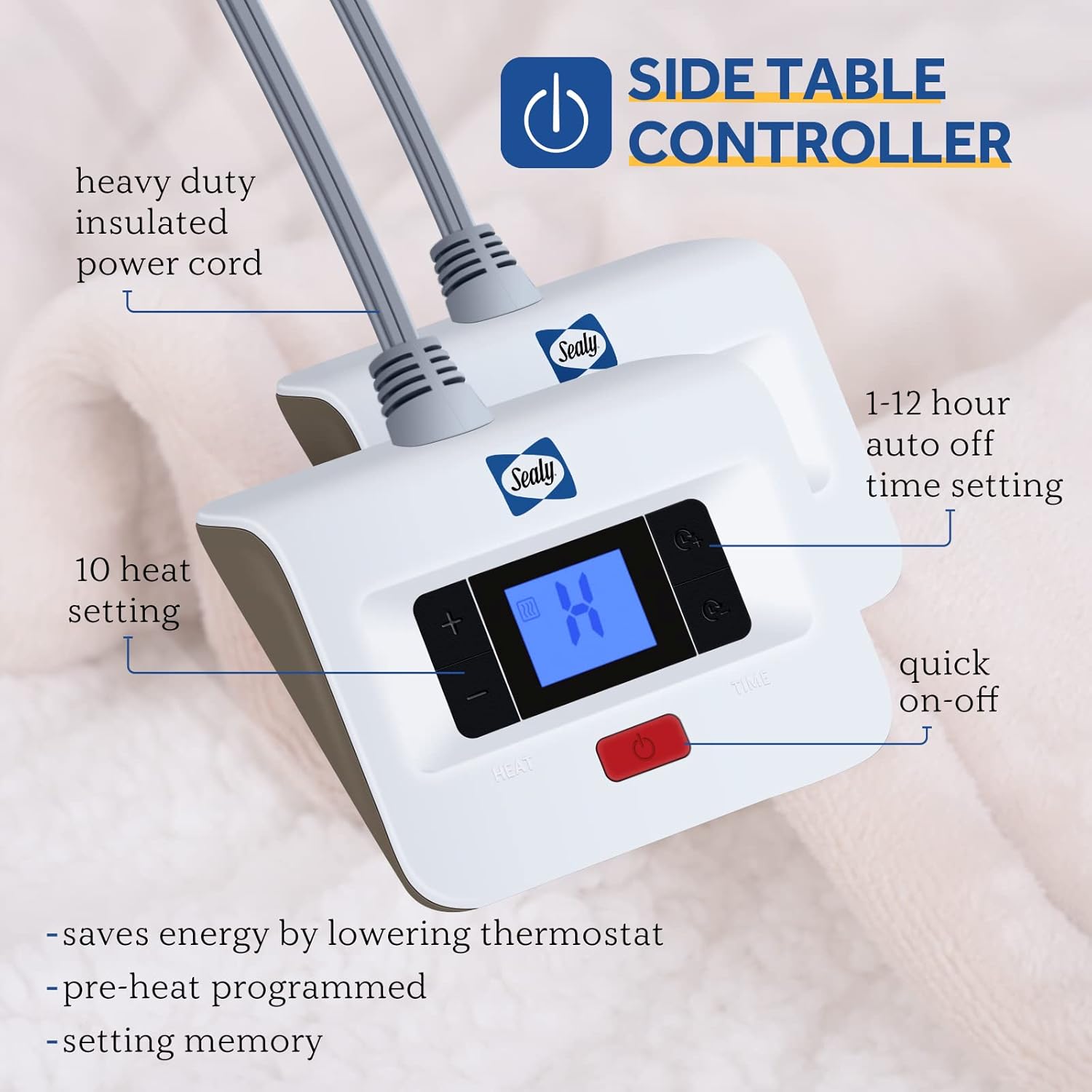
Image: Detailed view of the digital controller with its various functions.
- Power On/Off: Press the red power button to turn the blanket on or off. The display will illuminate when on.
- Adjust Heat Setting: Use the '+' and '-' buttons under 'HEAT' to select your desired heat level from 1 to 10. (Temperature range: 87-126°F).
- Set Auto Shut-Off Timer: Press the 'TIME' button to cycle through the auto shut-off options (1-12 hours). The blanket will automatically turn off after the selected duration.
- Pre-Heating: For optimal comfort, turn on the blanket 15-30 minutes before use to allow it to pre-heat.
- Memory Function: The blanket is designed to revert automatically to the last comfort level setting used within 15 minutes upon restart.
Dual Zone Heating:
The Queen size blanket is equipped with two independent controllers, allowing each side of the blanket to be heated to a different temperature. This feature is ideal for couples with varying warmth preferences.

Image: Illustration of the dual heating zones for personalized comfort.
5. Care and Maintenance
Proper care ensures the longevity and safe operation of your electric blanket.
Washing Instructions:
- Disconnect Power: ALWAYS unplug the power cord from the wall outlet and detach the controller(s) from the blanket before washing.
- Pre-Soak (Optional): For best results, pre-soak the blanket for 15 minutes in cool water with a small amount of mild detergent.
- Machine Wash: Wash on a gentle or delicate cycle in a washing machine with cold water (maximum 86°F / 30°C). Use a small amount of mild, non-bleach detergent. Do not bleach.
- Rinse: Rinse on a normal cycle.
- Gentle Spin: Spin dry on a slow agitation and low spin speed to remove excess water.
Drying Instructions:
- Tumble Dry: Tumble dry on a low heat setting for approximately 5-10 minutes to remove wrinkles.
- Line Dry: Hang the blanket over a clothesline or shower rod to air dry completely. Ensure all connections and the entire blanket are thoroughly dry before reconnecting to power.
- Do Not Iron: Do not iron the electric blanket.

Image: The electric blanket is machine washable after detaching the power connection.
6. Troubleshooting
| Problem | Possible Cause | Solution |
|---|---|---|
| Blanket not heating or heating unevenly. | Loose connection, power outage, controller malfunction, internal wiring issue. |
|
| Controller display is off or flashing. | Power interruption, internal error. |
|
| Blanket turns off unexpectedly. | Auto shut-off timer activated, overheating protection activated. |
|
7. Specifications
| Feature | Detail |
|---|---|
| Model Name | Heated Blanket |
| Model Number | KTHB-ATVS-Q |
| Size | Queen Size 84" x 90" |
| Material | 100% Polyester (Flannel & Sherpa) |
| Color | Beige |
| Heat Settings | 10 (87-126°F) |
| Auto Shut-Off | 1-12 Hours |
| Special Features | Auto Shut Off, Fast Heating, Energy Saving, Overheating Protection, Dual Controllers, Memory Function |
| Care Instructions | Machine Washable |
| Certifications | ETL & FCC Certified |
| Item Weight | 8.51 pounds |
8. Warranty and Customer Support
Your Sealy Electric Blanket is covered by a 5-Year Warranty from the date of purchase. This warranty covers defects in materials and workmanship under normal use.
For warranty claims, technical assistance, or any questions regarding your electric blanket, please contact Sealy customer support. Refer to the contact information provided with your purchase or visit the official Sealy website for support details.
Sealy is committed to providing support for a healthy and balanced life.
Ask a question about this manual
Ask about setup, troubleshooting, compatibility, parts, safety, or missing instructions. Manuals+ will review the question and use this page’s manual context to help answer it.