
Introduction
This manual provides comprehensive instructions for the installation, operation, and maintenance of your MOZA R16 Direct Drive Wheelbase. The MOZA R16 is a high-performance direct drive system designed for realistic force feedback in sim racing applications. Please read this manual thoroughly before using the product to ensure proper setup and safe operation.
Safety Information
Observe the following safety precautions to prevent injury or damage to the device:
- Ensure the wheelbase is securely mounted to a stable surface before operation.
- Keep hands and loose clothing clear of the rotating shaft during operation.
- Use only the provided power adapter. Using an incorrect adapter may damage the device or pose a fire hazard.
- Do not expose the device to water or excessive moisture.
- Avoid operating the device in extreme temperatures.
- Disconnect power before cleaning or performing any maintenance.
- This product is intended for adult use. Keep out of reach of children.
Package Contents
Verify that all items are present in the package:
- MOZA R16 Direct Drive Wheelbase
- Power Adapter and Cable
- USB Cable
- Mounting Screws and Tools (if included with specific kit)
- User Manual (this document)
Setup
1. Mounting the Wheelbase
The MOZA R16 wheelbase can be mounted to a sim racing rig or desk using compatible mounting solutions (sold separately). Ensure the mounting surface is robust enough to handle the 16 Nm of torque.
- Align the mounting holes on the wheelbase with your chosen mounting bracket.
- Secure the wheelbase using appropriate bolts and nuts. Do not overtighten.

Figure 1: Side view of the MOZA R16 Direct Drive Wheelbase, showing its robust construction and mounting points. The wheelbase is black with yellow accents and features a gold-colored quick-release mechanism.
2. Connecting Cables
Connect the necessary cables to the wheelbase and your computer.
- Power Cable: Connect the power adapter to the wheelbase's power input port, then plug the adapter into a wall outlet.
- USB Cable: Connect one end of the USB cable to the wheelbase's USB port and the other end to an available USB port on your computer.
- Wheel Connection: Attach your MOZA steering wheel to the quick-release mechanism on the wheelbase. Ensure it clicks securely into place.
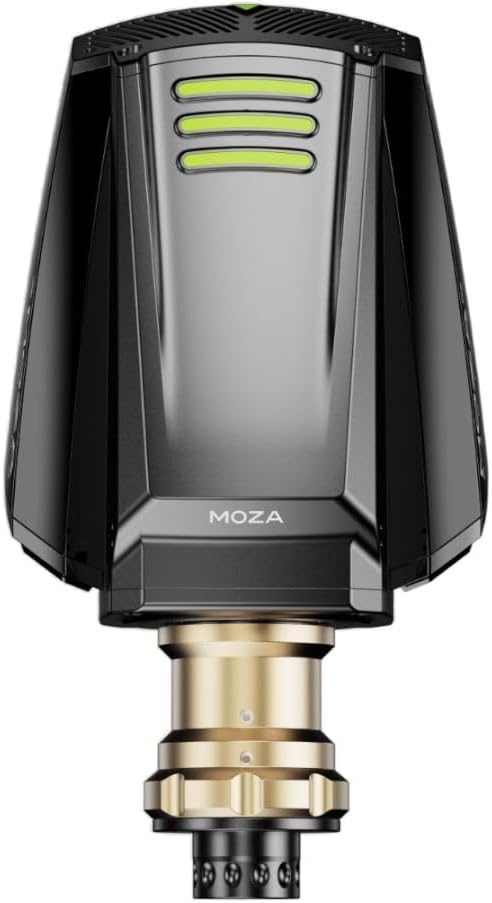
Figure 2: Front view of the MOZA R16 Direct Drive Wheelbase, highlighting the quick-release mechanism where a steering wheel attaches. The gold-colored shaft is visible, ready for wheel installation.
3. Software Installation
Download and install the MOZA Pit House software from the official MOZA Racing website. This software is essential for driver installation, firmware updates, and configuring wheelbase settings.
- Visit mozaracing.com/downloads.
- Download the latest version of MOZA Pit House.
- Follow the on-screen instructions to complete the installation.
- Launch MOZA Pit House and ensure your R16 wheelbase is detected.
Operating Instructions
1. Powering On/Off
Once all cables are connected, the wheelbase will power on automatically when the power adapter is plugged in. There is typically a power button on the unit for manual control, or it can be controlled via MOZA Pit House.
2. Using MOZA Pit House
MOZA Pit House is your central hub for managing the R16 wheelbase. Here you can:
- Adjust Force Feedback (FFB) strength and characteristics.
- Set steering angle and linearity.
- Update wheelbase firmware.
- Calibrate connected MOZA peripherals (pedals, shifters).
- Access game profiles and settings.

Figure 3: Top-down view of the MOZA R16 Direct Drive Wheelbase, showing the overall form factor and the quick-release shaft. The MOZA logo is visible on the top surface.
3. Game Compatibility
The MOZA R16 is compatible with most major PC sim racing titles. Ensure your game settings are configured to recognize the MOZA wheelbase as a controller. Refer to your game's specific controller setup guide for detailed instructions.
Maintenance
1. Cleaning
To maintain the appearance and functionality of your wheelbase:
- Disconnect power before cleaning.
- Use a soft, dry cloth to wipe down the exterior.
- Avoid using abrasive cleaners or solvents.
2. Firmware Updates
Regularly check for and install firmware updates via MOZA Pit House to ensure optimal performance and access to new features.
3. Storage
When not in use for extended periods, store the wheelbase in a dry, dust-free environment. Consider covering it to prevent dust accumulation.
Troubleshooting
If you encounter issues with your MOZA R16 wheelbase, refer to the following common solutions:
| Problem | Possible Cause | Solution |
|---|---|---|
| No Power | Power cable loose, power adapter faulty, wall outlet issue. | Check all power connections. Try a different wall outlet. Ensure the power adapter is functioning. |
| No Force Feedback | USB connection issue, MOZA Pit House not running, game FFB settings incorrect, firmware outdated. | Verify USB connection. Ensure MOZA Pit House is open and detects the wheelbase. Check in-game FFB settings. Update firmware. |
| Wheel Not Detected | Loose quick-release, USB connection issue, driver problem. | Ensure the steering wheel is securely attached to the quick-release. Reconnect USB cable. Reinstall MOZA Pit House drivers. |
Specifications
Key technical specifications for the MOZA R16 Direct Drive Wheelbase:
- Model Name: R16
- Item Model Number: RS031
- Brand: MOZA RACING
- Maximum Torque: 16 Nm
- Item Weight: 13.1 Kilograms (28.8 pounds)
- Manufacturer: MOZA RACING
- Connectivity: USB
- Special Feature: Compact
- First Available: October 19, 2022
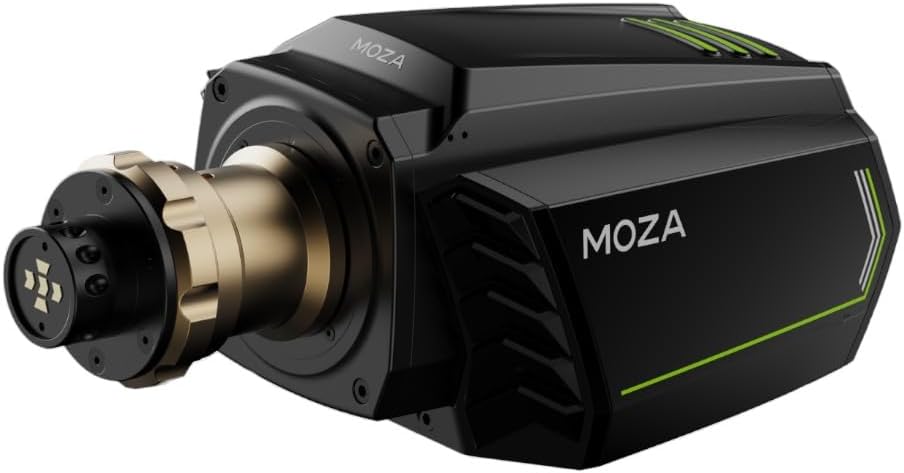
Figure 4: Side view of the MOZA R16 Direct Drive Wheelbase, showcasing its design with green accent lines and the MOZA logo. This view emphasizes the robust casing.
Warranty and Support
MOZA Racing products typically come with a limited manufacturer's warranty. For specific warranty terms and conditions, please refer to the official MOZA Racing website or the warranty card included with your product.
For technical support, troubleshooting assistance, or warranty claims, please visit the official MOZA Racing support page or contact their customer service directly:
- Official Website: mozaracing.com
- Support Page: Refer to the website for the most current support contact information.


