
DaranEner NEO2000
DaranEner NEO2000 Portable Power Station User Manual
Model: NEO2000
1. Introduction and Product Overview
Thank you for choosing the DaranEner NEO2000 Portable Power Station. This device is a high-capacity, versatile power solution designed to provide reliable electricity for various applications, from outdoor adventures to emergency home backup. Featuring a 2000W output and a 2074Wh LiFePO4 battery, it offers fast charging capabilities and a long lifespan.

The DaranEner NEO2000 Portable Power Station, showcasing its robust design and integrated display.
The NEO2000 is equipped with multiple output ports, including AC, DC, USB-A, and USB-C, to power a wide range of electronic devices and appliances. Its LiFePO4 battery technology ensures enhanced safety, durability, and a high number of charge cycles.
2. Safety Instructions
To ensure safe operation and prolong the life of your DaranEner NEO2000, please read and adhere to the following safety guidelines:
- Do not disassemble, repair, or modify the unit. Incorrect reassembly may cause fire or electric shock.
- Do not place the unit near fire or expose it to heat. Keep out of direct sunlight.
- Do not charge, use, or store the unit in a bathroom or in an area exposed to water or moisture.
- Use only the provided or approved charging cables and adapters.
- Keep the unit away from children and pets.
- Ensure proper ventilation during use and charging to prevent overheating.
- Avoid dropping, heavy impacts, or strong vibrations to the unit.
- If the unit shows signs of damage, leakage, or unusual odor, discontinue use immediately and contact customer support.
- Do not insert foreign objects into the ports or vents.
3. Package Contents
Upon unpacking your DaranEner NEO2000, please verify that all the following items are included:
- DaranEner NEO2000 Portable Power Station
- Charging Cable (AC power cable)
- MC4-to-XT60 Solar Charging Cable
- User Manual
- Warranty Card

The DaranEner NEO2000 is securely packaged for transport, indicating lithium-ion battery contents.
4. Product Components and Ports
Familiarize yourself with the various components and input/output ports of your NEO2000:
- Main Display Screen: Shows battery level, input/output wattage, and status indicators.
- AC Outlets: Three 230V AC outlets for powering household appliances up to 2000W total.
- DC Outlets: Four DC output ports for 12V devices.
- Car Outlet: One 12V car cigarette lighter socket.
- USB-A Ports: Four USB-A ports, including QC3.0 18W for fast charging compatible devices.
- USB-C Ports: Two USB-C ports with PD 100W for high-speed charging of laptops and other USB-C devices.
- XT60 Input: Dedicated input for solar panel charging (Max. 600W).
- AC Input: For charging the power station via a standard wall outlet (Max. 1800W).
- Wireless Charging Pad: Located on top for compatible devices (Max. 10W).

Detailed view of the DaranEner NEO2000's various input and output ports, including AC, DC, USB, and the main display.
5. Setup and Initial Use
Before first use, it is recommended to fully charge your DaranEner NEO2000.
- Unpacking: Carefully remove the power station and all accessories from the packaging.
- Initial Charge: Connect the provided AC charging cable to the AC input port on the NEO2000 and then to a standard wall outlet. The display will show the charging status. A full charge from 0% typically takes approximately 1.5 hours.
- Power On/Off: Press and hold the main power button (usually located near the display) for 2-3 seconds to turn the unit on or off.
The NEO2000 can be charged simultaneously via solar panels and an AC wall outlet for faster recharging.
6. Operating Instructions
The DaranEner NEO2000 is designed for intuitive operation. Follow these steps to power your devices:
- Turn On: Press and hold the main power button.
- Activate Outputs: Press the dedicated buttons for AC, DC, or USB outputs to activate them. The corresponding indicator on the display will light up.
- Connect Devices: Plug your devices into the appropriate output ports. Ensure the total wattage of connected devices does not exceed the power station's rated output (2000W).
- Monitor Display: The display provides real-time information on battery percentage, input power (charging), and output power (discharging).
- Wireless Charging: Place your Qi-compatible device on the wireless charging pad.

The NEO2000 can safely power high-wattage appliances like coffee machines, refrigerators, and microwaves.
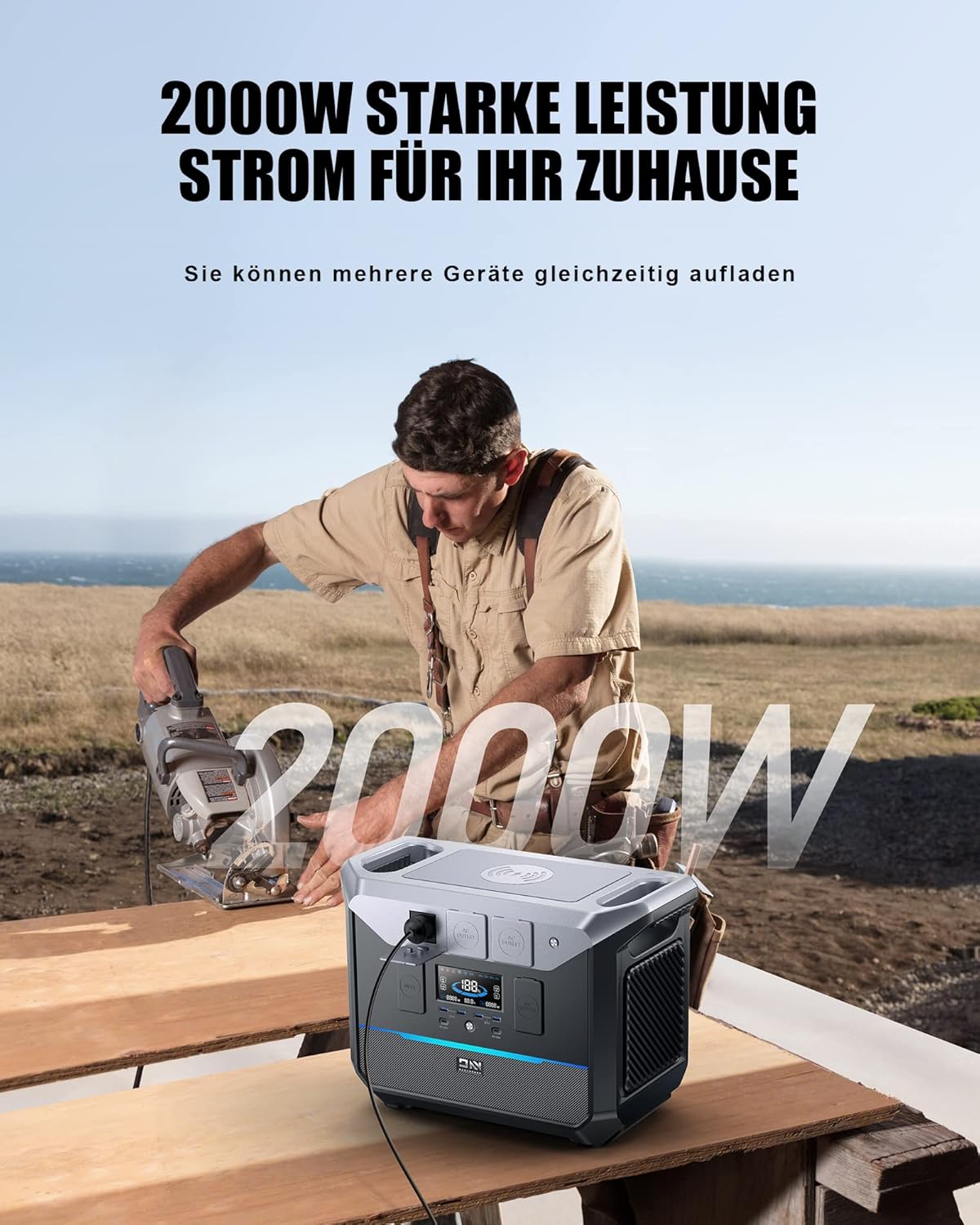
With 2000W output, the power station is capable of running power tools for various tasks.
7. Charging the Power Station
The DaranEner NEO2000 offers multiple charging options:
- AC Wall Outlet: Connect the AC charging cable to the AC input port and a wall outlet. This is the fastest charging method, taking approximately 1.5 hours for a full charge.
- Solar Panels: Connect compatible solar panels (Max. 600W, 33-60V/20A) to the XT60 input port using the MC4-to-XT60 cable. Charging time varies based on sunlight intensity and panel wattage.
- Car Charger: Use a compatible car charger (not included) to charge the unit from your vehicle's 12V cigarette lighter socket.

The NEO2000 offers rapid charging, achieving full capacity in approximately 1.5 hours via AC, or 1 hour with combined PV+AC input.
8. Maintenance and Storage
Proper maintenance ensures the longevity and performance of your NEO2000:
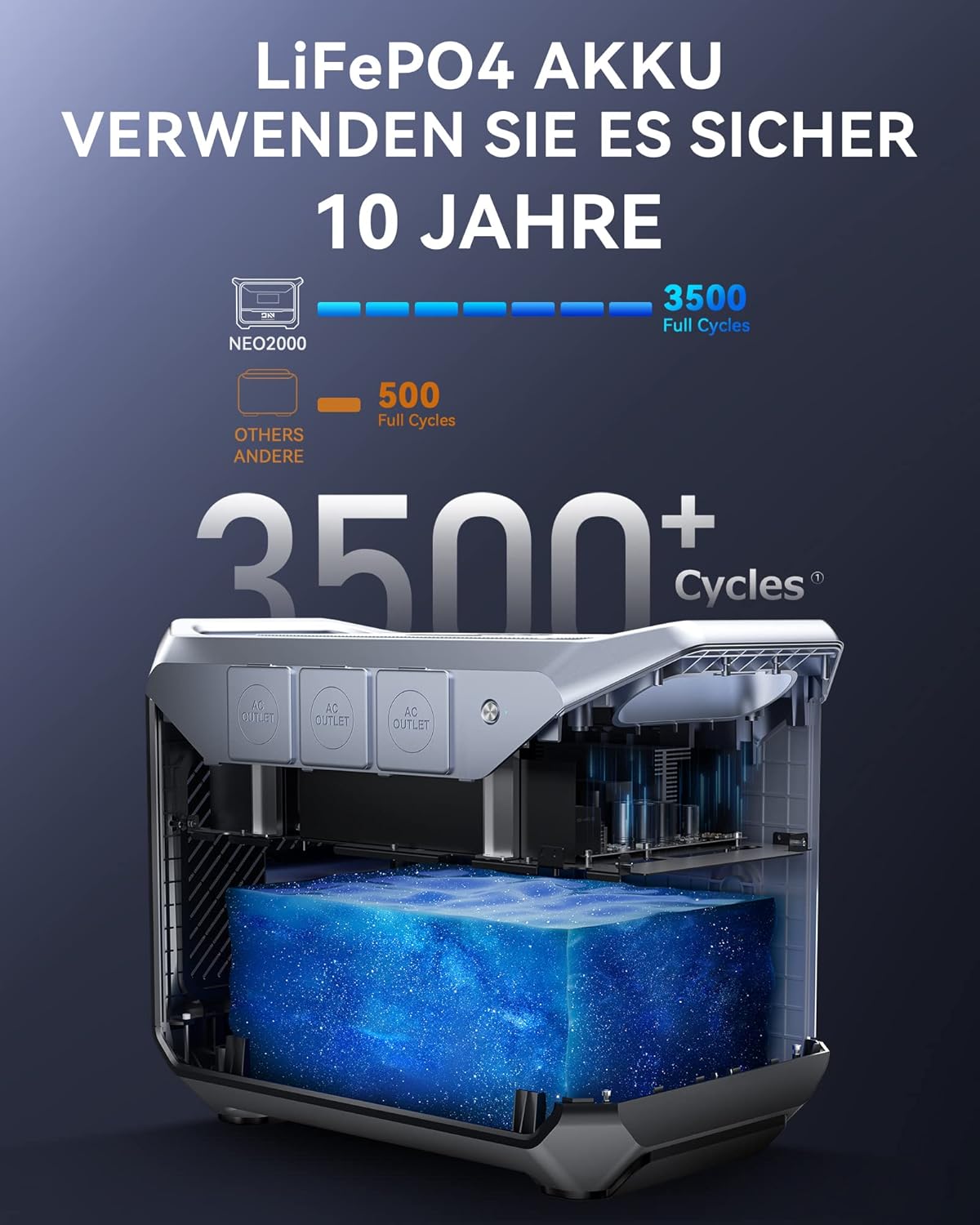
- Battery Care: The LiFePO4 battery is designed for over 3500 full cycles. To prevent deep discharge and maintain battery health, recharge the unit at least once every 3 months, even if not in use. Avoid letting the battery level drop below 3%.
- Cleaning: Use a dry, soft cloth to clean the exterior of the unit. Do not use abrasive cleaners or solvents.
- Storage: Store the unit in a cool, dry place, away from direct sunlight and extreme temperatures. The recommended storage temperature is 10-113°F (-12-45°C).
- Ventilation: Ensure the ventilation openings are clear of dust and debris.

The NEO2000 utilizes a durable LiFePO4 battery, known for its long cycle life and enhanced safety.
9. Troubleshooting
If you encounter issues with your DaranEner NEO2000, refer to the following common problems and solutions:
| Problem | Possible Cause | Solution |
|---|---|---|
| Unit does not turn on. | Battery is completely discharged; power button not held long enough. | Connect to AC power for initial charge. Press and hold the power button for 2-3 seconds. |
| No output from ports. | Output type (AC/DC/USB) not activated; device draws too much power. | Ensure the specific output button is pressed. Check device wattage; reduce load if exceeding 2000W. |
| Unit not charging. | Charging cable not properly connected; power source issue; solar input too low. | Check all cable connections. Verify wall outlet or solar panel functionality. Ensure sufficient sunlight for solar charging. |
| Display flickering or showing errors. | Temporary software glitch; internal issue. | Restart the unit. If problem persists, contact customer support. |
| Fan runs constantly or loudly. | Normal operation during high load or charging; obstructed vents. | This is normal for cooling. Ensure vents are clear. If unusually loud, contact support. |
If the problem persists after attempting these solutions, please contact DaranEner customer support for further assistance.
10. Specifications
| Feature | Detail |
|---|---|
| Brand | DaranEner |
| Model | NEO2000 |
| Wattage (Output) | 2000 Watts |
| Battery Capacity | 2074Wh (LiFePO4) |
| Voltage | 230 Volts (AC Output) |
| Frequency | 60 Hz |
| AC Input | Max 1800W |
| Solar Input (XT60) | 33-60V/20A (Max 600W) |
| USB-C Output | PD 100W (x2) |
| USB-A Output | QC3.0 18W (x4) |
| Wireless Charging | Max 10W |
| Dimensions (L x W x H) | 15.94 x 10.24 x 13.35 inches |
| Weight | 56.1 pounds (25.5 kg) |
| Operating Temperature | 14-113°F (-10-45°C) |
| Storage Temperature | 10-113°F (-12-45°C) |
11. Warranty and Support
DaranEner provides a warranty for the NEO2000 Portable Power Station. Please refer to the warranty card included in your package for specific terms and conditions, including the warranty period and coverage details.
For technical support, troubleshooting assistance, or warranty claims, please contact DaranEner customer support:
- Email: support@daranener.com
- Visit the official DaranEner website for FAQs and additional resources.
Related documentsNEO2000

Ask a question about this manual
Ask about setup, troubleshooting, compatibility, parts, safety, or missing instructions. Manuals+ will review the question and use this page’s manual context to help answer it.