1. Introduction
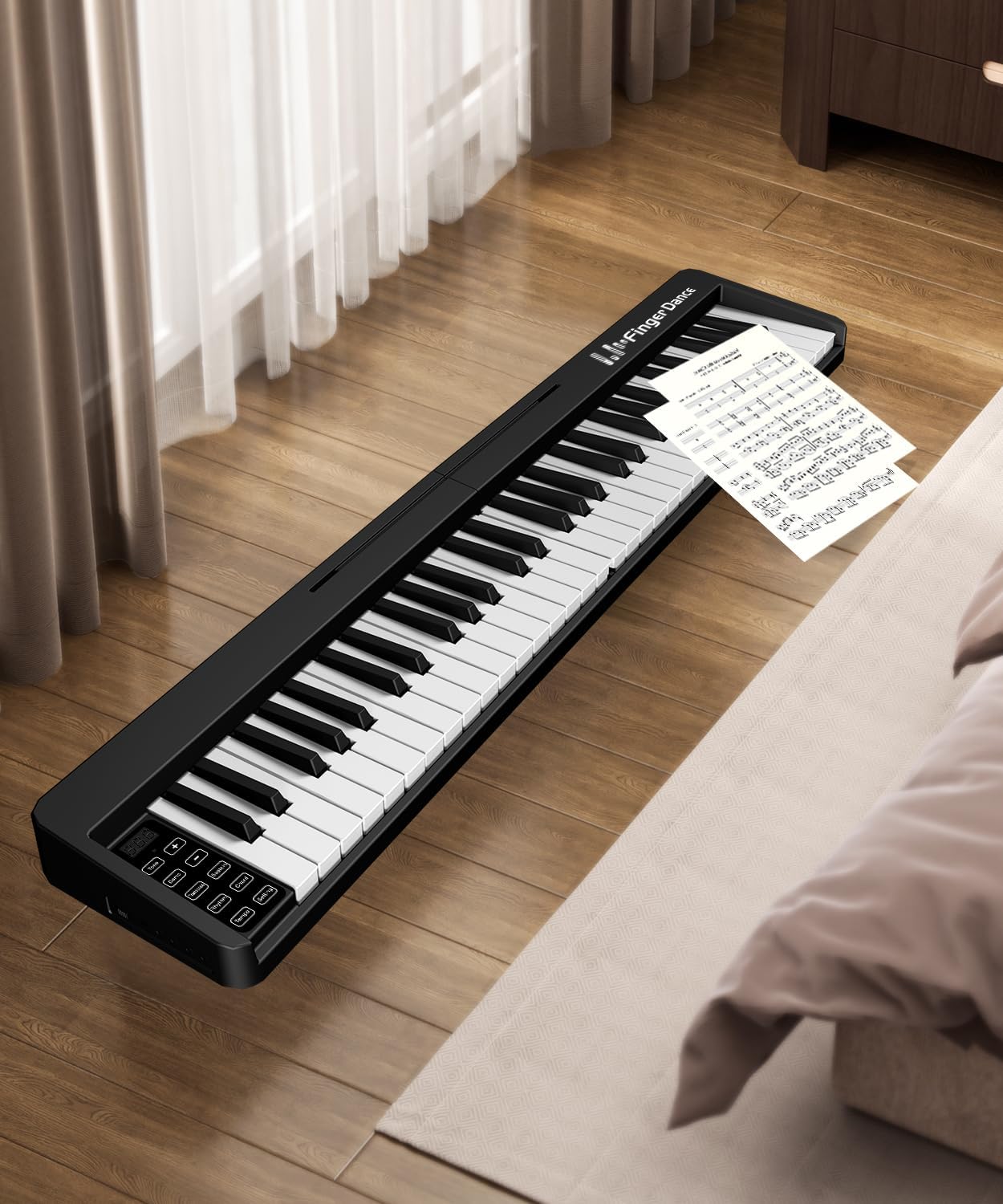
This manual provides essential information for the safe and effective use of your Finger Dance 61 Key Folding Piano Keyboard, Model FD-61K. Designed for portability and versatility, this electronic keyboard features 61 semi-weighted keys, Bluetooth and MIDI connectivity, and a built-in rechargeable battery, making it suitable for beginners and musicians on the go.
2. What's in the Box
Please verify that all items listed below are included in your package:
- Finger Dance 61 Key Folding Piano Keyboard (Model FD-61K)
- Portable Carrying Case
- USB Charging Cable
- Power Adapter
- Sustain Pedal
- Music Stand
- Headphones
- Key Stickers (for learning)

3. Setup
- Unfolding the Keyboard: Place the folded keyboard on a flat, stable surface. Gently unfold the two halves until they lock securely into place, forming a continuous 61-key layout.
- Attaching the Music Stand: Insert the provided music stand into the designated slot on the top panel of the keyboard. Ensure it is firmly seated.
- Powering On: Locate the power button (usually marked with a power symbol) on the control panel. Press and hold for a few seconds to turn the keyboard ON. The LED display will illuminate.
- Connecting the Sustain Pedal: Plug the sustain pedal cable into the 'SUS' port located on the rear panel of the keyboard.
- Connecting Headphones (Optional): For private practice, plug the headphones into the 'Earphone' port on the rear panel.
4. Operating Instructions
4.1 Basic Controls
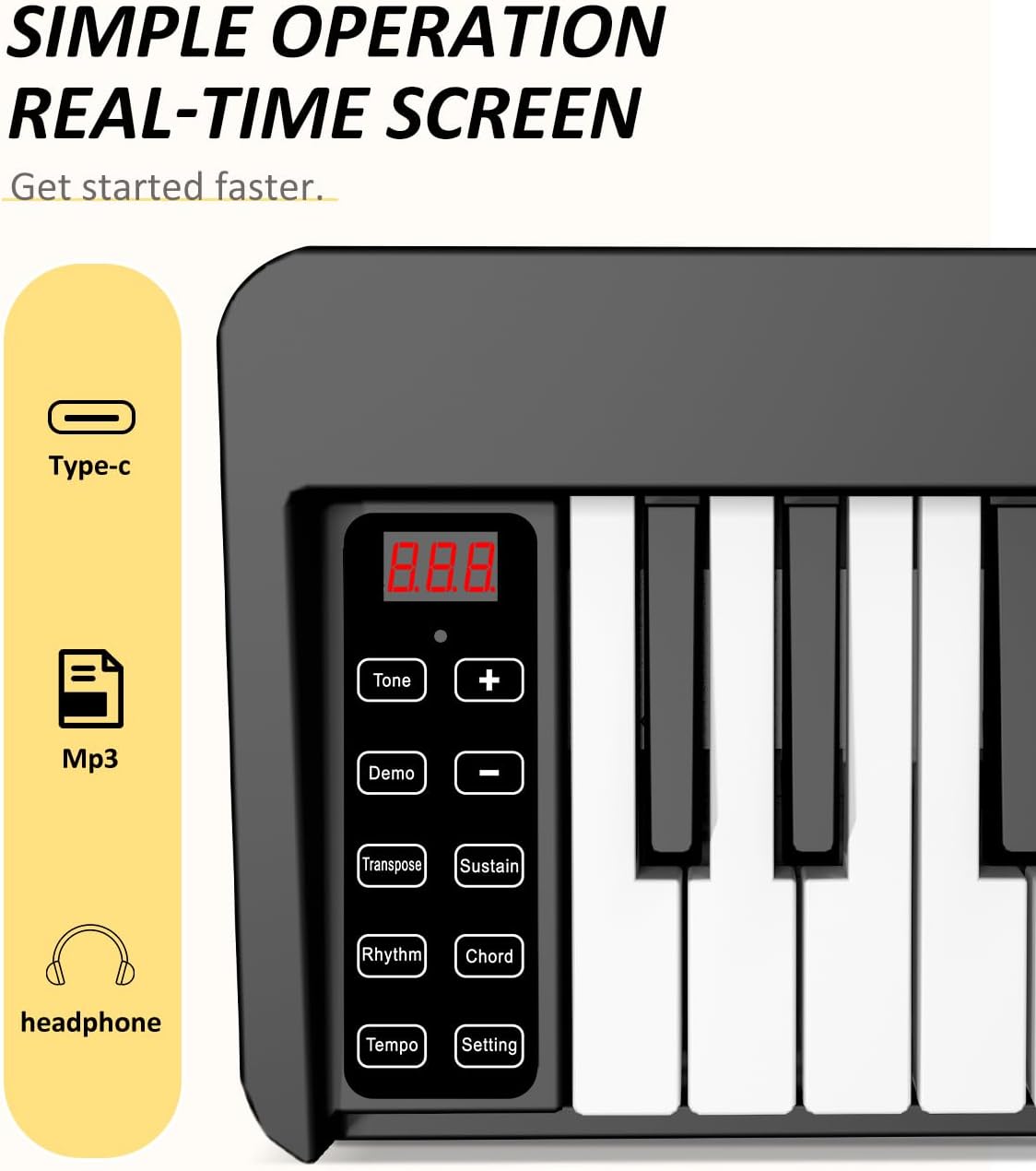
The control panel features an LED display and various buttons for adjusting settings:
- Power Button: Press and hold to turn ON/OFF.
- Volume Control: Use the dedicated Volume buttons or knob to adjust the output level.
- Tone Selection: Press 'Tone' button and use +/- to cycle through 128 different instrument tones.
- Rhythm Selection: Press 'Rhythm' button and use +/- to select from 128 built-in rhythms.
- Demo Songs: Press 'Demo' button to play through the 21 pre-loaded demonstration songs.
- Record/Play: Press 'Record' to begin recording your performance. Press again to stop. Press 'Play' to listen to your recorded track.
- Metronome: Activate the metronome function to assist with timing and rhythm practice.

4.2 Bluetooth MIDI Functionality
The keyboard supports wireless Bluetooth connectivity for enhanced learning and creative possibilities:
- APP Bluetooth: Connect your smartphone, PC, or tablet wirelessly to popular piano learning applications such as Garage Band, Perfect Piano, or Pop Piano. This allows for interactive lessons and games.
- Audio Bluetooth: Use the keyboard as a Bluetooth speaker to play audio from your connected devices.
- MIDI Keyboard: Connect to computers and other intelligent devices via MIDI to edit music and create your own compositions.

4.3 USB Connectivity
The keyboard can be connected to a computer or other devices via USB for MIDI data transfer and charging.

5. Charging and Battery Life
The Finger Dance keyboard features a built-in rechargeable Lithium battery, offering extended playtime and flexible charging options:
- Charging: Use the provided USB charging cable and power adapter to charge the keyboard. It also supports charging via a power bank.
- Playtime: A full charge provides approximately 8-10 hours of continuous playtime.

6. Portability and Storage
The keyboard's folding design and included carrying case make it highly portable and easy to store:
- Folding Mechanism: The keyboard folds 180 degrees, significantly reducing its size for transport.
- Carrying Case: A dedicated portable travel tote bag is included to protect the keyboard during transport and storage.
7. Maintenance
To ensure the longevity and optimal performance of your Finger Dance keyboard, follow these maintenance guidelines:
- Cleaning: Use a soft, dry cloth to wipe down the keys and body of the keyboard. Avoid abrasive cleaners or solvents.
- Storage: When not in use, fold the keyboard and store it in its carrying case in a cool, dry place away from direct sunlight and extreme temperatures.
- Battery Care: For prolonged storage, ensure the battery is partially charged (around 50%) to maintain battery health. Avoid fully discharging the battery for extended periods.
8. Troubleshooting
If you encounter any issues with your keyboard, please refer to the following common solutions:
- No Sound: Check the volume level, ensure headphones are not fully plugged in if using speakers, and verify the power is ON.
- Connectivity Issues (Bluetooth/MIDI): Ensure the keyboard is in pairing mode, Bluetooth is enabled on your device, and the devices are within range. For MIDI, check cable connections and software settings.
- Keys Not Responding: Ensure the keyboard is fully unfolded and locked. If specific keys are unresponsive, contact customer support.
- Charging Problems: Verify the USB cable and power adapter are correctly connected and functional. Try a different power source if available.
9. Specifications
| Feature | Specification |
|---|---|
| Model Name | FD-61K |
| Number of Keys | 61 |
| Key Type | Semi-weighted |
| Dimensions (Unfolded) | 35.43"W x 2.95"D x 2.13"H |
| Item Weight | 5.72 pounds (2.6 Kilograms) |
| Connectivity Technology | Bluetooth, USB |
| Power Source | Battery Powered (Lithium Ion) |
| Battery Life | 8-10 hours (after full charge) |
| Supported Software | Garage Band, Perfect Piano, Pop Piano, MIDI |
| Manufacturer | Bora |
10. Warranty and Support
Your Finger Dance 61 Key Folding Piano Keyboard is covered by the manufacturer's warranty. For specific warranty details, claims, or technical support, please refer to the documentation included with your product or contact Finger Dance customer service directly.


