1. Introduction
The ID TECH VP3300 is an advanced 3-in-1 payment acceptance device designed for secure transactions. It integrates MagStripe, EMV smart card, and NFC/contactless technologies into a single compact unit. This reader facilitates the acceptance of various payment methods, including major credit cards and mobile payment solutions like Google Pay, Apple Pay, and Samsung Pay. This specific device is pre-encrypted for the CardConnect CardPointe platform.
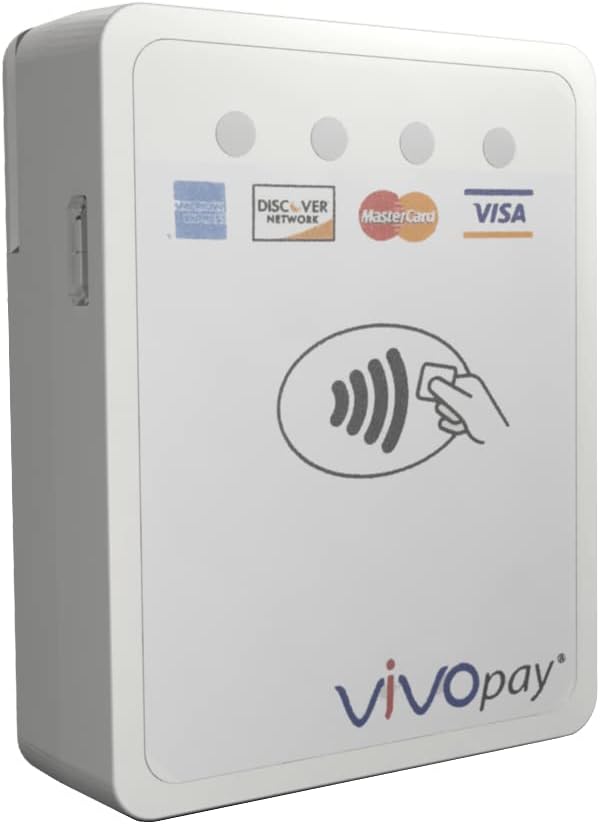
Figure 1: Front view of the IDTech VP3300 Card Reader, highlighting its compact design and support for various card networks and contactless payments.
2. Key Features
- Versatile Connectivity: Supports USB, Audio Jack, and Bluetooth interfaces for flexible integration with various devices.
- Bluetooth 4.0 Low Energy: Ensures efficient and stable wireless communication.
- Broad Compatibility: Compatible with iOS, Android, and Windows operating systems.
- Compact Dimensions: Measures approximately 2.52 inches (64 mm) x 1.93 inches (49 mm) x 0.57 inches (14.5 mm), making it highly portable.
- CardPointe Encryption: Pre-configured with IDT-KeyInj-075V encryption for seamless integration with the CardPointe platform.
- Multi-Payment Acceptance: Processes MagStripe, EMV smart card, and NFC/contactless payments.
3. Setup Guide
3.1. Unpacking and Initial Inspection
Carefully remove the VP3300 reader from its packaging. Inspect the device for any visible damage. Ensure all components are present.
3.2. Connecting the Device
The VP3300 offers multiple connectivity options:
- USB Connection: Connect the reader to your host device (e.g., computer, POS terminal) using a compatible USB cable. The device will typically draw power and communicate via this connection.
- Audio Jack Connection: For mobile devices, plug the reader into the 3.5mm audio jack. Ensure your application is configured to recognize the reader via this port.
- Bluetooth Connection:
- Ensure the VP3300 is powered on.
- On your host device (smartphone, tablet, computer), enable Bluetooth.
- Search for available Bluetooth devices. The VP3300 should appear in the list.
- Select the VP3300 to pair. Follow any on-screen prompts for pairing codes if required (typically 0000 or 1234).
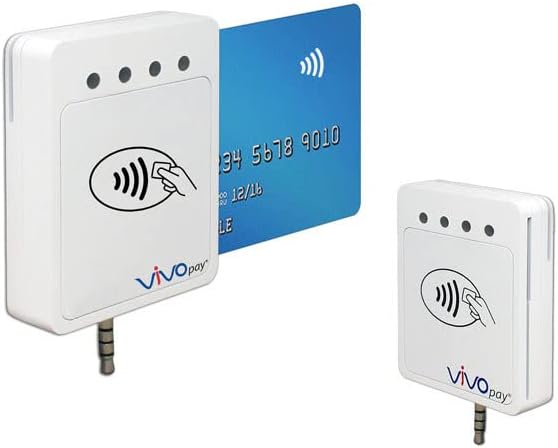
Figure 2: The IDTech VP3300 demonstrating contactless payment functionality and its audio jack connectivity option.
3.3. Software Integration
The VP3300 requires integration with a compatible Point-of-Sale (POS) application or payment software. Since this device is encrypted for CardPointe, ensure your POS system is configured to work with the CardPointe platform and the IDT-KeyInj-075V encryption key. Refer to your POS software's documentation for specific setup instructions.
4. Operating Instructions
The VP3300 supports three primary methods of payment acceptance:
4.1. Contactless (NFC) Payments
- Instruct the customer to hold their contactless card or mobile device (with NFC enabled) within 1-2 inches of the contactless payment symbol on the reader.
- The reader will emit a beep and/or illuminate indicator lights to confirm a successful read.
- Follow the prompts on your POS application to complete the transaction.
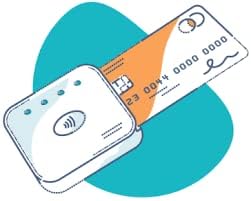
Figure 3: Illustration of a contactless payment transaction.
4.2. EMV Smart Card (Chip) Payments
- Insert the customer's EMV chip card into the chip card slot on the side of the reader, with the chip facing up.
- Leave the card inserted until the transaction is complete and your POS application instructs you to remove it.
- The reader will process the chip data. Follow any prompts for PIN entry or signature capture on your POS system.
4.3. MagStripe (Swipe) Payments
- Locate the magnetic stripe slot on the reader.
- Swipe the customer's card through the slot in a smooth, continuous motion, with the magnetic stripe facing the reader.
- Ensure the swipe is firm and consistent for accurate reading.
- Follow the prompts on your POS application to complete the transaction.
5. Maintenance
- Cleaning: Use a soft, dry, lint-free cloth to clean the exterior of the device. Do not use abrasive cleaners, solvents, or spray liquids directly onto the reader.
- Storage: Store the device in a cool, dry place away from direct sunlight and extreme temperatures.
- Handling: Handle the device with care. Avoid dropping it or subjecting it to strong impacts.
- Software Updates: Periodically check with your POS provider or CardPointe for any firmware or software updates for the reader to ensure optimal performance and security.
6. Troubleshooting
| Problem | Possible Cause | Solution |
|---|---|---|
| Device not recognized by POS system. | Incorrect connection, driver issue, or software configuration. |
|
| Card read errors (MagStripe/EMV/NFC). | Card damage, improper swipe/tap, dirty reader slot, or communication issue. |
|
| Device not powering on. | No power source or faulty connection. |
|
| "Wrong encryption installed" or compatibility issues. | The device's encryption key does not match the requirements of your specific POS system or payment processor. | This VP3300 reader is specifically encrypted for the CardConnect CardPointe platform (IDT-KeyInj-075V). If you are using a different POS system or payment processor, this device may not be compatible. Encryption keys are typically factory-set and cannot be reprogrammed by end-users. Contact your payment processor or POS vendor to confirm their required encryption and device compatibility before purchase. |
7. Specifications
| Feature | Detail |
|---|---|
| Model Number | IDMR-BT93133PW |
| Brand | IDTech (Encrypted for CardPointe) |
| Dimensions (LxWxH) | 2.52 x 1.93 x 0.57 inches (64 x 49 x 14.5 mm) |
| Connectivity Technology | USB Type A, 3.5mm Audio Jack, Bluetooth 4.0 Low Energy |
| Supported Operating Systems | iOS, Android, Windows |
| Payment Technologies | MagStripe (Swipe), EMV Smart Card (Chip), NFC/Contactless |
| Encryption | CardPointe Encryption (IDT-KeyInj-075V) |
| Color | White, Black |
| Manufacturer | IDTech |
8. Warranty and Support
Specific warranty information for this product is typically provided by the reseller or the manufacturer at the time of purchase. Please refer to your purchase documentation or contact the vendor from whom you acquired the device for details regarding warranty coverage and technical support.
For issues related to the CardPointe platform integration or payment processing, please contact CardConnect's CardPointe support directly.


