
H2O Audio MP8-DM-BC-S
H2O Audio Stream 3 Bone Conduction Headphones User Manual
Model: Stream 3 w/ Bone Conduction (MP8-DM-BC-S)
1. Introduction
The H2O Audio Stream 3 is a versatile waterproof MP3 player and open-ear Bluetooth headphone system designed for active lifestyles, particularly swimming. Featuring bone conduction technology, 8GB of internal memory, and an IPX8 waterproof rating, it allows you to enjoy music in various environments. This manual provides essential information for setup, operation, maintenance, and troubleshooting.

Image 1: H2O Audio Stream 3 MP3 Player with Bone Conduction Headphones. The image displays the main unit with blue controls and attached bone conduction headphones.
2. Setup
2.1. Charging the Device
Before initial use, fully charge your Stream 3 device. Connect the included USB charging cable to the device and a power source (e.g., computer USB port or USB wall adapter). The LED indicator will show charging status.
2.2. Loading Music (MP3 Player Mode)
The Stream 3 features 8GB of internal memory, capable of storing over 2000 songs. To load music:
- Connect the Stream 3 to your computer using the USB cable.
- The device will appear as a removable drive.
- Drag and drop your audio files (M4A, MP3, WMA, FLAC, APE formats are supported) directly into the device's storage.
- Safely eject the device from your computer before disconnecting.
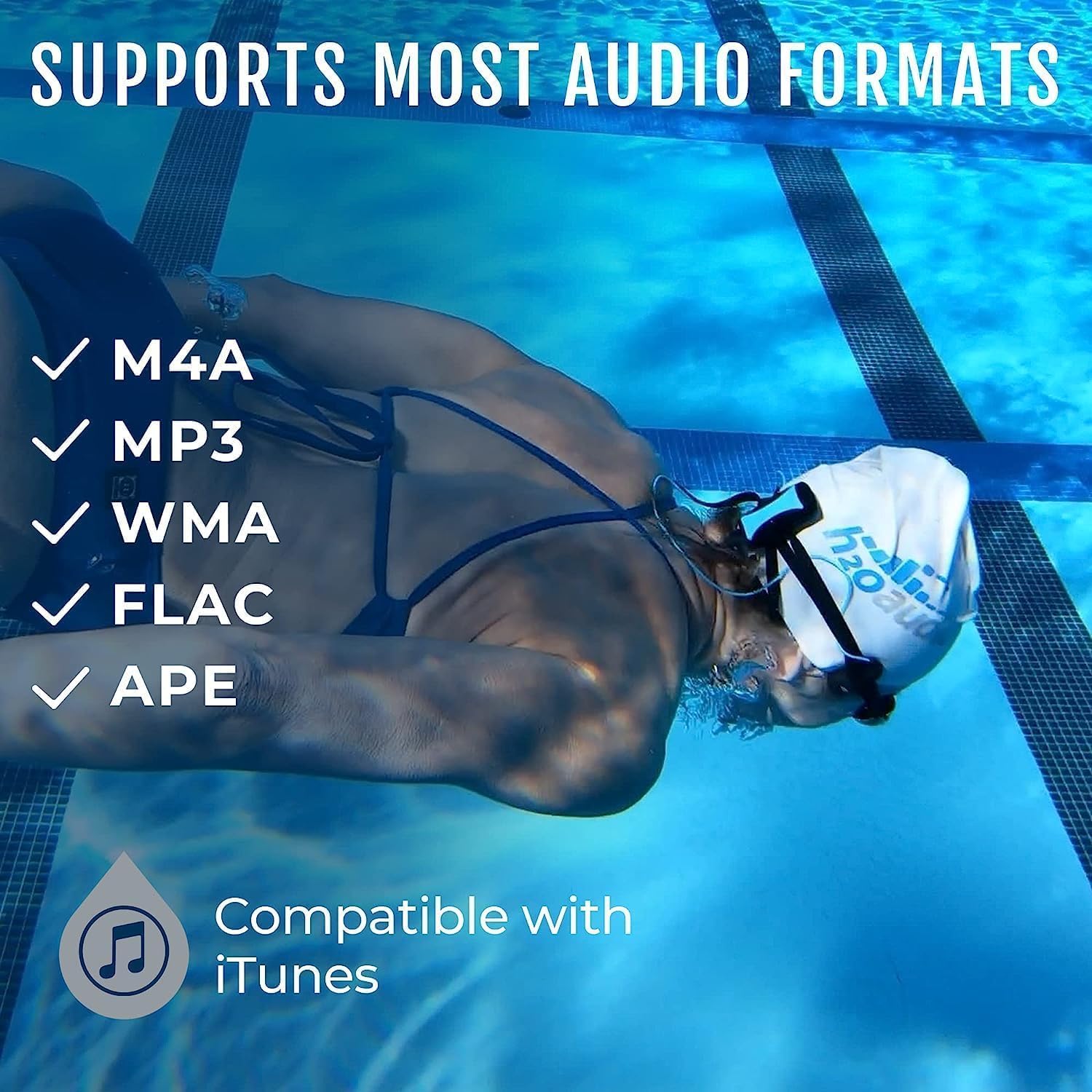
Image 2: An underwater swimmer with text indicating support for M4A, MP3, WMA, FLAC, and APE audio formats, compatible with iTunes.
2.3. Bluetooth Pairing (Out of Water Use)
The Stream 3 can connect to your smartphone via Bluetooth for wireless audio streaming when out of the water. The Bluetooth range is approximately 30 feet (10 meters). Note: Bluetooth signals do not transmit effectively underwater, so this feature is for land-based use only.
- Ensure the Stream 3 is powered on.
- Press and hold the Bluetooth button (often marked with a Bluetooth symbol or 'M' for mode, depending on the specific button layout) until the LED indicator flashes, indicating pairing mode.
- On your smartphone or Bluetooth-enabled device, go to Bluetooth settings and select "H2O Audio Stream 3" from the list of available devices.
- Once paired, the LED indicator will change to a steady light.

Image 3: A swimmer at the edge of a pool wearing the H2O Audio Stream 3, illustrating the improved Bluetooth antenna for better connectivity with smartphones (range 30 ft/10 m).
3. Operating Instructions
3.1. Controls Overview
The Stream 3 features intuitive controls for easy operation:
- Volume Buttons (+/-): Press to adjust audio volume.
- Play/Pause Button: Press once to play or pause audio.
- Skip/Fast Forward Buttons: Press to skip tracks. Hold to fast forward/rewind within a track.
- Mode/Shuffle Button (M): Press to switch between MP3 and Bluetooth modes. Hold to activate shuffle play in MP3 mode.

Image 4: Close-up view of the H2O Audio Stream 3 player unit, highlighting the larger, more tactile control buttons for Volume (+/-), Play/Pause, Skip/Fast Forward, and Waterproof Shuffle (M).
3.2. Wearing the Device
The Stream 3 is designed for secure and comfortable wear during aquatic activities. The bone conduction headphones sit outside the ear, allowing for open-ear comfort and situational awareness.
- Attach the main unit to your goggle strap or swimwear using the integrated mounting clip. The stronger 360 clip ensures stability.
- Position the bone conduction transducers on your cheekbones, just in front of your ears, for optimal sound transmission.
- Ensure the short cord is managed to prevent entanglement.

Image 5: A swimmer wearing the H2O Audio Stream 3 headphones, emphasizing the open-ear comfort design and bone conduction technology.

Image 6: A swimmer wearing the H2O Audio Stream 3, showcasing the bone conduction technology for premium sound quality while swimming.
4. Maintenance
4.1. Cleaning
After each use, especially in chlorinated or saltwater, rinse the device and headphones with fresh water. Gently wipe with a soft, dry cloth. Do not use harsh chemicals or abrasive materials.
4.2. Waterproofing
The Stream 3 has an IPX8 waterproof rating, meaning it can withstand complete submersion up to 12 feet (3.6 meters). Ensure the headphone jack is securely connected to maintain the waterproof seal. The patented Seal-Tight headphone boot helps keep the jack dry.

Image 7: The H2O Audio Stream 3 player unit partially submerged in water, with text indicating its IPX8 waterproof rating and ability to withstand complete submersion (12 ft/3.6 m).
4.3. Storage
Store the Stream 3 in a cool, dry place away from direct sunlight and extreme temperatures. Avoid placing heavy objects on the device.
5. Troubleshooting
- Device not turning on: Ensure the device is fully charged. Connect to a power source and check the charging indicator.
- No sound or poor sound quality:
- Check volume levels on the device.
- Ensure headphones are properly connected and positioned on your cheekbones.
- If in MP3 mode, verify that audio files are correctly loaded and are in a supported format.
- If in Bluetooth mode, ensure the device is paired and within range (out of water).
- Difficulty transferring files to the device:
- Ensure the USB cable is securely connected to both the device and the computer.
- Try a different USB port or cable.
- Ensure your computer's operating system recognizes the device as a removable drive.
- Bluetooth connectivity issues:
- Ensure the device is in Bluetooth pairing mode.
- Confirm the device is out of water and within the 30ft (10m) range of your smartphone.
- Forget the device in your phone's Bluetooth settings and attempt to re-pair.
- Buttons unresponsive or difficult to press: Ensure the buttons are clean and free of debris. If underwater, ensure you are pressing firmly.
- Battery life shorter than expected: Battery performance can vary with usage and age. Ensure the device is fully charged before each use.
6. Specifications
| Feature | Detail |
|---|---|
| Model Name | STREAM 3 |
| Model Number | MP8-DM-BC-S |
| Brand | H2O Audio |
| Waterproof Rating | IPX8 (up to 12 ft / 3.6 m) |
| Memory Storage | 8 GB |
| Connectivity | USB (for charging/data), Bluetooth (out of water) |
| Supported Audio Formats | M4A, MP3, WMA, FLAC, APE |
| Battery Type | 1 Lithium Polymer (included) |
| Estimated Playtime | 8 hours |
| Product Dimensions | 3 x 1 x 1 inches |
| Item Weight | 4.6 ounces |
7. Warranty and Support
7.1. Warranty Information
The H2O Audio Stream 3 comes with a 1-year warranty against manufacturing defects. Please retain your proof of purchase for warranty claims. The warranty covers defects in materials and workmanship under normal use. It does not cover damage caused by misuse, accidents, unauthorized modifications, or normal wear and tear.
7.2. Customer Support
For technical assistance, warranty claims, or any questions regarding your H2O Audio Stream 3, please contact H2O Audio customer service. You can find contact information on the official H2O Audio website or through your retailer.
Ask a question about this manual
Ask about setup, troubleshooting, compatibility, parts, safety, or missing instructions. Manuals+ will review the question and use this page’s manual context to help answer it.