
1. Product Overview
The Start-X Remote Starter Kit provides convenient remote start functionality for your Acura TSX. This plug-and-play system allows you to start your vehicle using your existing OEM key fob, enabling you to pre-condition your vehicle's interior for comfort in any weather.
- DIY Remote Start: Add remote start functionality without complex wiring.
- Climate Control: Pre-heat and defrost in winter, or cool down in summer.
- Seamless Integration: Designed for specific vehicle models with a vehicle-specific T-harness.
- No Wire Splicing: T-harness eliminates the need for cutting or splicing wires.
2. Vehicle Compatibility & Requirements
This kit is specifically designed for:
- Vehicle Models: Acura TSX (2009, 2010, 2011, 2012, 2013, 2014)
- Ignition Type: Key blade ignition vehicles only (not compatible with push-to-start).
- Transmission: Automatic transmission only.
- Fuel Type: Gas vehicles only.
- Remote Requirement: Your existing factory remote (OEM key fob) is required. No remote is included in this kit.

Image: Visual representation of vehicle requirements for the remote start kit.
3. Safety Information
- As a safety precaution, the vehicle will shut down when any door is opened after remote starting. The vehicle must be restarted manually before driving.
- Ensure the vehicle is in Park (P) before attempting to remote start.
- Always read the complete installation guide thoroughly before beginning installation.
4. What's in the Box
Your Start-X Remote Starter Kit includes the following components:
- Remote Start Module (pre-flashed for your vehicle's firmware)
- Vehicle Connection T-Harness
- Pry Tool
- Zip Ties
- Installation Guide
- Welcome Card
- Warning Sticker

Image: Contents of the Start-X Remote Starter Kit.
5. Setup & Installation
The Start-X Remote Starter Kit features a plug-and-play design, minimizing installation complexity. Some vehicle disassembly may be required to access the necessary connection points. Refer to the detailed installation videos for step-by-step guidance.
5.1 General Installation Steps
- Prepare Vehicle: Ensure the vehicle is off and the parking brake is engaged.
- Access Connection Points: Carefully remove necessary panels to access the vehicle's wiring harness, typically around the steering column or under the dashboard. Use the provided pry tool to prevent damage.
- Connect T-Harness: Disconnect the factory connectors and insert the vehicle-specific T-harness in-line. Ensure all connections click securely into place.
- Program Module: Follow the specific programming instructions provided in your installation guide. The module is pre-flashed for your vehicle's firmware.
- Secure Module & Reassemble: Use the provided zip ties to secure the remote start module and excess wiring. Reassemble all panels.
5.2 Installation Videos
Video: Detailed installation guide for Start-X Remote Start Kit on select Honda & Acura vehicles. This video demonstrates the T-harness connection process.
Video: Another installation guide for Start-X Remote Start Kit on select Honda & Acura vehicles, providing additional visual assistance for the installation process.
6. Operation
Operating your Start-X Remote Starter Kit is simple and uses your vehicle's original key fob.
6.1 Remote Start/Stop Procedure
- To Start: Press the 'Lock' button on your OEM key fob three (3) times consecutively. The vehicle's lights will flash, and the engine will start.
- To Stop: Press the 'Lock' button on your OEM key fob three (3) times consecutively again. The engine will shut off.
The remote start distance is the same as the distance you can lock/unlock your vehicle with your OEM key fob.
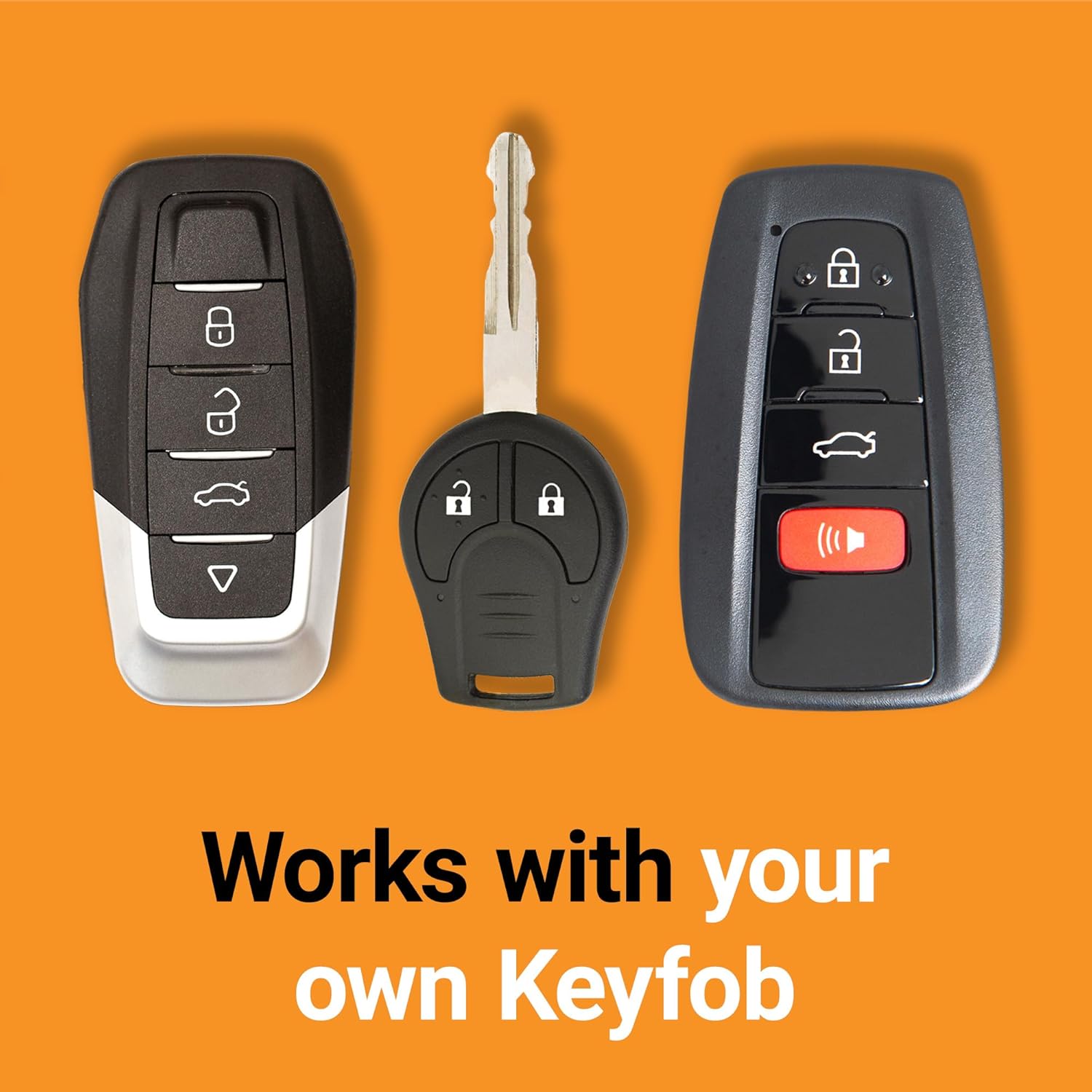
Image: Illustration of using the original key fob for remote start.
6.2 Optional Range Extender
To increase your remote start distance, an optional Start-X range extender kit (sold separately) is available. These kits include separate remotes and can extend the range up to half a mile (1-way up to 2000-feet, 2-way up to 3000-feet).
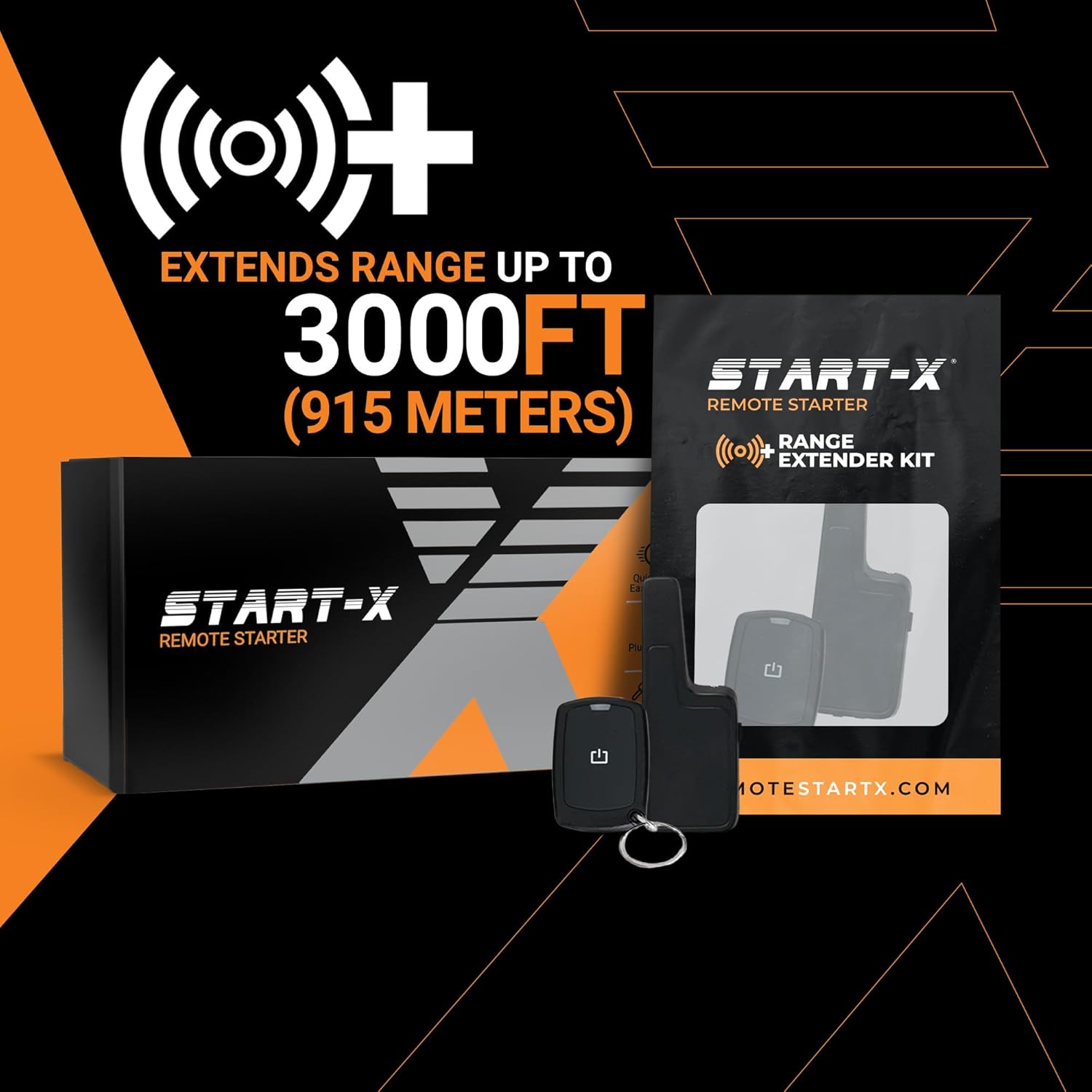
Image: Optional Start-X range extender kit for increased remote start distance.
7. Maintenance
- Ensure your OEM key fob battery is in good condition for reliable remote start operation.
- Periodically check all T-harness connections to ensure they remain secure.
- Keep the remote start module free from moisture and extreme temperatures.
8. Troubleshooting
- Vehicle Does Not Remote Start:
- Verify vehicle compatibility (key ignition, gas, automatic transmission).
- Ensure all T-harness connections are fully seated and locked.
- Check your OEM key fob battery.
- Confirm the module was programmed correctly according to the installation guide.
- Reduced Remote Start Range:
- The remote start distance is limited by your OEM key fob's range.
- Consider purchasing a Start-X range extender kit for increased distance.
- Vehicle Shuts Down Unexpectedly:
- This is a safety feature; the vehicle will shut down if a door is opened after remote starting.
- Ensure all doors, hood, and trunk are closed before remote starting.
For further assistance, please contact the Start-X technical and customer support team.
9. Specifications
| Brand | Start-X |
| Model Number | TSX_9-14_Key |
| Item Weight | 1.21 pounds |
| Product Dimensions | 3.94 x 3.94 x 3.94 inches |
| Manufacturer | Start-X |
10. Warranty & Support
Start-X provides a dedicated technical and customer support team to assist with any questions or issues you may encounter during installation or operation. Please refer to the contact information provided in your kit's welcome card or on the official Start-X website for support.
Specific warranty details are typically included with your product packaging. Please retain your proof of purchase for warranty claims.


