Introduction
Thank you for choosing the Balimo MEA 3L Wireless Cat Water Fountain. This manual provides comprehensive instructions for the safe and efficient use of your new pet water fountain. Please read this guide thoroughly before operation and retain it for future reference.
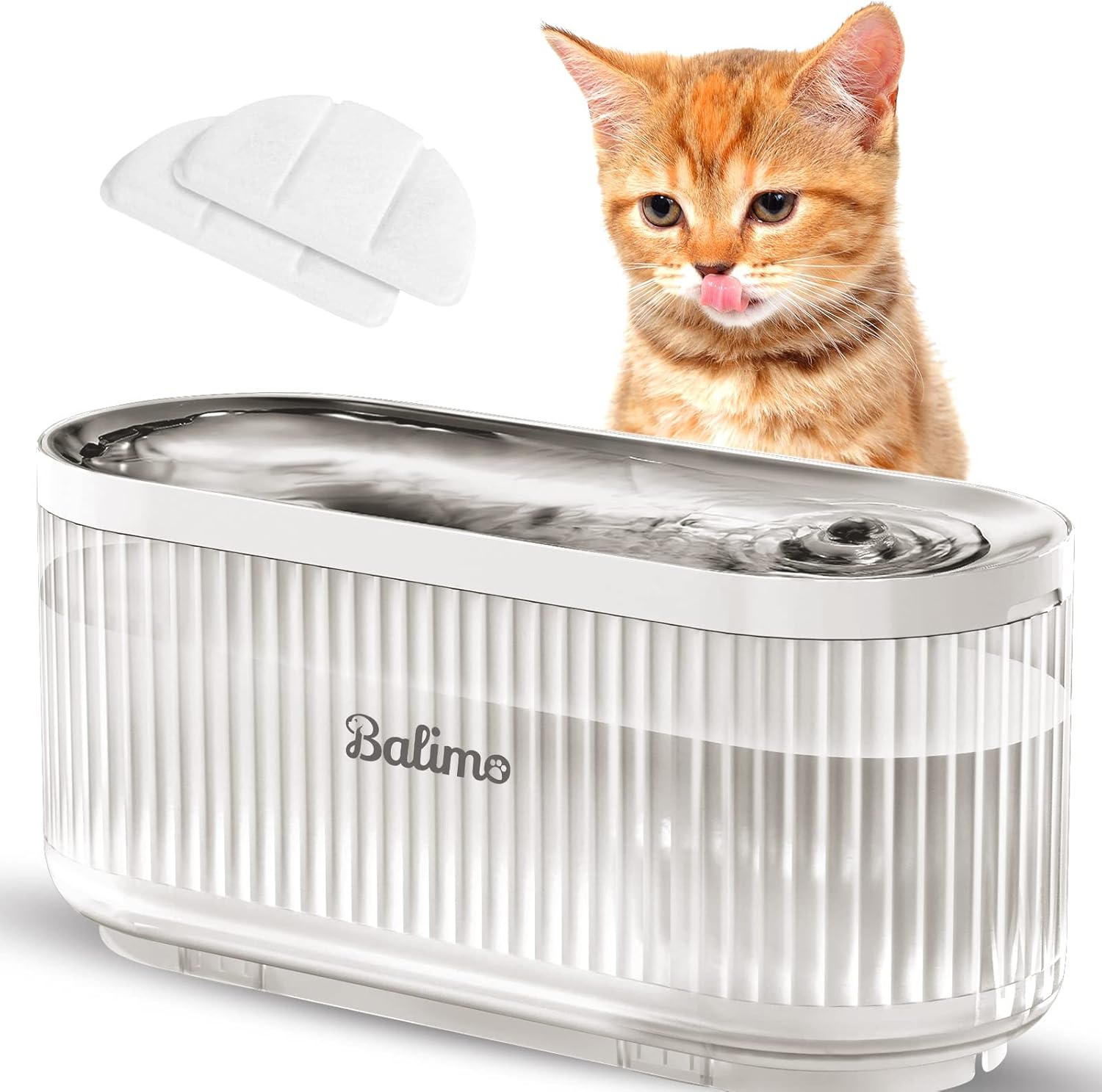
Image: The Balimo MEA 3L Wireless Cat Water Fountain, a white and transparent unit, with a cat observing it. Two filter pads are visible in the background.
Product Features
- Wireless Pump Design: The pump operates wirelessly via induction, separating water from electricity for enhanced safety and easier cleaning.
- Ultra-Quiet Operation: Engineered for minimal noise, ensuring a peaceful environment for your pets and household. The pump operates at approximately 30dB.
- 3-Liter Capacity: A large water reservoir suitable for multiple cats or small to medium-sized dogs, ensuring continuous hydration.
- Visible Water Level: The transparent design allows for easy monitoring of the water level, indicating when a refill is needed without opening the unit.
- Easy to Clean: The modular design allows for complete disassembly, making cleaning simple and thorough.
- Quintuple Filtration System: Provides clean and fresh water by removing impurities, odors, and softening water.
Package Contents
Upon opening the box, please verify that all the following items are included:
- 1 x Balimo MEA 3L Wireless Cat Water Fountain (main unit with integrated pump)
- 1 x Induction Power Base
- 1 x USB Power Adapter
- 1 x Replacement Filter
- 1 x Screwdriver (for pump maintenance)
- 1 x Cleaning Brush (for pump tube)
- 1 x User Manual

Image: An overview of the package contents, including the fountain, power base, USB adapter, filter, screwdriver, and cleaning brush.
Setup Instructions
Follow these steps to set up your Balimo MEA 3L Wireless Cat Water Fountain:
- Fill the Reservoir: Fill the main water container with clean water up to the maximum fill line.
- Soak the Filter: Before first use, soak the new filter in a bowl of water for approximately 5 minutes to remove any loose carbon dust.
- Install the Filter: Place the soaked filter into its designated slot on the top cover. Ensure it is seated correctly.
- Install the Top Cover: Carefully place the top cover, which includes the pump and filter, onto the main water container. Ensure it aligns properly and sits securely.
- Place on Induction Base: Position the assembled water fountain onto the induction power base.
- Connect Power: Plug the USB power adapter into a wall outlet and connect it to the induction power base. The fountain will begin operating.

Image: A visual guide illustrating the six steps for setting up the water fountain, from filling water to connecting power.
Operating Instructions
Once set up and powered on, the Balimo MEA 3L Wireless Cat Water Fountain will begin to circulate water. The fountain is designed for continuous operation to encourage pets to drink more water.
- Water Level Monitoring: Regularly check the water level through the transparent reservoir. Refill as needed to ensure the pump remains submerged and functions correctly.
- Encouraging Use: Some pets may take time to adjust to a new water source. Place the fountain in a quiet, accessible location. You may initially leave their old water bowl nearby.

Image: A diagram illustrating the wireless induction pump system of the Balimo fountain, highlighting its safety and ease of cleaning compared to a wired pump.
Maintenance and Cleaning
Regular cleaning and maintenance are crucial for the longevity of your fountain and the health of your pets. The wireless design makes cleaning exceptionally easy.
Daily/Weekly Maintenance:
- Refill Water: Top up the water as needed, ensuring it does not fall below the minimum level.
- Wipe Down: Wipe the exterior and the drinking basin with a clean cloth to remove any dust or pet hair.
Bi-Weekly/Monthly Deep Cleaning:
- Unplug and Disassemble: Disconnect the power adapter. Remove the fountain from the induction base. Disassemble all components: drinking basin, top cover, filter, and pump.
- Clean Components: Wash all parts (except the induction base) with mild soap and water. Use the provided cleaning brush to clean the pump tube and any hard-to-reach areas. Rinse thoroughly to remove all soap residue.
- Clean the Pump: The pump can be easily detached for cleaning. Use the provided screwdriver to open the pump housing and clean the impeller. Ensure no hair or debris is obstructing the impeller.
- Replace Filter: Replace the filter every 2-4 weeks, or more frequently if you have multiple pets or notice reduced water flow. Always soak new filters before installation.
- Reassemble: Reassemble all components, ensuring they are securely in place, and then place the fountain back on the induction base.

Image: A visual representation of the fountain's easy cleaning, showing the separate charging base and the main unit being washed.

Image: A diagram detailing the five layers of the filtration system, including materials for removing impurities, preventing debris, removing odors, and softening water.
Troubleshooting
| Problem | Possible Cause | Solution |
|---|---|---|
| Fountain is not dispensing water. |
|
|
| Fountain is making excessive noise. |
|
|
| Water tastes or smells bad. |
|
|
Specifications
- Model Number: DU3L-KWPS
- Brand: Balimo
- Capacity: 3 Liters
- Dimensions (L x W x H): 32.7 x 16.7 x 14.7 cm (12.87 x 6.57 x 5.79 inches)
- Weight: 1.16 kg (2.56 lbs)
- Material: Stainless Steel (drinking basin), BPA-free plastic (reservoir)
- Voltage: 240 Volts (Input for adapter)
- Special Features: Quintuple filtration system, wireless water pump, separation of water and electricity, silent operation.
- Intended Use: Indoor for cats and small to medium dogs.
Warranty and Support
Balimo products are designed for reliability and performance. For warranty information, technical support, or replacement parts, please contact Balimo customer service through the retailer where you purchased the product or visit the official Balimo website.
Please retain your proof of purchase for any warranty claims.