
Introduction
This manual provides detailed instructions for the setup, operation, maintenance, and troubleshooting of your Nerunsa Smartwatch P32B. Please read this manual thoroughly before using your device to ensure proper function and longevity.
Setup
1. Charging the Smartwatch
Before initial use, fully charge your smartwatch. Connect the magnetic charger to the charging points on the back of the watch and plug the USB end into a power source. A full charge typically takes approximately 2 hours. The battery life is approximately 7 days with normal use and up to 30 days in standby mode.

Image: Nerunsa Smartwatch P32B connected to its magnetic charger.
2. App Download and Pairing
To utilize all features of your smartwatch, download the "GloryFit" application on your smartphone. The app is available on both iOS and Android app stores.
- Download the App: Search for "GloryFit" in your phone's app store and install it.
- Enable Bluetooth: Ensure Bluetooth is enabled on your smartphone.
- Open GloryFit App: Launch the GloryFit app and navigate to the "Add a Device" section.
- Connect Device: The app will search for available devices. Select "P32B" from the list to complete the connection.

Image: Visual guide for connecting the smartwatch to the GloryFit app.
Operating Instructions
Basic Navigation
The smartwatch features a 1.69-inch TFT full touch screen for intuitive operation. Swipe left, right, up, or down to navigate through menus and functions. The side button typically serves as a power button or a back button, depending on the context.

Image: Smartwatch display showing key metrics like time, steps, heart rate, and calories.
Health Monitoring
- Heart Rate Monitor: The smartwatch continuously monitors your heart rate using optical sensors. View real-time data on the watch or detailed historical data in the GloryFit app.
- Sleep Monitor: The device automatically detects your sleep patterns, analyzing deep sleep, light sleep, and awake times. This data helps you understand and improve your sleep quality.

Image: Smartwatch displaying sleep monitoring features, including deep and light sleep tracking.
Activity Tracking
The smartwatch tracks various daily activities, including steps taken, distance covered, calories burned, and exercise duration. It uses connected GPS via your smartphone to record sports routes.

Image: Smartwatch and app interface showing 24/7 activity tracking, including steps and heart rate recording.
Sports Modes
The P32B offers 24 sports modes to accurately record your workout data. Connect to the GloryFit app to track GPS routes for outdoor activities.

Image: Smartwatch showcasing 24 sports modes and GPS route recording through the GloryFit app.
Customization
Personalize your smartwatch with over 100 watch faces available through the GloryFit app. You can also upload your own photos to create custom watch faces.

Image: Examples of customizable watch faces on the Nerunsa Smartwatch P32B.
Smart Features
- Notifications: Receive call and message reminders directly on your watch when connected to your smartphone.
- Bluetooth Control: Control your smartphone's camera and music playback directly from your smartwatch.
- Weather Display: View current weather conditions and forecasts on your watch.
- Alarms & Stopwatch: Set alarms and use the stopwatch function for various timing needs.
- Sedentary Reminder: The watch can remind you to move if you have been inactive for too long.

Image: Collage showing sedentary reminder, Bluetooth camera/music control, weather display, and alarm/stopwatch functions.
Maintenance
Water Resistance
The Nerunsa Smartwatch P32B is rated IPX8+, making it waterproof up to 1.5 meters. It is suitable for daily use, including hand washing, showering, and swimming. Avoid prolonged submersion in hot water or exposure to steam.
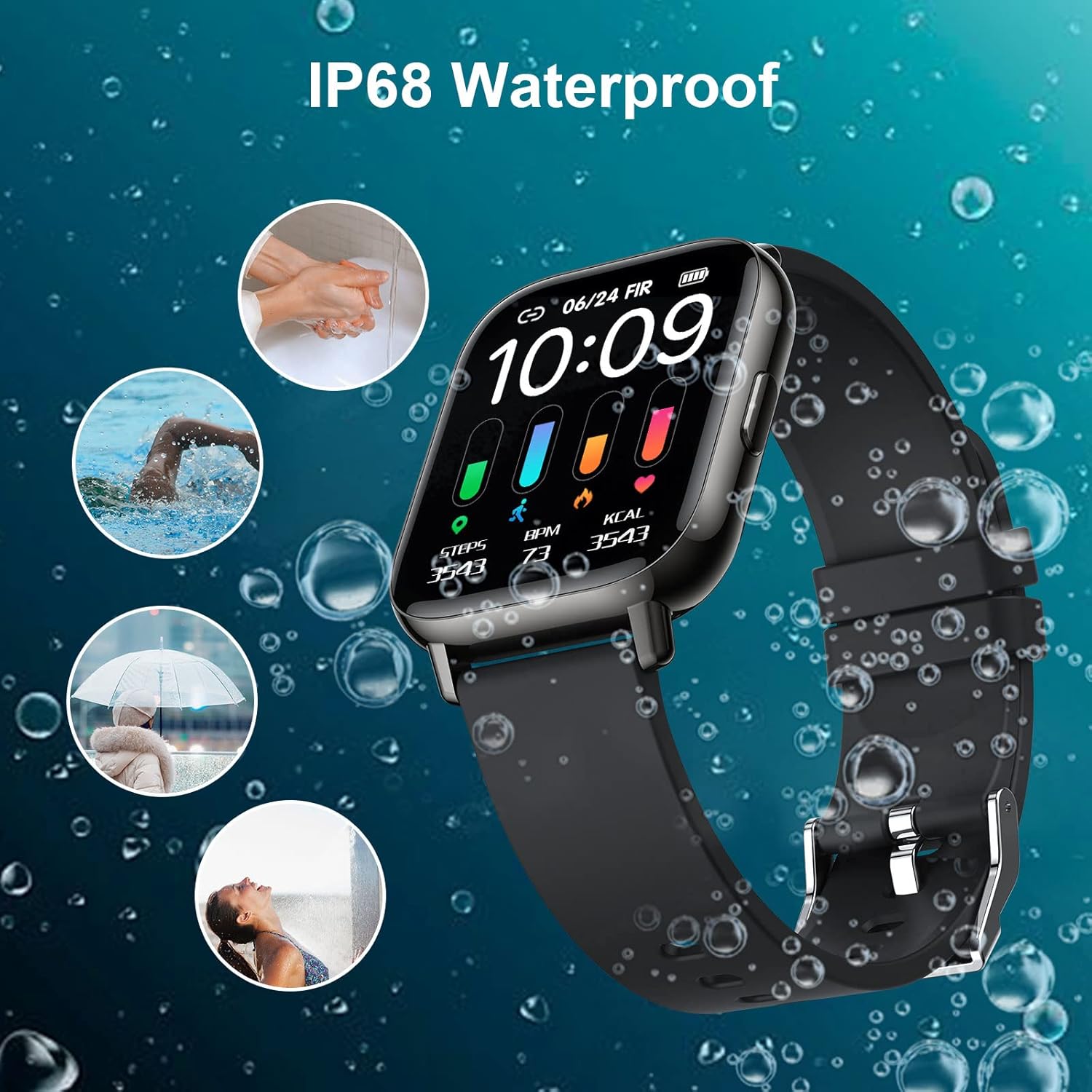
Image: Smartwatch highlighting its IP68 water resistance for everyday activities.
Cleaning and Care
- Wipe the watch and strap regularly with a soft, damp cloth.
- Avoid using harsh chemicals or abrasive materials, as these can damage the device.
- Ensure the charging contacts are clean and dry before charging.
Battery Care
- Do not expose the battery to extreme temperatures.
- Charge the device using only the provided magnetic charger.
- If storing the device for an extended period, charge it to approximately 50% to preserve battery health.
Troubleshooting
Common Issues and Solutions
- Watch not turning on:
- Ensure the watch is fully charged. Connect it to the charger for at least 30 minutes.
- Press and hold the power button for 10-15 seconds to force a restart.
- Cannot pair with smartphone:
- Ensure Bluetooth is enabled on your smartphone and the watch is within range.
- Restart both your smartphone and the smartwatch.
- Make sure the GloryFit app is updated to the latest version.
- If previously paired, try unpairing the device from your phone's Bluetooth settings and then re-pairing through the GloryFit app.
- Inaccurate health data:
- Ensure the watch is worn snugly on your wrist, not too tight or too loose.
- Clean the optical sensors on the back of the watch.
- Note that the smartwatch is not a medical device; data is for reference only.
- Notifications not appearing:
- Check notification permissions for the GloryFit app in your smartphone settings.
- Ensure the watch is connected via Bluetooth to your smartphone.
- Verify that notifications are enabled within the GloryFit app settings for specific applications.
Specifications
| Feature | Detail |
|---|---|
| Model Number | P32B |
| Brand | Nerunsa |
| Screen Size | 1.69 Inches |
| Display Type | LCD |
| Resolution | 240 x 280 |
| Connectivity Technology | Bluetooth |
| Wireless Communication Standard | Bluetooth |
| GPS | Via smartphone |
| Water Resistance Level | IPX8+ (1.5 Meters) |
| Battery Type | Lithium-polymer |
| Average Battery Life | 5 days (normal use) |
| Charging Time | 2 hours |
| Strap Material | Silicone |
| Item Weight | 46 Grams |
| Dimensions | 25 x 25 x 25 millimeters |
| Supported Application | Third-party iOS and Android apps (GloryFit) |
| Compatible Devices | Smartphone (Android) |
Warranty Information
The Nerunsa Smartwatch P32B comes with a Lifetime Warranty. Please retain your proof of purchase for any warranty claims. This warranty covers manufacturing defects and malfunctions under normal use conditions.
Support
For further assistance, technical support, or warranty inquiries, please contact Nerunsa customer service. Refer to the product packaging or the official Nerunsa website for contact details.

