Introduction
Thank you for choosing the SONGMICS Electric Standing Desk. This manual provides essential information for the safe assembly, operation, and maintenance of your new height-adjustable workstation. Please read these instructions carefully before use and retain them for future reference.
Important Safety Information
- Ensure no obstacles are present during the lifting and lowering process. The work surface must not contact walls or other objects.
- Verify that all cables have sufficient length to accommodate the full range of desk movement.
- Use the product indoors in a dry environment. Keep all electronic components away from liquids.
- After continuous adjustment for 2 minutes, allow the motor to rest for at least 18 minutes to prevent damage.
- Do not disassemble any parts without authorization.
- Do not place objects exceeding the maximum weight limit of 80 kg on the desk.
- Avoid connecting the desk to overvoltage sockets or adapters.
Package Contents
Before assembly, please verify that all components listed below are present and undamaged:
- 1 x Height Adjustable Desk (includes desktop and frame)
- 1 x Storage Pocket
- 2 x Hooks
- 1 x Accessory Kit (screws, tools, etc.)
- 1 x Instructions Manual (this document)
Assembly Instructions
Assembly of your SONGMICS Electric Standing Desk is designed to be straightforward. All parts are numbered, and illustrated instructions are included in the accessory kit. We recommend reviewing the full instructions before beginning.

Image: Exploded view of desk components for assembly.
- Unpack all components and lay them out on a clean, soft surface to prevent scratches.
- Follow the numbered steps in the provided accessory kit instructions to assemble the desk frame.
- Attach the desktop to the assembled frame, ensuring all screws are securely tightened.
- Install the storage pocket and hooks as desired (can be on the left or right side).

Image: Assembled desk with storage pocket in a home office environment.
Initial Setup
Once assembled, position the desk in your desired location. Ensure it is on a level surface.
- Connect the power cable to the desk's control box and then to a suitable power outlet.
- The LED display on the control panel should illuminate, indicating power is supplied.
Operating Instructions
Height Adjustment
The desk's height can be adjusted electrically using the control panel located on the front edge of the desktop. The height range is from 72 cm to 120 cm.
- Press the Up arrow button to raise the desk.
- Press the Down arrow button to lower the desk.
- The desk features smooth start and stop adjustment with minimal noise (less than 50 dB).

Image: Visual guide for sit-stand positions and height adjustment range.
Memory Settings
The control panel allows you to store and recall up to four preferred height settings.
- Adjust the desk to your desired height using the Up/Down arrows.
- Press the M button, then immediately press one of the numbered buttons (1, 2, 3, or 4) to save the current height.
- To recall a saved height, simply press the corresponding numbered button (1, 2, 3, or 4). The desk will automatically move to the stored position.
Anti-Collision Feature
For safety, the desk is equipped with an anti-collision system. If the desk encounters an obstacle during adjustment (either moving up or down), it will automatically stop and reverse slightly to prevent damage or injury.

Image: Illustration of the desk's anti-collision mechanism.
Storage Pocket and Hooks
The included storage pocket and hooks provide convenient organization for your workspace.
- The fabric storage pocket can be attached to either the left or right side of the desk for books, magazines, or stationery.
- The two hooks can be installed on the opposite side to hang headphones, bags, or other items.

Image: Detail of the fabric storage pocket in use.
Maintenance
To ensure the longevity and proper function of your desk, follow these maintenance guidelines:
- Cleaning: Wipe the desk surface with a soft, damp cloth. Avoid harsh chemicals or abrasive cleaners. Ensure no liquids enter the electronic components.
- Motor Care: Adhere to the usage guidelines regarding continuous adjustment (2 minutes on, 18 minutes rest) to prevent motor overheating.
- Cable Management: Regularly check cables for wear or damage and ensure they are not pinched or stretched during desk movement.
- Weight Limit: Do not exceed the maximum static load capacity of 80 kg to prevent damage to the motor and frame.
Troubleshooting
If you encounter issues with your desk, please refer to the table below for common problems and solutions.
| Problem | Possible Cause | Solution |
|---|---|---|
| Desk does not move | No power, cable disconnected, motor overheated. | Check power connection. Ensure all cables are securely plugged in. Allow motor to cool down if used continuously. |
| Desk moves unevenly or makes unusual noise | Uneven load, loose screws, obstruction. | Distribute weight evenly on the desktop. Check and tighten all assembly screws. Remove any obstructions. |
| Anti-collision feature triggers too easily | Sensitivity setting (if adjustable, refer to specific control box manual), minor obstruction. | Ensure no objects are near the desk's path. If the issue persists, consult customer support. |
| Memory settings not working | Incorrect saving procedure. | Re-save the desired height by pressing 'M' then the numbered button immediately. |
If the problem persists after attempting these solutions, please contact SONGMICS customer support.
Product Specifications

Image: Desk dimensions and height range.
| Feature | Detail |
|---|---|
| Brand | SONGMICS |
| Model Number | LSD015X11 (UKLSD016X11) |
| Product Dimensions (L x W x H) | 120 x 60 x (72-120) cm (47.24"D x 23.62"W x 28.43"-47.24"H) |
| Panel Thickness | 1.5 cm (15 mm) |
| Product Weight | 25.5 kg |
| Max. Static Load Capacity | 80 kg |
| Material | Steel, Particleboard, Non-Woven Fabric |
| Color | Rustic Brown, Black |
| Lifting Mechanism | Electric |
| Special Features | 4 Programmable Height Settings, Anti-Collision, Storage Pocket, Hooks |
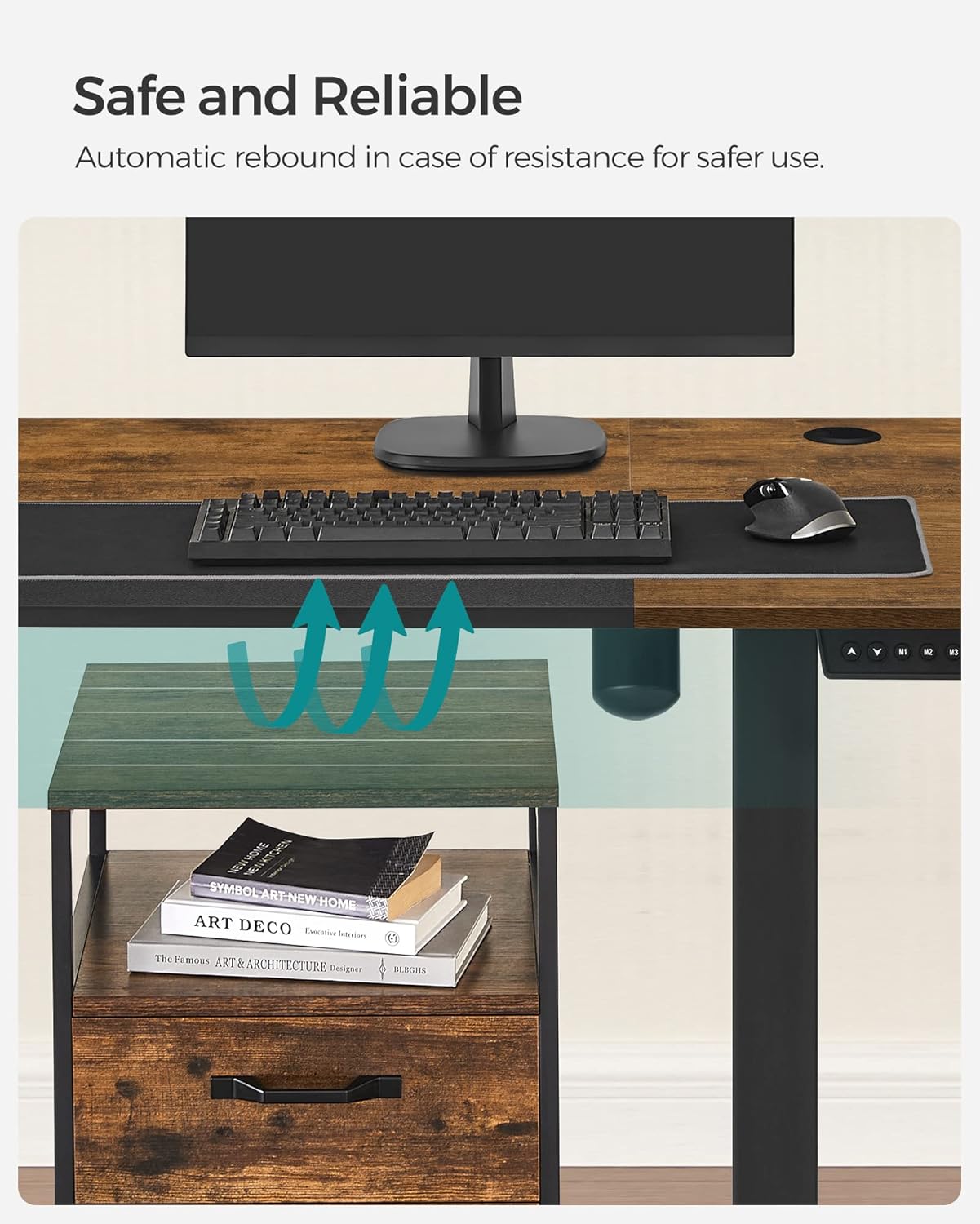
Image: Desk demonstrating 80 kg load capacity.
Warranty and Support
This SONGMICS Electric Standing Desk comes with a limited warranty. For specific warranty terms and conditions, please refer to the documentation included with your purchase or visit the official SONGMICS website.
For technical assistance, troubleshooting not covered in this manual, or to inquire about replacement parts, please contact SONGMICS customer support through their official channels. You can often find contact information on the brand's website or through your point of purchase.
For more information, visit the official SONGMICS Store.


