1. Introduction
Thank you for purchasing the iitrust Earaku J065-C-GRN Bluetooth Headset. This headset features an open-ear design, Bluetooth 5.2 connectivity, ENC noise canceling for calls, and IPX5 waterproofing. This manual provides detailed instructions for setup, operation, maintenance, and troubleshooting to ensure optimal performance and longevity of your device.
Please read this manual thoroughly before using the product and retain it for future reference.
2. Package Contents
Upon unpacking, please verify that all items listed below are present:
- iitrust Earaku J065-C-GRN Bluetooth Headset
- Charging Cable
- Packing Case
- User Manual (English)
3. Product Overview
The iitrust Earaku J065-C-GRN headset is designed for comfort and clear communication, especially for telework and web conferences. Its open-ear design allows you to remain aware of your surroundings while enjoying audio.

Image 1: Front view of the iitrust Earaku J065-C-GRN Bluetooth Headset, showcasing its over-ear design and integrated microphone boom.

Image 2: Side view of the headset, highlighting the control buttons and the 'iitrust' branding on the earpiece.
4. Setup
4.1 Charging the Headset
Before first use, fully charge the headset. Connect the provided charging cable to the headset's charging port and a USB power source. The charging indicator light will provide status updates (e.g., red for charging, blue for fully charged).
- A full charge provides up to 11 hours of continuous playback.
- Standby time is approximately 300 hours.
4.2 Pairing with a Device
Follow these steps to pair your headset with a Bluetooth-enabled device:
- Power On: Press and hold the Power button on the headset until the indicator light flashes, indicating it is in pairing mode.
- Activate Bluetooth: On your device (smartphone, tablet, computer), enable Bluetooth.
- Select Headset: In the list of available Bluetooth devices, select "J065-C-GRN" or a similar name.
- Confirm Pairing: Once connected, the headset's indicator light will change, and you may hear an audio confirmation.
The headset supports automatic pairing after the initial connection. It can also connect to two devices simultaneously, allowing seamless switching between, for example, a work laptop and a personal smartphone.

Image 3: Illustration of the Bluetooth pairing process, showing a smartphone's Bluetooth settings screen with the headset listed as a connectable device.
5. Operating Instructions
5.1 Basic Controls
- Power On/Off: Press and hold the Power button.
- Play/Pause: Single press the Multi-function button.
- Volume Up/Down: Press the Volume + or Volume - buttons.
- Next Track: Press and hold Volume + button.
- Previous Track: Press and hold Volume - button.
5.2 Call Management
- Answer/End Call: Single press the Multi-function button during an incoming call or active call.
- Reject Call: Press and hold the Multi-function button during an incoming call.
- Mute Microphone: During a call, press the Volume button to mute or unmute the microphone. This feature helps protect your privacy during conversations.

Image 4: A user wearing the headset, illustrating the mute function during a phone call, with visual cues for volume and power buttons.
5.3 Voice Assistant
- Activate Voice Assistant (Siri/Google Assistant): Double-press the Multi-function button.
6. Maintenance
6.1 Cleaning
- Wipe the headset with a soft, dry cloth.
- Do not use abrasive cleaners, alcohol, or chemical solvents.
- The headset is IPX5 waterproof, meaning it can resist a sustained, low-pressure water jet spray. Do not submerge it in water.
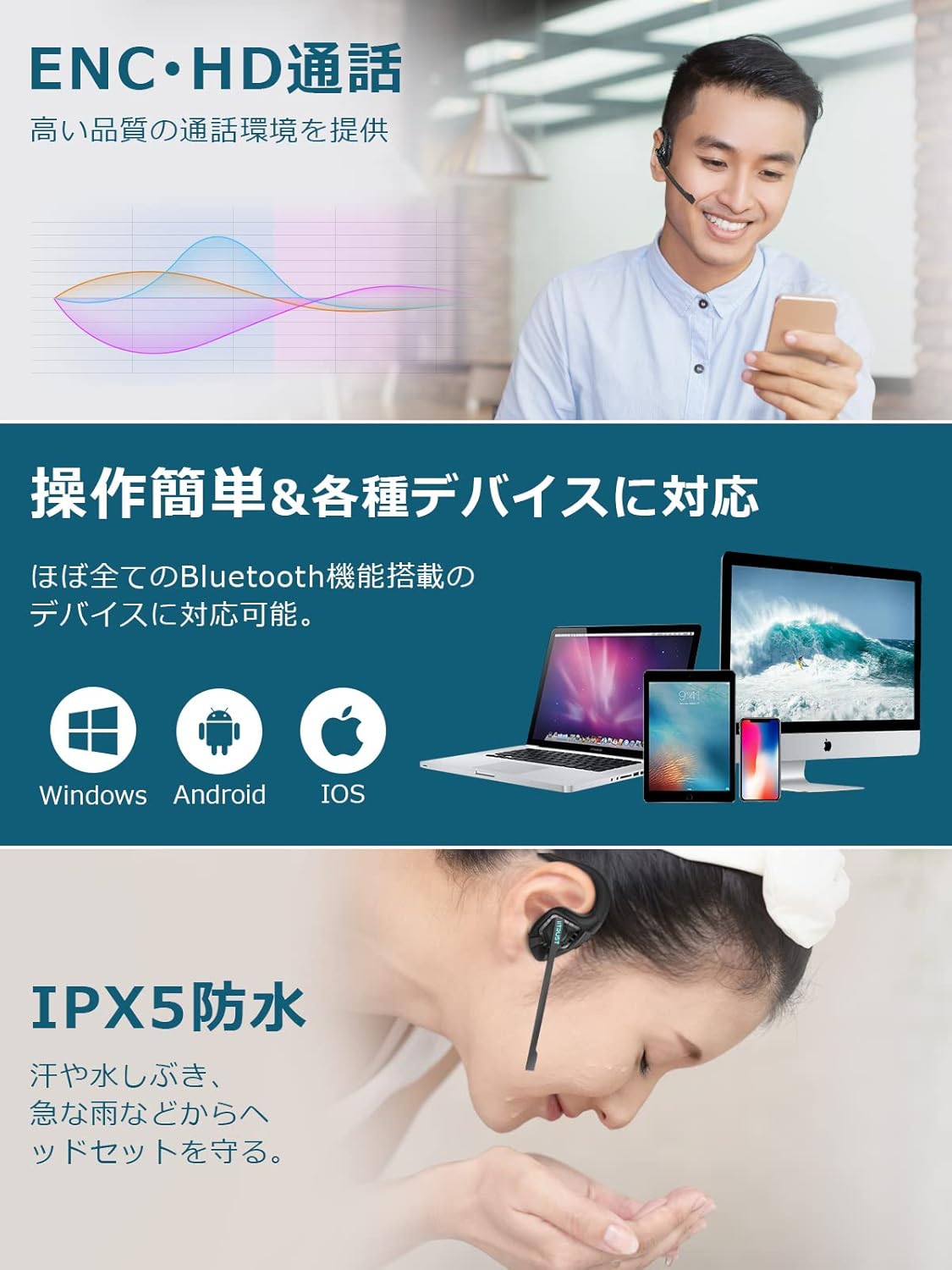
Image 5: A person demonstrating the IPX5 waterproof capability of the headset by having water splashed on their face while wearing it.
6.2 Storage
- Store the headset in its packing case when not in use to protect it from dust and damage.
- Avoid storing in extreme temperatures or high humidity.
7. Troubleshooting
| Problem | Possible Cause | Solution |
|---|---|---|
| Headset does not power on. | Low battery. | Charge the headset fully. |
| Cannot pair with device. | Bluetooth is off on device; headset not in pairing mode; device too far. | Ensure Bluetooth is enabled on your device. Put headset in pairing mode. Keep devices within 10 meters. |
| No sound or poor sound quality. | Volume too low; headset not selected as audio output; interference. | Adjust volume. Check device's audio output settings. Move away from sources of interference. |
| Microphone not working. | Microphone muted; incorrect input device selected. | Unmute microphone. Check device's input settings. |
8. Specifications
| Feature | Detail |
|---|---|
| Model Name | J065-C-GRN |
| Brand | iitrust |
| Connectivity Technology | Wireless (Bluetooth 5.2) |
| Wireless Communication Technology | Bluetooth |
| Ear Placement | Open Ear |
| Form Factor | Over-Ear, Open Ear |
| Microphone | Included, with ENC Noise Cancellation |
| Water Resistance Level | IPX5 Waterproof |
| Item Weight | 27 Grams |
| Battery Life (Continuous Playback) | Up to 11 hours |
| Standby Time | Approx. 300 hours |
| Control Method | Touch/Button |
| Material | Plastic, Rubber, Silicone |
| Product Dimensions (LxWxH) | 14.5 x 11 x 4.5 cm |
| Special Features | Fast Charging, Lightweight, Noise Cancellation, Sweatproof |
9. Warranty and Support
This product comes with an 18-month quality guarantee from the date of purchase. In the unlikely event of a product failure within this period, please contact iitrust customer support for assistance. We will arrange for an exchange or refund as appropriate.
Please note that batteries are considered consumables and are not covered under the warranty. The warranty applies to functional parts of the device only.
For support, please refer to the contact information provided with your purchase or visit the official iitrust website.


