
1. Product Overview
This Lepro bundle includes two distinct LED lighting products: a White LED Desk Lamp and an LED Table Lamp. Both lamps are designed for indoor use and offer various lighting options to suit different needs.
1.1 White LED Desk Lamp
The White LED Desk Lamp features a sleek design with adjustable lighting. It is suitable for tasks requiring focused illumination.
- Color Modes: 3 options (Warm White 3000K, Bright White 4200K, Natural Daylight 6500K).
- Brightness Levels: 5 adjustable levels for each color mode.
- Luminosity: Up to 550 lumens, providing sufficient light for precision work.
- Light Quality: Diffused light to minimize glare and eye strain.
- Material: Metal and Wood construction with a brushed finish.

Image 1.1: The White LED Desk Lamp in its upright position.
1.2 LED Table Lamp
The LED Table Lamp is a versatile light source offering tunable white light and a range of RGB color options, along with a timer function.
- Color Modes: Tunable white light (2700K, 4000K, 5700K) and RGB color changing settings.
- Dimming: 5% - 100% fully dimmable.
- Color Options: 7 steady color options and an auto color changing mode.
- Timer: Schedule auto-off for 30 minutes or 60 minutes.
- Material: Metal and Wood construction.
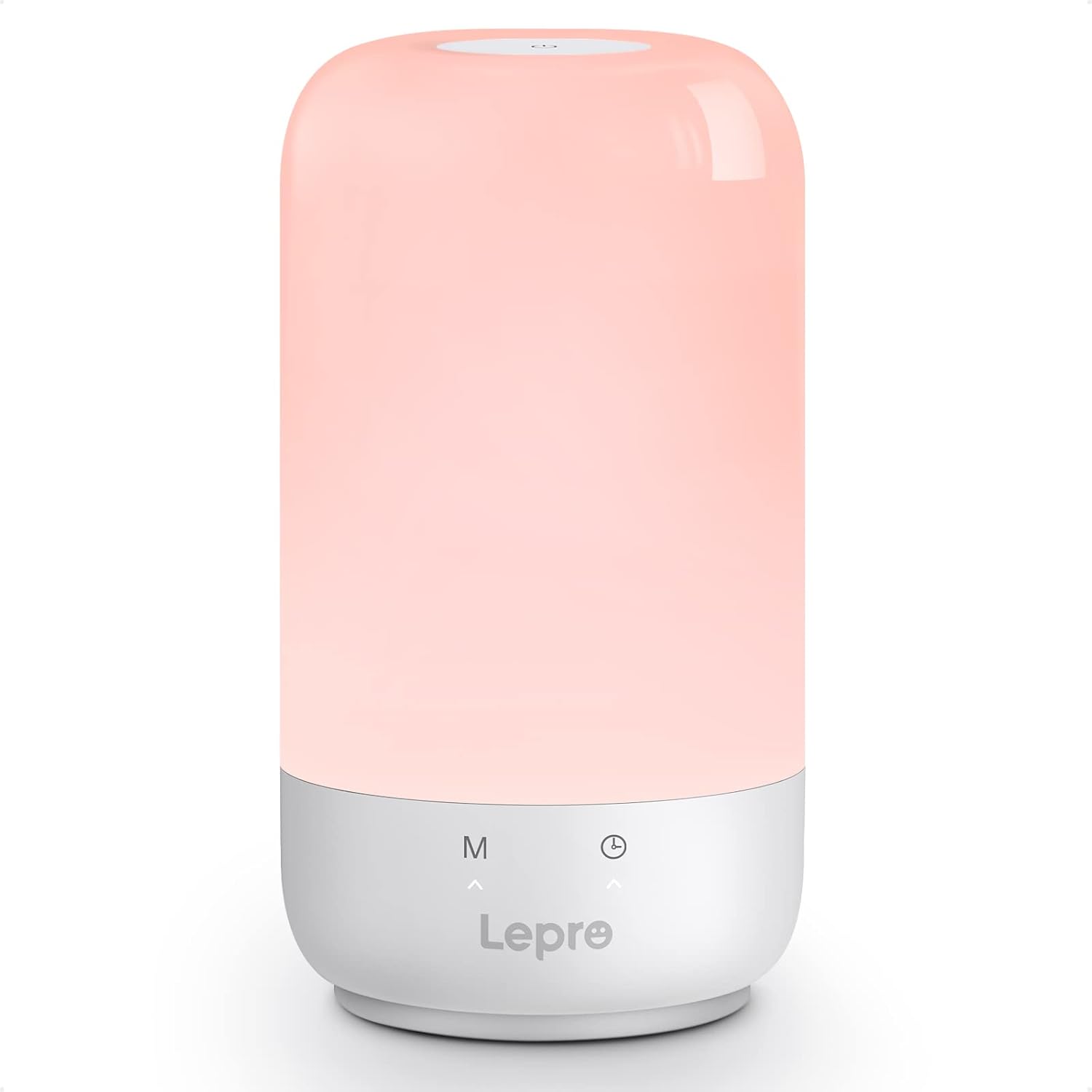
Image 1.2: The LED Table Lamp displaying a soft light.
2. Setup Instructions
Follow these steps to set up your Lepro lamps.
2.1 White LED Desk Lamp Setup
- Unpack the desk lamp and its power adapter from the packaging.
- Place the lamp on a stable, flat surface.
- Connect the power adapter cable to the lamp's power input port.
- Plug the power adapter into a standard electrical outlet (100-240V).

Image 2.1: The White LED Desk Lamp with its power adapter and dimensions.
2.2 LED Table Lamp Setup
- Remove the table lamp from its packaging.
- Place the lamp on a stable surface.
- Connect the provided USB Type-C cable to the lamp's Type-C port.
- Connect the other end of the USB cable to a compatible USB power adapter (not always included, use a 5V adapter) and plug it into an electrical outlet.
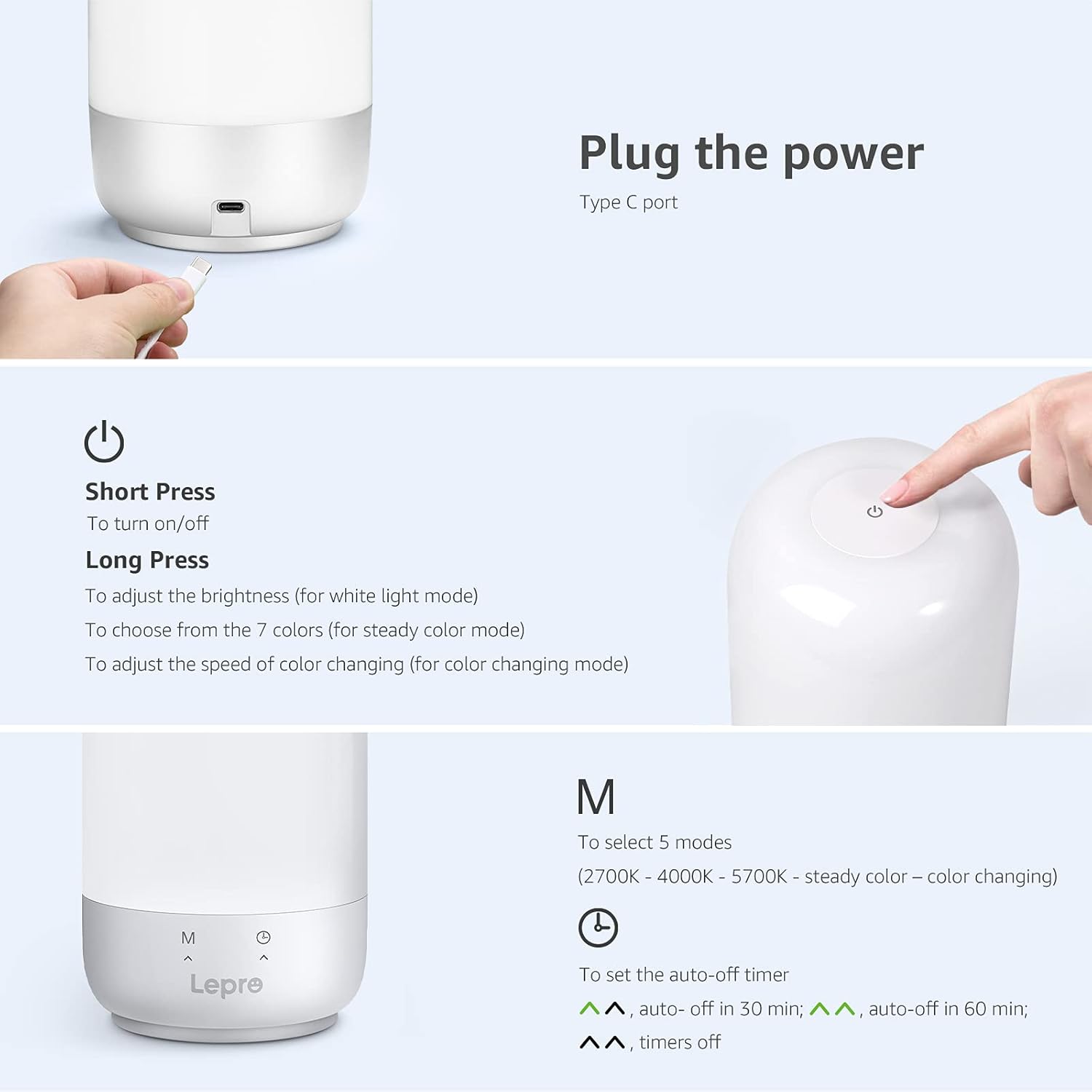
Image 2.2: Close-up of the LED Table Lamp showing its Type-C power input port.
3. Operating Instructions
3.1 White LED Desk Lamp Operation
The desk lamp is controlled via touch-sensitive buttons located on its base.
- Power On/Off: Touch the power button symbol once to turn the lamp on or off.
- Change Color Mode: Touch the 'M' button to cycle through the three color temperature modes: Warm White (3000K), Bright White (4200K), and Natural Daylight (6500K).
- Adjust Brightness: Use the '+' and '-' buttons to increase or decrease the brightness level. There are 5 levels available for each color mode.

Image 3.1: Visual representation of the desk lamp's 3 color modes and 5 brightness levels.
3.2 LED Table Lamp Operation
The table lamp features a touch control panel on its top surface and buttons on its base.

Image 3.2: Diagram illustrating the touch controls and timer buttons on the LED Table Lamp.
- Power On/Off: Short Press the power button on the top surface to turn the lamp on or off.
- Adjust Brightness (White Light Mode): Long Press the power button while in white light mode to adjust brightness from 5% to 100%.
- Select Steady Colors (Color Mode): Long Press the power button while in steady color mode to cycle through 7 color options.
- Adjust Color Changing Speed (Color Changing Mode): Long Press the power button while in auto color changing mode to adjust the speed of color transitions.
- Mode Selection ('M' Button): Short press the 'M' button on the base to cycle through 5 modes: 2700K (Warm White), 4000K (Neutral White), 5700K (Cool White), Steady Color, and Auto Color Changing.
- Timer Function (Clock Button): Short press the clock button on the base to set the auto-off timer. One press for 30 minutes, two presses for 60 minutes, three presses to turn the timer off. Indicators on the base will light up to confirm timer setting.

Image 3.3: The LED Table Lamp showcasing different white light and RGB color settings in various environments.
4. Maintenance
Proper maintenance ensures the longevity and optimal performance of your lamps.
- Cleaning: Disconnect the lamp from the power source before cleaning. Use a soft, dry cloth to wipe the surfaces. Do not use abrasive cleaners, solvents, or harsh chemicals, as these may damage the finish or electronic components.
- Storage: If storing the lamps for an extended period, ensure they are clean and dry. Store them in a cool, dry place away from direct sunlight and extreme temperatures.
- LED Lifespan: The integrated LED light sources are designed for long-term use and are not user-replaceable.
5. Troubleshooting
If you encounter issues with your Lepro lamps, refer to the following common solutions.
- Lamp Does Not Turn On:
- Ensure the power adapter is securely plugged into both the lamp and a working electrical outlet.
- Check if the outlet is functional by plugging in another device.
- For the table lamp, ensure the USB Type-C cable is properly connected and the USB power adapter is providing sufficient power (5V).
- Light Flickers or is Dim:
- Verify the power connection is stable.
- Adjust the brightness settings using the control buttons.
- Ensure the lamp is not exposed to extreme temperatures.
- Controls Are Unresponsive:
- Disconnect the lamp from power for a few minutes, then reconnect it to reset the controls.
- Ensure your fingers are clean and dry when using touch controls.
- Timer Function Not Working:
- Ensure you are pressing the timer button correctly to cycle through the 30 min, 60 min, and off settings. Observe the indicator lights on the table lamp base.
If problems persist after attempting these troubleshooting steps, please contact Lepro customer support.
6. Specifications
Detailed technical specifications for the Lepro Bundle lamps.
| Feature | White LED Desk Lamp | LED Table Lamp |
|---|---|---|
| Brand | Lepro | |
| Model Number | B0B1X6CX79 (Bundle) | |
| Light Source Type | LED | |
| Power Source | Corded Electric | |
| Voltage | 5 Volts | |
| Material | Metal, Wood | |
| Finish Type | Brushed | |
| Shade Color | White | |
| Mounting Type | Tabletop | |
| Indoor/Outdoor Usage | Indoor | |
| Water Resistance Level | Not Water Resistant | |
| Color Modes | 3 (3000K, 4200K, 6500K) | 3 White (2700K, 4000K, 5700K) + RGB |
| Brightness Levels | 5 levels | 5% - 100% Dimmable |
| Special Features | Dimmable | Color Changing, Dimmable, Timer |
| Control Method | Touch (on base) | Touch (on top and base) |
| Dimensions (Approx.) | Height: 15.1 in, Arm Length: 13.4 in, Base: 6.3 x 3.9 in | Not specified in detail, compact tabletop design |
7. Warranty and Support
For information regarding warranty coverage, product registration, or technical assistance, please refer to the official Lepro website or contact their customer support directly. Details are typically available on the product packaging or the manufacturer's official online resources.
Website: Visit the Lepro Store on Amazon


