
1. Overview
The Caline CP-505 Wave Machine Chorus is a guitar effect pedal designed to produce a rich chorus sound. It is built with classic analog circuits from the 1970s, offering a warm and vibrant modulation effect. This pedal features a true bypass design to maintain signal integrity when the effect is disengaged, and it is housed in a durable aluminum alloy casing.

Image: Front view of the Caline CP-505 Wave Machine Chorus Pedal, displaying the three control knobs (Level, Rate, Depth), the footswitch, and the input/output jacks.
2. Features
- Classic Analog Circuitry: Delivers a rich, vintage-style chorus effect.
- Three Control Knobs: Intuitive control over Level, Depth, and Rate.
- True Bypass: Ensures zero tone coloration when the pedal is disengaged.
- Durable Construction: Housed in a robust aluminum alloy casing.
- Compact Design: Dimensions of 11.2 x 6.4 x 3.4 cm (4.41"L x 2.52"W x 1.34"H).
- Lightweight: Weighs approximately 270 grams.
- Power Requirement: Operates on a 9V DC center negative power adapter (not included).
3. Controls and Functions
The CP-505 pedal features three main control knobs and a footswitch for operation:
- LEVEL Knob: Adjusts the overall output volume of the chorus effect. Turn clockwise to increase the effect's volume, and counter-clockwise to decrease it.
- DEPTH Knob: Controls the intensity or width of the chorus modulation. Higher settings produce a more pronounced, swirling, and expansive sound.
- RATE Knob: Determines the speed of the chorus modulation. Turning clockwise increases the modulation speed, while turning counter-clockwise slows it down, creating more subtle or elongated effects.
- Footswitch: Toggles the effect on or off. When the effect is active, the blue LED indicator will illuminate.
4. Setup
- Power Connection: Connect a 9V DC center negative power adapter (not included) to the DC 9V input jack located on the side of the pedal. It is crucial to use an adapter that meets the specified requirements (9V DC, center negative, 500mA current) to prevent damage to the unit.
- Input Connection: Connect your guitar to the 'IN' jack on the right side of the pedal using a standard 1/4-inch instrument cable.
- Output Connection: Connect the 'OUT' jack on the left side of the pedal to your amplifier or the next pedal in your signal chain using another standard 1/4-inch instrument cable.

Image: Important power supply notice for the Caline CP-505, detailing voltage, polarity, and current requirements.
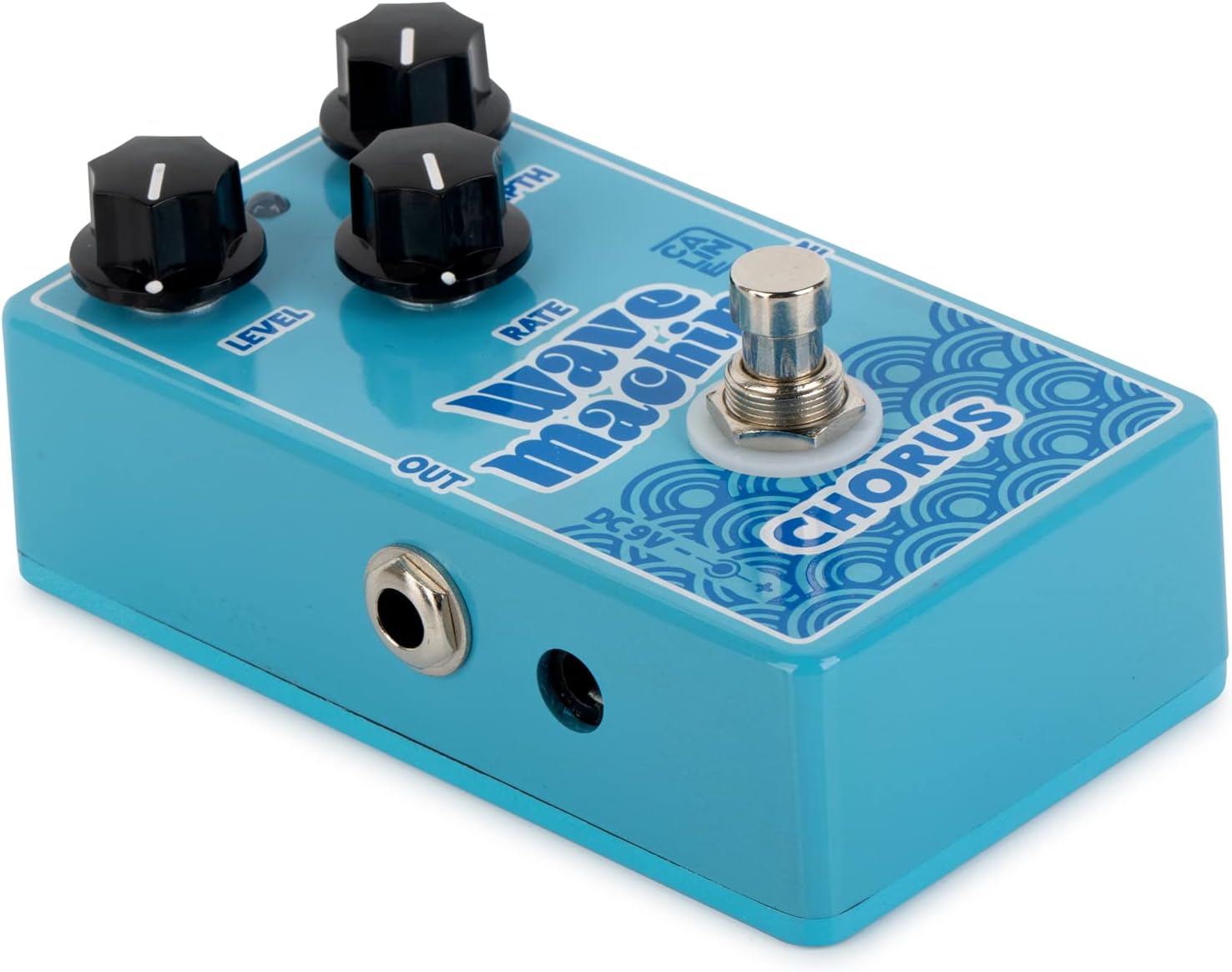
Image: Angled view of the Caline CP-505 pedal, clearly showing the input, output, and power jack locations.
5. Operating Instructions
- Ensure all cables and the power adapter are securely connected.
- Press the footswitch to engage the chorus effect. The blue LED indicator will light up, confirming the effect is active. Press the footswitch again to bypass the effect.
- Adjust the LEVEL knob to achieve the desired balance between the effect's volume and your guitar's dry signal.
- Experiment with the DEPTH knob to control the intensity of the chorus. Lower settings provide a subtle shimmer, while higher settings create a more pronounced, watery sound.
- Use the RATE knob to set the speed of the modulation. Slower rates can produce a gentle, flowing chorus, while faster rates can mimic a rotary speaker effect.
6. Maintenance
- Keep the pedal clean and free from dust and moisture.
- Avoid exposing the pedal to extreme temperatures, humidity, or direct sunlight.
- Do not attempt to disassemble the pedal, as this may void any applicable warranty.
- Use only a soft, dry cloth for cleaning the exterior.
7. Troubleshooting
No Sound or Weak Signal:
- Check all instrument cable connections between your guitar, the pedal, and the amplifier. Ensure they are fully inserted and not damaged.
- Verify that the 9V DC power adapter is correctly connected to the pedal and the power outlet. Confirm it is a center negative adapter with sufficient current (500mA).
- Ensure the pedal is engaged (blue LED illuminated). If not, press the footswitch.
- Test the pedal with different cables, a different power supply, or a different amplifier to isolate the source of the problem.
Unwanted Noise:
- Ensure your power supply is regulated and free from noise. Unregulated power supplies can introduce hum or buzz.
- Check for faulty instrument cables, which can cause crackling or static.
- Move the pedal away from other electronic devices (e.g., power adapters, fluorescent lights, computer monitors) that may cause electromagnetic interference.
8. Specifications
| Attribute | Value |
|---|---|
| Brand | Caline |
| Model | CP-505 Wave Machine Chorus |
| Effect Type | Chorus, Modulation |
| Circuitry | Analog |
| Bypass | True Bypass |
| Material | Aluminum Alloy Casing |
| Dimensions (L x W x H) | 11.2 x 6.4 x 3.4 cm (4.41"L x 2.52"W x 1.34"H) |
| Weight | 270 Grams |
| Power Requirements | 9V DC, Center Negative, 500mA (Adapter not included) |
| Input/Output | 1/4-inch Audio Jacks |
| Controls | Level, Depth, Rate Knobs |

Image: Bottom view of the Caline CP-505, displaying product information and regulatory markings.
9. Warranty and Support
Warranty information for this product is not applicable as per the provided details. For further support, technical assistance, or inquiries, please refer to the official Caline website or contact their customer service department directly.