
ASHATA SL299
ASHATA SL299 Thermal Laminator Machine User Manual
Model: SL299
1. Introduction
Thank you for choosing the ASHATA SL299 Thermal Laminator Machine. This device is designed to protect and preserve your important documents, photos, and other materials using both hot and cold lamination methods. Please read this manual thoroughly before operation to ensure safe and efficient use.
2. Important Safety Instructions
- Read all instructions before use.
- Keep the laminator away from water or other liquids.
- Do not operate the laminator if the power cord or plug is damaged.
- Ensure the laminator is placed on a stable, flat surface.
- Keep children and pets away from the laminator during operation.
- Do not insert objects other than laminating pouches into the machine.
- Unplug the laminator when not in use and before cleaning.
- Allow the machine to cool down completely before storing.
3. Package Contents
Verify that all items are present in the package:
- ASHATA SL299 Thermal Laminator Machine (9-inch)
- Paper Cutter
- Corner Rounder
- Fillet (for precise trimming)
- User Manual (this document)

Image: The ASHATA SL299 laminator shown with its accessories: a paper cutter and a corner rounder. A document is being fed into the laminator, and a laminated item is visible.
4. Product Features
- Hot and Cold Lamination: Supports both thermal and pressure-sensitive lamination pouches.
- Fast Warm-up: Ready for hot lamination in approximately 3 minutes.
- Efficient Speed: Laminates at a speed of up to 280mm per minute.
- Anti-Jam Technology: Equipped with an ABS release lever to clear jammed pouches.
- 2-Roll System: Ensures smooth and consistent lamination.
- Wide Application: Suitable for photos, documents, cards, menus, and more.
- Accessory Kit: Includes a paper cutter and corner rounder for professional finishing.
- Pouch Compatibility: Works with laminating pouches from 80 mic to 125 mic thickness.
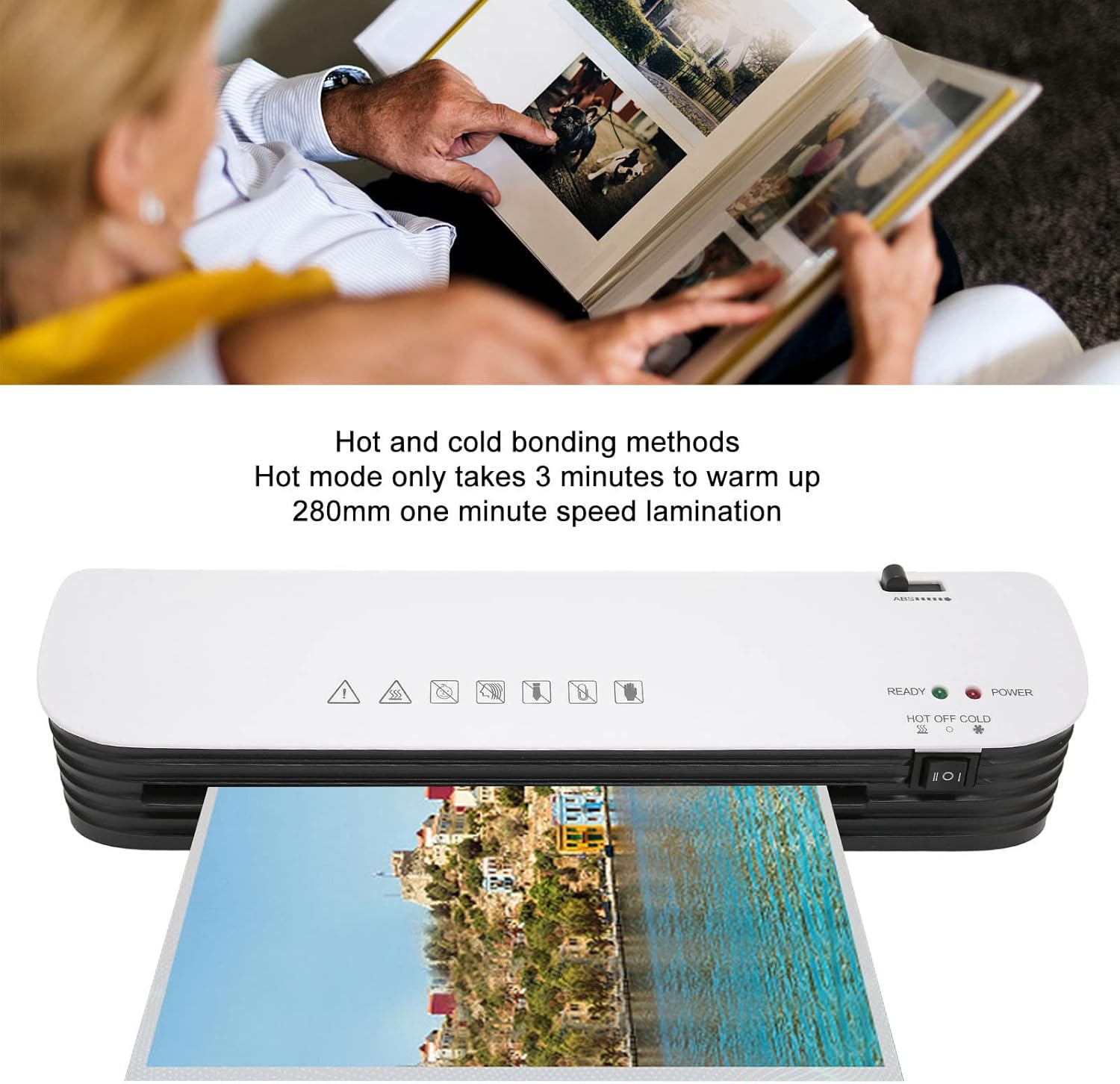
Image: The ASHATA SL299 laminator in operation, showing a document being laminated. Text overlays indicate "Hot and cold bonding methods" and "Hot mode only takes 3 minutes to warm up, 280mm one minute speed lamination."
5. Setup
- Unpack: Carefully remove the laminator and all accessories from the packaging.
- Placement: Place the laminator on a stable, flat, and heat-resistant surface. Ensure there is enough space behind the machine for laminated items to exit freely.
- Power Connection: Plug the power cord into a standard electrical outlet.
- Power On: Flip the power switch to the "ON" position. The "POWER" indicator light will illuminate (usually red).

Image: A detailed view of the laminator's control panel, highlighting the "HOT OFF COLD" switch, "READY" (green) and "POWER" (red) indicator lights, and the ABS jam release lever.
6. Operating Instructions
6.1. Hot Lamination
- Select Mode: With the power on, slide the "HOT OFF COLD" switch to the "HOT" position (indicated by the wavy lines icon).
- Warm-up: The laminator will begin to heat up. The "POWER" light will be on. Wait approximately 3 minutes for the "READY" (green) indicator light to illuminate, signaling that the machine has reached the optimal temperature for hot lamination.
- Prepare Pouch: Place your document or photo inside a laminating pouch, ensuring it is centered and there is a small margin around the edges. Do not use pouches thicker than 125 mic.
- Insert Pouch: Insert the sealed edge of the laminating pouch into the laminator's entrance slot, keeping it straight and even. The machine will automatically feed the pouch through.
- Retrieve: Once the pouch exits the rear of the machine, allow it to cool on a flat surface before handling.

Image: A close-up view of the laminator's control panel, emphasizing the "HOT OFF COLD" switch. The text "Hot and Cold Mode" is prominently displayed.
Image: A close-up of the laminator's control panel, with text indicating "1-3mins Preheat time" and showing the "READY" (green) and "POWER" (red) lights.
6.2. Cold Lamination
- Select Mode: With the power on, slide the "HOT OFF COLD" switch to the "COLD" position (indicated by the snowflake icon).
- No Warm-up: Cold lamination does not require warm-up. The "READY" light will not illuminate for cold lamination.
- Prepare Pouch: Use self-adhesive cold laminating pouches. Place your document or photo inside the cold laminating pouch, ensuring it is centered.
- Insert Pouch: Insert the sealed edge of the cold laminating pouch into the laminator's entrance slot, keeping it straight and even. The machine will feed the pouch through.
- Retrieve: Retrieve the laminated item from the rear of the machine.
6.3. Using the ABS Anti-Jam Lever
If a laminating pouch becomes jammed or misfed during operation:
- Immediately push and hold the ABS (Anti-Blocking System) lever located on the top right side of the laminator.
- While holding the lever, gently pull the jammed pouch out of the entrance slot.
- Release the ABS lever.
- Inspect the pouch and document for damage. If reusable, re-align and attempt lamination again, ensuring proper insertion.
6.4. Using Included Accessories

Image: The ASHATA SL299 laminator displayed alongside its included paper cutter and corner rounder. The paper cutter features a grid for precise alignment.
Paper Cutter:
- Place the laminated document on the paper cutter's base, aligning it with the desired cutting line.
- Hold the document firmly in place.
- Slide the cutting blade along the guide to trim the edges.
- Always exercise caution when using the paper cutter to avoid injury.
Corner Rounder:
- Insert a corner of the laminated document into the corner rounder's slot.
- Press down firmly to cut and round the corner.
- Repeat for all desired corners.

Image: A close-up view of the corner rounder accessory, showing a hand inserting a document corner into the device to round it. The text "Corner Rounder" is visible above the image.
7. Maintenance
- Cleaning: Ensure the laminator is unplugged and completely cool before cleaning. Wipe the exterior with a soft, dry cloth. Do not use abrasive cleaners or solvents.
- Roller Cleaning: Occasionally, run a cleaning sheet (available separately) through the laminator to remove any adhesive residue from the rollers.
- Storage: Store the laminator in a dry, dust-free environment when not in use.
8. Troubleshooting
| Problem | Possible Cause | Solution |
|---|---|---|
| Laminator not turning on. | No power supply. | Check if the power cord is securely plugged into the outlet and the laminator. Ensure the power switch is in the "ON" position. |
| Pouch jams in the machine. | Pouch inserted incorrectly, too thick, or rollers are dirty. | Press and hold the ABS lever to release the pouch. Ensure the sealed edge is inserted first and the pouch is straight. Use appropriate pouch thickness (80-125 mic). Clean rollers if necessary. |
| Laminated document has bubbles or is cloudy. | Temperature too low (hot lamination), incorrect pouch thickness, or old pouches. | Ensure the "READY" light is green before hot laminating. Use fresh, good quality pouches. For cold lamination, ensure the pouch is designed for cold use. |
| Laminator is slow to warm up. | Normal operation, or environmental factors. | Allow the full 3 minutes for warm-up. Ensure the machine is not in an unusually cold environment. |
9. Specifications
| Model | SL299 |
| Lamination Width | Up to 9 inches (approx. 230mm) |
| Lamination Methods | Hot and Cold |
| Warm-up Time | Approx. 3 minutes |
| Lamination Speed | 280mm/minute |
| Pouch Thickness | 80 mic to 125 mic |
| Number of Rollers | 2-roll system |
| Anti-Jam Feature | ABS Release Lever |
| Dimensions (L x W x H) | Approx. 13.8 x 4.3 x 2.8 inches (351mm x 108mm x 70mm) |
| Item Weight | Approx. 2.67 pounds |

Image: An overhead view of the ASHATA SL299 laminator with its key dimensions (length, width, height) clearly marked in both millimeters and inches.
10. Warranty and Support
For warranty information or technical support, please refer to the contact details provided with your purchase or visit the official ASHATA website. Keep your proof of purchase for warranty claims.
ASHATA Official Website: ASHATA Store on Amazon
Ask a question about this manual
Ask about setup, troubleshooting, compatibility, parts, safety, or missing instructions. Manuals+ will review the question and use this page’s manual context to help answer it.