Product Overview
The Jegoteer Remote Control Finder is a radiofrequency-based device designed to help you quickly locate lost items. It features a transmitter with coded buttons and four corresponding receivers that beep and flash when activated. This system eliminates the need for a smartphone app, offering a simple and reliable solution for finding keys, remotes, phones, and other small items. The tags are slim and lightweight, suitable for both indoor and outdoor use, with a remote range of up to 120 feet and an 80dB beeping sound for easy detection.

Figure 1: Jegoteer Remote Control Finder System
Package Contents
Verify that all items are present in your package:
- Transmitter x 1
- Receiver x 4
- Button Cell (CR2032) x 4 (pre-installed in receivers)
- Key Ring x 4
- Sticker x 4
- Pry Opener x 1

Figure 2: Complete Package Contents
Setup Guide
1. Installing/Replacing Batteries
Transmitter: The transmitter requires 2 AAA batteries (not included). Open the battery compartment on the back and insert the batteries, observing correct polarity.
Receivers: The receivers come with button cells (CR2032) pre-installed. For first-time use, remove the white insulation film from the battery compartment. To replace batteries, use the provided pry opener to gently open the tag, replace the button cell with the positive side facing out, and then press to close the tag securely.

Figure 3: Battery Installation for Receiver Tags
2. Attaching Receiver Tags
The receiver tags can be attached to various items using the included key rings or adhesive stickers:
- Key Rings: Attach tags to keychains, backpacks, pet collars, or other items with loops.
- Stickers: Use the adhesive stickers to attach tags to flat surfaces like TV remote controls, glasses cases, or earbud cases. For mobile phones, a protective cover and lanyard may be needed if the sticker is considered too bulky. For wallets, the receiver can simply be placed inside.

Figure 4: Versatile Attachment Options for Receiver Tags
Operating Instructions
1. Finding Lost Items
To locate an item, simply press the corresponding colored button (A, B, C, or D) on the transmitter. The assigned receiver tag will emit an 80dB beeping sound and flash, guiding you to the lost item.
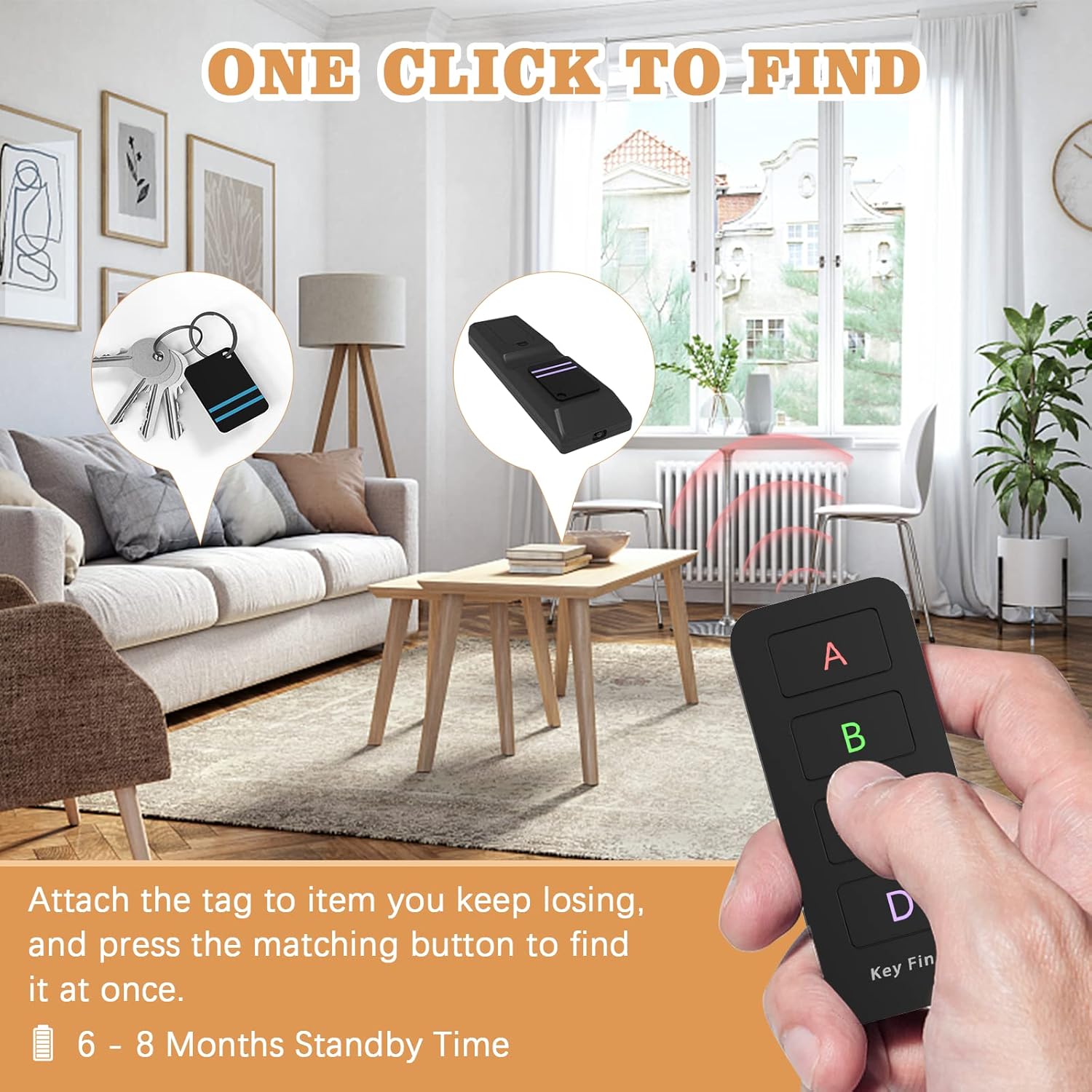
Figure 5: One-Click Operation to Locate Items
The RF wave of the tracking device can penetrate through walls, floors, and cushions, helping you track items as far as 120 feet away in open areas. The loud beeper ensures easy detection even for individuals with impaired hearing.

Figure 6: Remote Range and Sound Volume
Maintenance
1. Battery Life and Replacement
Receiver button cells typically last for 6-10 months with daily use. Refer to the 'Installing Batteries' section for replacement instructions. If the device seems to have low power after long storage, new batteries may be needed.
2. Cleaning
Wipe the transmitter and receiver tags with a soft, dry cloth. Avoid using harsh chemicals or abrasive materials, as these may damage the device.
Troubleshooting
- Interference: DO NOT use two sets of Jegoteer Key Finders in the same area simultaneously, as they may interfere with each other.
- Sound Volume: For optimal sound, ensure all doors are open when searching for items in other rooms.
- Battery Issues: If the device is not beeping or flashing, check the battery levels in both the transmitter and the receiver. Replace batteries if necessary. Contact customer support if issues persist after battery replacement.
- Attachment for Phones: If attaching to a mobile phone, consider using a protective cover and lanyard if the adhesive sticker feels too bulky or insecure.
Specifications
| Model Number | KF04E |
| Transmitter Dimensions | 4.0" x 1.8" (10 cm x 4.3 cm) |
| Receiver Dimensions | 1.8" x 1.2" x 0.26" |
| Receiver Weight | 0.15 OZ / 4g (without battery) |
| Beeping Sound | 80dB |
| Transmitter Remote Distance | 80-120 ft (in open area) |
| Connectivity Technology | RF (Radio Frequency) |
| Transmitter Batteries | 2 AAA batteries (not included) |
| Receiver Batteries | 4 CR2 button cells (included) |
| Color | Black |
Safety Information
- Keep all components, especially batteries and small parts, out of reach of children.
- Ensure correct battery polarity when installing or replacing batteries to prevent damage to the device.
- Do not expose the device to water, excessive moisture, or extreme temperatures.
- Dispose of used batteries properly according to local regulations.
- Do not attempt to disassemble, modify, or repair the device yourself. Refer to qualified personnel for any repairs.