
umi LX-500C 120V to 100V
UMI 120V to 100V Voltage Converter 500 Watts Instruction Manual
Model: LX-500C 120V to 100V
1. Product Overview
The UMI 120V to 100V Voltage Converter is designed to safely operate Japanese electrical appliances (rated for 100V) in regions with 120V power supply, such as the US, Canada, and Mexico. This 500-watt step-down toroidal voltage converter ensures compatibility and protection for your valuable electronics.
It features a compact design, multiple safety protections, and two 100V output outlets, allowing simultaneous use of multiple devices within the total power capacity.
2. Safety Information
Please read and understand all safety instructions before using this product. Failure to follow these instructions may result in electric shock, fire, or serious injury.
- Power Consumption Verification: Before connecting any appliance, always check its Maximum Power Consumption (MPC) on the device's nameplate or in its instruction manual. The appliance's MPC must be less than the converter's Maximum Load Capacity (MLC) of 500W. For optimal safety and performance, the manufacturer recommends that the converter's MLC should be equal to or greater than your appliance's MPC.
- Voltage Compatibility: This converter is specifically designed to step down 120V (US, Canada, Mexico) to 100V (Japan). Do not use it for other voltage conversions.
- Overload Protection: The converter is equipped with built-in microcomputer control for thermal protection, fuse protection, overload protection, and short circuit protection. If an overload occurs, the fuse breaker will activate.
- Continuous Use: Do not operate the converter with a full load for extended periods.
- Frequency: Note that this transformer only converts voltage; the output frequency (Hz) remains the same as the input frequency.
- Insulation: The plastic shell provides insulation leakage protection, reducing the risk of electric shock.
- Placement: Ensure adequate ventilation around the converter. Do not block cooling holes.
3. Product Features
- Step-Down Voltage Conversion: Converts 120V power (US, Canada, Mexico) to 100V for Japanese devices.
- Certified Safety: CE & CQC Certified, ensuring high safety standards.
- Multiple Protections: Features thermal protection, fuse protection, overload protection, and short circuit protection.
- Compact & Lightweight Design: Utilizes an ultra-thin toroidal transformer, resulting in a slim, small size (5.2 x 15.3 x 21.5 cm / 2.05" x 6" x 8.46") and light weight (2 kg / 4.44 LB).
- Energy Efficient & Quiet: Designed for energy saving and quiet operation.
- Dual Outlets: Equipped with two 100V rated outlets, allowing two pieces of equipment to be used simultaneously, provided their total power consumption does not exceed 500W.
- Insulated Plastic Shell: Provides leakage protection for enhanced user safety.
4. Setup Instructions
Follow these steps to set up your UMI Voltage Converter:
- Unpack the Converter: Carefully remove the converter and its accessories from the packaging.
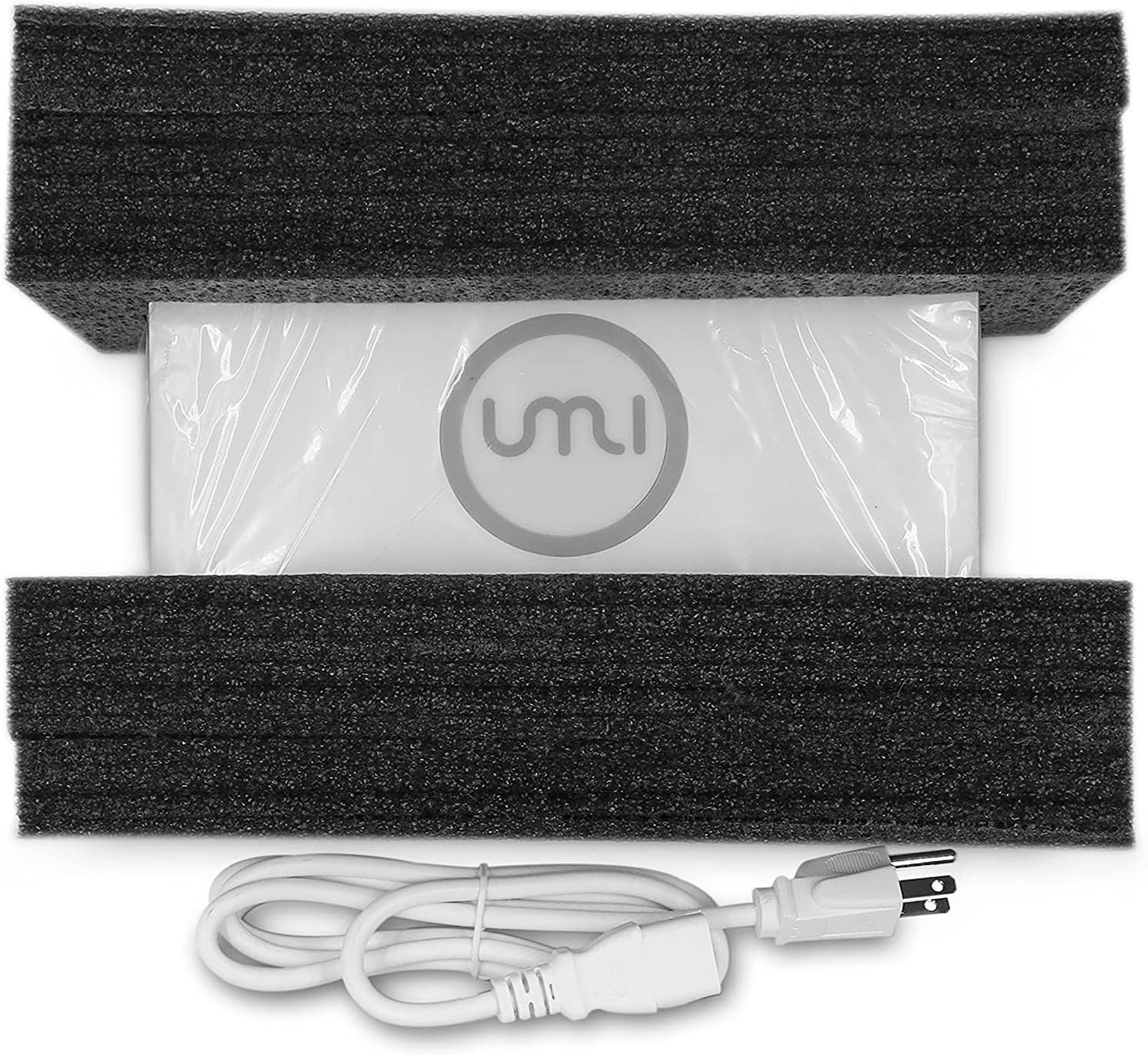
Image: The UMI Voltage Converter securely packed in black protective foam, with the white power cord visible at the bottom.
- Connect the Power Cord: Plug the input power cord of the converter into a standard 120V AC wall socket (common in US, Canada, Mexico).
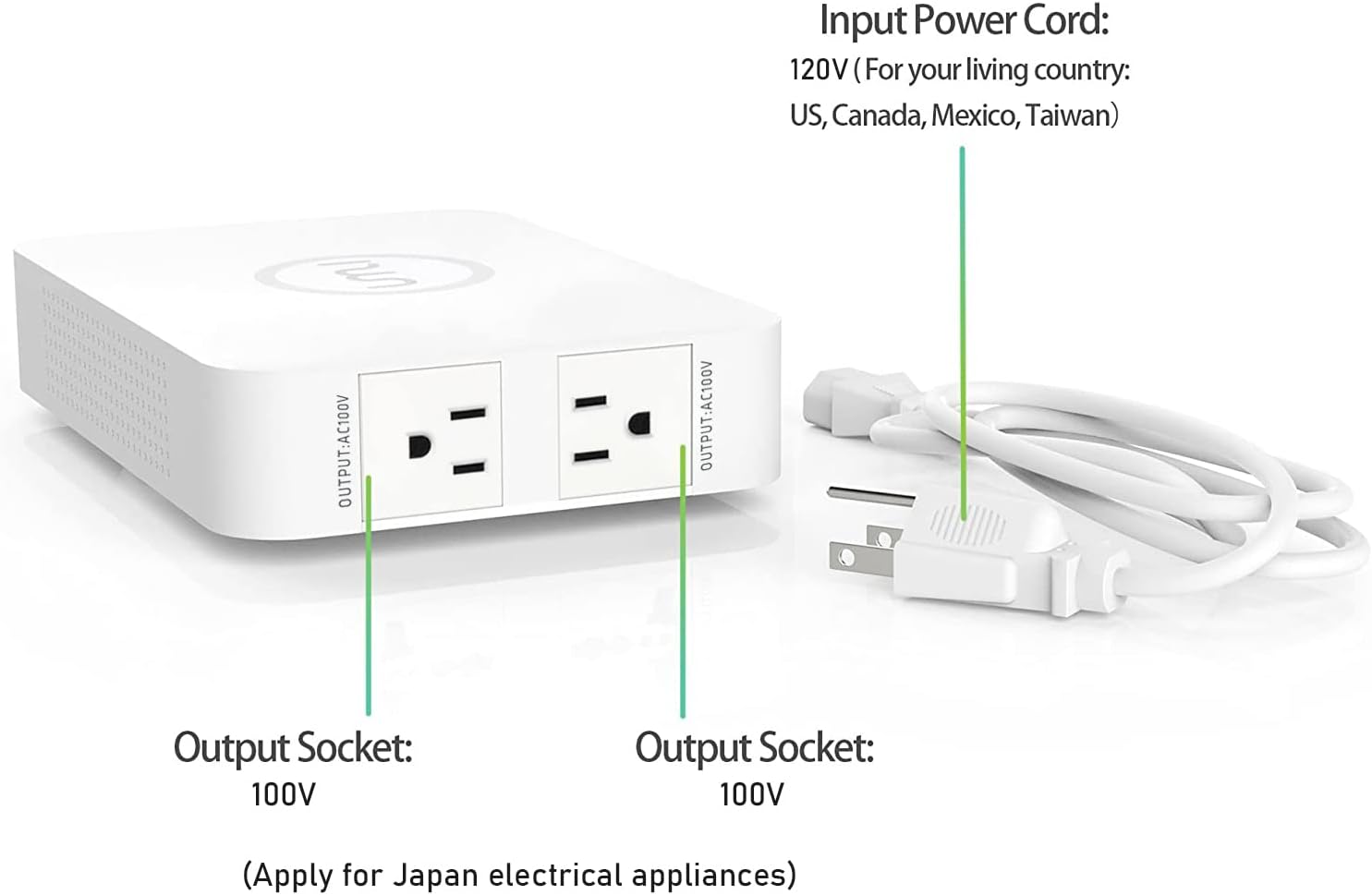
Image: Rear view of the converter highlighting the 120V input port and the detachable power cord.
- Turn on the Converter: Locate the power switch on the converter and turn it to the "ON" position. The indicator light should illuminate.

Image: A top-down perspective of the converter, showing the power switch and the input AC120V port.
- Connect Your Appliance: Plug your Japanese appliance (rated for 100V) into one of the two 100V output sockets on the converter. Ensure the appliance's power consumption does not exceed the converter's 500W capacity.

Image: A visual guide demonstrating the four steps for connecting an appliance: plug converter into wall, turn on converter, plug appliance into converter, turn on appliance.
- Verify Appliance Power: It is crucial to confirm your appliance's maximum power consumption (MPC) before connecting it. The converter's maximum load capacity is 500W.

Image: A graphic illustrating the importance of ensuring the appliance's power consumption (e.g., 400W shown) does not exceed the converter's capacity, with a warning that exceeding it will cause the fuse breaker to activate.
Visual Guide: UMI Voltage Converter Overview
Video: This video provides a comprehensive overview of the UMI Voltage Converter, showcasing its dimensions, dual outlet sockets, non-slip design, independent power cord, indicator lights, and demonstrating its use with a Panasonic appliance. It highlights features such as safety, efficiency, fashion appearance, high performance, and excellent compatibility.
5. Operating Instructions
Once the converter is set up and your appliance is connected:
- Ensure the converter's power switch is in the "ON" position.
- Turn on your Japanese appliance. The converter will automatically step down the 120V input to 100V for your appliance.
- When finished, turn off your appliance first, then turn off the converter using its power switch, and finally unplug the converter from the wall outlet.
6. Maintenance
Fuse Replacement
The UMI Voltage Converter is equipped with a replaceable fuse for protection against overloads. If the converter stops working due to an overload, you may need to replace the fuse.
- Power Off and Unplug: Ensure the converter is turned off and unplugged from the wall outlet before attempting any maintenance.
- Locate Fuse Box: The fuse box is located near the input power port on the back of the converter.
- Open Fuse Box: Use a small screwdriver to gently open the fuse box.
- Replace Fuse: Remove the damaged fuse and replace it with a new fuse of the same rating (T20AL250V). A back-up fuse is typically included with the product.
- Close Fuse Box: Push the fuse box back into the product body until it clicks securely into place.
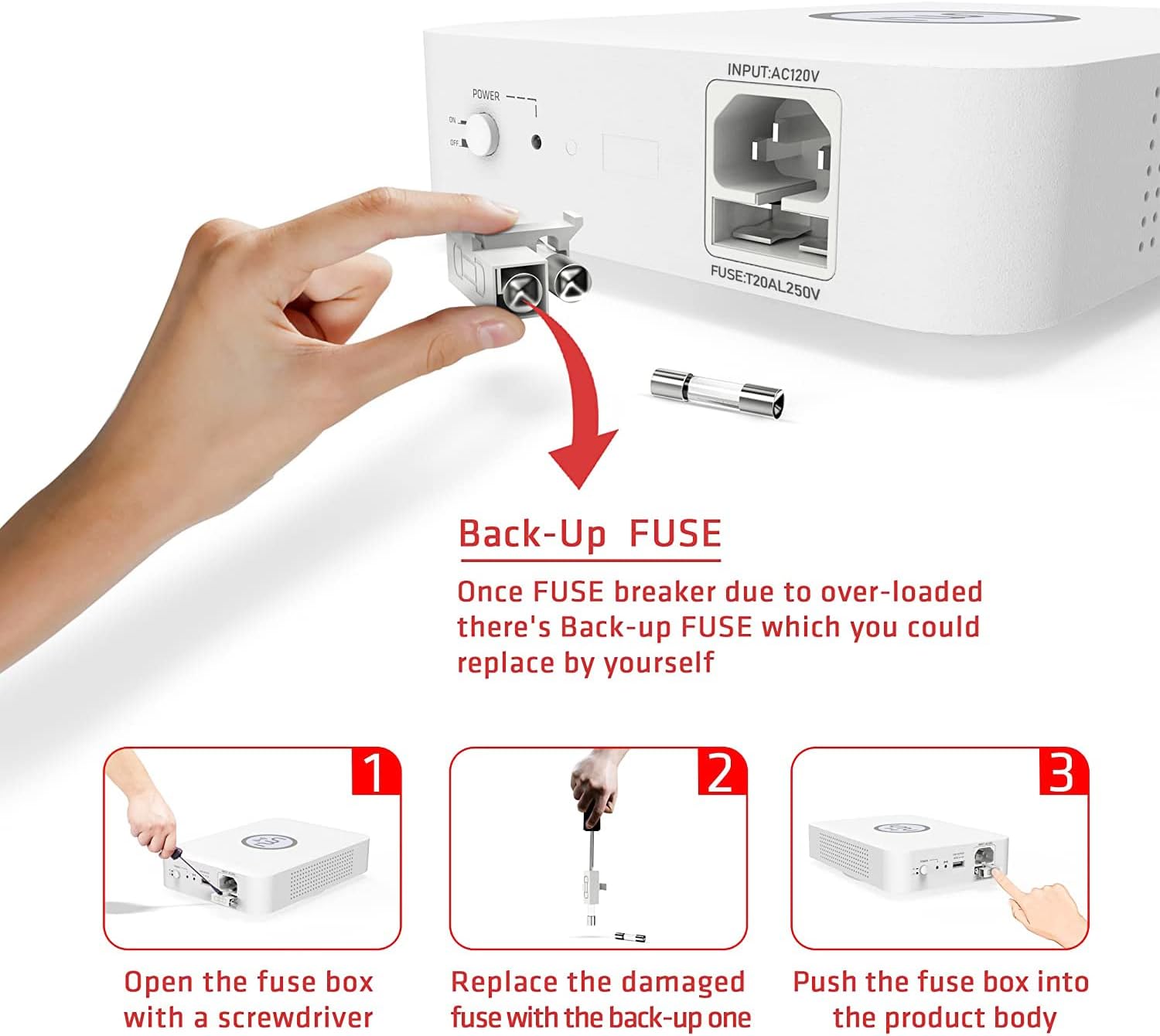
Image: A three-step diagram illustrating how to replace the fuse: 1. Open the fuse box with a screwdriver. 2. Replace the damaged fuse with the back-up one. 3. Push the fuse box back into the product body.
7. Troubleshooting
| Problem | Possible Cause | Solution |
|---|---|---|
| Converter does not power on. | No power from wall outlet; Power switch is off; Blown fuse. | Check wall outlet with another device. Ensure power switch is ON. Replace fuse if blown (refer to Maintenance section). |
| Appliance does not work when connected to converter. | Appliance power consumption exceeds 500W; Appliance is not turned on; Appliance is faulty. | Verify appliance's power consumption is below 500W. Ensure appliance is switched ON. Test appliance directly if possible or with another compatible converter. |
| Converter stops working after a short period. | Overload protection activated; Overheating. | Unplug appliance and converter. Check appliance power consumption. Allow converter to cool down. Replace fuse if necessary. Ensure proper ventilation. |
8. Specifications
| Feature | Detail |
|---|---|
| Model Number | LX-500C 120V to 100V |
| Input Voltage | AC 120V |
| Output Voltage | AC 100V |
| Maximum Load Capacity | 500 Watts |
| Item Weight | 2 Kilograms (4.4 pounds) |
| Product Dimensions (L x W x H) | 21.5 x 15.3 x 5.2 cm (8.46 x 6.02 x 2.05 inches) |
| Manufacturer | UMI |
| Certifications | CE, CQC Certified |
| Output Sockets | 2 x 100V outlets |
| Current Rating | 4.17 Amps |

Image: A diagram showing the physical dimensions of the UMI Voltage Converter, including length, width, height, and weight.
9. Warranty and Support
For warranty information or technical support, please contact UMI customer service directly. Refer to the product packaging or the official UMI website for contact details.
Additional protection plans may be available for purchase to extend coverage beyond the standard warranty period. Please check with your retailer for details.
Ask a question about this manual
Ask about setup, troubleshooting, compatibility, parts, safety, or missing instructions. Manuals+ will review the question and use this page’s manual context to help answer it.