
SHW OD-93A-N
SHW Electric Height Adjustable Standing Desk User Manual
Model: OD-93A-N | Brand: SHW
Introduction
Thank you for choosing the SHW Electric Height Adjustable Standing Desk. This manual provides essential information for the safe and efficient assembly, operation, and maintenance of your new desk. Designed for both home and office environments, this desk offers a spacious work surface and convenient features to enhance your productivity and well-being.

Image: The SHW Electric Height Adjustable Standing Desk, showcasing its spacious walnut desktop and black metal frame, with two monitors, a keyboard, and accessories.
Important Safety Information
Please read all instructions carefully before assembly and use. Failure to follow these instructions may result in injury or damage to the product.
- This desk is designed for adult use in a home or office environment.
- Ensure the desk is stable and level before placing any items on it or adjusting its height.
- Do not exceed the maximum weight recommendation of 100 pounds (45 kg).
- Keep children and pets away from the desk during operation to prevent accidents.
- Ensure all cables are properly managed and have sufficient slack to avoid tension or disconnection during height adjustments.
- Avoid placing liquids directly on the desktop without protective coasters.
- Do not attempt to disassemble or repair the motorized lift system yourself. Contact qualified personnel for service.
Package Contents
Before beginning assembly, verify that all parts are present and undamaged. If any parts are missing or damaged, please contact customer support.
- Desktop (55"W x 28"D, may be a two-piece design)
- Desk Legs and Frame Components (Metal)
- Motorized Lift System
- Control Panel with LED Display
- Integrated Storage Drawer with Adjustable Compartments
- Cable Management Tray
- Headphone/Bag Hooks
- Desktop Grommets for cable routing
- Adjustable Floor Levelers
- Assembly Hardware (screws, bolts, washers)
- Assembly Tools (Allen wrench) - A Phillips screwdriver is also required, but not included.

Image: Visual representation of key features including cable management, desktop grommets, integrated drawer, adjustable leveling glides, and side hooks.
Assembly Instructions
Assembly typically requires one person and takes approximately 1 hour. Follow the included pictorial instructions carefully. It is recommended to loosely fasten all screws before fully tightening them to ensure proper alignment.
- Unpack and Identify Parts: Lay out all components on a clean, soft surface to prevent scratches. Match each part with its corresponding label in the instruction manual.
- Assemble Desk Legs: Attach the feet to the bottom of the desk legs using the provided hardware. Ensure the adjustable floor levelers are in place.
- Attach Crossbars and Motor: Connect the crossbars between the two leg assemblies. Install the motor and drive shaft according to the diagrams.
- Mount Desktop: Carefully place the desktop (if two-piece, align and secure both halves first) onto the assembled frame. Secure the desktop to the frame using the designated screws.
- Install Control Panel: Attach the control panel to the underside of the desktop in the designated location. Connect its cable to the motor system. (Requires a Phillips screwdriver)
- Install Drawer and Accessories: Slide the storage drawer into its compartment. Attach the cable management tray and headphone/bag hooks to the underside of the desk.
- Cable Management: Route all power and data cables through the desktop grommets and into the cable management tray. Use cable ties to secure loose wires.
- Final Adjustments: Plug in the desk. Use the control panel to raise and lower the desk a few times to ensure smooth operation. Adjust the floor levelers as needed to eliminate any wobbling.
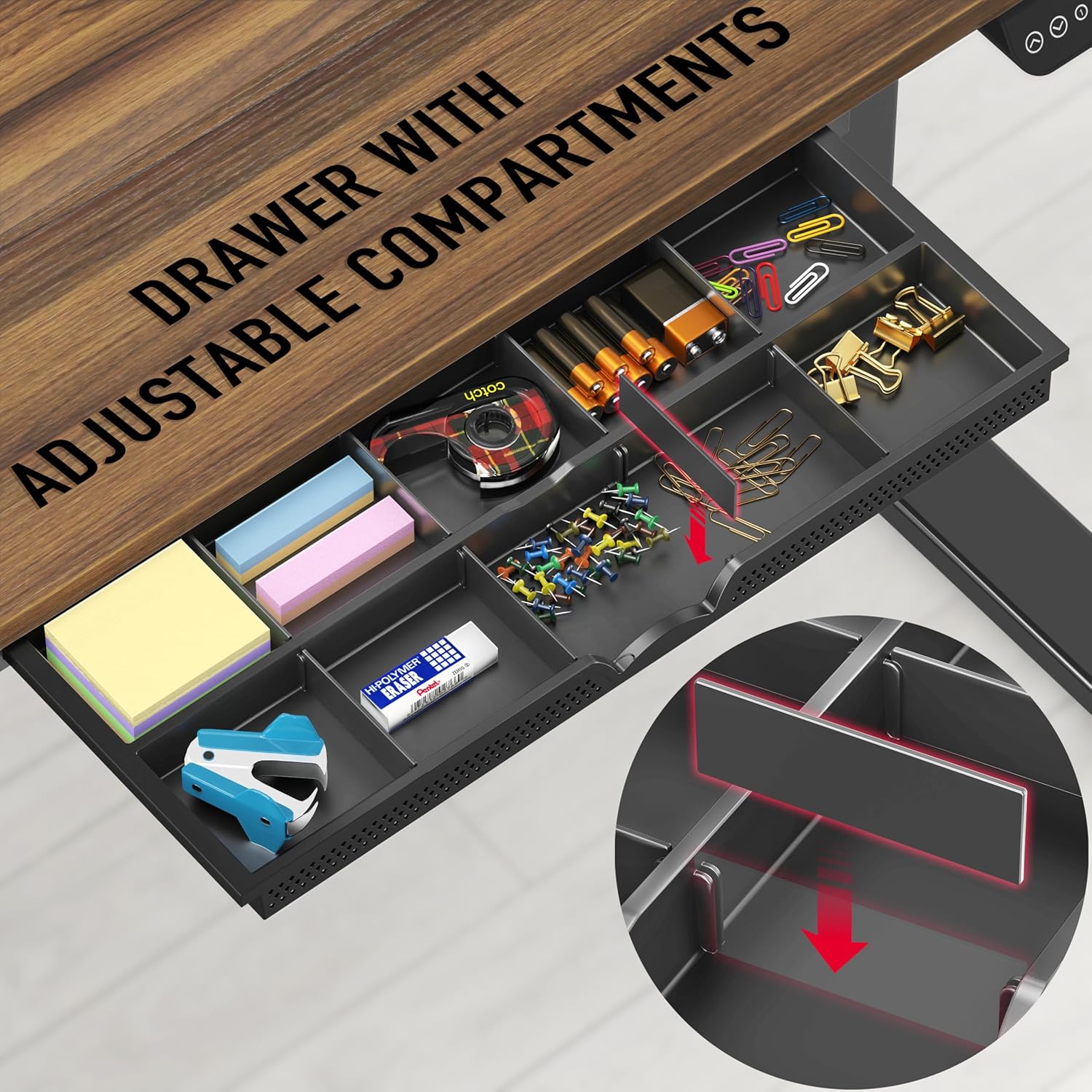
Image: The two-piece desktop design, highlighting the seam where the two halves meet.
Operating Instructions
Height Adjustment
The desk features an electric lift system for smooth height transitions. The height range is from 28 inches to 45 inches.
- Use the Up (▲) and Down (▼) arrow buttons on the control panel to manually adjust the desk height. The current height will be displayed on the LED screen.
Memory Presets
The control panel allows you to save up to four preferred height settings for quick adjustments.
- Set a Memory Position: Adjust the desk to your desired height using the Up/Down buttons.
- Press the "M" button (Memory). The LED display will flash.
- Immediately press one of the numbered preset buttons (1, 2, 3, or 4) to save the current height to that position. The display will confirm the setting.
- Recall a Memory Position: Simply press the corresponding numbered preset button (1, 2, 3, or 4). The desk will automatically move to the saved height.

Image: The control panel showing the Up/Down arrows, four preset buttons (1-4), a memory button (M), and a large LED display for height.
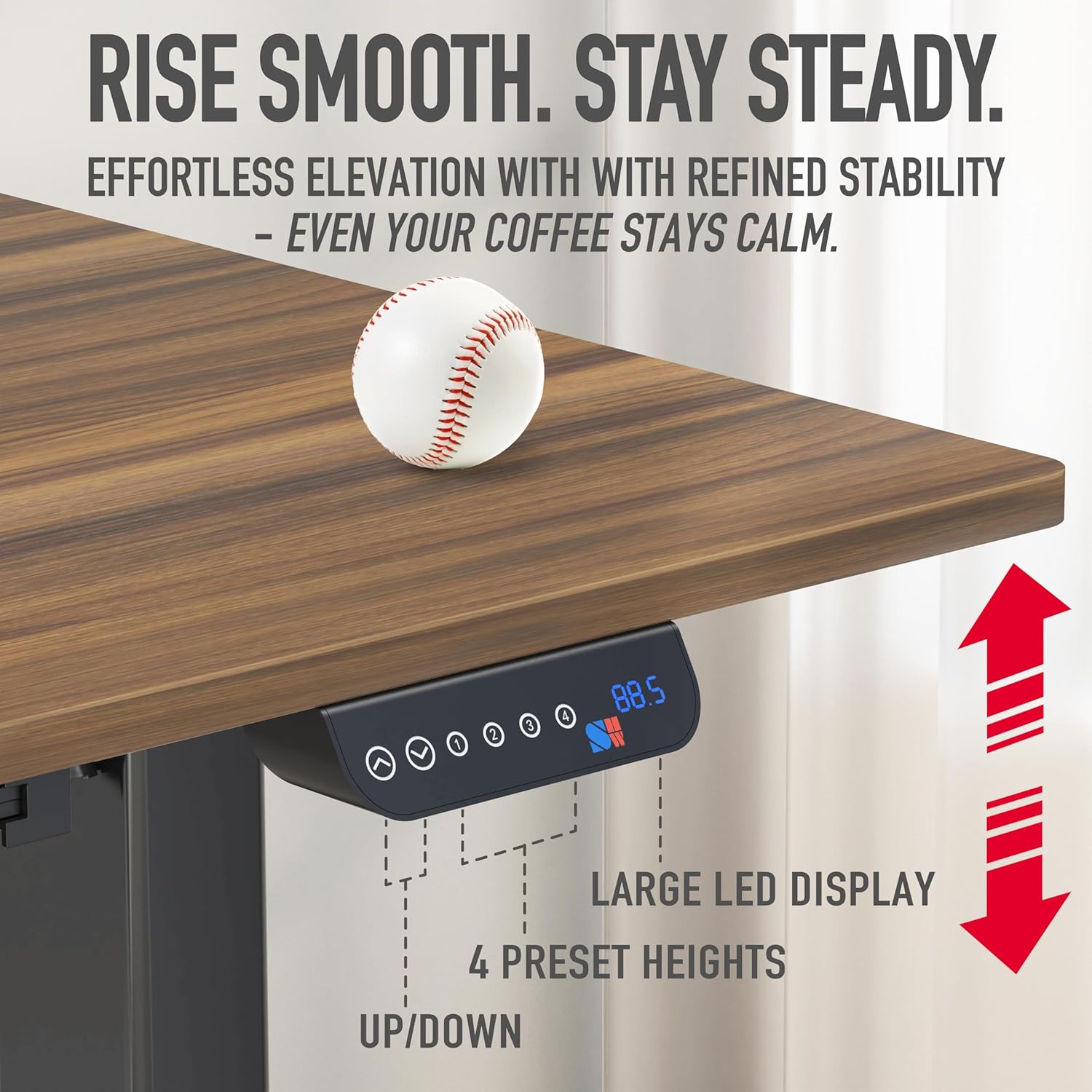
Image: Visual guide for finding your perfect desk height for sitting (28"-32"), perching (32"-38"), and standing (38"-45").
Maintenance
- Cleaning: Wipe the desktop and frame with a soft, damp cloth. Avoid harsh chemicals or abrasive cleaners.
- Cable Check: Periodically inspect all cables for wear or damage. Ensure they are securely connected and not pinched.
- Stability Check: Regularly check that all screws and bolts are tight. Adjust the floor levelers as needed to maintain stability.
- Motor Care: The motorized system is designed for long-term use. Avoid overloading the desk beyond its 100 lbs capacity.
Troubleshooting
| Problem | Possible Cause | Solution |
|---|---|---|
| Desk does not move. | Power cable disconnected; Overload; Motor error. | Check power connection. Reduce weight on desk. Unplug for 30 seconds and plug back in to reset. |
| Desk moves unevenly or makes unusual noise. | Loose connections; Obstruction; Uneven weight distribution. | Ensure all assembly screws are tight. Check for obstructions under the desk. Distribute weight evenly. |
| Height presets not working. | Incorrect saving procedure. | Refer to "Memory Presets" section for correct saving steps. Ensure you press "M" then the number quickly. |
| Display shows an error code. | System malfunction. | Note the error code and contact customer support for assistance. |
Product Specifications
| Feature | Detail |
|---|---|
| Brand | SHW |
| Model Number | OD-93A-N |
| Product Dimensions | 28"D x 55"W x 28"H |
| Color | Walnut |
| Style | Modern |
| Base Material | Metal |
| Finish Type | Laminated |
| Special Features | Adjustable Height, Ergonomic, Memory Preset |
| Recommended Uses | Home / Office Standing Desk |
| Maximum Weight Recommendation | 100 Pounds (45 kg) |
| Minimum Height | 28 Inches |
| Maximum Height | 45 Inches |
| Lifting Mechanism | Electric |
| Number of Drawers | 1 |
| Tabletop Thickness | 1 Inch |
| Patent No. | US D934,012 S |
Warranty and Support
For any questions, missing parts, or issues not covered in this manual, please contact SHW customer support. Information regarding returns and support can often be found on the product's purchase page or the manufacturer's official website.
- Returns: This product typically offers a 30-day easy return policy. Please refer to your purchase platform for specific details.
- Customer Support: For direct assistance, visit the SHW Store on Amazon or their official website.
Ask a question about this manual
Ask about setup, troubleshooting, compatibility, parts, safety, or missing instructions. Manuals+ will review the question and use this page’s manual context to help answer it.