1. Introduction
Thank you for choosing the MINISO Xo-9838 Waterproof Bluetooth Speaker. This portable wireless speaker is designed to provide high-quality audio with the convenience of Bluetooth connectivity and a durable, waterproof design. Please read this manual carefully before using the product to ensure proper operation and to maximize your listening experience.
2. Package Contents
- MINISO Xo-9838 Waterproof Bluetooth Speaker
- USB Charging Cable
- User Manual (this document)
3. Product Features
- Waterproof Design: IPX5 rated, offering protection against low-pressure water jets from any direction.
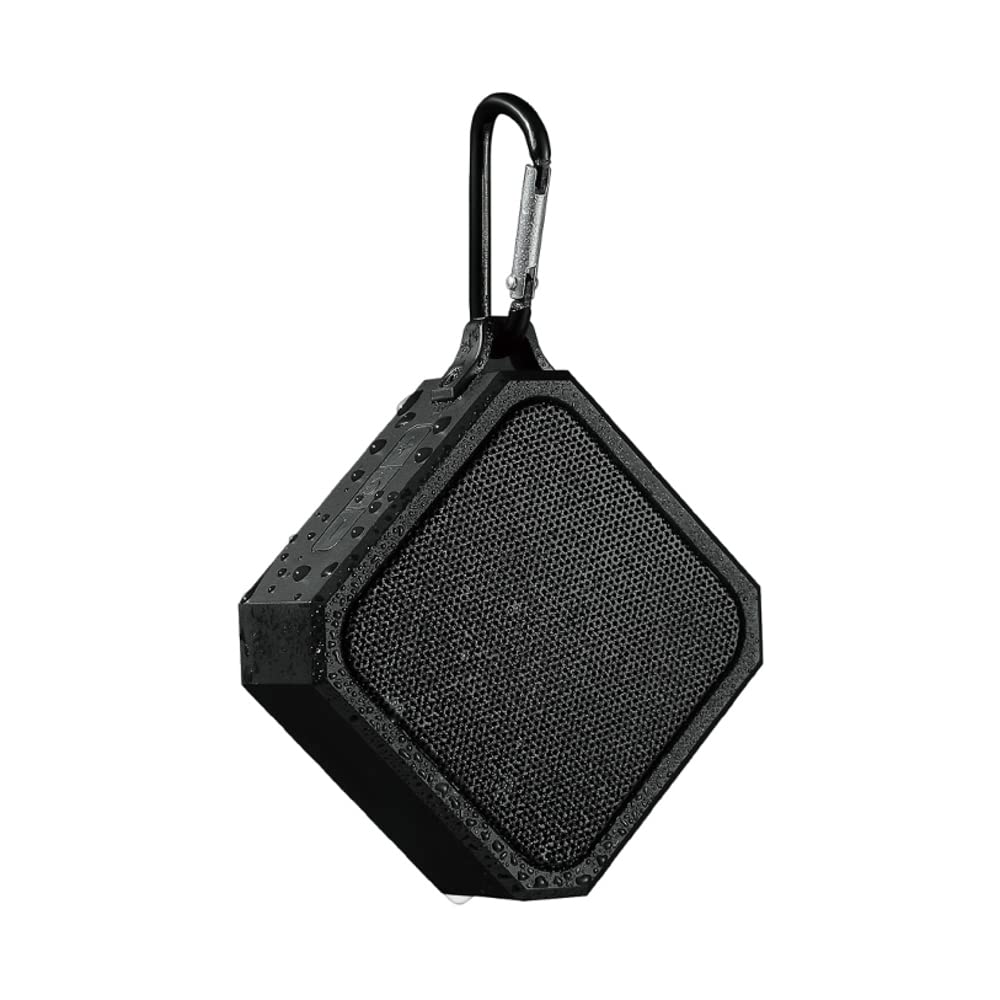
- Portable and Lightweight: Compact design with an integrated hook for easy carrying.
- Bluetooth 5.0: Ensures stable and efficient wireless connectivity.
- Long-lasting Battery: Built-in 3.7V lithium battery.
- Quick Charging: Approximately 1.5 hours for a full charge.
- Extended Playtime: Up to 2 hours of continuous music playback.
- Intuitive Controls: Easy-to-use buttons for power and volume.
4. Setup
4.1 Charging the Speaker
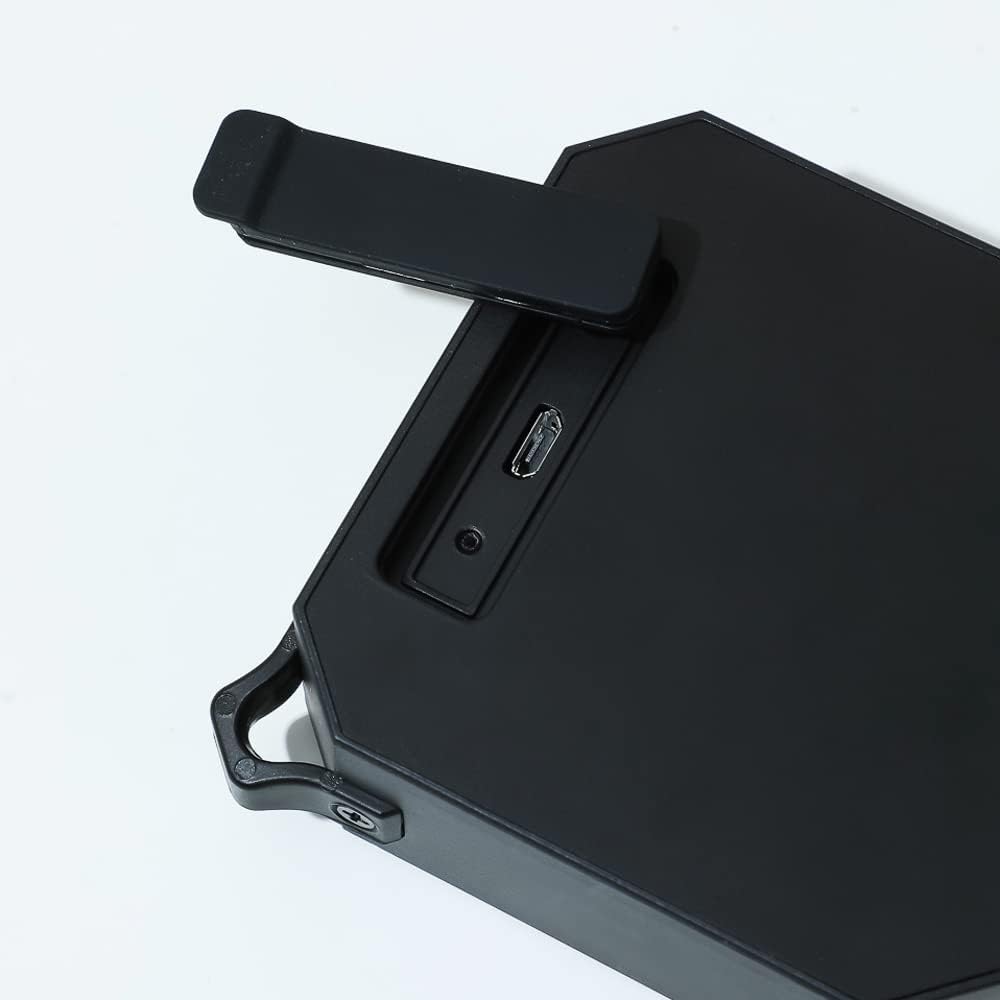
- Locate the charging port on the side of the speaker, usually protected by a rubber flap.
- Open the rubber flap to expose the Micro USB charging port.
- Connect the small end of the included USB charging cable to the speaker's charging port.
- Connect the larger end of the USB cable to a USB power adapter (not included) or a computer's USB port.
- The charging indicator light (usually red) will illuminate to show that the speaker is charging.
- Once fully charged (approximately 1.5 hours), the indicator light may change color or turn off.
4.2 Powering On/Off
- To Power On: Press and hold the power button (⏻) located on the top panel of the speaker for a few seconds until you hear an audible prompt or see an indicator light.
- To Power Off: Press and hold the power button (⏻) again for a few seconds until you hear an audible prompt or the indicator light turns off.
4.3 Bluetooth Pairing
- Ensure the speaker is fully charged and powered on. The Bluetooth indicator light will typically flash, indicating it is in pairing mode.
- On your mobile device (smartphone, tablet, laptop), go to the Bluetooth settings.
- Enable Bluetooth and search for available devices.
- Select "MINISO Xo-9838" (or similar name) from the list of found devices.
- Once paired, the speaker will emit an audible confirmation, and the Bluetooth indicator light will stop flashing and remain solid.
- You can now play audio from your device through the speaker.
5. Operating the Speaker
5.1 Music Playback and Volume Control
- Play/Pause: While music is playing, a short press of the power button (⏻) will typically pause or resume playback.
- Volume Up: Press the "+" button to increase the volume.
- Volume Down: Press the "-" button to decrease the volume.
- Next Track: A long press of the "+" button may skip to the next track.
- Previous Track: A long press of the "-" button may go to the previous track.
5.2 Waterproof Usage (IPX5)
The MINISO Xo-9838 speaker is rated IPX5, meaning it is protected against low-pressure water jets from any direction. This makes it suitable for use in environments where it might be exposed to splashes, such as by a pool or in a bathroom. However, it is not designed to be submerged in water. Ensure the charging port's rubber flap is securely closed before exposing the speaker to water.

6. Maintenance
- Cleaning: Use a soft, dry cloth to wipe the speaker. For stubborn dirt, a slightly damp cloth can be used, but ensure the charging port flap is closed and dry the speaker thoroughly afterward. Do not use harsh chemicals or abrasive cleaners.
- Storage: Store the speaker in a cool, dry place away from direct sunlight and extreme temperatures.
- Battery Care: To prolong battery life, avoid fully discharging the speaker frequently. Charge it regularly, even if not in use for extended periods.
- Water Protection: Always ensure the rubber flap covering the charging port is securely closed when not charging, especially when near water.
7. Troubleshooting
- Speaker does not power on: Ensure the speaker is charged. Connect it to a power source and try again after a few minutes.
- Cannot pair with device:
- Make sure the speaker is in pairing mode (indicator light flashing).
- Ensure Bluetooth is enabled on your device.
- Move the speaker closer to your device.
- Turn off and on both the speaker and your device's Bluetooth.
- Forget the device from your phone's Bluetooth list and try pairing again.
- No sound or low volume:
- Check the volume levels on both the speaker and your connected device.
- Ensure the speaker is properly paired.
- Try playing a different audio source.
- Poor sound quality:
- Move the speaker closer to your device to reduce interference.
- Ensure there are no obstructions between the speaker and your device.
- Check if the speaker's battery is low, which can affect sound quality.
8. Specifications
| Feature | Specification |
|---|---|
| Model | Xo-9838 |
| Bluetooth Version | 5.0 |
| Battery Type | 3.7V Lithium Battery |
| Charging Time | Approx. 1.5 hours |
| Usage Time | Approx. 2 hours |
| Waterproof Rating | IPX5 |
| Speaker Dimensions | 9.2 x 9 cm (approx.) |
| Package Dimensions | 20.3 x 12.2 x 6 cm |
| Weight | 200 g |
| Connectivity | Bluetooth, USB |
| Audio Output Mode | Mono |
9. Warranty and Support
For warranty information, please refer to the terms and conditions provided at the time of purchase or contact your retailer. Keep your purchase receipt as proof of purchase.
For technical support or further assistance, please contact MINISO customer service through their official website or the contact information provided with your product packaging.