
1. Introduction
The Victrola Re-Spin is a modern, portable record player designed for vinyl enthusiasts. It features a 3-speed belt-driven turntable, built-in Bluetooth connectivity for streaming from smart devices, and Vinyl Stream technology to output audio to external Bluetooth speakers. Constructed with 25% recycled plastic, it also includes a built-in bass radiator for enhanced sound and a removable lid that doubles as a vinyl record stand.

Figure 1: The Victrola Re-Spin record player, showcasing its compact design and open turntable.
2. Safety Information
Please read and understand all safety instructions before using this product. Keep this manual for future reference.
- Power Source: Use only the specified power adapter.
- Water and Moisture: Do not expose the unit to rain, moisture, or liquids.
- Heat: Keep away from heat sources such as radiators, heat registers, stoves, or other apparatus that produce heat.
- Ventilation: Ensure proper ventilation. Do not block any ventilation openings.
- Cleaning: Unplug the unit from the power outlet before cleaning. Use a soft, dry cloth.
- Servicing: Do not attempt to service the unit yourself. Refer all servicing to qualified service personnel.
3. Package Contents
Verify that all items listed below are included in your package:
- Victrola Re-Spin Turntable Unit
- Power Adapter
- 45 RPM Adapter
- Instruction Manual (this document)
4. Product Overview
Familiarize yourself with the components of your Victrola Re-Spin record player.
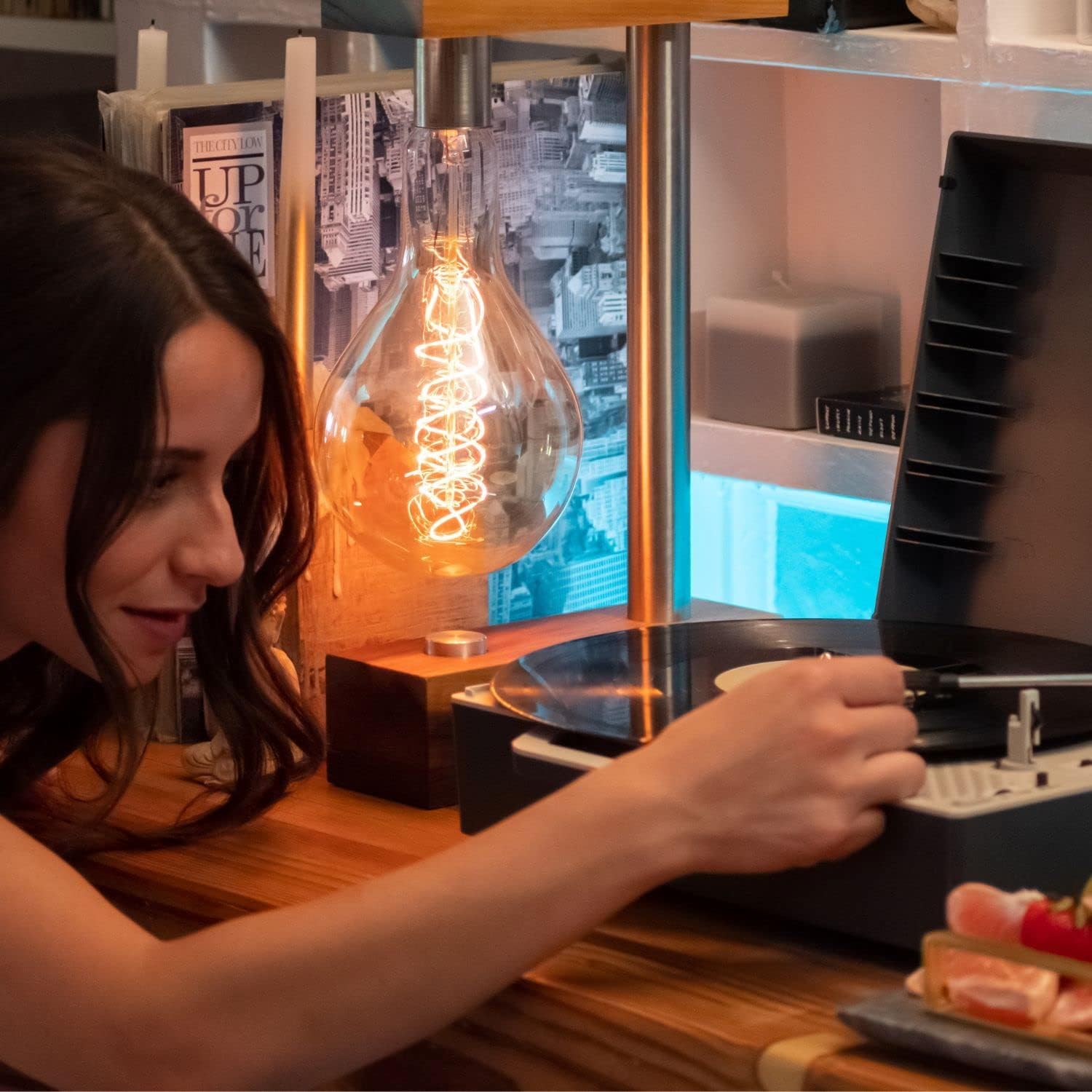
Figure 2: User interacting with the turntable, showing the platter, tone arm, and controls.
Key Components:
- Turntable Platter: Where the record rests.
- Tone Arm: Holds the stylus and tracks the record grooves.
- Stylus: The needle that reads the record. (Note: Remove white needle guard before use).
- Speed Selector: Switch to select 33 1/3, 45, or 78 RPM.
- Function Switch: Selects between Vinyl, Vinyl Stream, and Bluetooth Input modes.
- Volume Control: Adjusts the playback volume.
- Power/Mode Indicator: LED light indicating power and current mode.
- Headphone Jack: For private listening.
- Power Input: Connects to the power adapter.
- Removable Lid: Protects the turntable and can store up to 5 vinyl records.
5. Setup
- Unpack the Unit: Carefully remove the record player from its packaging.
- Remove Protective Materials: Remove any protective packaging, including the white needle guard from the stylus.
- Connect Power: Plug the power adapter into the DC IN port on the back of the unit, then plug the adapter into a wall outlet.
- Place the Unit: Position the record player on a flat, stable surface away from direct sunlight, heat sources, and excessive dust or vibration.
6. Operating Instructions
6.1 Playing Vinyl Records
- Power On: Turn the unit on using the power switch. The power indicator will light up.
- Select Vinyl Mode: Set the Function Switch to the 'Vinyl' position (indicated by a red light).
- Select Speed: Choose the appropriate speed (33 1/3, 45, or 78 RPM) using the Speed Selector switch. For 7-inch records, place the 45 RPM adapter over the spindle.
- Place Record: Carefully place a vinyl record on the turntable platter.
- Position Tone Arm: Release the tone arm from its rest. Gently lift the tone arm and move it over the desired track of the record.
- Lower Tone Arm: Slowly lower the tone arm onto the record. Playback will begin.
- Adjust Volume: Use the Volume Control knob to adjust the sound level.
- Auto-Stop Feature: The turntable features an auto-stop function that will stop the platter from spinning once the record reaches the end.
6.2 Bluetooth Input (Streaming from a Smart Device)
Stream audio wirelessly from your smartphone, tablet, or other Bluetooth-enabled device to the Victrola Re-Spin's built-in speakers.
- Power On: Turn the unit on.
- Select Bluetooth Mode: Set the Function Switch to the 'Bluetooth' position (indicated by a blue blinking light). The unit will enter pairing mode.
- Pair Device: On your smart device, enable Bluetooth and select "Victrola Re-Spin" from the list of available devices. Once paired, the blue light will become solid.
- Play Audio: Start playing music on your smart device. Audio will stream through the record player's speakers.
- Adjust Volume: Control the volume using both your smart device and the record player's Volume Control.

Figure 3: Demonstrating Bluetooth input functionality.
6.3 Vinyl Stream Output (Streaming Records to External Bluetooth Speaker)
Use Vinyl Stream technology to wirelessly send the audio from your playing records to an external Bluetooth speaker.
- Power On: Turn the unit on.
- Select Vinyl Stream Mode: Set the Function Switch to the 'Vinyl Stream' position (indicated by a purple blinking light). The unit will enter pairing mode.
- Prepare External Speaker: Put your external Bluetooth speaker into pairing mode.
- Pair Speaker: The Victrola Re-Spin will automatically search for and connect to the nearest Bluetooth speaker in pairing mode. Once connected, the purple light will become solid.
- Play Record: Follow the steps in section 6.1 to play a vinyl record. The audio will now play through your external Bluetooth speaker.

Figure 4: Illustrating Vinyl Stream output to an external speaker.
6.4 Headphone Listening
For private listening, plug any standard 3.5mm headphones into the Headphone Jack located on the unit.
7. Maintenance
Proper maintenance ensures the longevity and optimal performance of your record player.
7.1 Cleaning the Stylus
- Use a soft brush (not included) to gently clean the stylus. Brush from back to front.
- Avoid touching the stylus with your fingers.
7.2 Cleaning Records
- Use a dedicated record cleaning brush or cloth (not included) to remove dust and debris from your records before each play.
- Always wipe in the direction of the record grooves.
7.3 Cleaning the Unit
- Wipe the exterior of the unit with a soft, dry cloth.
- Do not use harsh chemicals or abrasive cleaners.
8. Troubleshooting
If you encounter issues, refer to the following common solutions:
| Problem | Possible Cause | Solution |
|---|---|---|
| No power | Unit not plugged in; Power outlet not active. | Ensure power adapter is securely connected and plugged into a working outlet. |
| No sound from speakers | Volume too low; Incorrect mode selected; External speaker connected (Vinyl Stream). | Increase volume. Ensure Function Switch is in 'Vinyl' or 'Bluetooth' mode. If in 'Vinyl Stream' mode, sound will output to the paired external speaker. |
| Record skipping | Dirty record; Damaged record; Stylus dirty or worn; Unit not level. | Clean record. Inspect record for damage. Clean or replace stylus. Ensure unit is on a stable, level surface. |
| Bluetooth pairing issues | Device too far; Incorrect mode; Previous connection. | Ensure device is within range. Confirm correct Bluetooth mode ('Bluetooth' for input, 'Vinyl Stream' for output). Disconnect from previously paired devices if necessary. |
9. Specifications
- Product Dimensions: 12.83 x 12.09 x 4.53 inches
- Item Weight: 4.4 pounds (2 Kilograms)
- Model Number: VSC-725SB-GRA
- Brand: Victrola
- Maximum Rotational Speed: 78 RPM
- Material: Plastic (25% recycled)
- Special Feature: Dust Cover
- Compatible Devices: Headphone, Speaker
- Connectivity: Bluetooth (Input & Output - Vinyl Stream)
- Speeds: 33 1/3, 45, 78 RPM
10. Official Product Video
Watch this overview video for a visual guide to the Victrola Re-Spin's features and functionality.
Video 1: Victrola Re-Spin Sustainable Suitcase Record Player Overview. This video highlights the key features, portability, and sound capabilities of the record player.
11. Warranty and Support
The Victrola Re-Spin record player comes with a manufacturer's warranty. For detailed warranty information, product support, or service inquiries, please visit the official Victrola website or contact their customer service department. Keep your purchase receipt as proof of purchase.
Victrola Official Website: Visit the Victrola Store on Amazon