
1. Safety Instructions
Read all safety warnings and instructions before using this product. Failure to follow the warnings and instructions may result in electric shock, fire, and/or serious injury.
- Do not disassemble, repair, or modify the unit.
- Do not place the unit near fire or expose it to heat.
- Do not use or store the unit in a bathroom or in an area exposed to water or rain.
- Do not use the unit if it is damaged or has been modified.
- Keep the unit clean and dry.
- Ensure proper ventilation during use to prevent overheating. The built-in cooling fan will activate automatically when necessary.
- Turn off AC output when not in use to conserve battery power.
- Avoid dropping or subjecting the unit to strong impacts.
- Keep out of reach of children.
2. Product Overview
The Apowking 500W Portable Power Station is a versatile backup battery pack designed for various applications, including home use, emergency outages, and outdoor activities like camping. It features multiple output ports and can be recharged via solar panel, wall outlet, or car charging port.

Figure 2.1: Apowking 500W Portable Power Station and its included carry bag.
2.1 Key Features
- High Capacity: 296Wh (80,000mAh) battery.
- Multiple Outputs: 2x 110V/500W Pure Sine Wave AC outlets, 4x QC USB (5V/2.4A, max 12W) ports, 1x DC vehicle output port (12-16V/10A max).
- Portable Design: Lightweight with a solid handle and included carry bag for easy transport.
- Built-in LED Flashlight: Features light, strobe, and SOS modes for emergency use.
- Cooling Fan: Automatically cools the unit during extended use.
- Safety Protections: Includes over-temperature and short-circuit protection.
2.2 Package Contents
- Apowking 500W Portable Power Station
- Carry Bag
- AC Adapter (for wall outlet charging)
- 12V Car Charging Cable
- User Manual (this document)
3. Setup
3.1 Initial Charge
Before first use, fully charge the power station. This helps to calibrate the battery and ensure optimal performance.
- Connect the provided AC adapter to the DC input port on the power station.
- Plug the AC adapter into a standard wall outlet.
- The display will indicate charging status. Charge until the battery indicator shows full.

Figure 3.1: The power station supports three charging methods: solar panel (sold separately), wall outlet (AC adapter included), and 12V car charging port (cable included).
3.2 Using the Carry Bag
The included carry bag provides protection and ease of transport for your power station and accessories.
- Place the power station into the main compartment of the carry bag.
- Store charging cables, adapters, and other small accessories in the side pocket.
- Use the padded handle or attach the adjustable shoulder strap for comfortable carrying.

Figure 3.2: Inserting the power station into its dedicated carry bag.
4. Operating Instructions
4.1 Powering On/Off
To power on the unit, press and hold the main power button. The display will illuminate. To power off, press and hold the main power button again.
4.2 Using AC Outlets
The power station provides two 110V/500W pure sine wave AC outlets for devices requiring standard wall power.
- Ensure the device you wish to power has a rated power less than 500 watts.
- Press the AC power button to activate the AC outlets. An indicator light will confirm activation.
- Plug your device into one of the AC outlets.
- When finished, press the AC power button again to turn off the AC output and conserve battery.
Note: Devices like coffee machines, microwaves, blenders, heaters, pressure cookers, and toasters typically exceed 500W and should not be connected.

Figure 4.1: The power station can charge various devices, including phones, lights, tablets, laptops, drones, gaming consoles, cameras, and mini car fridges.
4.3 Using USB and DC Outputs
The unit includes four QC USB ports and one DC vehicle output port for charging smaller electronics.
- For USB devices, simply plug your USB cable into one of the USB ports.
- For 12V DC devices, connect them to the DC vehicle output port.
- These outputs are typically always active when the unit is powered on.
4.4 Using the LED Flashlight
The built-in LED flashlight offers multiple modes for illumination and signaling.
- Press the flashlight button once for constant light mode.
- Press again to cycle through strobe and SOS modes.
- Press a third time to turn off the flashlight.
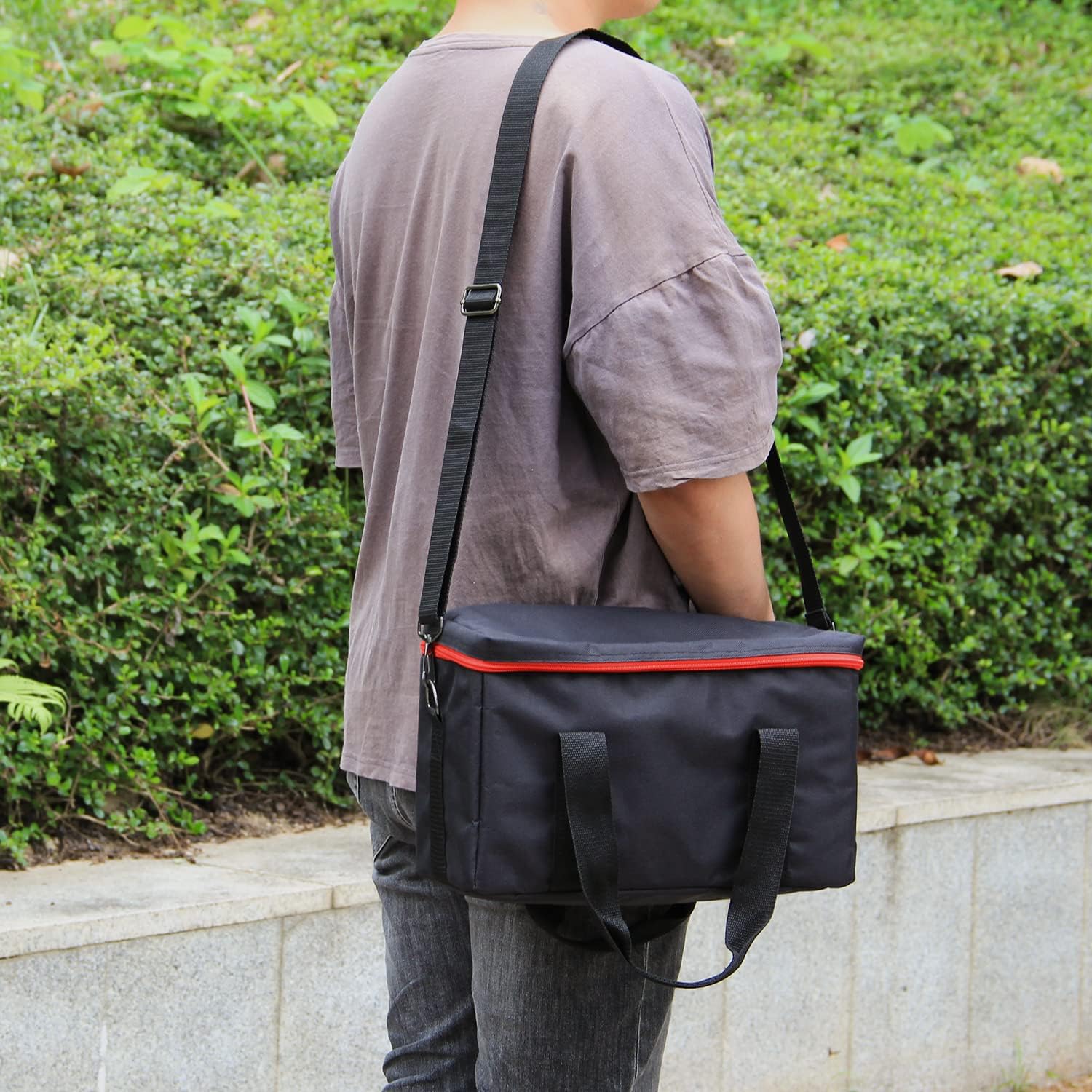
Figure 4.2: The integrated LED flashlight provides illumination for outdoor activities or emergencies.
5. Maintenance
5.1 Cleaning
Regular cleaning helps maintain the unit's appearance and functionality.
- Ensure the unit is powered off and disconnected from all power sources before cleaning.
- Use a soft, dry cloth to wipe the exterior.
- Do not use abrasive cleaners or solvents.
- Keep ventilation openings clear of dust and debris.
5.2 Storage
Proper storage extends the lifespan of your power station.
- Store the unit in a cool, dry place, away from direct sunlight and extreme temperatures.
- For long-term storage, charge the unit to approximately 50-80% every 3-6 months to prevent battery degradation.
- Store in the provided carry bag for protection against dust and scratches.
6. Troubleshooting
| Problem | Possible Cause | Solution |
|---|---|---|
| Unit does not power on. | Battery is fully discharged. | Charge the unit using the AC adapter, car charger, or solar panel. |
| AC outlets not working. | AC output not activated. Device power exceeds 500W. Overload protection triggered. | Press the AC power button. Use devices with power consumption below 500W. Disconnect the device, turn off AC, then turn on again. |
| Unit is overheating. | Poor ventilation. Prolonged high power output. | Ensure ventilation openings are clear. Allow the unit to cool down. The internal fan will activate automatically. |
| USB ports not charging. | Unit is off. Cable or device issue. | Ensure the unit is powered on. Try a different USB cable or device. |
If the problem persists after attempting these solutions, please contact Apowking customer support.
7. Specifications
| Feature | Detail |
|---|---|
| Model Name | ApowKing |
| Item Model Number | 78025d94-c1cc-41a1-a293-e54999bd78ff |
| Battery Capacity | 296Wh (80,000mAh) |
| AC Output | 2x 110V/500W Pure Sine Wave |
| USB Output | 4x QC USB (5V/2.4A, max 12W) |
| DC Vehicle Output | 1x 12-16V/10A max |
| Charging Input | 15V/9A Max (Solar Panel, Wall Outlet, Car Charging) |
| Dimensions | Approx. 12.2" x 4.7" x 7.9" (L x W x H) |
| Weight | Approx. 8.3 lbs |
| Color | Red / Black |
| Material | Metal |

Figure 7.1: Physical dimensions and weight of the power station.
8. Warranty & Support
Apowking provides comprehensive support for its products.
- Warranty: 1 Year Warranty.
- Returns: 30 Days Worry-free Return.
- Customer Support: 7*24 Hours Customer Support.
- Technical Support: Lifetime Technical Support.
For any inquiries or assistance, please contact Apowking customer service through their official channels or visit their brand store on Amazon.

Figure 8.1: Apowking's commitment to customer satisfaction and product support.
You can find more information and contact details on the Apowking Amazon Store.