
Hotmoon HMNL02-RGB-1-US
Hotmoon White Noise Machine User Manual
Model: HMNL02-RGB-1-US
Important Safety Information
Caution: Use only with the recommended voltage. Do not use this device as a toy. Improper handling may lead to electric shock. Excessive use of this noise machine may lead to potential noise exposure risks. Always follow safe usage guidelines. This product is CE & FCC Certified for safety.
Product Overview
The Hotmoon White Noise Machine is designed to provide a soothing environment for sleep and relaxation for babies, kids, and adults. It combines sound therapy with customizable lighting features, all controllable via a dedicated mobile application.

Image: Hotmoon White Noise Machine with its mobile application interface.
Setup Guide
1. Unboxing and Placement
- Carefully remove the device from its packaging.
- Place the device on a stable, flat surface, away from water or excessive heat sources.
- Ensure the power cable is securely connected to the device and a suitable power outlet.
2. App Installation and Connection
- Download the official Hotmoon companion application from your device's app store.
- Open the application and follow the on-screen instructions to pair your device. This typically involves ensuring Bluetooth is enabled on your mobile device and the Hotmoon machine is powered on.
- Once paired, the app will provide full control over the machine's functions.

Image: The mobile application interface for controlling the Hotmoon White Noise Machine.
Operating Instructions
Basic Operation (Device Controls)
- A gentle tap on the top of the device can activate or change the light and music settings.
- Double-tapping the top can cycle through different colors and sounds.
Video: Demonstration of the Hotmoon White Noise Machine's features and app control.
App Control Features
- Sound Selection: Choose from a variety of natural sounds, white noise, and lullabies.
- Volume Adjustment: Control the sound volume precisely using the app's slider.
- Brightness Control: Adjust the light brightness with stepless dimming from 5% to 100%.
- Color Customization: Select from 16 million RGB color options or tune white light from 3000K to 6500K.
- Timer Settings: Set timers for automatic shut-off.
- Scheduled Routines (Sleep Trainer): Create customized schedules for sound and light combinations to act as sleep-wake hints, promoting healthy habits.
- Red Night Light: Utilize the built-in red LED bead to emit a dim, soothing red glow, which may stimulate melatonin production and help promote sleeping quality.
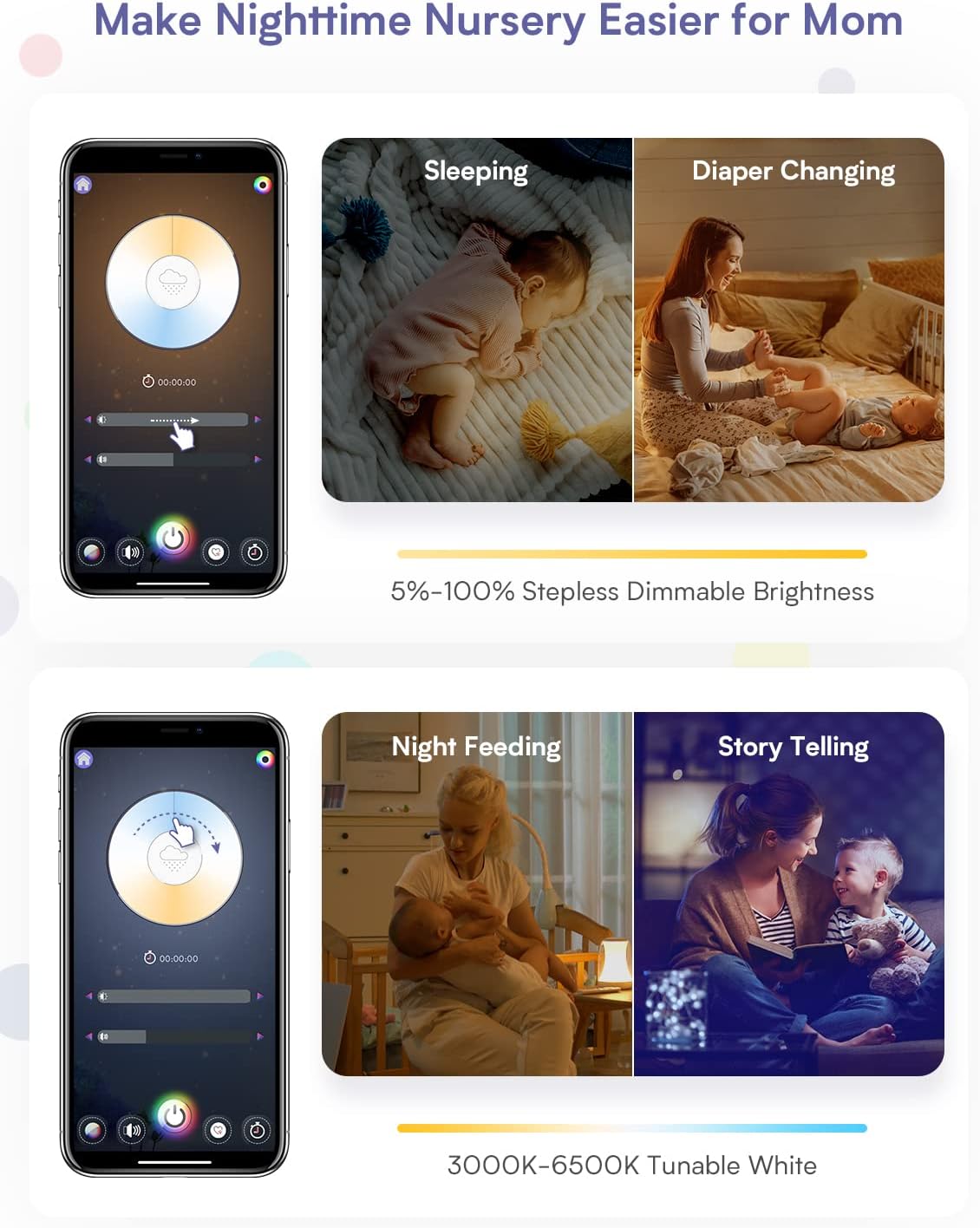
Image: App interface showing dimmable brightness settings for various nursery activities.

Image: App interface displaying options for nature sounds, white noise, and lullabies.

Image: App interface for setting custom schedules and timers for daily routines.

Image: App interface showing the color selection wheel for 16 million RGB options.

Image: The device emitting a red light, highlighting its sleep aid feature.
Maintenance
- To clean the device, wipe it with a soft, dry cloth.
- Do not use abrasive cleaners or immerse the device in water.
- Ensure the device is unplugged before cleaning.
Troubleshooting
| Problem | Possible Cause / Solution |
|---|---|
| Device not producing sound. |
|
| App control is unresponsive or "funky". |
|
| Device needs frequent resets (unplugging). |
|
| Cannot connect to multiple devices. |
|
Specifications
- Model: HMNL02-RGB-1-US
- Brand: Hotmoon
- Color: White
- Material: Acrylonitrile Butadiene Styrene (ABS)
- Item Weight: 1.25 pounds
- Product Dimensions: 4 x 4 x 6 inches
- Power Source: Battery Powered (Note: The device is primarily powered via an external adapter, as shown in product images, despite being listed as 'Battery Powered' in some specifications.)
- Switch Style: App control
- Special Features: Dimmable, App Control, Sound Machine, Night Light, Time-to-Rise Sleep Trainer
- Manufacturer: Shenzhen ZhiLong Electronic Technology Co., Ltd
- First Available: May 19, 2022
Warranty and Support
For warranty information or technical support, please refer to the official Hotmoon website or contact their customer service directly. Contact details are typically available on the product packaging or the manufacturer's website.
Related documentsHMNL02-RGB-1-US


Ask a question about this manual
Ask about setup, troubleshooting, compatibility, parts, safety, or missing instructions. Manuals+ will review the question and use this page’s manual context to help answer it.