
JYX V15
Contents
JYX Wireless Microphone User Manual
Model: V15 | Brand: JYX
1. Introduction
The JYX V15 Wireless Microphone System provides professional-grade audio performance with the convenience of wireless operation. Designed for versatility, it is suitable for a wide range of applications including home karaoke, church events, weddings, conferences, small stage performances, and public speaking. Its robust metal construction ensures durability, while the rechargeable components offer extended use.

Image 1.1: The JYX V15 Wireless Microphone and its accompanying 1/4-inch (6.35mm) plug receiver.
2. What's Included
Upon unboxing your JYX V15 Wireless Microphone System, please ensure all the following components are present:
- 1 x JYX Wireless Microphone (V15)
- 1 x Receiver with 1/4'' (6.35mm) Plug
- 2 x Type-C Charging Cables
- 1 x User's Manual (this document)
3. Product Features
- UHF Wireless Technology: Provides stable signal transmission with an operating range of up to 80 feet (line of sight), allowing for freedom of movement during performances.
- Rechargeable Battery: Both the microphone and receiver feature built-in rechargeable batteries. The receiver requires approximately 3-5 hours to fully charge and offers 8-10 hours of continuous use.
- High Sound Quality: Equipped with noise reduction, all-direction sound pickup, and ultra-clear sound quality with no noticeable sound delay.
- Durable Construction: The microphone features a sturdy metal shell for dependable performance and long life.
- Digital Display: The microphone includes an HD digital display for easy monitoring of settings and battery status.

Image 3.1: Close-up view highlighting the microphone's HD digital display, ON/OFF switch, and Type-C charging port.

Image 3.2: Visual representation of the microphone's high sound quality attributes, including noise reduction and all-direction sound pickup.
4. Setup
Follow these steps for a quick and easy setup:
- Ensure both the microphone and receiver are fully charged before first use.
- Plug the 1/4'' (6.35mm) receiver into the microphone input jack of your audio output device (e.g., amplifier, PA system, karaoke machine).
- Turn on the receiver using its ON/OFF switch. A blue indicator light will illuminate.
- Turn on the JYX Wireless Microphone using its ON/OFF switch. The digital display will light up.
- The receiver and microphone will automatically sync their frequencies. Once paired, you are ready to use the system.

Image 4.1: Illustration of the microphone and receiver automatically pairing for wireless operation.
5. Operating Instructions
Once the microphone and receiver are paired, you can begin using your JYX V15 system:
- Power On/Off: Use the dedicated ON/OFF switch on both the microphone and the receiver to power them on or off.
- Volume Control: Adjust the volume directly on your connected audio output device (e.g., amplifier, karaoke machine). The microphone itself does not have a volume control.
- Wireless Range: Maintain a line of sight within 80 feet for optimal signal stability. The system is designed for freedom of movement during performances.
Video 5.1: A demonstration of the JYX Wireless Microphone in use for various activities such as karaoke, parties, and weddings, showcasing its portability and ease of use.
6. Charging the Microphone and Receiver
Both the microphone and receiver are equipped with rechargeable batteries. Use the provided Type-C charging cables for recharging.
- Connect the Type-C cable to the charging port on the microphone (located at the bottom) and the receiver.
- Connect the other end of the USB cable to a standard USB power adapter (not included) or a USB port on a computer.
- Charging time for the receiver is approximately 3-5 hours, providing 8-10 hours of usage. The microphone also has a long-lasting battery.
- The digital display on the microphone and the indicator light on the receiver will show charging status.
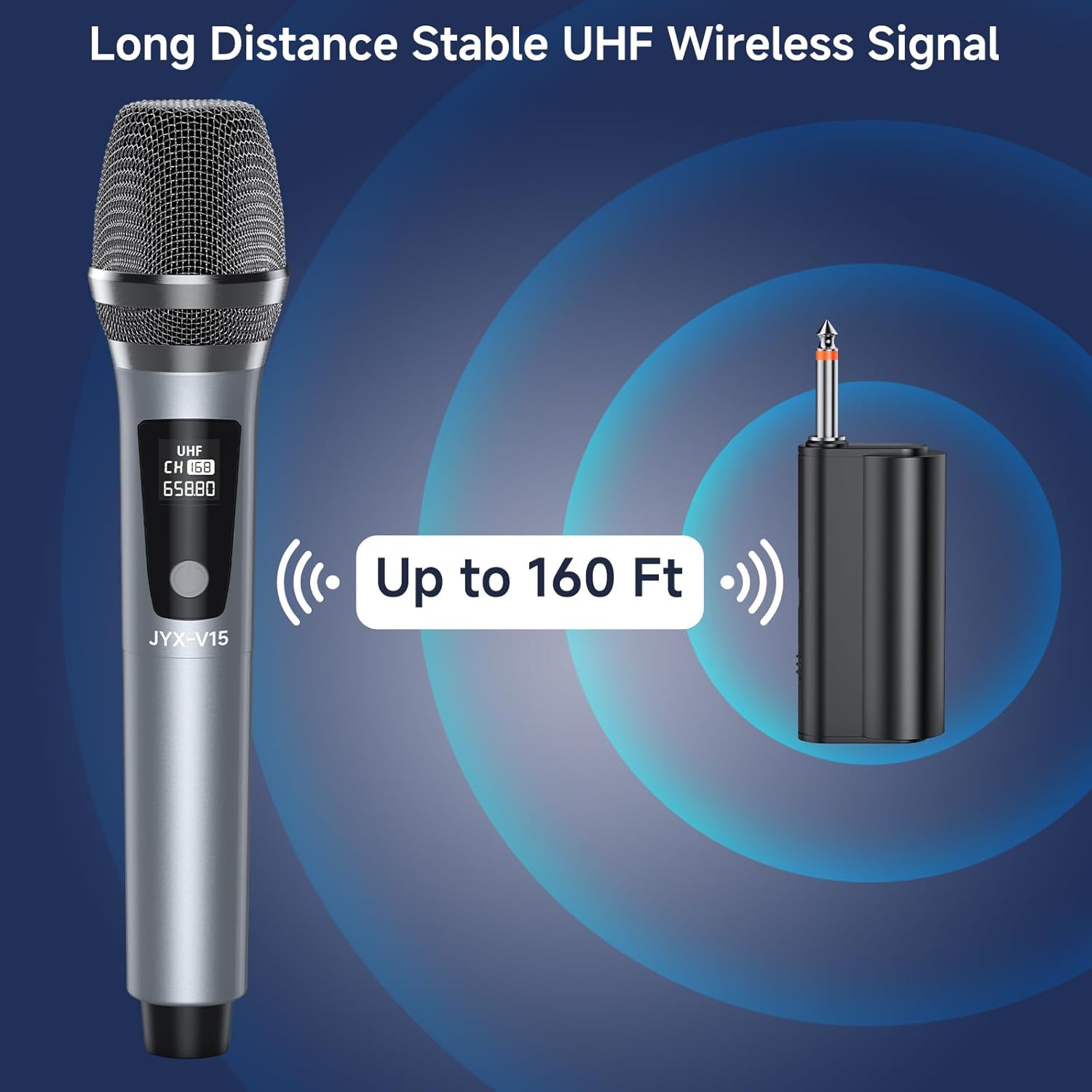
Image 6.1: Diagram illustrating the charging process and battery life of the JYX V15 microphone, showing 3-4 hours charging for 12 hours working time.

Image 6.2: Visual guide demonstrating how to charge both the JYX V15 microphone and its receiver simultaneously using the provided Type-C cables.
7. Compatibility
The JYX V15 Wireless Microphone System is designed for broad compatibility with various audio devices that feature a 1/4'' (6.35mm) microphone input. Compatible devices include:
- Amplifiers
- PA Systems
- Karaoke Machines
- Mixers
- Outdoor Speakers
- Car Audio Systems (with appropriate input)
- Power Amplifiers
Note: This system does NOT have Bluetooth functionality and is NOT compatible with mobile phones or laptops directly.

Image 7.1: Visual guide showing the JYX V15 microphone's compatibility with PA systems, amplifiers, karaoke machines, mixers, and outdoor speakers, while explicitly noting incompatibility with mobile phones/laptops.
8. Maintenance
To ensure the longevity and optimal performance of your JYX Wireless Microphone System, follow these maintenance guidelines:
- Cleaning: Use a soft, dry cloth to clean the microphone and receiver. Avoid using harsh chemicals or abrasive materials.
- Storage: Store the system in a cool, dry place away from direct sunlight and extreme temperatures.
- Battery Care: For long-term storage, charge the batteries to about 50% every few months to maintain battery health.
- Handle with Care: The microphone features a sturdy metal construction, but avoid dropping or subjecting it to strong impacts.
9. Troubleshooting
If you encounter any issues with your JYX Wireless Microphone System, please refer to the following common troubleshooting steps:
| Problem | Possible Cause | Solution |
|---|---|---|
| No Sound Output | Microphone or receiver not powered on; Not properly paired; Low battery; Incorrect connection to audio device. | Ensure both microphone and receiver are turned on. Verify they are paired (refer to Section 4). Charge both units. Ensure the receiver is securely plugged into the correct 1/4'' (6.35mm) input on your audio device. |
| Interference or Noise | Proximity to other electronic devices; Using in a small, enclosed space; Distance from audio output device. | Move away from other wireless devices or sources of electromagnetic interference. Avoid using in very small or enclosed spaces. Maintain a certain distance from the audio output device to prevent feedback or interference noise. |
| Short Operating Range | Obstructions between microphone and receiver; Environmental interference. | Ensure a clear line of sight between the microphone and receiver. Avoid physical obstructions. The optimal range is up to 80 feet in open areas. |
| Microphone Not Charging | Faulty cable or power adapter; Charging port issue. | Try using a different Type-C charging cable and a different USB power adapter. Ensure the cable is securely connected to the charging port. |
10. Specifications
| Feature | Detail |
|---|---|
| Brand | JYX |
| Model Number | V15 |
| Connectivity Technology | UHF Wireless, 6.35 mm Jack (Receiver) |
| Microphone Form Factor | Handheld |
| Material | Metal |
| Power Source | Battery Powered (Rechargeable) |
| Operating Range | Up to 80 feet (line of sight) |
| Receiver Charging Time | 3-5 hours |
| Receiver Usage Time | 8-10 hours |
| Signal-to-Noise Ratio | 120 dB |
| Item Weight | 14.1 ounces (0.4 Kilograms) |
| Package Dimensions | 10.43 x 3.19 x 3.15 inches |
11. Warranty and Support
JYX is committed to providing high-quality products and excellent customer service. Your JYX Wireless Microphone System comes with the following support:
- Warranty Service: 360 Days Warranty Service.
- Local Support: US Local After-sales Center.
- Technical Support: Lifetime Technical Support.
For any questions, issues, or technical assistance, please contact our customer support team:
Email: service@jyxspeaker.com
Documents and downloads
Ask a question about this manual
Ask about setup, troubleshooting, compatibility, parts, safety, or missing instructions. Manuals+ will review the question and use this page’s manual context to help answer it.