1. Introduction
This manual provides detailed instructions for the installation, operation, and maintenance of your Bella Depot 42-inch Retractable Ceiling Fan with Lights and Remote, Model DC4264-B. Please read this manual thoroughly before installation and use to ensure safe and efficient operation of your new ceiling fan.

Image 1.1: Bella Depot 42-inch Retractable Ceiling Fan with Remote Control.
The Bella Depot retractable ceiling fan is designed to offer both illumination and air circulation with a modern aesthetic. It features a 6-speed DC motor for quiet operation, CCT LED lighting with adjustable color temperature, and reversible blades for year-round comfort, all controlled via a convenient remote.
2. Safety Information
WARNING: To reduce the risk of fire, electric shock, or personal injury, always follow these basic precautions:
- Read all instructions carefully before installing and operating the fan.
- Ensure the electrical supply is disconnected at the main fuse box or circuit breaker before installation or servicing.
- All electrical connections must be made in accordance with local codes, ordinances, and the National Electric Code. If you are unfamiliar with wiring, consult a qualified electrician.
- The fan must be mounted to a ceiling outlet box marked "Acceptable for Fan Support of 35 lbs (15.9 kg) or less" and use the mounting screws provided with the outlet box.
- Do not operate the fan with damaged power cords or plugs.
- Avoid placing objects in the path of the fan blades.
- This fan is for indoor use only.
3. Package Contents
Verify that all components listed below are included in your package:
- Ceiling Fan Unit with Retractable Blades
- LED Light Kit (integrated)
- Remote Control
- Receiver for Remote Control
- Downrods (2 included, typically 5" and 10")
- Mounting Bracket and Hardware
- Instruction Manual
4. Specifications
| Brand | Bella Depot |
| Model Name | DC4264-B |
| Color | Black |
| Electric Fan Design | Ceiling Fan |
| Power Source | DC |
| Style | DC Retractable Ceiling Fan |
| Product Dimensions | 42"D x 42"W x 13.4"H (with 5" downrod) |
| Room Type | Indoor (e.g., Dining Room, Living Room, Bedroom) |
| Special Features | Adjustable Height, LED Light, Remote Controlled, Timer, Reversible Blades |
| Number of Blades | 3 (retractable) |
| Voltage | 120 Volts |
| Type of Bulb | LED |
| Item Weight | 18.72 pounds |
5. Setup and Installation
Before beginning installation, ensure you have all necessary tools and that the power is turned off at the circuit breaker. It is recommended to have two people for installation.
5.1 Mounting the Fan
- Secure the mounting bracket to the ceiling outlet box. Ensure the outlet box is rated for fan support.
- Assemble the downrod with the canopy and hang the fan motor assembly onto the mounting bracket hook (if provided) to free your hands for wiring.
5.2 Wiring Connections
- Connect the fan's electrical wires to the household wiring according to the wiring diagram provided in the full manual. Typically, this involves connecting live, neutral, and ground wires.
- Insert the remote control receiver into the canopy or mounting bracket, ensuring it fits securely without pinching wires. Connect the receiver to the fan and household wiring as per the diagram.
- Carefully tuck all wires into the outlet box.
5.3 Final Assembly
- Attach the canopy to the mounting bracket, securing it with screws.
- Ensure all connections are tight and the fan is securely mounted.

Image 5.1: Item dimensions and sloped ceiling adaptability. The fan is adaptable for sloped ceilings up to 15 degrees and includes two adjustable downrods.
6. Operating Instructions
Your Bella Depot ceiling fan is operated using the included remote control. Ensure the remote has working batteries (not included).
6.1 Remote Control Functions

Image 6.1: Remote Control Layout. The remote allows independent control of fan and light functions.
- Light Switch: Turns the light ON/OFF and cycles through color temperatures.
- Master Switch: Turns the entire unit ON/OFF.
- 6 Speed Buttons (1-6): Adjusts fan speed from gentle breeze (1) to strong winds (6).
- Fan Off: Turns the fan motor off.
- Running Fan: Activates the fan in forward mode.
- Reversing Fan: Activates the fan in reverse mode.
- Natural Wind Mode: Simulates natural breezes by varying fan speed.
- Timing (1H, 2H, 4H): Sets the fan to turn off automatically after 1, 2, or 4 hours.
6.2 Fan Speed Control
The fan features a 6-speed DC motor for precise airflow control. Use buttons 1-6 on the remote to select your desired speed:
- 1-2 Speed: Comfortable Breeze
- 3-4 Speed: Natural Winds
- 5-6 Speed: Strong Winds
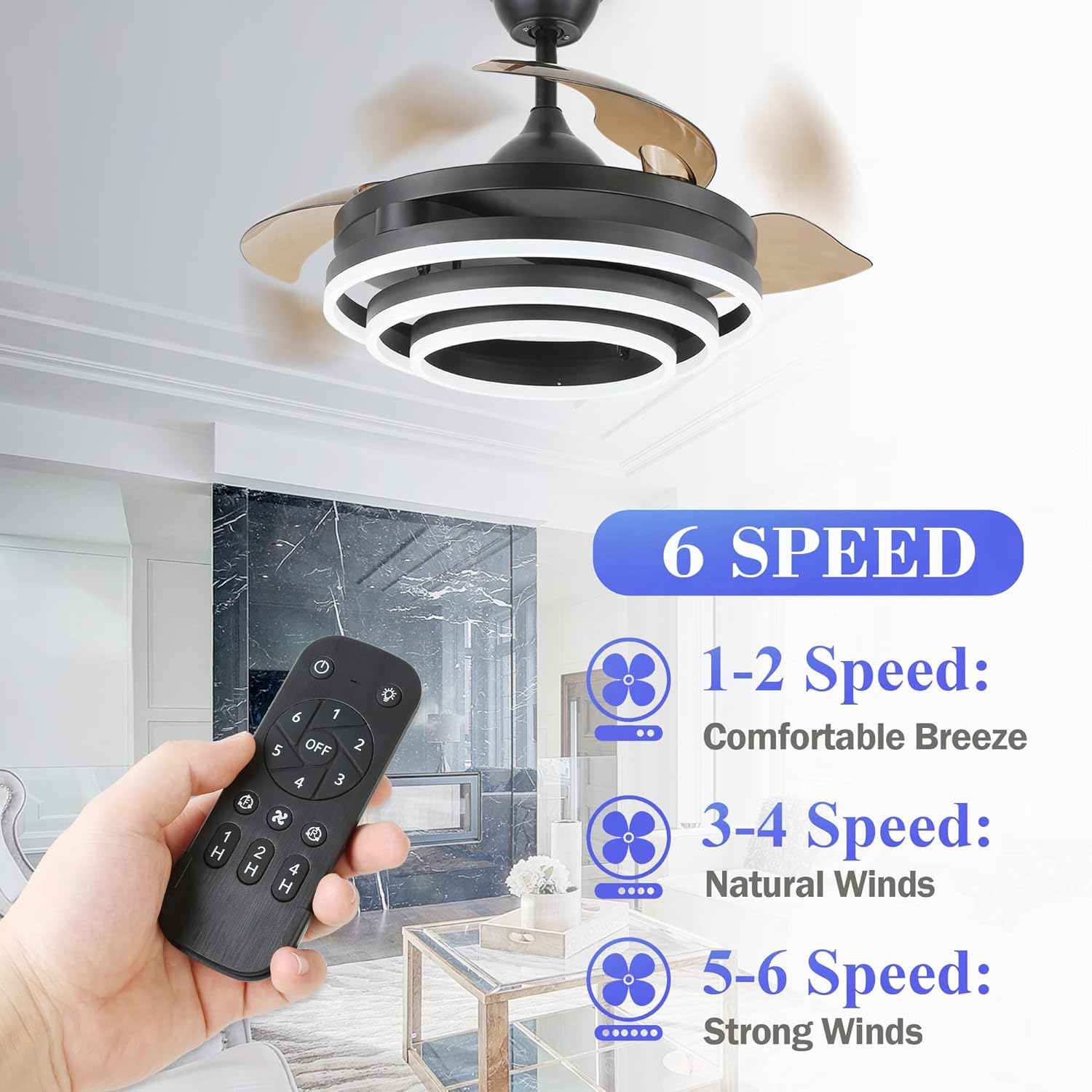
Image 6.2: Fan Speed Settings. Choose from 6 speeds for optimal comfort.
6.3 Reversible Blades
The fan includes a reversible function to optimize air circulation for different seasons:
- Forward Mode (Summer): Blades rotate counter-clockwise, pushing air downwards to create a cooling effect.
- Reverse Mode (Winter): Blades rotate clockwise, drawing air upwards to circulate warm air trapped near the ceiling.
Use the 'Reversing Fan' button on the remote to switch between modes.

Image 6.3: Reversible Airflow. Adjust fan direction for seasonal comfort.
6.4 CCT LED Light Control
The integrated LED light offers three color temperature options:
- Warm Light (3000K): For a cozy and inviting atmosphere.
- Neutral White (4500K): Balanced light for general tasks.
- White Light (6000K): Bright, cool light for focused activities.
Press the 'Light Switch' button on the remote to cycle through these color temperatures.
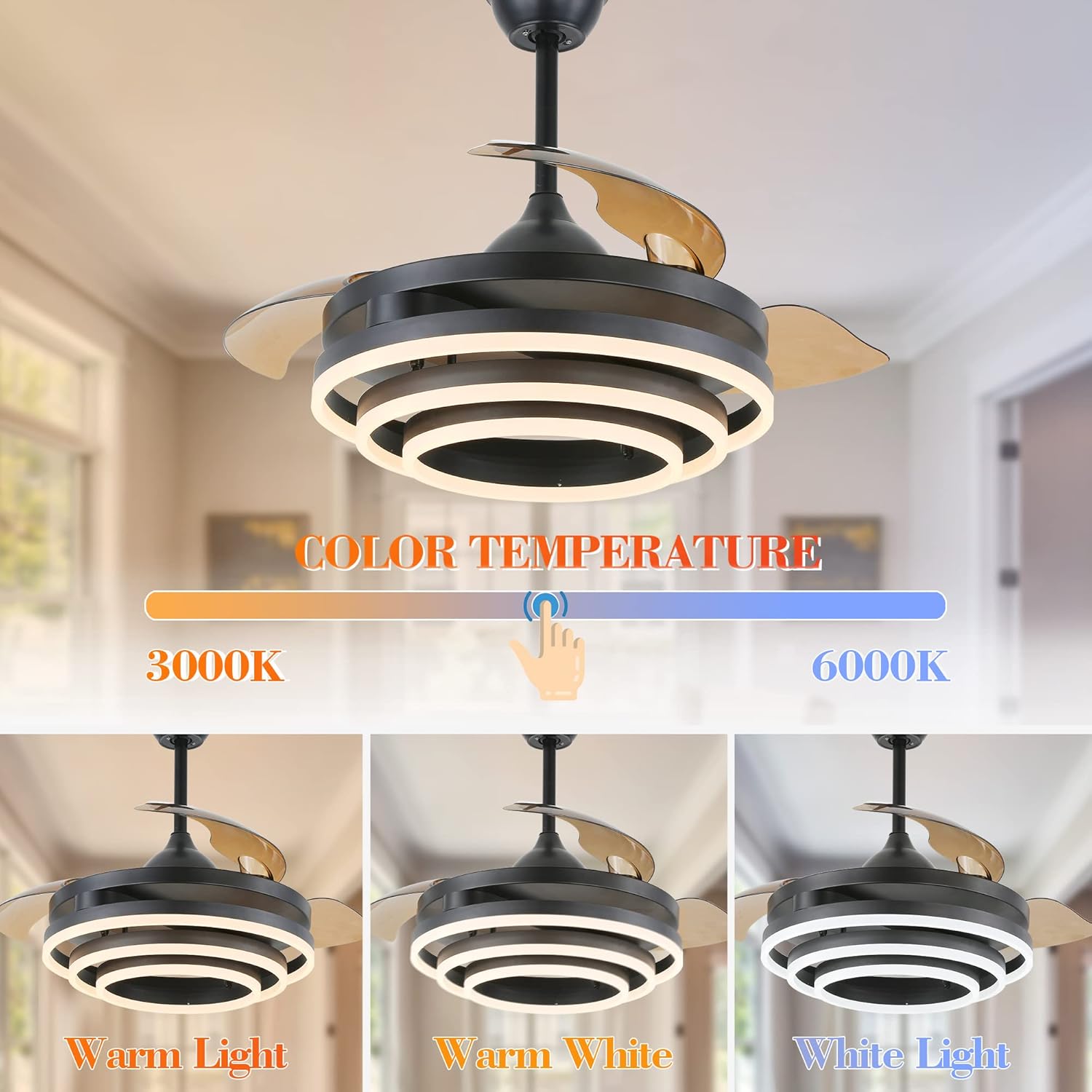
Image 6.4: Color Temperature Adjustment. Select from three light settings.
6.5 Quiet Operation
The fan is equipped with an ultra-quiet DC motor, designed to operate with minimal noise, ensuring a peaceful environment.

Image 6.5: Quiet Operation. The fan operates at a low noise level for comfort.
7. Maintenance
Regular maintenance helps prolong the life and performance of your ceiling fan.
- Cleaning: Periodically wipe the fan blades and motor housing with a soft, damp cloth. Do not use abrasive cleaners or solvents. Ensure the power is off before cleaning.
- Tightening Screws: Check all screws on the fan and mounting hardware annually to ensure they are securely tightened. Loose screws can cause noise and wobble.
- Light Source: The LED light source is integrated and generally does not require replacement. If issues arise, contact customer support.
8. Troubleshooting
If you encounter issues with your fan, refer to the following common problems and solutions:
| Problem | Possible Cause | Solution |
|---|---|---|
| Fan does not start | No power supply; Loose wire connections; Remote control battery dead or not paired. | Check circuit breaker/wall switch; Verify all wire connections are secure; Replace remote battery or re-pair remote with receiver (refer to full manual for pairing instructions). |
| Fan wobbles | Loose mounting screws; Unbalanced blades; Improper installation. | Ensure all mounting screws are tight; Check if blades are properly seated and balanced (a balancing kit may be required); Re-check installation steps. |
| Light does not work | Loose wire connection to light kit; Remote control battery dead or not paired; LED driver issue. | Check light kit wiring; Replace remote battery or re-pair remote; If problem persists, contact customer support. |
| Remote control not working | Dead battery; Not paired with receiver; Obstruction between remote and receiver. | Replace battery; Re-pair remote with receiver; Ensure clear line of sight to receiver. |
If these solutions do not resolve the issue, please contact Bella Depot customer support for further assistance.
9. Warranty and Support
Your Bella Depot 42" Retractable Ceiling Fan (Model DC4264-B) comes with a 2-year warranty from the date of purchase. This warranty covers defects in materials and workmanship under normal use.
For warranty claims, technical support, or any questions regarding your product, please contact Bella Depot customer service. You can find contact information on the official Bella Depot website or through your purchase platform.
For more information about Bella Depot products, visit the Bella Depot Store on Amazon.


