
Peiyuu M12
Peiyuu Handheld Fan User Manual
Model: M12 | Brand: Peiyuu
1. Product Overview
The Peiyuu Handheld Fan (Model M12) is a versatile and portable personal cooling device designed for both indoor and outdoor use. Featuring a powerful brushless motor, it delivers strong airflow with 6 adjustable speeds, ensuring rapid cooling within seconds. Its ultra-quiet operation (below 20dB at highest speed) makes it suitable for various environments without disturbance. Equipped with a 4000mAh rechargeable battery, it offers extended operating times and can even function as an emergency power bank for mobile devices. The fan's 180° foldable design allows for multiple uses: as a handheld fan, a mini desk fan, or a neck fan with the included lanyard. An intuitive LCD digital display shows current wind speed and battery percentage for convenient monitoring.

Figure 1: The Peiyuu Handheld Fan showcasing its versatile design and power bank capability.
2. Key Features
- Powerful Airflow & 6 Speeds: Equipped with a brushless motor, it generates strong airflow for rapid cooling. Six adjustable speed settings allow for personalized comfort.
- Long Battery Life & Power Bank Function: Integrated 4000mAh rechargeable battery provides 5-16 hours of operation. Can also charge mobile devices via its USB-A output port.
- 3-in-1 Multifunction Design: Functions as a handheld fan, a 180° foldable mini desk fan, and a neck fan with the included lanyard.
- LCD Digital Display: Clearly shows the current wind speed level and remaining battery percentage.
- Ultra-Quiet Operation: Noise level is less than 20dB at the highest speed, ensuring minimal disturbance.
- Compact & Portable: Lightweight (0.33lb) and pocket-sized (7.2*3.6*0.9in) for easy carrying.
- Detachable Mesh Cover: Designed for effortless cleaning and maintenance.
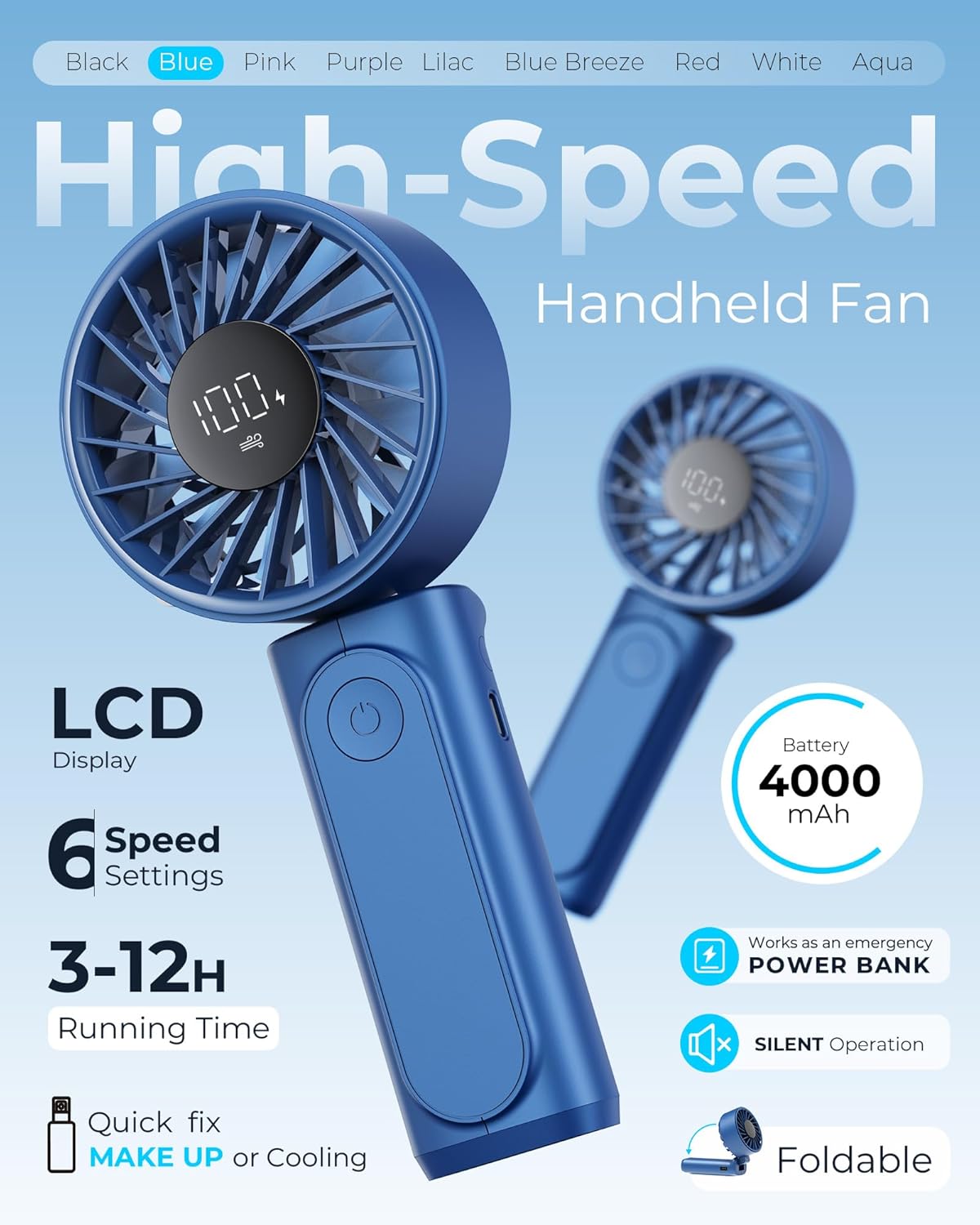
Figure 2: LCD Digital Display showing battery percentage and wind speed.

Figure 3: The fan's 180° foldable head for versatile positioning.
Video 1: Official product video demonstrating the fan's 6-speed display, Type-C fast charging, 4000mAh battery, high-definition screen, and 180-degree rotation for flexible use.
3. Package Contents
Upon opening your Peiyuu Handheld Fan package, you should find the following items:
- 1 x Portable Fan
- 1 x Type-C Charging Cable
- 1 x Lanyard
- 1 x User Manual (this document)

Figure 4: All items included in the Peiyuu Handheld Fan package.
4. Setup Guide
4.1 Initial Charging
Before first use, it is recommended to fully charge your Peiyuu Handheld Fan. Connect the provided Type-C charging cable to the fan's charging port and plug the other end into a compatible USB power source (e.g., wall adapter, computer USB port). The LCD display will show the charging status. A full charge typically takes approximately 1.5 hours.
4.2 Attaching the Lanyard
To use the fan as a neck fan, attach the included lanyard to the designated loop on the fan's handle. Ensure it is securely fastened before wearing.
5. Operating Instructions
5.1 Power On/Off and Speed Adjustment
- To Power On: Press the power button located on the front of the handle. The fan will start at Speed 1.
- To Adjust Speed: Briefly press the power button repeatedly to cycle through the 6 available wind speeds. The LCD display will show the current speed level.
- To Power Off: Press and hold the power button for 2-3 seconds, or cycle through all 6 speeds until the fan turns off automatically.
5.2 3-in-1 Functionality
- Handheld Fan: Hold the fan by its handle for personal cooling on the go.
- Desk Fan: Fold the fan head 180° to position it on a flat surface, directing airflow as needed.
- Neck Fan: Attach the lanyard and wear the fan around your neck for hands-free cooling.

Figure 5: The fan in handheld mode, ideal for outdoor use.
6. Charging and Power Bank Function
The Peiyuu Handheld Fan is equipped with a 4000mAh rechargeable battery, providing long-lasting performance. The LCD display indicates the remaining battery percentage.
6.1 Charging the Fan
Use the provided Type-C cable to charge the fan. Connect the Type-C end to the fan's input port and the USB-A end to a power adapter. The battery icon on the LCD will animate during charging and show 100% when fully charged.
6.2 Using as a Power Bank
The fan features a USB-A output port, allowing it to serve as an emergency power bank. Connect your mobile device's charging cable to the fan's USB-A output port to charge your device. Output is 5V/1A.

Figure 6: The fan functioning as an emergency power bank.
7. Maintenance
7.1 Cleaning the Fan
To ensure optimal performance and hygiene, regularly clean your fan. The front mesh cover is detachable for easy access to the blades.
- Ensure the fan is powered off before cleaning.
- Gently twist the front mesh cover counter-clockwise to detach it.
- Wipe the fan blades and the inside of the cover with a soft, dry cloth. For stubborn dust, a slightly damp cloth can be used, ensuring no water enters the motor.
- Allow all parts to dry completely before reattaching the mesh cover by twisting it clockwise until it clicks into place.

Figure 7: Detachable mesh cover for easy cleaning.
8. Troubleshooting
If you encounter any issues with your Peiyuu Handheld Fan, please refer to the table below for common problems and solutions.
| Problem | Possible Cause | Solution |
|---|---|---|
| Fan does not turn on | Low battery; Power button not pressed correctly | Charge the fan fully; Press and hold the power button for 2-3 seconds |
| Weak airflow | Low battery; Obstruction in fan blades; Incorrect speed setting | Recharge the fan; Clean fan blades; Increase speed setting via power button |
| Fan not charging | Charging cable or adapter faulty; Port obstruction | Try a different cable/adapter; Check charging port for debris |
9. Product Specifications
| Specification | Detail |
|---|---|
| Brand | Peiyuu |
| Model Name | M12 |
| Color | Blue |
| Power Source | Battery Powered |
| Battery Capacity | 4000mAh |
| Charging Time | Approx. 1.5 hours |
| Battery Life | 5-16 hours (depending on speed) |
| Number of Speed Levels | 6 |
| Noise Level | <20 dB |
| Product Dimensions | 7.2"L x 3.6"W x 0.9"H (approx. from feature bullets) / 4.6"D x 3.4"W x 3"H (from specs) |
| Item Weight | 0.33 Pounds (150g) |
| Control Method | Touch |
| Material | Plastic |
10. Warranty and Support
For warranty information and customer support, please refer to the product packaging or contact the manufacturer directly. Keep your purchase receipt for any warranty claims.
Manufacturer: Peiyuu
Ask a question about this manual
Ask about setup, troubleshooting, compatibility, parts, safety, or missing instructions. Manuals+ will review the question and use this page’s manual context to help answer it.