1. Introduction
This manual provides essential information for the safe and efficient operation of your Dreo Space Heater. Please read this manual thoroughly before use and retain it for future reference. The Dreo Space Heater is designed to provide fast and quiet heating for indoor spaces, featuring advanced safety mechanisms and intelligent temperature control.

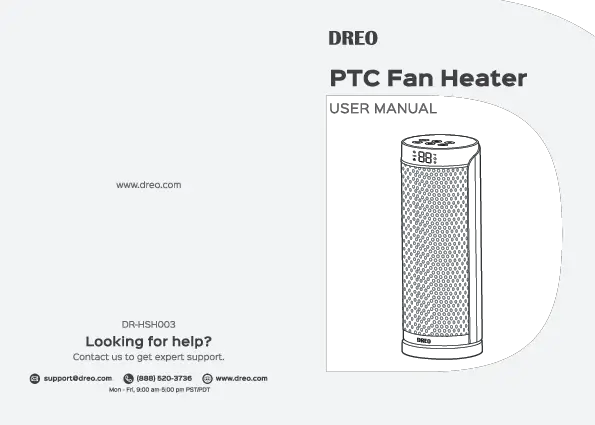
Image: The Dreo Space Heater, a sleek black tower unit with a silver top, accompanied by its remote control, illustrating its primary function of emitting warm air.
2. Important Safety Information
To reduce the risk of fire, electric shock, or injury, always follow basic safety precautions when using electrical appliances. This heater is equipped with multiple safety features to ensure safe operation.
- Overheat Protection: The heater automatically shuts off if it overheats due to restricted airflow or internal malfunction.
- Tip-Over Protection: The unit will automatically power off if it is accidentally tipped over.
- Flame-Retardant Materials: Constructed with V-0 rated flame-retardant ABS material for enhanced safety.
- Enhanced Safety Plug: Designed to prevent electrical risks.
- Always plug the heater directly into a wall outlet. Never use with an extension cord or relocatable power tap.
- Do not block air intakes or exhaust openings. Maintain a minimum distance of 3 feet (0.9 meters) from walls, furniture, and curtains.
- Do not use in bathrooms, laundry areas, or similar indoor locations where water may be present.

Image: Overheat Protection

Image: Tip-Over Protection

Image: Enhanced Safety Plug
3. Product Overview
The Dreo Space Heater features a compact tower design with intuitive controls and a convenient remote.
Components:
- Control Panel: Located on the top of the unit for direct operation.
- Digital Display: Shows current temperature and settings.
- Air Outlet Grille: Front-facing grille for heat emission.
- Air Intake: Rear-facing for air circulation.
- Base: Stable circular base for the tower unit.
- Remote Control: For convenient operation from a distance.
- Integrated Handle: For easy portability.

Image: Top Control Panel

Image: Remote Control

Image: Portable Design
4. Setup
- Unpack: Carefully remove the heater from its packaging. Retain packaging for storage if needed.
- Placement: Place the heater on a firm, level surface. Ensure there is at least 3 feet (0.9 meters) of clear space around the heater to allow for proper airflow and prevent fire hazards. Do not place on soft surfaces like rugs or carpets that may block air intake.
- Power Connection: Plug the heater directly into a 120V AC, 60Hz wall outlet. Do not use extension cords, power strips, or surge protectors.
5. Operating Instructions
Your Dreo Space Heater offers various settings for customized comfort.
Power On/Off:
- Press the Power button on the control panel or remote to turn the heater ON or OFF.
- When turning off, the heater will enter a 15-second cool-down period before fully shutting down.
Heat Settings:
Cycle through different heat levels using the Mode button.
- H1 (Low): 700W
- H2 (Medium): 900W
- H3 (High): 1500W
- ECO Mode: Automatically adjusts heat level (700W, 900W, or 1500W) to maintain your set temperature, optimizing energy consumption.

Image: High Power Heating (1500W)
Temperature Adjustment:
In ECO mode, you can set your desired temperature from 41°F to 95°F (5°C to 35°C) in 1-degree increments.
- Use the '+' and '-' buttons on the control panel or remote to adjust the target temperature.

Image: Adjustable Thermostat Range
Oscillation:
Activate the 70° wide-angle oscillation to distribute heat evenly across the room.
- Press the Oscillation button on the control panel or remote to start or stop oscillation.

Image: 70° Oscillation
Timer:
Set the heater to automatically turn off after a specified period (up to 24 hours).
- Press the Timer button to set the desired auto-off time.
6. Maintenance
Regular maintenance ensures optimal performance and longevity of your heater.
- Cleaning:
- Always unplug the heater and allow it to cool completely before cleaning.
- Use a soft, damp cloth to wipe the exterior surfaces. Do not use abrasive cleaners or solvents.
- Use a vacuum cleaner with a brush attachment to remove dust from the air intake and exhaust grilles.
- Do not immerse the heater in water or allow water to drip into the interior.
- Storage:
- Store the heater in a cool, dry place when not in use.
- It is recommended to store it in its original packaging to protect it from dust and damage.
7. Troubleshooting
If you encounter issues with your Dreo Space Heater, refer to the following common problems and solutions:
| Problem | Possible Cause | Solution |
|---|---|---|
| Heater does not turn on. | Not plugged in; power outlet malfunction; tip-over switch activated; overheat protection activated. | Ensure plug is fully inserted. Check power outlet with another device. Place heater on a firm, level surface. Allow heater to cool down for 30 minutes if it overheated. |
| Heater stops working unexpectedly. | Overheat protection activated; tip-over protection activated. | Check for obstructions around air intake/exhaust. Ensure heater is upright on a stable surface. Unplug and allow to cool for 30 minutes before restarting. |
| No heat or insufficient heat. | Low heat setting selected; thermostat set too low; air intake/exhaust blocked. | Increase heat setting (H1, H2, H3). Adjust thermostat to a higher temperature. Clear any obstructions from air vents. Ensure room size is within recommended coverage (under 270 sq ft). |
| Unusual noise. | Dust buildup; internal component issue. | Clean air intake/exhaust grilles. If noise persists, contact customer support. |
If the problem persists after trying these solutions, please contact Dreo Customer Support.
8. Specifications
| Feature | Detail |
|---|---|
| Brand | Dreo |
| Model Number | DR-HSH003 |
| Power Output | 1500W (High), 900W (Medium), 700W (Low) |
| Voltage | 120 Volts |
| Amperage | 12.5 Amps |
| Dimensions (D x W x H) | 5.91"D x 5.9"W x 15.8"H |
| Item Weight | 4.6 pounds |
| Heating Coverage | Up to 270 sq.ft. |
| Oscillation Angle | 70° |
| Temperature Range | 41°F to 95°F (5°C to 35°C) |
| Noise Level | Approximately 37.5 dB (in quiet mode) |
| Material | V0 Flame retardant ABS material |
| Included Components | 1 x Dreo Space Heater (DR-HSH003), 1 x Remote Control (Includes 1 X CR2025 Battery), 1 x User Manual |
9. Warranty & Support
Warranty Information:
Dreo provides a standard 1-year warranty for this product. An extended 5-year warranty chance may be available. Please refer to the official Dreo website or your purchase documentation for details on warranty registration and terms.
Customer Support:
For any questions, concerns, or technical assistance, please contact Dreo customer service. 24-hour customer service is available.
- User Manual (PDF): Download User Manual
- Dreo Official Store: Visit Dreo Store on Amazon