
Introduction
Thank you for choosing the ChooChoo Nightstand with Charging Station. This modern and functional bedside table is designed to enhance your bedroom or living space with convenient storage and integrated power access. It features a single drawer, an open storage shelf, and a built-in charging station with standard outlets and USB ports. This manual provides detailed instructions for assembly, operation, maintenance, and troubleshooting to ensure you get the most out of your new furniture.
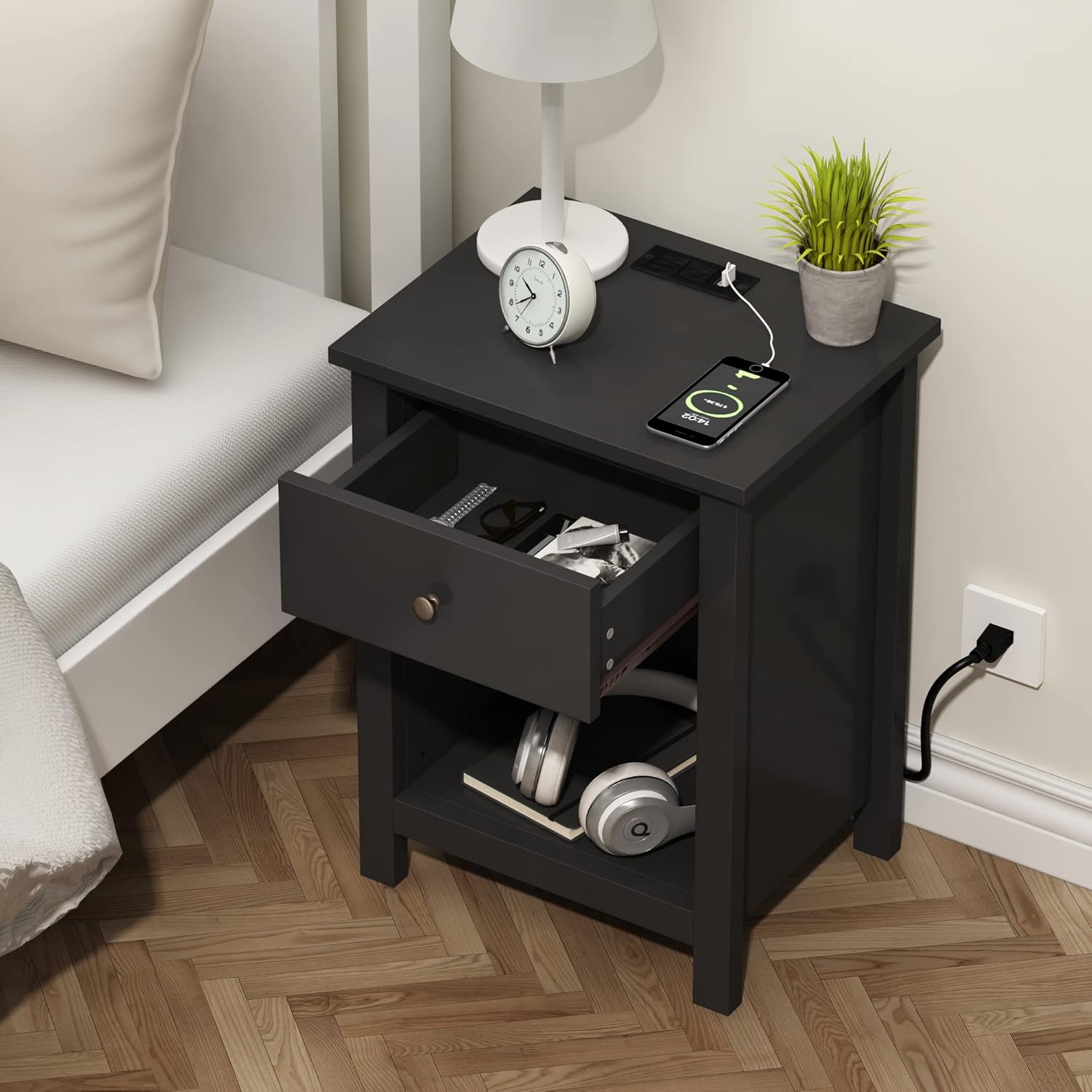
Image: The ChooChoo Nightstand in a bedroom setting, showcasing its design and functionality with a drawer open and a phone charging on top.
Safety Information
- Always follow assembly instructions carefully. Incorrect assembly can lead to instability and injury.
- Do not overload the drawer or shelves. Distribute weight evenly.
- Keep small parts and assembly hardware away from children and pets to prevent choking hazards.
- Ensure the charging station is connected to a properly grounded electrical outlet. Do not exceed the rated electrical capacity.
- Avoid placing hot items directly on the surface. Use coasters or protective pads.
- Periodically check all connections and fasteners to ensure they remain tight.
Package Contents
Before beginning assembly, verify that all parts and hardware are present. Refer to the included parts list in your product packaging for specific numbering. Common components include:
- Top Panel with Integrated Charging Station
- Side Panels (Left and Right)
- Back Panel
- Bottom Shelf
- Drawer Front, Sides, Back, and Bottom
- Drawer Slides
- Drawer Handle
- Assembly Hardware (screws, dowels, cam locks, etc.)
- Power Cord
Setup and Assembly
Assembly is required for this nightstand. Detailed, step-by-step instructions with numbered parts and accessories are included in your product packaging. Please follow those instructions carefully. The recommended tool for assembly is a screwdriver.

Image: Exploded view of the nightstand components, showing how they fit together during assembly.
General Assembly Steps (Refer to included manual for specifics):
- Prepare Components: Unpack all parts and lay them out on a clean, soft surface to prevent scratches. Identify each part using the numbering in your manual.
- Assemble Frame: Attach the side panels to the bottom shelf and back panel using the provided hardware. Ensure all connections are secure.
- Install Drawer Slides: Secure the drawer slides to the inner side panels of the nightstand frame.
- Assemble Drawer: Construct the drawer box by attaching the drawer sides, back, and bottom to the drawer front. Install the drawer handle.
- Insert Drawer: Carefully slide the assembled drawer onto the installed drawer slides.
- Attach Top Panel: Secure the top panel, which includes the charging station, to the assembled frame.
- Connect Power: Plug the nightstand's power cord into a standard wall outlet.
Operating the Charging Station
The ChooChoo Nightstand is equipped with a convenient charging station featuring 2 standard plug outlets and 2 USB ports.

Image: Close-up of the nightstand's charging station with a smartphone connected for charging.
- Power Connection: Ensure the nightstand's power cord is securely plugged into a functional wall outlet.
- Using AC Outlets: Plug your electronic devices (e.g., lamps, alarm clocks) into the standard 2-prong or 3-prong outlets on the top surface.
- Using USB Ports: Connect your USB-powered devices (e.g., smartphones, tablets, smartwatches) to the USB-A ports for charging.
- Safety Precaution: Do not exceed the maximum power rating of the charging station. Refer to the label on the power strip for specific electrical specifications.
Care and Maintenance
- Cleaning: Wipe surfaces with a soft, damp cloth. Avoid harsh chemicals or abrasive cleaners, as they may damage the finish.
- Spills: Promptly wipe up any spills to prevent water damage, especially on the desktop.
- Sunlight: Avoid prolonged exposure to direct sunlight, which can cause fading or discoloration.
- Heat: Do not place hot items directly on the surface. Use protective pads or coasters.
- Stability: Periodically check and tighten all screws and fasteners to maintain stability and prevent wobbling.
Troubleshooting
| Problem | Possible Cause | Solution |
|---|---|---|
| Charging station not working | Power cord unplugged; Wall outlet not active; Overload; Internal wiring issue. | Ensure power cord is fully plugged in. Test wall outlet with another device. Unplug some devices to reduce load. Contact customer support if issue persists. |
| Nightstand is wobbly | Loose fasteners; Uneven floor. | Tighten all assembly screws. Place shims under legs if floor is uneven. |
| Drawer does not slide smoothly | Drawer slides misaligned; Obstruction in slide. | Ensure drawer slides are correctly installed and aligned. Check for any debris or objects obstructing the slides. |
Specifications
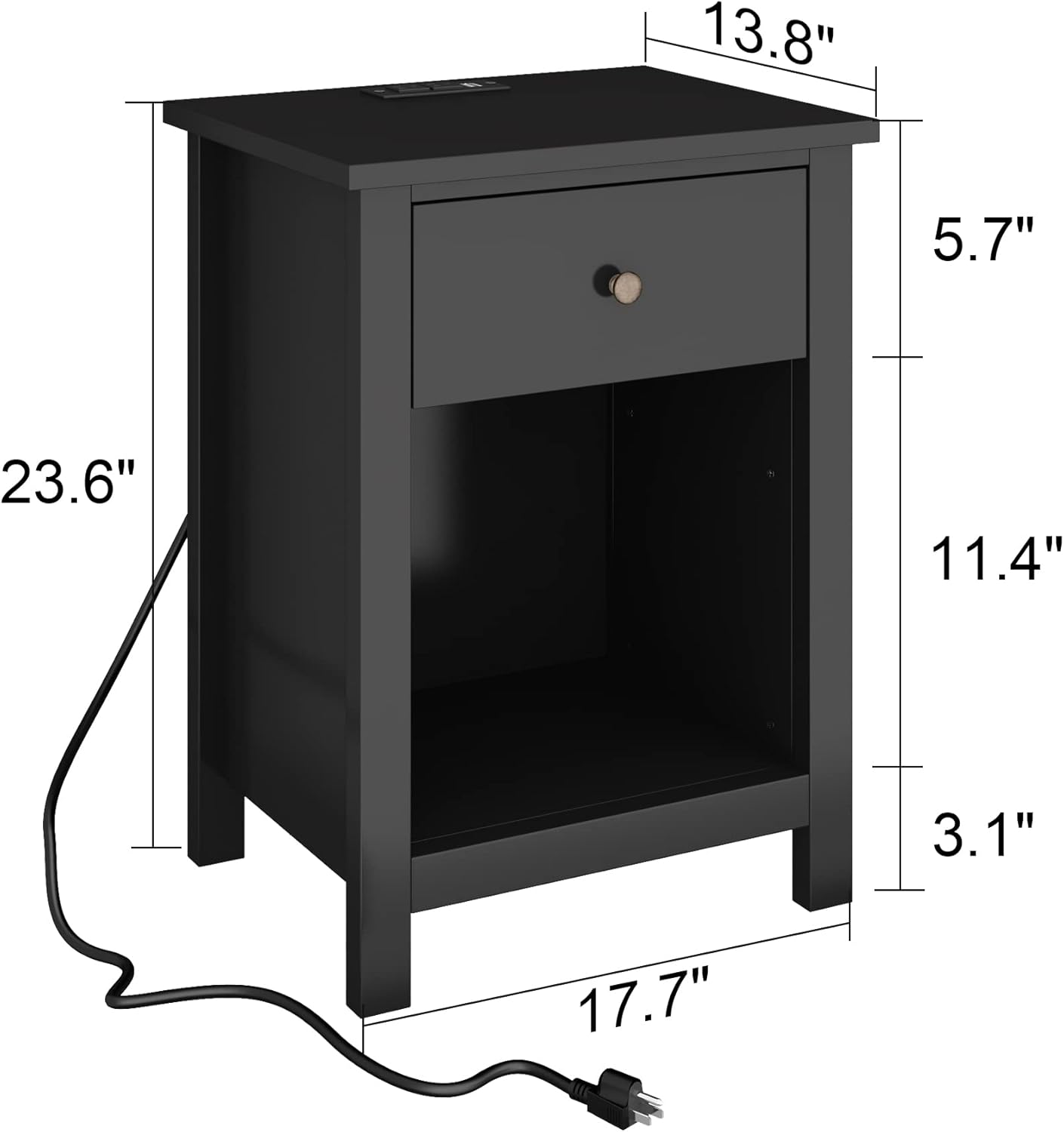
Image: Dimensional drawing of the nightstand, indicating its height, width, and depth.
| Feature | Detail |
|---|---|
| Brand | ChooChoo |
| Model Name | ST19005-E |
| Product Dimensions (D x W x H) | 13.8"D x 17.7"W x 23.6"H |
| Item Weight | 23.8 Pounds |
| Color | Black |
| Material Type | Engineered Wood |
| Number of Drawers | 1 |
| Charging Station | 2 Standard Plug Outlets, 2 USB Ports |
| Tools Recommended For Assembly | Screwdriver |
Warranty and Support
ChooChoo products are designed for quality and durability. For any questions regarding assembly, missing parts, or product performance, please refer to the contact information provided in your product packaging or visit the official ChooChoo brand store on Amazon. You can also reach out to the seller, ChooChoo Furniture, directly through the Amazon platform for assistance.
For additional support and product information, please visit the ChooChoo Store on Amazon.