
ODK ZJZ-JJYJZ
ODK L-Shaped Gaming Desk User Manual
Model: ZJZ-JJYJZ
1. Introduction
Thank you for choosing the ODK L-Shaped Gaming Desk. This manual provides detailed instructions for assembly, operation, maintenance, and troubleshooting to ensure you get the most out of your new desk. Please read this manual carefully before assembly and keep it for future reference.
2. Safety Information
Your safety is paramount. Please observe the following safety guidelines:
- Always follow the assembly instructions carefully.
- Ensure the desk is stable and secure before placing any items on it or using it.
- Exercise caution when adjusting the monitor stand and iron hook to prevent injury.
- Do not overload the desk. Refer to specifications for weight limits.
- Keep small parts and packaging materials away from children to prevent choking hazards.
- Use the desk on a flat, stable surface.
(Source: product.important_information.sections[0].body)
3. Package Contents
Before beginning assembly, please verify that all components are present and undamaged. If any parts are missing or damaged, please contact customer support.
| Component | Quantity | Description |
|---|---|---|
| Desk Panels | Various | Main desktop surfaces. |
| Metal Frame Components | Various | Legs, crossbars, and support structures. |
| Monitor Stand | 1 | Elevated platform for monitor. |
| Headphone Hook | 1 | Accessory for hanging headphones. |
| Storage Bag | 1 | Fabric bag for organizing items. |
| Assembly Hardware | 1 set | Screws, bolts, and tools for assembly. |
| Instruction Manual | 1 | This document. |
Note: The exact quantity and type of components may vary slightly. Refer to the packing list included with your product for precise details.
4. Setup and Assembly
The ODK L-Shaped Gaming Desk is designed for easy assembly. Please follow these steps carefully:
- Unpack Components: Carefully remove all parts from the packaging. Lay them out on a clean, soft surface (like a carpet or blanket) to prevent scratches.
- Identify Parts: Refer to the included parts list and diagrams to identify each component.
- Assemble Frame: Begin by assembling the metal frame components. Securely fasten all screws and bolts as indicated in the diagram. Do not overtighten initially.
- Attach Desktop Panels: Once the frame is stable, attach the desktop panels to the frame. Ensure they are aligned correctly before tightening all screws.
- Install Monitor Stand: Attach the monitor stand to the designated area on the desktop. Ensure it is firmly secured.
- Attach Accessories: Install the headphone hook and the storage bag as per the instructions. The storage bag is reversible, allowing you to attach it to either side of the desk.
- Final Tightening: Once all parts are in place, go back and gently tighten all screws and bolts to ensure maximum stability.
- Level the Desk: Use the adjustable foot pads to level the desk on uneven floors, preventing wobbling.

Figure 4.1: Desk Dimensions. This image illustrates the overall dimensions of the ODK L-shaped gaming desk, including the length, width, and height, as well as the dimensions of the monitor stand and storage bag.
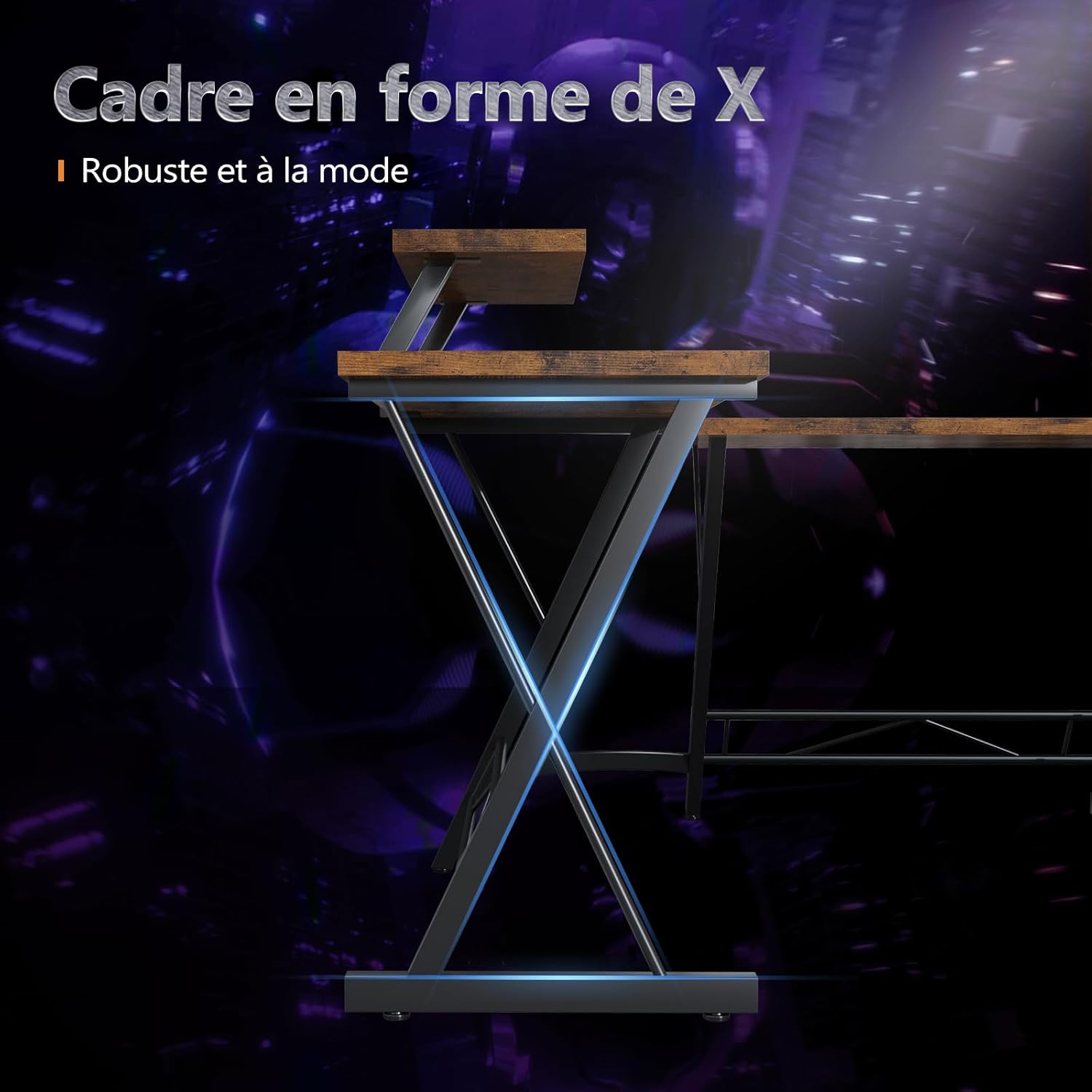
Figure 4.2: X-Shaped Frame. This image highlights the robust and stylish X-shaped metal frame, which provides stability and a modern aesthetic to the desk.

Figure 4.3: Integrated Features. This image provides a close-up view of the integrated headphone hook for convenient storage and the monitor stand, designed for ergonomic screen positioning.

Figure 4.4: Reversible Storage Bag. This image demonstrates the versatile storage bag, which can be attached to either side of the desk to help organize files and small items, keeping your workspace tidy.
5. Operating Instructions
The ODK L-Shaped Gaming Desk is designed for versatile use in home office and gaming environments.
5.1. Workspace Utilization
- Spacious Surface: Utilize the large L-shaped desktop for multiple monitors, keyboards, mice, and other peripherals.
- Monitor Stand: Place your monitor(s) on the integrated stand to elevate them to an ergonomic viewing height, reducing neck and back strain.
- Headphone Hook: Use the convenient hook to hang your headphones, keeping them easily accessible and off the desk surface.
- Storage Bag: Organize documents, pens, and other small items in the reversible storage bag to maintain a clutter-free workspace.
5.2. Ergonomics
Proper ergonomic setup is crucial for comfort and health during long periods of use:
- Adjust your chair height so your feet are flat on the floor and your knees are at a 90-degree angle.
- Position your monitor(s) so the top of the screen is at or slightly below eye level. The integrated monitor stand assists with this.
- Keep your keyboard and mouse close to your body to avoid reaching.
- Ensure adequate legroom under the desk for comfortable posture.
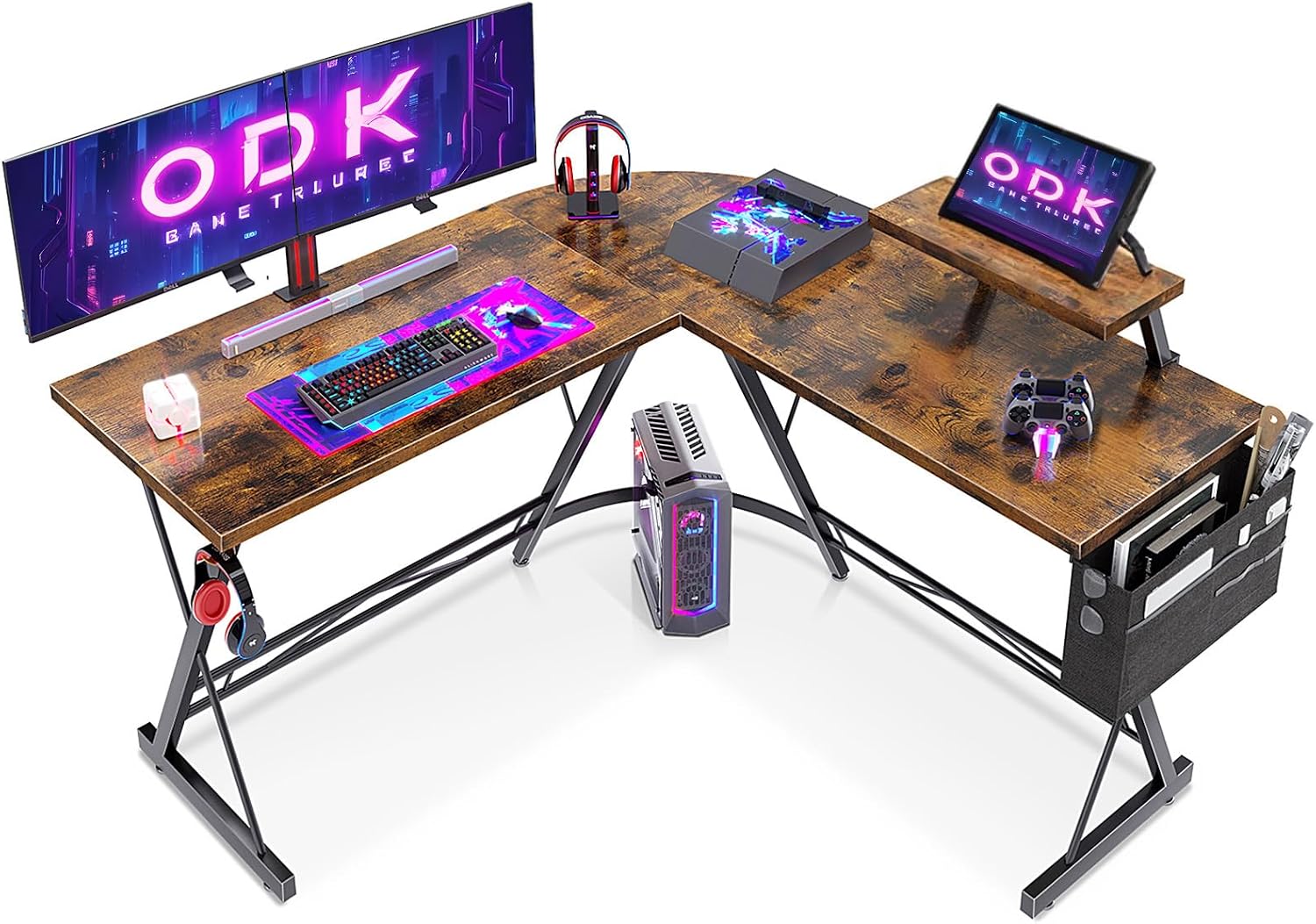
Figure 5.1: Typical Desk Setup. This image shows the ODK L-shaped gaming desk fully assembled and in use, demonstrating its capacity for multiple monitors, gaming peripherals, and a tidy workspace with the integrated monitor stand and storage bag.

Figure 5.2: Expanded Workspace Configuration. This image illustrates how two ODK L-shaped desks can be arranged together to create an even larger, shared workspace, highlighting the desk's adaptability for different room layouts and user needs.
6. Maintenance
To ensure the longevity and appearance of your ODK L-Shaped Gaming Desk, follow these maintenance guidelines:
- Cleaning: Wipe the desk surfaces with a soft, damp cloth. Avoid harsh chemicals or abrasive cleaners, which can damage the finish.
- Spills: Clean up spills immediately to prevent staining or damage to the desktop material.
- Hardware Check: Periodically check all screws and bolts to ensure they remain tight. Retighten if necessary to maintain stability.
- Avoid Extreme Conditions: Do not expose the desk to extreme temperatures, direct sunlight for prolonged periods, or high humidity, as this can cause warping or discoloration.
- Weight Distribution: Distribute weight evenly across the desk surface. Avoid placing excessively heavy items on one concentrated area.
7. Troubleshooting
If you encounter any issues with your ODK L-Shaped Gaming Desk, refer to the following common problems and solutions:
| Problem | Possible Cause | Solution |
|---|---|---|
| Desk is wobbly/unstable. | Loose screws; uneven floor. | Check and tighten all assembly screws. Adjust the leveling foot pads at the bottom of the legs. |
| Parts do not fit together. | Incorrect orientation; manufacturing defect. | Double-check the assembly diagrams to ensure parts are oriented correctly. If still an issue, contact customer support. |
| Missing hardware/parts. | Packaging error. | Review the package contents list. Contact customer support with details of the missing items. |
| Surface scratches easily. | Rough handling; abrasive objects. | Use mouse pads and desk mats to protect the surface. Avoid dragging sharp or heavy objects across the desk. |
If the problem persists or is not listed here, please contact ODK customer support for further assistance.
8. Specifications
| Attribute | Detail |
|---|---|
| Brand | ODK |
| Model Number | ZJZ-JJYJZ |
| Color | Vintage Brown |
| Product Dimensions (L x W x H) | 127 x 127 x 77.2 cm (50 x 50 x 30.4 inches) |
| Item Weight | 15.5 Kilograms (34.17 lbs) |
| Material | Metal |
| Special Feature | Monitor Stand, Headphone Hook, Reversible Storage Bag, Adjustable Foot Pads |
| Recommended Uses | Gaming, Work, Home Office |
| Style | Vintage |
| Finish Type | Varnished |
9. Warranty and Support
ODK is committed to customer satisfaction. We are confident in the quality of our L-shaped desk and offer a satisfaction guarantee.
- Customer Satisfaction Guarantee: If you have any questions or concerns regarding your product, our friendly customer service team is available to assist you at any time.
- Returns: The product is eligible for returns within 30 days of receipt, as per Amazon's return policy.
- Contact Information: For support, please refer to the contact details provided on the ODK official website or through your purchase platform (e.g., Amazon seller page).
(Source: product.feature_bullets[4] and product.buybox_winner.return_policy)
Related documentsZJZ-JJYJZ


Ask a question about this manual
Ask about setup, troubleshooting, compatibility, parts, safety, or missing instructions. Manuals+ will review the question and use this page’s manual context to help answer it.