Introduction
This manual provides essential information for the proper use, setup, operation, and maintenance of your Gabba Goods 10FT Lightning Sync & Charge Cable. Please read these instructions carefully to ensure optimal performance and longevity of your product.
Product Overview
The Gabba Goods 10FT Lightning Sync & Charge Cable is designed for charging and synchronizing data with Apple devices equipped with a Lightning port. It features MFi certification, ensuring compatibility and safe operation with your Apple products. The cable's braided design enhances durability and flexibility.

Figure 1: Gabba Goods 10FT Lightning Sync & Charge Cable with Orange Floral pattern.
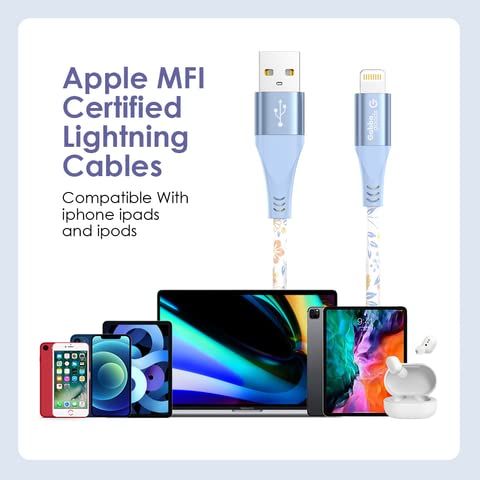
Figure 2: MFi Certified Lightning Cable demonstrating compatibility with Apple devices.
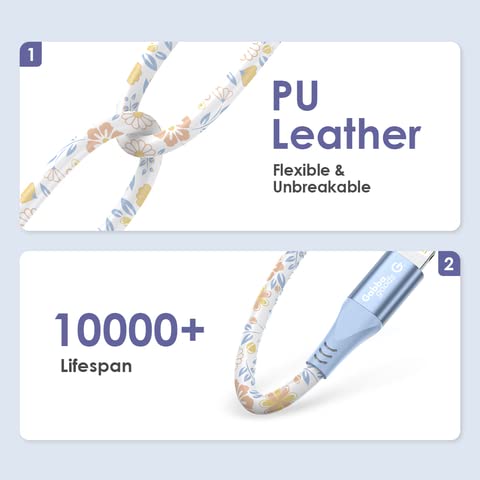
Figure 3: Cable construction details, showing PU leather braiding and durability.
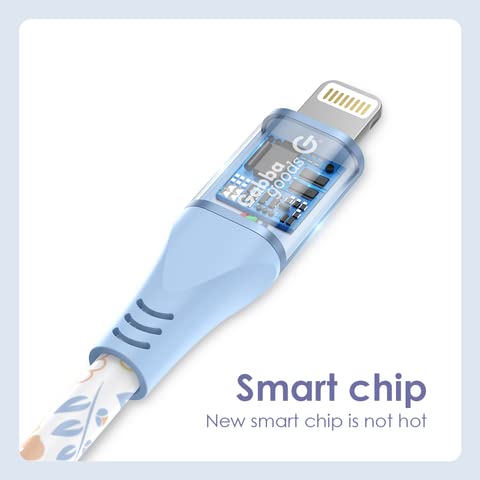
Figure 4: Detailed view of the Lightning connector with integrated smart chip.
Setup
- Identify Connectors: The cable has two ends: a standard USB-A connector and a Lightning connector.
- Connect to Power Source or Computer: Insert the USB-A connector into a compatible USB wall adapter, car charger, power bank, or a USB port on your computer.
- Connect to Device: Insert the Lightning connector into the charging port of your Apple device (iPhone, iPad, iPod). Ensure the connection is firm.

Figure 5: Cable properly connected to an iPhone.
Operating Instructions
Charging Your Device
- Connect the USB-A end of the cable to a power source (e.g., wall adapter, computer USB port).
- Connect the Lightning end to your Apple device.
- Your device should indicate that it is charging. The charging speed depends on the power output of your adapter and the device's charging capabilities.
Synchronizing Data
- Connect the USB-A end of the cable to a USB port on your computer.
- Connect the Lightning end to your Apple device.
- Your computer should recognize the device, allowing you to transfer files, back up data, or update software using iTunes or Finder (macOS Catalina and later).
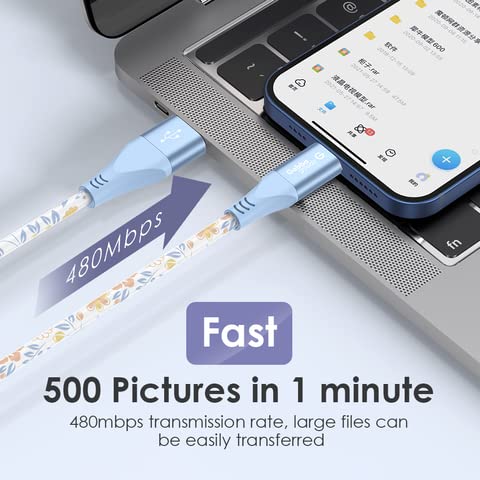
Figure 6: High-speed data transfer between an iPhone and a laptop.
Maintenance
- Storage: Store the cable in a clean, dry place away from direct sunlight and extreme temperatures. Avoid tightly coiling or bending the cable at sharp angles.
- Cleaning: If necessary, gently wipe the cable with a soft, dry cloth. Do not use harsh chemicals or abrasive materials.
- Handling: Always grasp the connector head when plugging or unplugging the cable. Avoid pulling directly on the cable itself to prevent damage to the internal wires.
Troubleshooting
- Device Not Charging:
- Ensure both ends of the cable are securely connected.
- Try a different USB wall adapter or computer USB port.
- Check your device's charging port for any debris or damage.
- Ensure the power source is active and providing sufficient power.
- Device Not Syncing Data:
- Verify that the cable is firmly connected to both your device and computer.
- Try a different USB port on your computer.
- Restart both your device and computer.
- Ensure your computer's operating system and iTunes/Finder are up to date.
- Check your device's settings to ensure it allows data transfer.
- Slow Charging/Data Transfer:
- Ensure you are using a power adapter with adequate output for your device.
- Close unnecessary applications on your computer during data transfer.
- Avoid using USB hubs if possible, connect directly to the computer's USB port.
Specifications
| Brand | Gabba Goods |
| Model Number | GG-CL10PR-OGFL |
| Connector Type | Lightning, USB-A |
| Cable Type | Lightning, USB |
| Compatible Devices | Smartphone, Tablet (Apple devices with Lightning port) |
| Special Feature | Braided, High Speed, MFi Certified |
| Compatible Phone Models | iPhone 13, 12, 11 Pro Max, XS MAX, XR, XS, X, 8, 7, Plus, 6S |
| Color | Orange Floral |
| Connector Gender | Male-to-Male |
| Data Transfer Rate | 480 Megabits Per Second |
| Unit Count | 1 Count |
| Indoor/Outdoor Usage | Indoor, Outdoor |
| Item Weight | 5.3 ounces |
Warranty Information
For specific warranty details regarding your Gabba Goods 10FT Lightning Sync & Charge Cable, please refer to the product packaging or visit the official Gabba Goods website. Warranty terms typically cover manufacturing defects for a specified period from the date of purchase.
Support
If you encounter any issues or have questions not addressed in this manual, please contact Gabba Goods customer support. Contact information can usually be found on the product packaging or on the official Gabba Goods website. Please have your product model number (GG-CL10PR-OGFL) and purchase details ready when contacting support.


