
Introduction
Thank you for choosing the MISTRAL Blade Free Fan with Air Purifier MBFAP250. This appliance combines the comfort of a powerful fan with the health benefits of an air purifier, featuring a certified HEPA filter. This manual provides essential information for the safe and efficient operation, maintenance, and troubleshooting of your new appliance. Please read it thoroughly before use and retain it for future reference.
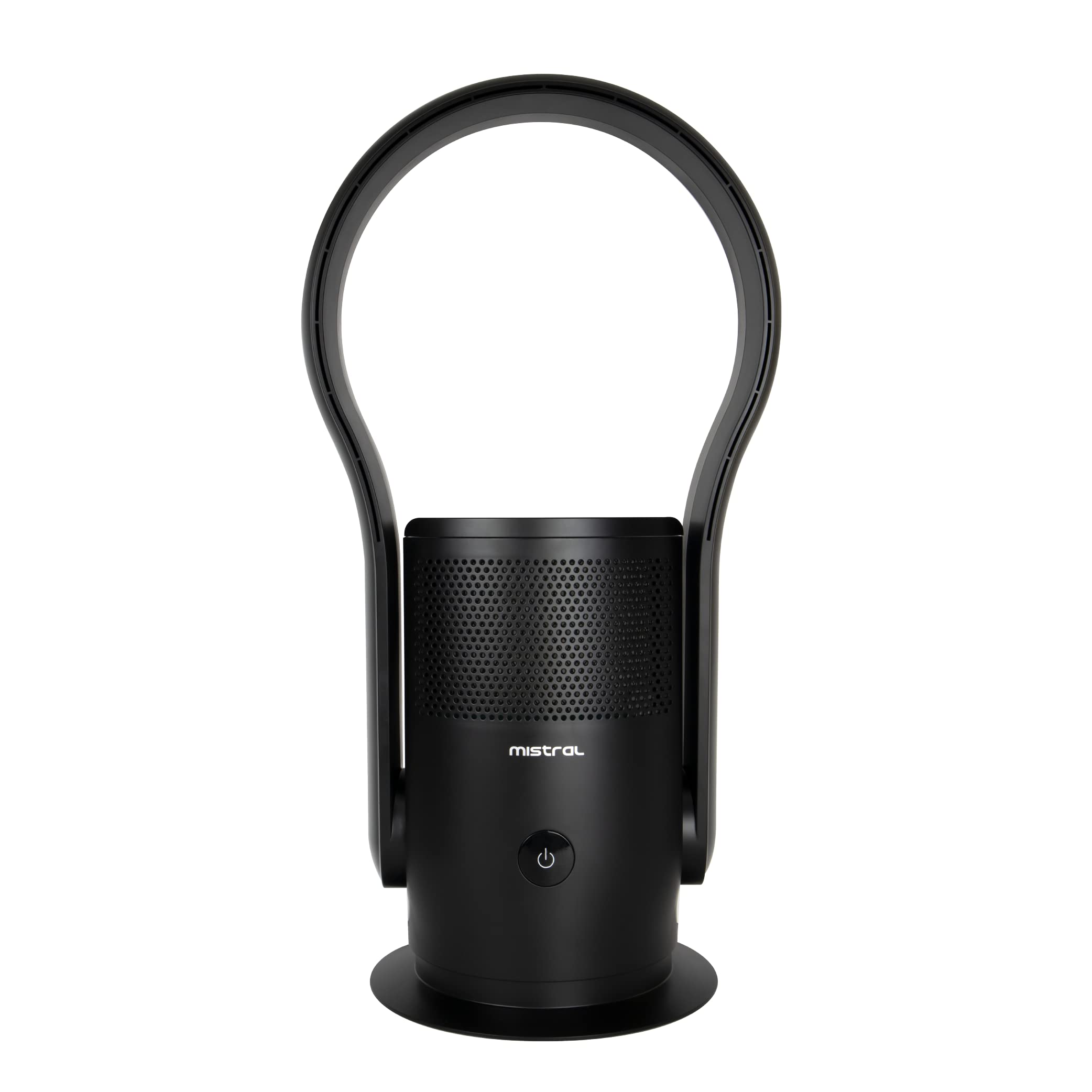
Image: Front view of the MISTRAL Blade Free Fan with Air Purifier MBFAP250, showcasing its sleek, blade-free design and black finish.
Important Safety Instructions
Always follow basic safety precautions when using electrical appliances to reduce the risk of fire, electric shock, and injury to persons.
- Read all instructions before operating the appliance.
- Ensure the power supply voltage matches the rating label on the appliance.
- Do not immerse the appliance, cord, or plug in water or other liquids.
- Unplug from the outlet when not in use, before cleaning, or before moving the appliance.
- Do not operate any appliance with a damaged cord or plug, or after the appliance malfunctions or has been damaged in any manner.
- Keep the appliance out of reach of children and pets.
- Do not block air openings or operate near flammable materials.
- Use only on a flat, stable surface.
- This appliance is for indoor use only.
Product Overview and Components
Familiarize yourself with the main parts of your MISTRAL Blade Free Fan with Air Purifier.

Image: The MISTRAL Blade Free Fan with Air Purifier MBFAP250, illustrating its overall dimensions: 35.51cm depth, 26.49cm width, and 68.3cm height. Key components visible include the base, main body with air intake grilles, and the bladeless air outlet loop.
- Air Outlet Loop: The bladeless section where purified air is expelled.
- Main Body: Contains the motor, air purification system, and control panel.
- Control Panel: Digital display and sensor touch buttons for operation.
- Air Intake Grilles: Located on the main body, where air is drawn in for purification.
- Base: Provides stability and houses the oscillation mechanism.
- Power Cord: For connecting to an electrical outlet.
- Remote Control: For convenient operation from a distance.
Setup
- Unpacking: Carefully remove the appliance from its packaging. Retain packaging materials for future storage or transport.
- Placement: Place the fan on a firm, level surface, ensuring there is at least 30cm of clear space around the unit for optimal airflow. Avoid placing it near curtains or other objects that could obstruct the air intake or outlet.
- Power Connection: Insert the power plug into a suitable electrical outlet. Ensure the outlet voltage matches the appliance's requirements.
- Filter Installation (if not pre-installed):
- Locate the filter compartment, usually at the bottom or rear of the main body.
- Open the compartment cover.
- Insert the HEPA filter, ensuring it is correctly oriented as indicated by markings.
- Close the compartment cover securely.
Operating Instructions
Your MISTRAL Blade Free Fan with Air Purifier can be operated using the sensor touch buttons on the unit or the provided remote control.
Control Panel and Digital Display

Image: Side view of the MISTRAL Blade Free Fan with Air Purifier, highlighting the location of the digital display and sensor touch buttons on the main body.
- Power Button (⏻): Press to turn the unit ON or OFF.
- Speed Selection: Use the speed control button (often indicated by fan icon or +/-) to cycle through 9 available speed settings. The current speed will be shown on the digital display.
- Oscillation Button (↻): Press to activate or deactivate the 80-degree left and right auto-oscillation function.
- Timer Button: (If available) Press to set an auto-off timer.
- Mode Button: (If available) To switch between different modes (e.g., fan only, purification only, combined).
Remote Control Operation
The remote control provides convenient access to all functions. Ensure the remote control has batteries installed and is pointed towards the appliance's receiver.
- Power: Turns the unit on or off.
- Speed +/-: Adjusts the fan speed (1-9).
- Oscillation: Toggles the 80-degree oscillation.
- Timer: Sets the auto-off timer.
- Mode: Selects operating modes.
Maintenance
Regular maintenance ensures optimal performance and extends the lifespan of your appliance.
- Cleaning the Exterior:
- Always unplug the appliance before cleaning.
- Wipe the exterior surfaces with a soft, damp cloth. Do not use abrasive cleaners or solvents.
- Ensure no water enters the internal components.
- Cleaning Air Intake Grilles:
- Use a soft brush or a vacuum cleaner with a brush attachment to remove dust and debris from the air intake grilles.
- Regular cleaning prevents airflow obstruction.
- HEPA Filter Replacement:
- The HEPA filter has a limited lifespan and should be replaced periodically (e.g., every 6-12 months, depending on usage and air quality).
- Refer to the filter compartment instructions for specific replacement procedures.
- Always use genuine MISTRAL replacement filters to ensure proper performance and filtration efficiency.
- A filter indicator light (if present) will illuminate when it's time to replace the filter.
Troubleshooting
Before contacting customer support, please refer to the following troubleshooting guide for common issues.
| Problem | Possible Cause | Solution |
|---|---|---|
| Appliance does not turn on. | No power supply; Power cord not securely plugged in. | Check if the power outlet is working; Ensure the power cord is firmly plugged into both the appliance and the wall outlet. |
| Weak airflow. | Air intake/outlet blocked; Filter is dirty or clogged. | Clear any obstructions from air intake/outlet; Clean or replace the HEPA filter. |
| Unit is noisy. | Unit not on a stable surface; Foreign object inside; Filter incorrectly installed. | Place on a flat, stable surface; Unplug and check for foreign objects (if safe to do so); Reinstall filter correctly. |
| Remote control not working. | Batteries are dead or incorrectly inserted; Remote not pointed at receiver. | Replace batteries; Ensure correct polarity; Point remote directly at the appliance's control panel. |
Specifications
| Feature | Detail |
|---|---|
| Brand | MISTRAL |
| Model | MBFAP250 |
| Product Dimensions (D x W x H) | 35.5D x 26.5W x 68.3H centimetres |
| Colour | Black |
| Power Source | Corded Electric |
| Control Method | Remote, Sensor Touch Buttons |
| Fan Speeds | 9 selections |
| Oscillation | 80-degree Left and Right Auto-Oscillation |
| Filter Type | Certified HEPA |
| Contaminant Filtration Capability | 99.97% |
| Special Features | Integrated fan for cooling, HEPA filter for effective allergen reduction, Digital display |
Warranty and Support
This MISTRAL appliance comes with a standard manufacturer's warranty. Please refer to the warranty card included in your product packaging for specific terms and conditions, including warranty period and coverage details.
For technical support, service, or to purchase replacement parts (such as HEPA filters), please contact MISTRAL customer service through their official website or the contact information provided in your warranty documentation.
Note: Always provide your model number (MBFAP250) when contacting customer support.

