
1. Introduction
Thank you for choosing the Aigostar 3-Outlet Power Strip. This manual provides essential information for the safe and efficient use of your new power strip. Please read these instructions carefully before use and retain them for future reference.
2. Product Overview and Features
The Aigostar 3-Outlet Power Strip (Model AE-IY1P3H3BPD) is designed to provide convenient and safe power distribution for your electronic devices. It features three Schuko Bipasso outlets, a 5-meter long cable, and an integrated on/off switch.
- 3 Schuko Bipasso Outlets: Accommodates 10/16A plugs.
- 5-Meter Cable: Provides extended reach for flexible placement.
- Integrated On/Off Switch: With an indicator light for easy power control and energy saving.
- 45° Angled Outlets: Designed for convenient connection and disconnection, preventing cable obstruction.
- Durable Construction: Made from heat-resistant materials with a copper circuit to support up to 3680W.
- Child Protection Device: Built-in safety mechanism to prevent accidental electric shocks and foreign object insertion.
- Keyhole Slots: Two keyhole slots on the back for wall mounting.

Image 1: Overview of the Aigostar 3-outlet power strip, highlighting its dimensions (23.2cm length, 5.2cm width, 3.7cm height) and 5-meter cable length. It also shows the 2P+E socket-outlet with switch, max 3680W capacity, and 45-degree design.
3. Safety Instructions
To ensure safe operation and prevent damage, please observe the following safety precautions:
- Do not exceed the maximum load of 3680W (250V/16A). Overloading can cause overheating and fire hazards.
- Do not connect multiple power strips in series.
- This product is designed for indoor use only. Do not use in wet or damp conditions.
- Keep away from water and other liquids.
- Do not open or modify the power strip. Repairs should only be performed by qualified personnel.
- Ensure the power strip is placed on a stable surface and not covered, allowing for proper ventilation.
- Always insert plugs fully into the outlets.
- Unplug the power strip from the wall outlet when not in use for extended periods.
- The built-in child protection device helps prevent access to live parts, but adult supervision is always recommended around electrical devices.

Image 2: Illustration of the multiple safety protections of the Aigostar power strip, including one-key switch control, 3G1.0mm² cable, child protection device, and high temperature protection.
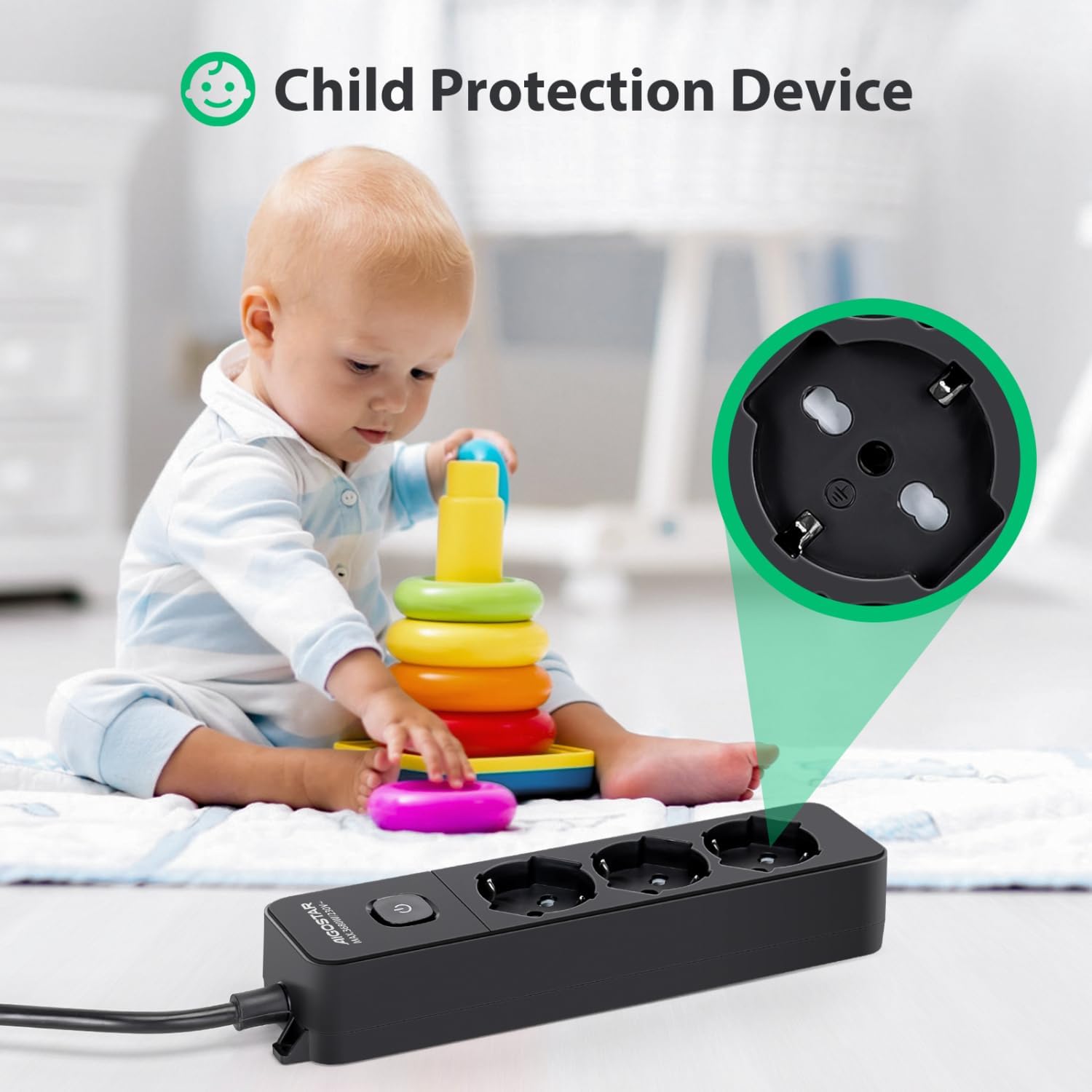
Image 3: Close-up view demonstrating the child protection device within the power strip's outlets, with a baby playing in the background, emphasizing safety.
4. Setup
- Unpack: Carefully remove the power strip from its packaging. Inspect for any signs of damage.
- Placement: Choose a dry, stable location away from heat sources and direct sunlight. Ensure the 5-meter cable can reach the wall outlet without being stretched or obstructed.
- Wall Mounting (Optional): If desired, use the two keyhole slots on the back of the power strip to mount it securely to a wall or desk. Ensure appropriate screws and wall anchors are used for the mounting surface.
- Connect to Power: Plug the power strip's main plug into a grounded wall outlet.
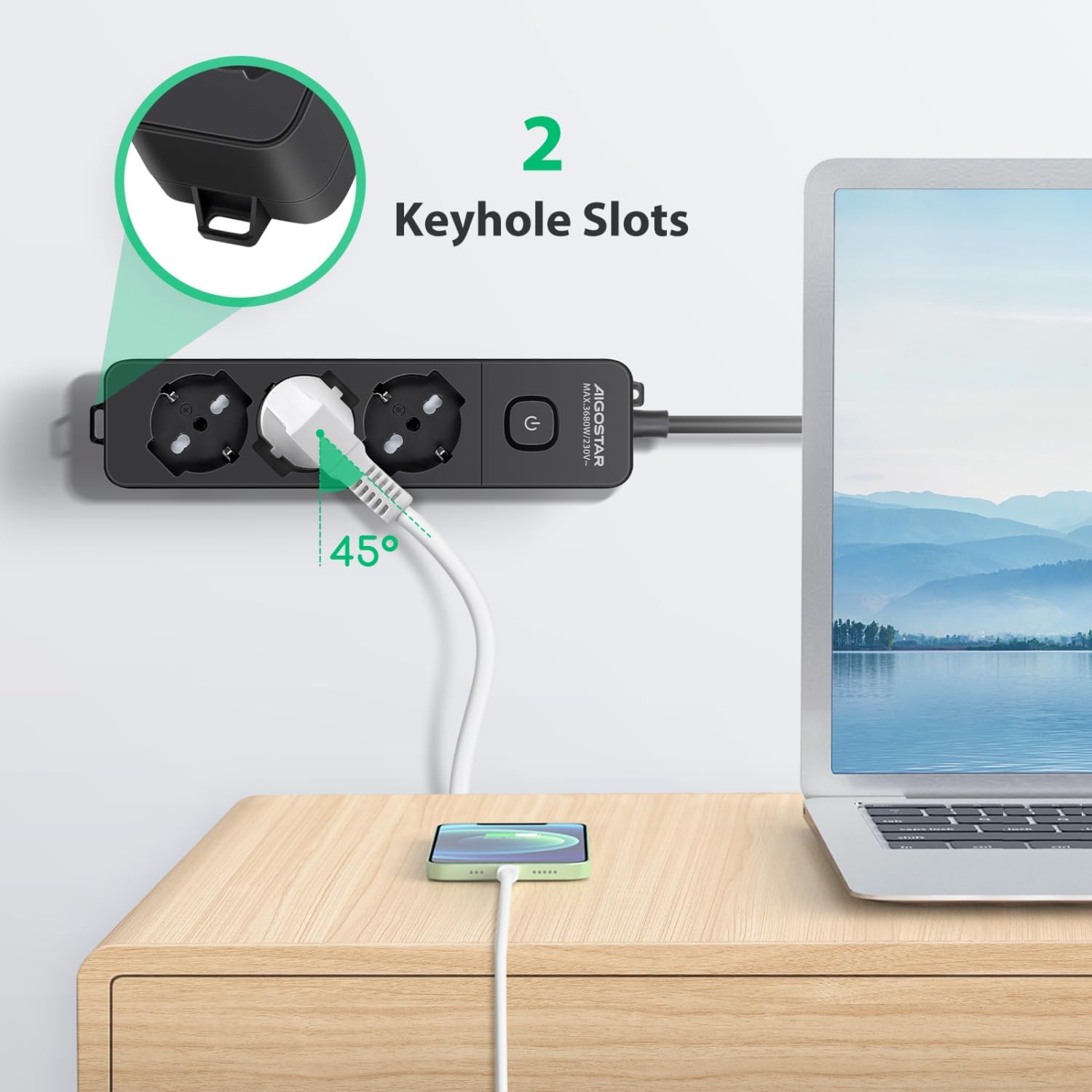
Image 4: The power strip shown mounted on a wall or desk using its two keyhole slots, demonstrating the 45-degree angled outlets in use with a laptop and phone charger.
5. Operating Instructions
- Power On/Off: Press the integrated on/off switch located on the power strip. The indicator light will illuminate when the power strip is active (ON) and turn off when it is inactive (OFF).
- Connecting Devices: Insert the plugs of your electronic devices into the available outlets. The 45° angled design allows for easier access and reduces cable clutter.
- Disconnecting Devices: Gently pull the plug directly from the outlet. Do not pull by the cable.
- Energy Saving: Utilize the on/off switch to cut power to all connected devices when they are not in use, helping to save energy.

Image 5: A close-up of the Aigostar power strip, highlighting the single on/off switch and the 45-degree angled outlets, illustrating how it meets electrical charging needs.
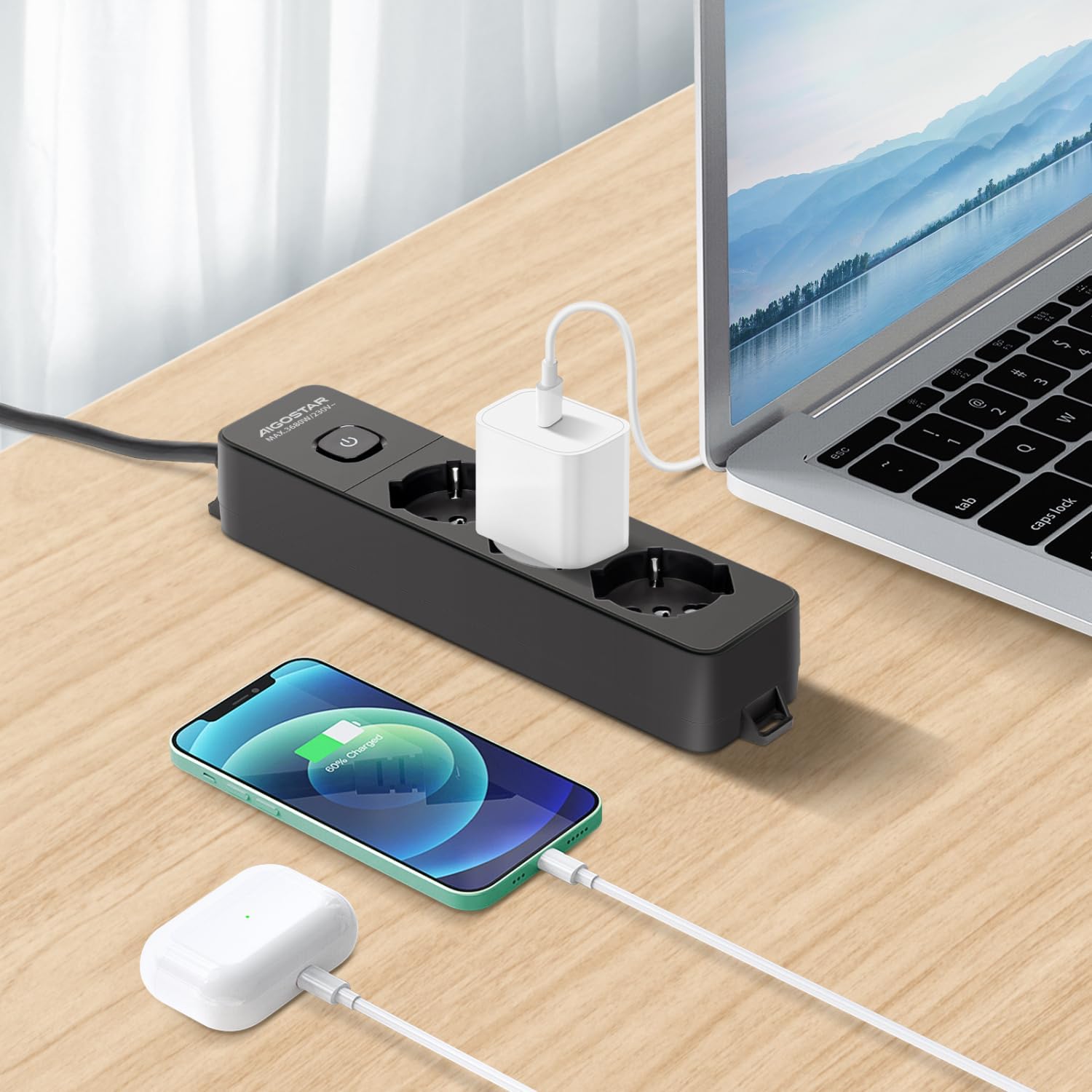
Image 6: The Aigostar power strip in a typical usage scenario, powering a laptop, smartphone, and wireless earbuds charger on a wooden desk.
6. Maintenance
- Cleaning: Disconnect the power strip from the wall outlet before cleaning. Use a soft, dry cloth to wipe the surface. Do not use liquid cleaners or abrasive materials.
- Storage: When not in use, store the power strip in a cool, dry place, away from direct sunlight and moisture.
- Inspection: Periodically inspect the cable and housing for any signs of damage. If damage is found, discontinue use immediately and contact customer support.
7. Troubleshooting
| Problem | Possible Cause | Solution |
|---|---|---|
| Power strip not turning on. |
|
|
| Devices not receiving power. |
|
|
| Power strip feels hot. |
|
|
8. Specifications
| Brand: | Aigostar |
| Model Number: | AE-IY1P3H3BPD |
| Number of Outlets: | 3 (Schuko Bipasso 10/16A) |
| Cable Length: | 5 meters |
| Voltage: | 250V |
| Maximum Power: | 3680W |
| Product Weight: | 590 g |
| Package Dimensions: | 33 x 18 x 5.5 cm |
| Country of Origin: | China |
9. Warranty and Support
Aigostar products are manufactured to high-quality standards. If you encounter any issues with your product, please refer to the troubleshooting section first. If the problem persists, please contact Aigostar customer support.
- Warranty: Please refer to the warranty information provided with your purchase or on the official Aigostar website for details regarding warranty coverage and duration.
- Customer Support: For technical assistance, product inquiries, or warranty claims, please visit the Aigostar website or contact their customer service department. Contact details can typically be found on the product packaging or the official brand website.
"If you have any questions about our products, you can always contact us and we will be happy to help you."