
Product Overview
The YUNLEX Plug-in Dimmable Night Light (Model NLS21) is designed to provide soft, diffused illumination for various indoor spaces. Featuring a built-in dusk-to-dawn sensor and adjustable brightness levels, it offers convenience and comfort for your home.

Image: The YUNLEX NLS21 night light, a compact square device with a blue glow, plugged into a standard wall outlet. It illustrates the product's primary function and appearance.
Key Features
- Brightness Adjustable: Offers 3-level brightness (Low-Middle-High) for varied lighting needs. A sliding switch on top allows for easy adjustment without frequent re-adjustment.
- Double Layer Design, Soft Light: Features a unique double-layer design that shadows lamp beads and emits light through secondary reflection, providing a soft, non-dazzling glow suitable for sensitive eyes.
- Smart Dusk to Dawn Sensor: Equipped with a built-in light sensor that automatically turns the light ON at dusk or in dark conditions and OFF at dawn or when the room is sufficiently lit, eliminating manual operation.
- Sleek Design, Compact Size: Its square double-layer design is aesthetically pleasing and compact, allowing it to fit without blocking the second receptacle of a standard outlet.
- Reliable and Widely Applicable: Constructed with superior ABS fire-resistant casing and over-current protection for safety. Energy-efficient 0.5W LED, suitable for bedrooms, nurseries, children's rooms (low light), and corridors, garages, stairs, kitchens, living rooms (high light).
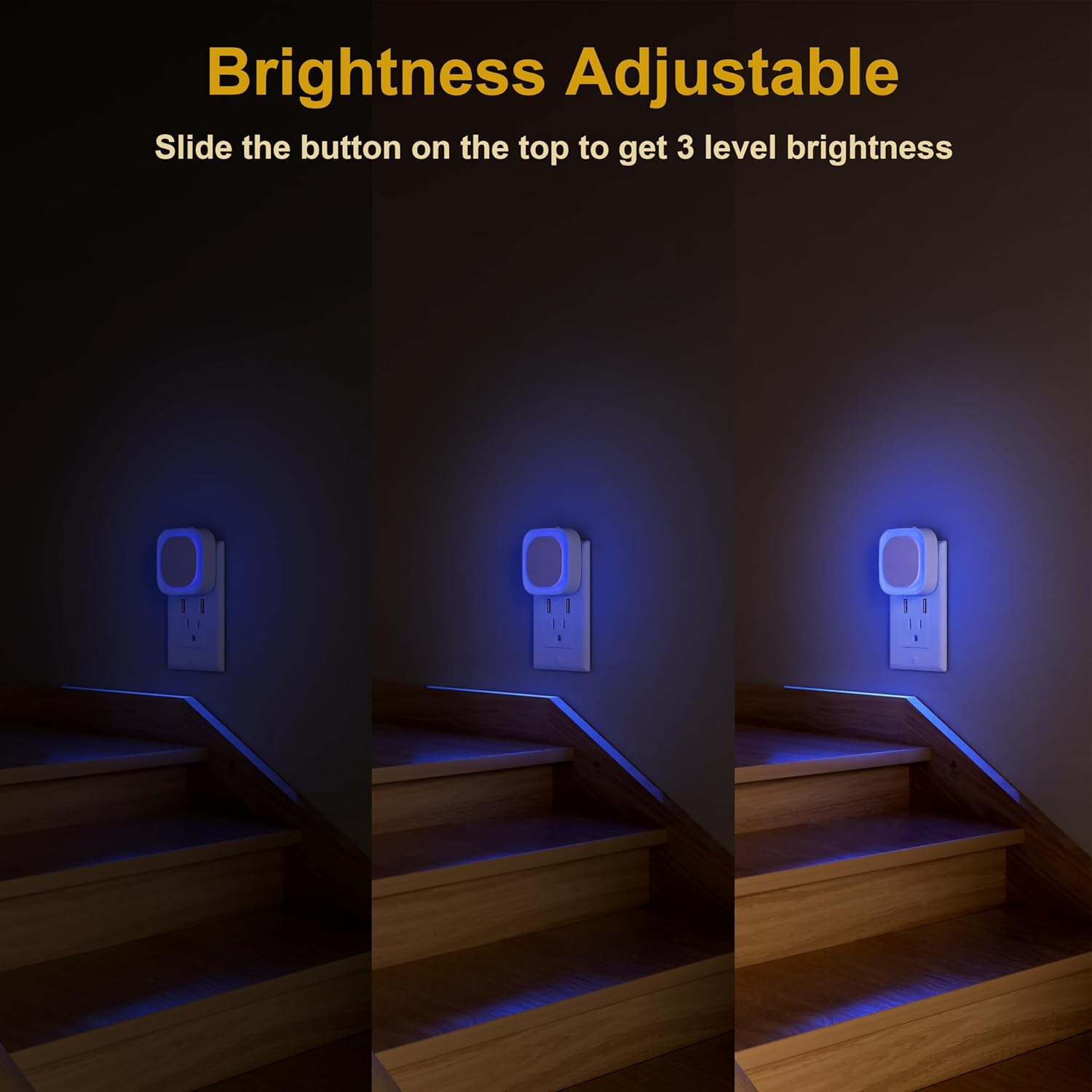
Image: This composite image demonstrates the three adjustable brightness levels (Low, Medium, High) of the night light as it illuminates a staircase, highlighting its versatility.
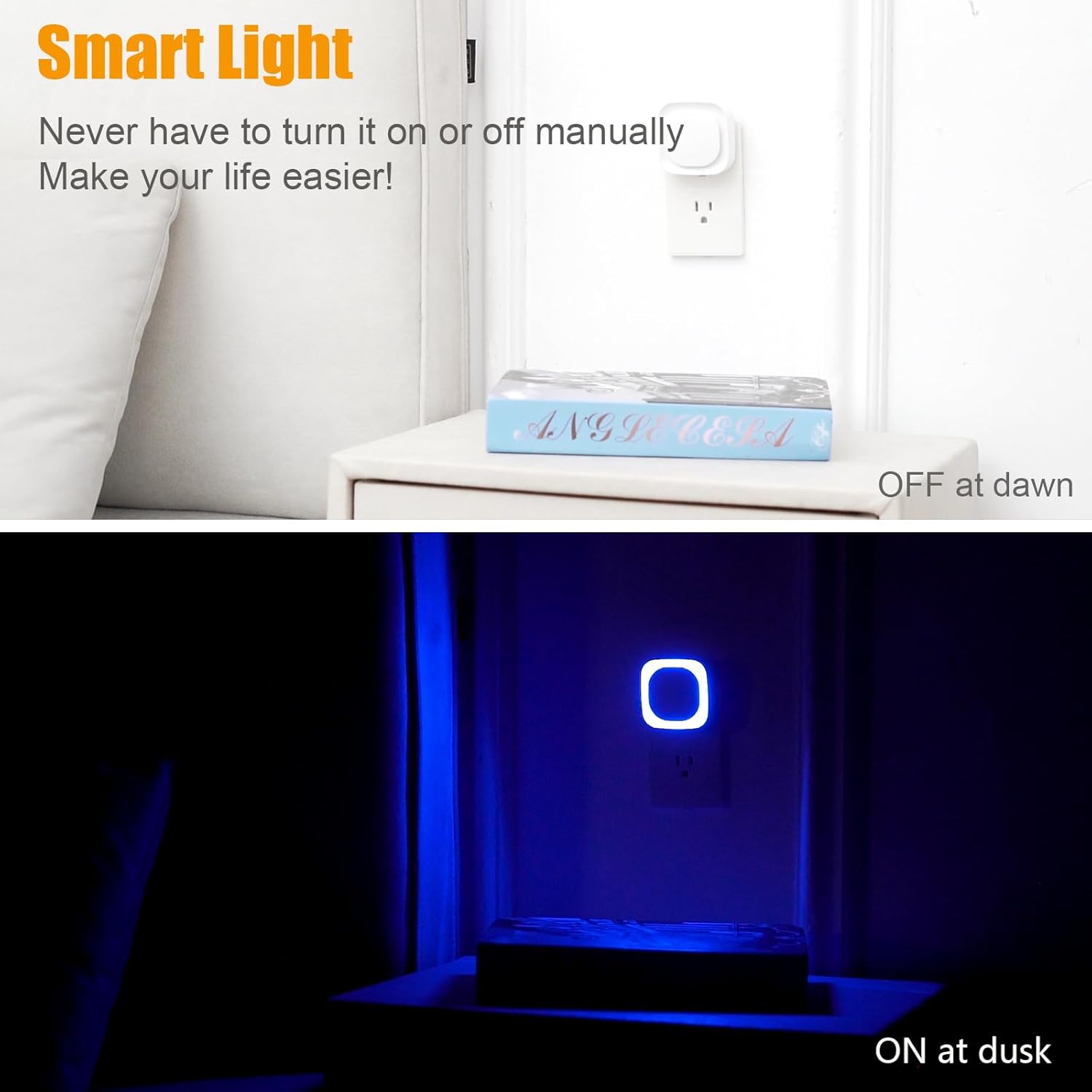
Image: The top image shows the night light off during daylight, while the bottom image shows it illuminated at dusk, illustrating the automatic dusk-to-dawn sensor feature.
What's in the Box
- YUNLEX Plug-in Dimmable Night Light (2 units)
- User Manual
Setup
- Unpack: Carefully remove the night light units and user manual from the packaging.
- Select Location: Choose a standard wall outlet in the desired area (e.g., bathroom, hallway, bedroom). Ensure the outlet is not obstructed and allows for proper light diffusion.
- Plug In: Insert the night light directly into the wall outlet. The compact design allows it to fit without blocking the second receptacle if positioned correctly.
- Initial Test: In a dimly lit environment, the night light should automatically turn on. If it's bright, cover the light sensor briefly to test its functionality.
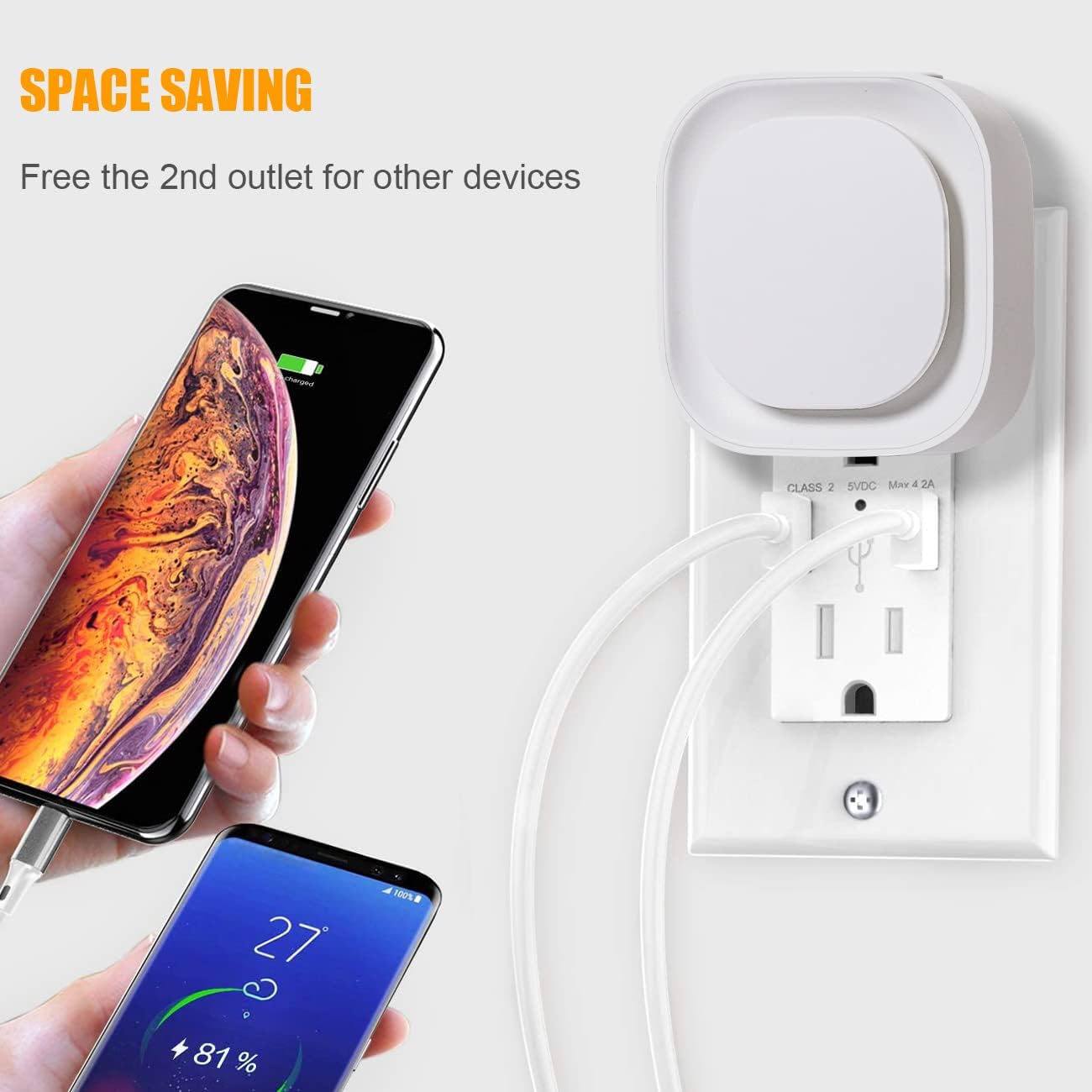
Image: This image shows the night light plugged into the top socket of a duplex outlet, leaving the bottom socket free for other devices, illustrating its space-saving design.
Operating Instructions
Automatic Dusk-to-Dawn Operation
The YUNLEX night light features an integrated light sensor. It will automatically turn on when the ambient light in the room is low (dusk or dark conditions) and turn off when the room becomes sufficiently lit (dawn or bright conditions). No manual intervention is required for this function.
Adjusting Brightness
To adjust the brightness of the night light, locate the sliding switch on the top of the unit. Slide the switch to select one of the three available brightness levels: Low, Middle, or High, according to your preference and the lighting needs of the area.

Image: This collage illustrates the night light's versatility, showing it in a baby room, bedroom, bathroom, and kitchen, demonstrating its suitability for various household environments.
Maintenance
- Cleaning: Disconnect the night light from the power outlet before cleaning. Use a soft, dry cloth to wipe the surface. Do not use abrasive cleaners, solvents, or immerse the unit in water.
- Bulb Replacement: The night light uses integrated LED bulbs that are designed for long-term use and do not require replacement.
- Storage: If storing the night light for an extended period, keep it in a cool, dry place away from direct sunlight and moisture.
Troubleshooting
| Problem | Possible Cause | Solution |
|---|---|---|
| Night light does not turn on. | 1. Insufficient darkness. 2. Power outlet issue. 3. Unit malfunction. | 1. Ensure the room is dark enough for the sensor to activate. Cover the sensor to test. 2. Check if the outlet is working by plugging in another device. Try a different outlet. 3. If issues persist, contact customer support. |
| Light is too bright or too dim. | Brightness setting is incorrect. | Adjust the sliding switch on the top of the unit to select the desired brightness level (Low, Middle, High). |
| Night light flickers. | Unstable power supply or unit issue. | Try plugging the night light into a different outlet. If flickering continues, the unit may be faulty. |
Specifications
- Model: NLS21
- Brand: YUNLEX
- Color: Blue
- Light Source Type: LED
- Power Source: Corded Electric (Plug-in)
- Input Voltage: AC100-240V, 50/60Hz
- Rated Power: 0.55W (50mA max)
- Product Dimensions: 2.56"D x 2.64"W x 2.64"H
- Item Weight: 3.21 ounces
- Material: Acrylonitrile Butadiene Styrene (ABS)
- Special Feature: Dimmable, Auto Dusk to Dawn Sensor
- Indoor/Outdoor Usage: Indoor
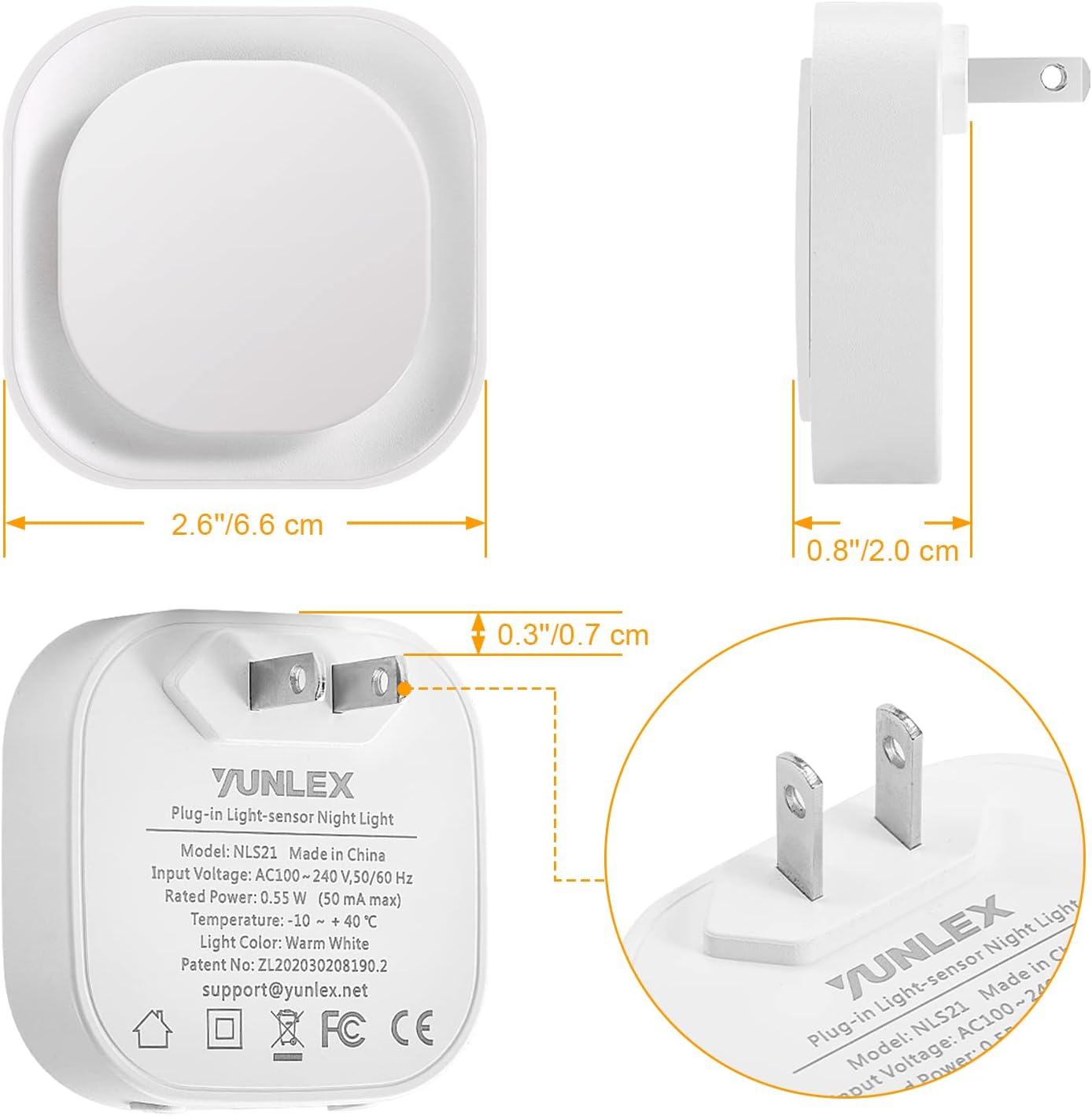
Image: A technical diagram illustrating the precise dimensions of the YUNLEX night light, including its width, height, and depth when plugged into an outlet.
Warranty and Support
For warranty information or technical support, please refer to the contact details provided on the product packaging or visit the official YUNLEX website. Please retain your purchase receipt for warranty claims.