
Motorola XT2203-1
Motorola Edge 30 User Manual
Model: XT2203-1 | Brand: Motorola
1. Introduction
Welcome to the user manual for your new Motorola Edge 30 smartphone. This guide provides essential information on setting up, operating, maintaining, and troubleshooting your device. The Motorola Edge 30 is a powerful 5G smartphone featuring a 6.5-inch AMOLED display, a robust Qualcomm Snapdragon 778G+ 5G processor, 8GB of RAM, and 256GB of internal storage. It is designed for high performance and seamless connectivity.
2. Getting Started
2.1 What's in the Box
Upon unboxing your Motorola Edge 30, please ensure all the following items are present:
- Motorola Edge 30 Smartphone
- USB Cable
2.2 Physical Overview
Familiarize yourself with the key components and features of your device.

Front View: Shows the display, front camera, and earpiece.

Back View: Displays the triple camera module and Motorola logo.
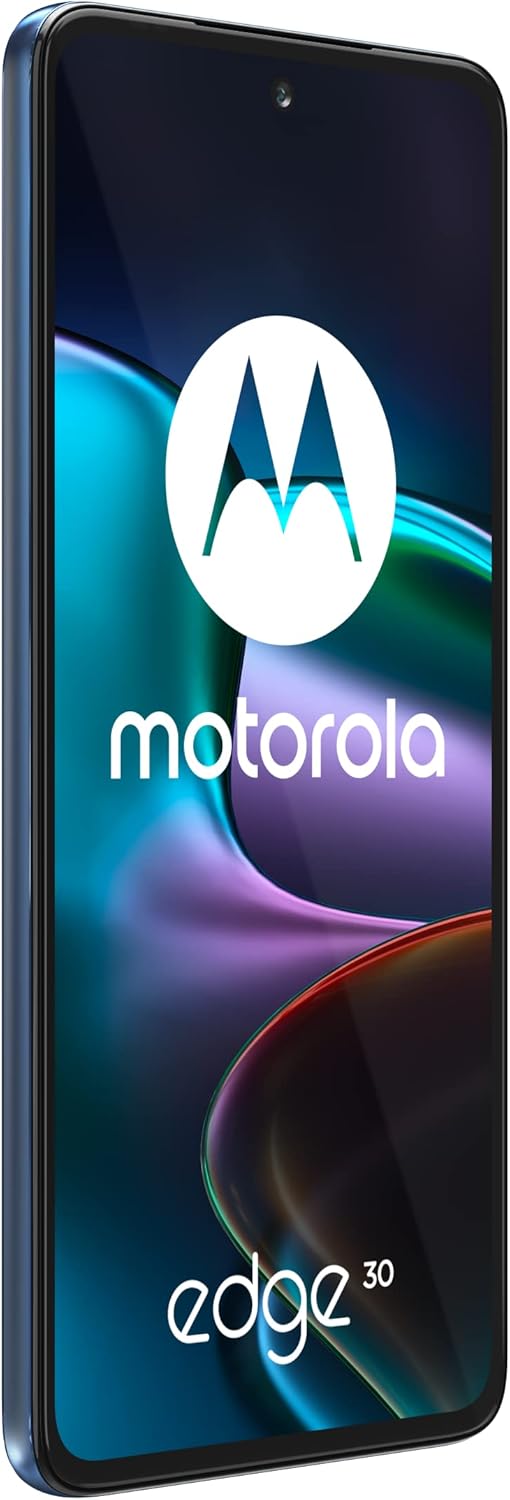
Left Side View: Illustrates the SIM card tray location.

Right Side View: Shows the power button and volume rocker.
2.3 SIM Card Installation
The Motorola Edge 30 supports Dual-SIM functionality. To install your SIM cards:
- Locate the SIM card tray on the left side of the device.
- Insert the SIM ejector tool (not included, typically comes with SIM cards) into the small hole on the tray and push gently until the tray pops out.
- Place your Nano-SIM cards into the designated slots on the tray, ensuring the gold contacts face down.
- Carefully reinsert the tray into the phone until it clicks into place.
Important Note for USA Buyers: This smartphone is not compatible with CDMA networks, including VERIZON, SPRINT, and US CELLULAR. Please verify network compatibility with your provider before use.
2.4 Initial Charging and Power On
Before first use, it is recommended to fully charge your device. Connect the USB cable to the phone's charging port and the other end to a compatible power adapter. Once charged, press and hold the power button on the right side of the phone until the Motorola logo appears to power on the device.
3. Operating the Device
3.1 Basic Navigation
Your Motorola Edge 30 runs on Android 12, offering an intuitive user experience. Navigate using touch gestures:
- Tap: Select an item or open an app.
- Swipe: Scroll through screens or lists.
- Pinch: Zoom in or out on photos and web pages.
- Long Press: Access contextual menus or move app icons.
3.2 Display Settings
The 6.5-inch AMOLED display offers vibrant colors and deep blacks. You can customize display settings:
- Brightness: Adjust screen brightness manually or enable adaptive brightness.
- Refresh Rate: The display supports up to 144Hz refresh rate for smoother scrolling and gaming. You can set it to dynamic or a fixed rate in display settings.
- Dark Theme: Enable a system-wide dark theme for reduced eye strain in low light.
4. Connectivity
4.1 Network Compatibility
The Motorola Edge 30 supports a wide range of global network bands:
- 2G GSM: 850 / 900 / 1800 / 1900
- 3G UMTS: 850(B5) / 900(B8) / 1700|2100(B4) / 1900(B2) / 2100(B1)
- 4G FDD-LTE: 700(B12/B13/B17/B28) / 800(B20) / 850(B5/B26) / 900(B8) / 1500(B32) / 1700|2100(B4) / 1800(B3) / 1900(B2) / 2100(B1) / 2600(B7)
- 4G TDD-LTE: 1900(B39) / 2300(B40) / 2500(B41) / 2600(B38)
- 5G NR: N1/N2/N3/N5/N7/N8/N20/N28/N38/N40/N41/N66/N78
4.2 Wi-Fi, Bluetooth, and GPS
The device supports standard wireless connectivity options:
- Wi-Fi: Connect to wireless networks for internet access.
- Bluetooth: Pair with wireless headphones, speakers, and other Bluetooth-enabled devices.
- GPS: Utilize location services for navigation and location-based apps.
5. Camera Usage
The Motorola Edge 30 features an advanced camera system for capturing high-quality photos and videos.
5.1 Rear Cameras
- Main Camera: 50 MP, f/1.8, (wide), with Optical Image Stabilization (OIS) for clear, steady shots.
- Ultrawide Camera: 50 MP, f/2.2, 114° field of view, ideal for landscapes and group photos.
- Depth Sensor: 2 MP, f/2.4, assists in creating portrait mode effects with blurred backgrounds.
5.2 Front Camera
- Selfie Camera: 32 MP, f/2.4, (wide), for high-resolution self-portraits and video calls.
5.3 Camera Modes
Explore various camera modes available in the camera application, such as Portrait, Night Vision, Pro Mode, and Panorama, to enhance your photography.
6. Maintenance and Care
To ensure the longevity and optimal performance of your Motorola Edge 30, follow these maintenance guidelines:
- Cleaning: Use a soft, lint-free cloth to clean the screen and body. Avoid harsh chemicals or abrasive materials.
- Environmental Conditions: Avoid exposing the phone to extreme temperatures, direct sunlight, or excessive moisture.
- Software Updates: Regularly check for and install system updates to benefit from the latest features, security patches, and performance improvements.
- Battery Care: Avoid fully discharging the battery frequently. For optimal battery health, try to keep the charge between 20% and 80%.
7. Troubleshooting
If you encounter issues with your device, try the following common troubleshooting steps:
- Device Unresponsive: Press and hold the power button for about 10-15 seconds to force a restart.
- Network Issues: Ensure your SIM card is properly inserted. Check your network settings and confirm you are within network coverage. Remember, this device is not compatible with CDMA networks.
- App Crashing: Clear the cache of the problematic app in Settings > Apps > [App Name] > Storage > Clear Cache. If the issue persists, try reinstalling the app.
- Battery Draining Quickly: Reduce screen brightness, disable unnecessary background apps, and turn off Wi-Fi/Bluetooth when not in use.
- Software Glitches: Ensure your device software is up to date. As a last resort, consider a factory reset (back up your data first).
8. Technical Specifications
| Feature | Specification |
|---|---|
| Model Number | XT2203-1 |
| Display | 6.5 inches AMOLED, 1080 x 2400 pixels, 144Hz Refresh Rate |
| Processor | Qualcomm SM7325-AE Snapdragon 778G+ 5G (6 nm) Octa-core |
| RAM | 8 GB |
| Internal Storage | 256 GB (non-expandable) |
| Rear Camera | 50 MP (wide, OIS) + 50 MP (ultrawide) + 2 MP (depth) |
| Front Camera | 32 MP (wide) |
| Operating System | Android 12.0 |
| Battery | 4020 mAh (non-removable) |
| Dimensions | 7.24 x 3.31 x 2.13 inches (Package) |
| Item Weight | 13.5 ounces (384 Grams) |
| Color | Meteor Grey |
| Connectivity | 5G, Wi-Fi, Bluetooth, GPS |
9. Warranty and Support
For detailed warranty information and customer support, please refer to the documentation included with your product or visit the official Motorola support website. You can also visit the Motorola Store on Amazon for additional resources.
Related documentsXT2203-1


Ask a question about this manual
Ask about setup, troubleshooting, compatibility, parts, safety, or missing instructions. Manuals+ will review the question and use this page’s manual context to help answer it.