
1. Introduction
Thank you for choosing the TESSAN TS-709-C Power Strip. This device is designed to provide convenient power distribution and charging for multiple electronic devices. It features 9 AC outlets, 1 USB-C port, and 2 USB-A ports, all integrated into a compact and versatile design. Please read this manual carefully before use to ensure safe and optimal operation.

Image 1.1: TESSAN TS-709-C Power Strip with 2m cable, 9 AC outlets, 1 USB-C, and 2 USB-A ports.
2. Key Features
- 12-in-1 Power Solution: Equipped with 9 AC outlets, 1 USB-C port, and 2 USB-A ports, providing ample power for multiple devices simultaneously.
- Multi-Device USB Compatibility: USB-C port (Max 15W) and USB-A ports (Max 12W each) automatically detect and deliver optimal current for smartphones, tablets, and other electronic devices.
- Non-Interfering Design: AC outlets are strategically distributed in three directions, preventing larger adapters from blocking adjacent ports.
- Versatile Placement: Features hook holes for temporary wall mounting and rubber anti-slip mats for stable desktop use.
- Enhanced Safety: Includes a master power switch for all connected devices and a built-in circuit breaker that activates to cut power in case of overload. A power indicator light shows operational status.
- 180-Degree Swing Plug: The main plug can rotate 180 degrees, allowing for flexible placement in tight spaces behind furniture.
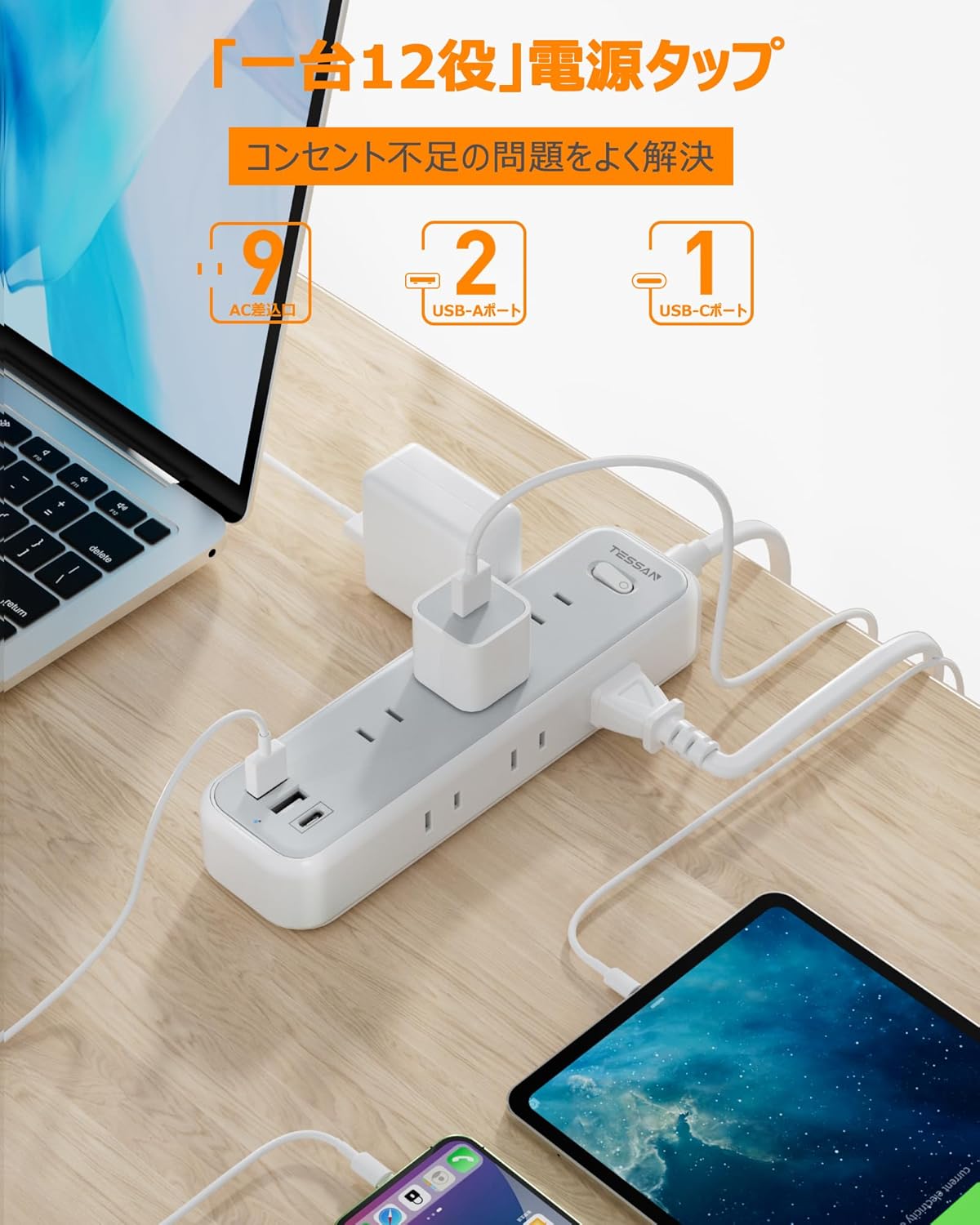
Image 2.1: The power strip in use, demonstrating simultaneous charging of various devices including laptops, tablets, and smartphones.

Image 2.2: Close-up view of the USB-C and USB-A charging ports, highlighting their functionality for digital devices.
3. Setup Instructions
3.1 Initial Connection
- Uncoil the 2-meter power cord.
- Plug the power strip's main plug into a standard 125V AC wall outlet. The 180-degree swing plug allows for flexible positioning, especially in confined spaces.
- Press the master power switch to the 'ON' position. The power indicator light will illuminate, confirming power is supplied.

Image 3.1: The 180-degree swing plug design for easy access in tight spaces and the master power switch with integrated circuit breaker.
3.2 Placement Options
The TESSAN TS-709-C offers two primary placement options:
- Desktop Use: Place the power strip on a flat surface. The rubber anti-slip mats on the base will help keep it stable.
- Wall Mounting: Utilize the hook holes on the back of the power strip to temporarily mount it on a wall or other vertical surface. This helps save space and keeps cables tidy.

Image 3.2: Illustration of the wall-mounting holes and the anti-slip pads for stable desktop placement.

Image 3.3: Example of the power strip mounted on a wall, providing power to devices on a nearby table.
4. Operating Instructions
4.1 Using AC Outlets
Plug your appliances and electronic devices into any of the 9 available AC outlets. The three-directional layout ensures that even bulky AC adapters do not obstruct adjacent outlets.
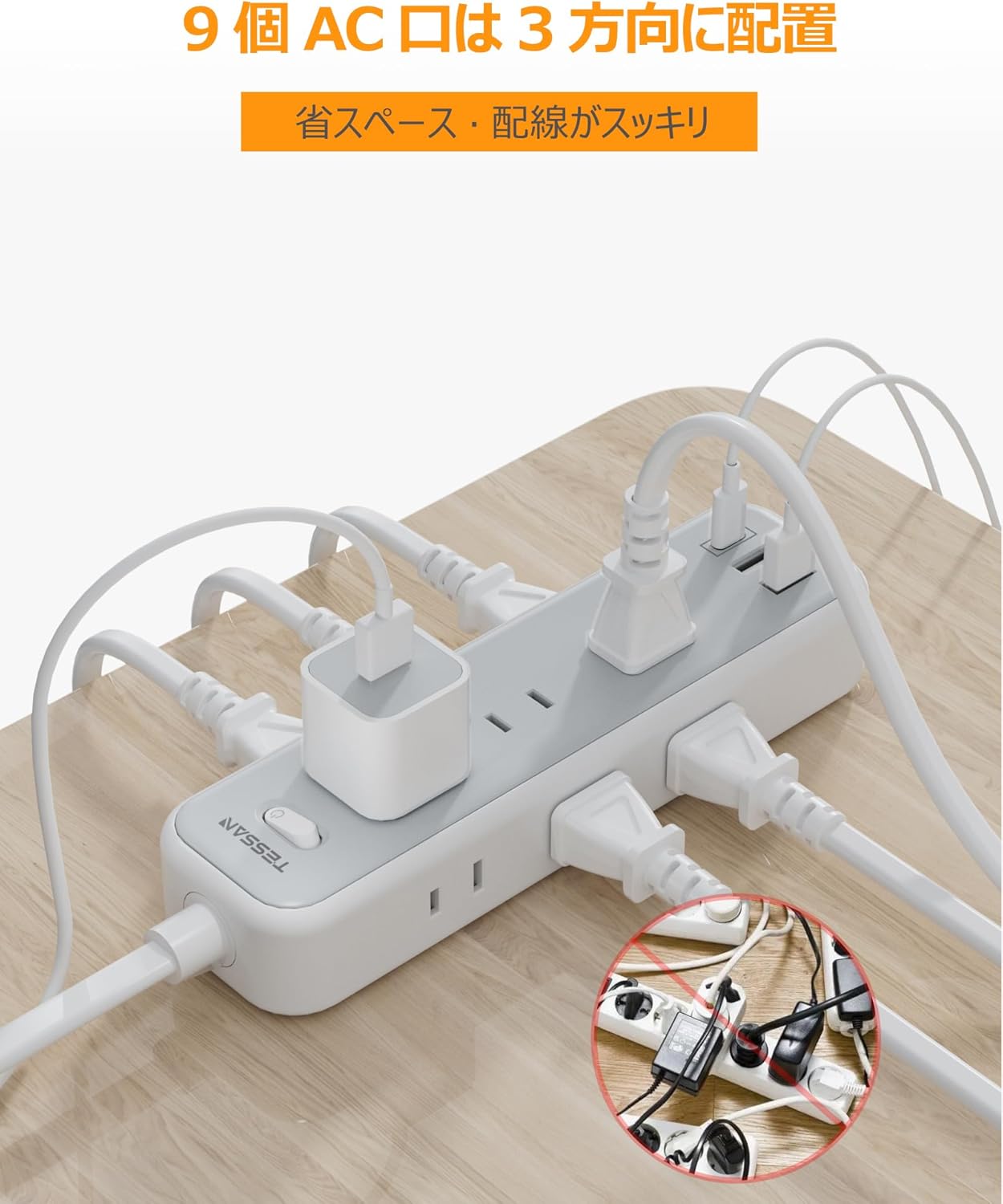
Image 4.1: The power strip's design with AC outlets distributed in three directions to prevent interference.
4.2 Using USB Charging Ports
Connect your USB-powered devices to the USB-C or USB-A ports using appropriate charging cables. The ports feature intelligent recognition to deliver the optimal charging current for your device.
- USB-C Port: Provides a maximum output of 15W when used individually.
- USB-A Ports: Each provides a maximum output of 12W when used individually.
- Total USB Output: The combined output for all USB ports is 15W.
4.3 Master Power Switch
The integrated master switch controls power to all connected AC outlets and USB ports. Use this switch to conveniently turn all devices ON or OFF simultaneously, helping to conserve energy when not in use.
5. Maintenance
- Ensure the power strip is unplugged from the wall outlet before cleaning.
- Wipe the exterior with a soft, dry cloth. Do not use liquid cleaners or abrasive materials.
- Keep the power strip away from moisture, dust, and extreme temperatures.
- Regularly check the power cord and plug for any signs of damage. If damaged, discontinue use immediately.
6. Troubleshooting
6.1 No Power to Devices
- Check Master Switch: Ensure the master power switch is in the 'ON' position and the indicator light is illuminated.
- Check Wall Outlet: Verify that the wall outlet is functioning by plugging in another device.
- Check Circuit Breaker: If the power strip suddenly loses power, the built-in circuit breaker may have tripped due to an overload. Unplug some devices, then press the master switch to reset the breaker.
6.2 Slow USB Charging
- Cable Quality: Ensure you are using a high-quality charging cable that supports the required current for your device.
- Device Compatibility: While the ports are intelligent, some devices may have specific charging requirements. Refer to your device's manual.
- Total Load: If many devices are charging simultaneously, the total USB output of 15W might be distributed, leading to slower charging for individual devices.
7. Specifications
| Feature | Specification |
|---|---|
| Brand | TESSAN |
| Model Number | TS-709-C |
| Color | Gray |
| Total AC Outlets | 9 |
| USB-C Ports | 1 (Max 15W individual output) |
| USB-A Ports | 2 (Max 12W individual output) |
| Total USB Output | 15W |
| AC Voltage | 125 Volts |
| Max AC Output | 1500W (125V/15A) |
| Cable Length | 2 meters |
| Product Dimensions | 18.7 x 5.2 x 3.2 cm |
| Weight | 380 g |
| Special Features | USB Slots, Master Switch, Circuit Breaker, 180-degree Swing Plug, Wall-Mountable |
8. Safety Information
- Do not exceed the maximum load capacity of 1500W (125V/15A). Overloading can cause the circuit breaker to trip or lead to fire hazards.
- This product is designed for indoor use only. Do not expose to water or high humidity.
- Do not disassemble or modify the power strip. Refer all servicing to qualified personnel.
- Keep out of reach of children and pets.
- Ensure plugs are fully inserted into the outlets. Loose connections can cause overheating.
- Avoid running the power cord under carpets or in areas where it can be easily damaged.
9. Warranty and Support
Specific warranty information is typically provided with your purchase documentation or on the product packaging. For support, please refer to the contact information provided by your retailer or the TESSAN official website.