Introduction
Welcome to the user manual for your Philips 43PUS8007/12 4K UHD Ambilight Smart TV. This document provides essential information for setting up, operating, and maintaining your television, ensuring you get the best experience from its advanced features like 4K UHD resolution, HDR10+, Dolby Vision, Dolby Atmos, Ambilight, and Android TV functionality.
1. Setup
1.1 Unpacking and Component Check
Carefully remove all components from the packaging. Ensure all items listed below are present:
- Philips 43PUS8007/12 TV
- Remote control
- 2 x AAA batteries
- Power cable
- Tabletop stand (Bord ställning)
- Quick Start Guide
- Legal and Safety Information Brochure

Image: The Philips 43PUS8007/12 TV with its remote control and key dimensions, illustrating the contents of the box.
1.2 Stand Installation
Place the TV screen face down on a soft, flat surface to prevent damage. Attach the tabletop stand to the designated slots on the bottom of the TV using the provided screws. Ensure the stand is securely fastened before proceeding.
1.3 Connecting Power
Connect the power cable to the TV's power input and then plug it into a wall outlet. The TV will enter standby mode.
1.4 Initial Setup
Upon first power-on, the TV will guide you through the initial setup process. This includes selecting your language, connecting to a Wi-Fi network, scanning for channels (DVB-T, DVB-C, DVB-S2 via Triple Tuner), and configuring Android TV settings.
2. Operating Instructions
2.1 Basic Controls
Use the provided remote control to navigate the TV's interface. The remote allows you to power on/off, adjust volume, change channels, access the home screen, and launch applications.
2.2 Ambilight Feature
The Philips Ambilight feature projects colors from the screen onto the wall behind the TV, creating an immersive viewing experience. You can customize Ambilight settings through the TV menu to match your preferences, including synchronization with screen content or audio.

Image: A Philips TV displaying a vibrant scene with the Ambilight feature active, casting dynamic colors onto the surrounding wall.
2.3 Android TV Interface and Apps
Your Philips TV runs on Android TV, providing access to a wide range of streaming services and applications. Customize your home screen with your favorite apps for quick access to movies, series, and games. Popular services like Netflix, YouTube, Disney+, and Amazon Prime Video are supported.

Image: The Android TV home screen on a Philips television, showing a selection of popular streaming application icons and a personalized layout.
2.4 Picture and Sound Quality (4K UHD, HDR, Dolby Vision & Atmos)
Experience movies and series in exceptional 4K UHD quality. The Philips Pixel Precise Ultra HD engine optimizes image quality for sharp visuals, rich colors, and smooth motion. With Dolby Vision and Dolby Atmos, enjoy cinematic picture and sound, bringing films, series, and games to life with incredible clarity and immersive audio.

Image: A Philips TV showcasing a vivid HDR image, highlighting the enhanced color and contrast capabilities.

Image: A visual representation of Dolby Vision and Dolby Atmos technology, depicting how sound envelops the viewer for a cinematic experience.
2.5 Voice Control with Google Assistant
Control your TV using voice commands through Google Assistant. You can use a compatible Google Assistant-enabled speaker or the Android TV Remote app on your smartphone. Ask your assistant to find apps, stream content, or play games.

Image: A user interacting with Google Assistant to control the TV, featuring a smart speaker and a visual representation of voice commands.
2.6 Connectivity
The TV offers multiple connectivity options for your devices:
- HDMI: 4 HDMI ports with EasyLink for connecting game consoles, Blu-ray players, and other high-definition devices.
- USB: 2 USB ports for connecting external storage devices to play media or for software updates.
- Wi-Fi & Bluetooth: Built-in wireless connectivity for internet access and connecting Bluetooth accessories like headphones or speakers.
- Ethernet: For a stable wired internet connection.
- Triple Tuner: Integrated DVB-T, DVB-C, and DVB-S2 tuners for receiving various broadcast signals.
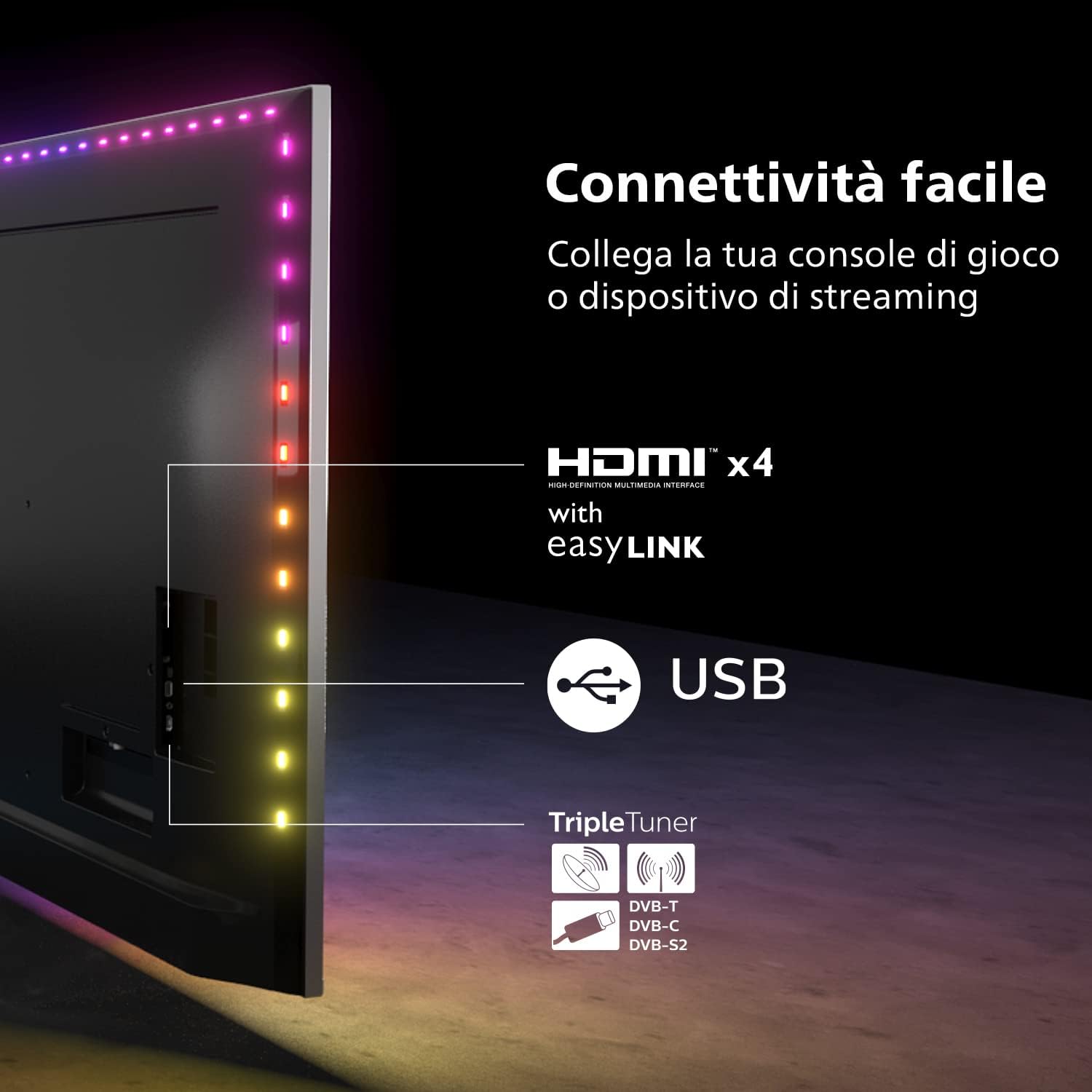
Image: A diagram illustrating the various connectivity options on the Philips TV, including HDMI, USB, and the Triple Tuner.
3. Maintenance
3.1 Cleaning the TV
To clean the screen, gently wipe it with a soft, lint-free cloth. For stubborn marks, slightly dampen the cloth with water or a specialized screen cleaner. Avoid using harsh chemicals or abrasive materials. Clean the TV cabinet with a soft, dry cloth.
3.2 Software Updates
Your Android TV will periodically receive software updates to improve performance and add new features. Ensure your TV is connected to the internet to receive these updates automatically. You can also manually check for updates in the TV's settings menu.
4. Troubleshooting
If you encounter issues with your TV, refer to the following common troubleshooting steps:
- No Power: Ensure the power cable is securely connected to both the TV and the wall outlet. Check if the power outlet is functional.
- No Picture/Sound: Verify that the correct input source is selected. Check all cable connections (HDMI, antenna). Restart the TV by unplugging it for a few minutes and then plugging it back in.
- Remote Control Not Working: Replace the batteries in the remote control. Ensure there are no obstructions between the remote and the TV's IR sensor.
- Network Connection Issues: Restart your Wi-Fi router. Check the TV's network settings to ensure it's connected to the correct network. Try a wired Ethernet connection if Wi-Fi issues persist.
- Ambilight Not Working: Check Ambilight settings in the TV menu to ensure it is enabled and configured correctly.
For more complex issues, consult the full user manual available on the Philips support website or contact Philips customer support.
5. Specifications
| Feature | Specification |
|---|---|
| Model Number | 43PUS8007/12 |
| Screen Size | 43 Inches (108 cm) |
| Display Technology | LED |
| Resolution | 4K UHD (3840 x 2160) |
| Refresh Rate | 60 Hz |
| Operating System | Android TV |
| Special Features | Ambilight, Dolby Vision, Dolby Atmos, HDR10+, Google Assistant |
| Connectivity | Bluetooth, Wi-Fi, Ethernet, 4 x HDMI, 2 x USB |
| Internet Services Supported | Google TV |
| Color | Black |
| Energy Efficiency Class | F (51 kWh/1000h) |

Image: The EU Energy Label for the Philips 43PUS8007/12 television, indicating its energy efficiency class and consumption.
6. Warranty and Support
6.1 Warranty Information
Your Philips 43PUS8007/12 TV comes with a standard manufacturer's warranty. Please refer to the legal and safety information brochure included in the packaging for specific warranty terms and conditions applicable in your region. Keep your proof of purchase for warranty claims.
6.2 Customer Support
For technical assistance, product registration, or to download the full user manual, please visit the official Philips support website. You can also find contact information for customer service in your region on their website.


