
Product Overview
The DieseRC Mini WiFi Wireless RF Relay Receiver is a versatile smart switch designed for convenient control of your home appliances. It supports control via the Tuya/Smart Life mobile application, RF 433 MHz wireless remote switches, and voice commands through Amazon Alexa and Google Home Assistant. Its compact size allows for easy installation in most electrical boxes.
Key Features:
- APP and RF Remote Control: Control devices from anywhere using the Tuya or Smart Life app, or locally with a 433 MHz RF remote switch.
- Voice Control: Compatible with Amazon Alexa and Google Home Assistant for hands-free operation.
- Easy Installation: Mini size (47x42x23 mm) allows for discreet placement in electrical boxes or junction boxes.
- Timer Function: Schedule automatic on/off times or set countdown timers via the Tuya/Smart Life app.
- High Quality: Features a durable 10A relay for high-power electrical appliances (AC 85V~250V, up to 2500W).
- Multiple RF Switch Control: Each receiver can store approximately 10 RF wireless switches, and one RF switch can control multiple receivers.
- RF 433Mhz System: Utilizes EV1527 learning code technology for stable remote control.
- Wide Application: Suitable for controlling various devices such as lamps, lighting, ventilation systems, and DIY wireless sockets in homes, offices, and other environments.
Setup and Installation
1. Wiring Diagram
Follow the diagram below to correctly wire the relay module between your power source and the appliance.

Image: Wiring diagram showing connections for Live Wire (L) and Neutral Wire (N) for both input and output, connecting to a light fixture.
2. App Installation
Download the Tuya Smart or Smart Life app from your mobile app store, or scan the QR code below:

Image: QR code for downloading the Tuya Smart or Smart Life application.
Alternatively, you can visit: http://smartapp.tuya.com/smartlife
3. App Pairing (WiFi)
To pair the receiver with the Tuya Smart or Smart Life app:
- Ensure the device is powered on.
- Press and hold the configuration button on the receiver for approximately 5 seconds until the indicator light flashes rapidly.
- Open the Tuya Smart or Smart Life app on your smartphone.
- Tap 'Add Device' or the '+' icon.
- Select 'Switch (Wi-Fi)' or 'Socket (Wi-Fi)' from the electrical category.
- Follow the in-app instructions to connect to your 2.4 GHz Wi-Fi network and complete the pairing process.
Watch the app pairing process in this video (from 0:31 to 1:00):
Video: Demonstration of connecting the DieseRC Mini WiFi Relay Receiver to the Tuya Smart application, including the steps for adding a device and controlling it via the app interface.
4. RF Remote Pairing
To pair an RF 433 MHz wireless switch with the receiver:
- Press the learning button on the receiver twice. Wait for 3 seconds.
- Press any button on your RF wireless switch. The receiver's indicator light will flash to confirm successful pairing.

Image: Visual guide for pairing an RF 433MHz wireless switch with the receiver, showing the steps of pressing the learning button twice and then pressing a button on the wireless switch.
See the RF pairing process in this video (from 1:26 to 1:40):
Video: Demonstration of pairing an RF wireless switch with the DieseRC Mini WiFi Relay Receiver, showing the physical interaction with the receiver's button and the wireless switch.
Operation
1. Control Methods
The DieseRC Mini WiFi Wireless RF Relay Receiver offers multiple ways to control your connected devices:
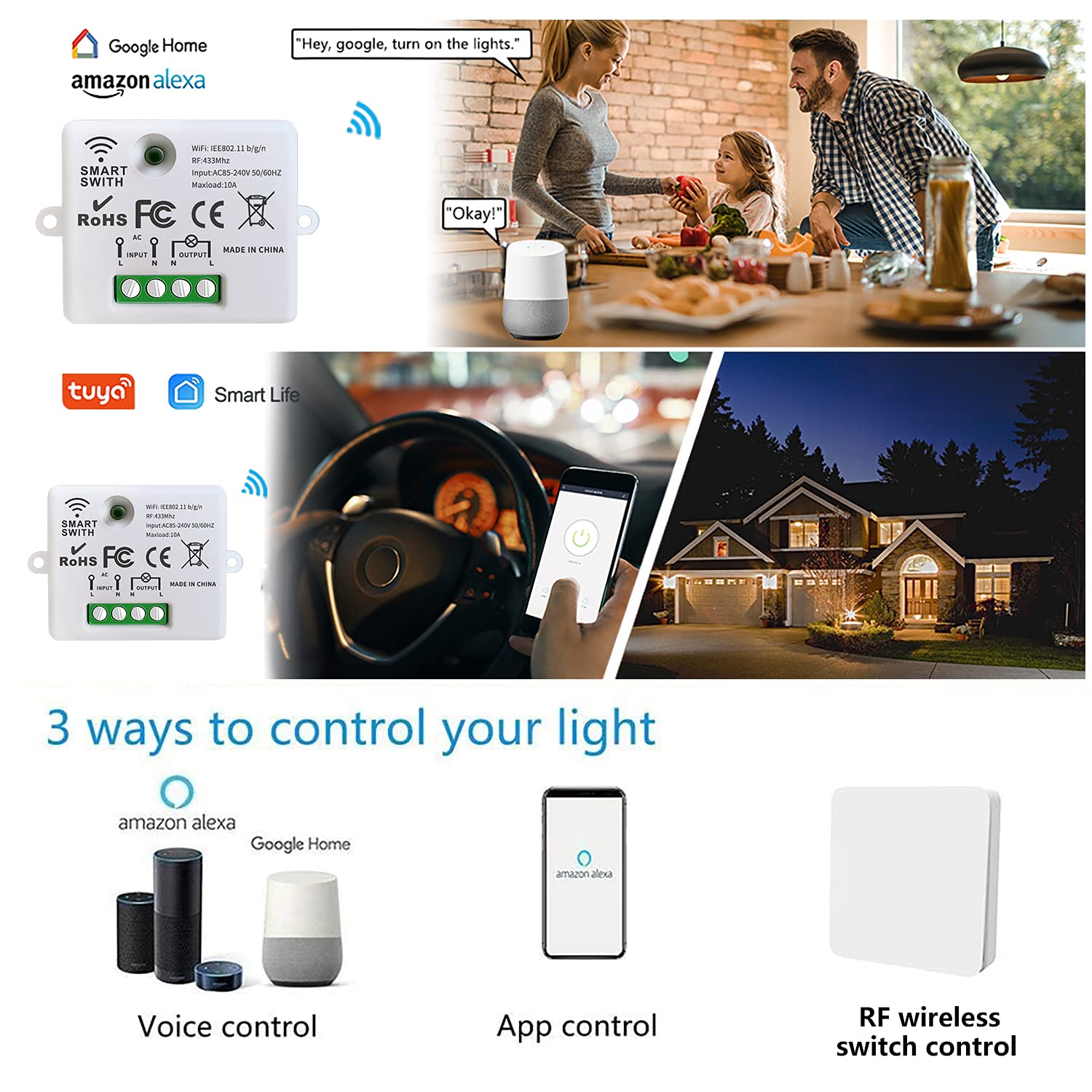
Image: Illustrates three control methods: voice control via Amazon Alexa or Google Home, app control via a smartphone, and RF wireless switch control.
Voice Control (Amazon Alexa / Google Home)
Once paired with the Tuya Smart or Smart Life app, you can link your account to Amazon Alexa or Google Home Assistant. Use voice commands such as "Hey Google, turn on the lights" or "Alexa, turn off the fan" to control your devices hands-free.
App Control (Tuya / Smart Life)
The Tuya Smart or Smart Life app provides full control over your connected devices from anywhere with an internet connection. You can turn devices on/off, set schedules, and manage other settings.

Image: A smartphone screen showing the Tuya Smart app interface with an ON/OFF button for a smart switch, demonstrating app control.
RF Wireless Switch Control
For local control, use a paired RF 433 MHz wireless switch. This is convenient for quick manual operation without needing your smartphone or voice assistant.

Image: An RF wireless switch positioned on a bedside table, illustrating its use for convenient local control of a light.
2. Timer Function
The Tuya Smart or Smart Life app allows you to set various timer functions:
- Scheduling: Set specific times for your devices to turn on or off automatically on selected days of the week.
- Countdown: Set a countdown timer for a device to turn off after a specified duration.

Image: A smartphone screen displaying the app's timing functions, including setting a specific time, a countdown, and a recurring schedule for device operation.
Observe the timer function in action in this video (from 0:13 to 0:21):
Video: A demonstration of the timer function, showing a plant grow light turning on and off automatically based on a set schedule within the app.
3. Restart Status Setting
You can configure the device's behavior after a power outage or restart:
- OFF: The device will remain off after power is restored.
- ON: The device will turn on automatically after power is restored.
- Remember Last Status: The device will return to its state (on or off) prior to the power interruption.

Image: A smartphone screen showing the app's settings menu, specifically the 'Restart status' option with choices for 'OFF', 'ON', and 'Remember last status'.
Maintenance
Product Durability
The DieseRC Mini WiFi Wireless RF Relay Receiver is built with high-quality components to ensure long-lasting performance. The relay is designed for over 400,000 uses, and the wireless switch can withstand over 500,000 clicks. The 12V 27A battery in the wireless switch has an estimated lifespan of 5 years and is replaceable.
Troubleshooting
Clearing RF Signal
If you need to clear all paired RF wireless switches from the receiver:
- Press the learning button on the receiver 8 times.
- Wait for 3 seconds. All previously paired RF signals will be cleared.

Image: Visual instruction on how to clear the RF signal from the receiver by pressing its learning button eight times.
General Connectivity Issues
- Wi-Fi Connection: Ensure your Wi-Fi network is 2.4 GHz. If you have a dual-band router, make sure your phone is connected to the 2.4 GHz band during pairing. Check that the Wi-Fi signal strength is adequate where the receiver is installed.
- Power Supply: Verify that the receiver is receiving stable power (AC 85V~250V).
- App Pairing: If app control is not working, try re-pairing the device with the Tuya Smart or Smart Life app. Ensure the indicator light flashes rapidly during pairing mode.
- RF Remote: If the RF remote is not responding, check its battery. If the issue persists, try re-pairing the RF switch with the receiver.
Technical Specifications
| Specification | Value |
|---|---|
| Brand | DieseRC |
| Model | 1 Receiver |
| Operating Mode | ON-OFF |
| Current Rating | 10 A |
| Operating Voltage | 220 Volts (AC 85V ~ 250V compatible) |
| Contact Type | Normally open |
| Connector Type | Screw terminals |
| Switch Type | Relay |
| Terminal | Screw |
| Material | Plastic |
| Item Dimensions (LxWxH) | 47 x 42 x 23 millimeters (approx. 9 x 9 x 4 mm as per some specs, but 47x42x23 mm is more accurate from images) |
| Circuit Type | 1 way |
| Mounting Type | Wall Mount (or concealed) |
| Control Device Type | Android (also iOS compatible) |
| Control Method | Remote Control (App, RF, Voice) |
| Connectivity Protocol | Wi-Fi (2.4 GHz), RF 433 MHz |
| Power | 2500 Watts |
| Contact Material | Copper, Bronze |
| Country of Origin | China |
For detailed dimensions, refer to the image below:

Image: A comparison showing the compact size of the DieseRC Mini WiFi Wireless RF Relay Receiver (4.2cm x 4.7cm x 2.3cm) next to a larger, standard switch module.
Warranty and Support
DieseRC is committed to providing high-quality products and excellent customer service. Our products undergo thorough inspection before leaving the factory. If you encounter any issues or have questions regarding your DieseRC Mini WiFi Wireless RF Relay Receiver, please contact our customer support for assistance. We are dedicated to resolving customer problems effectively.


