1. Product Overview
This manual provides instructions for the kwmobile replacement silicone watch bands designed for the Blackview X1 Smartwatch. These bands are crafted from flexible, waterproof, and durable TPU silicone, offering a comfortable and secure fit for daily use and various activities.
- Compatibility: Specifically designed for the Blackview X1 Smartwatch.
- Material: Made from high-quality TPU silicone, ensuring flexibility, water resistance, and durability.
- Adjustable Length: Each band measures approximately 5.5 to 8.7 inches (14 to 22 cm), allowing for easy adjustment to fit various wrist sizes.
- Secure Fastening: Equipped with sturdy and reliable buckles for a secure fit.

Image 1.1: Two kwmobile silicone watch bands, one with black and green accents, and another in solid black, both compatible with the Blackview X1 Smartwatch.
2. Package Contents
Your package includes:
- 2x kwmobile Silicone Watch Bands compatible with Blackview X1 Smartwatch.
- Spring bars for attachment (typically pre-installed or included separately).
Note: The Blackview X1 Smartwatch itself is not included in this package.

Image 2.1: The kwmobile replacement watch bands as they appear in their retail packaging.
3. Installation Instructions
Follow these steps to replace your Blackview X1 Smartwatch bands:
- Prepare Your Smartwatch: Place your Blackview X1 Smartwatch face down on a soft, clean surface to prevent scratches.
- Remove Existing Band:
- Locate the spring bar lever or pin on the underside of the current watch band where it connects to the watch lug.
- Using a spring bar tool (if available) or your fingernail, gently push the lever/pin inwards to release one end of the spring bar from the watch lug.
- Once one end is free, carefully pull the band away from the watch to release the other end of the spring bar. Repeat for the second half of the band.
- Attach New Band:
- Insert one end of the spring bar (which should be inside the new kwmobile band) into one of the lug holes on the smartwatch.
- While holding that end in place, use the spring bar lever/pin to compress the other end of the spring bar.
- Carefully guide the compressed end into the opposite lug hole. Release the lever/pin once it is aligned.
- Gently tug on the band to ensure both ends of the spring bar are securely seated in the lug holes.
- Repeat this process for the second half of the kwmobile watch band.
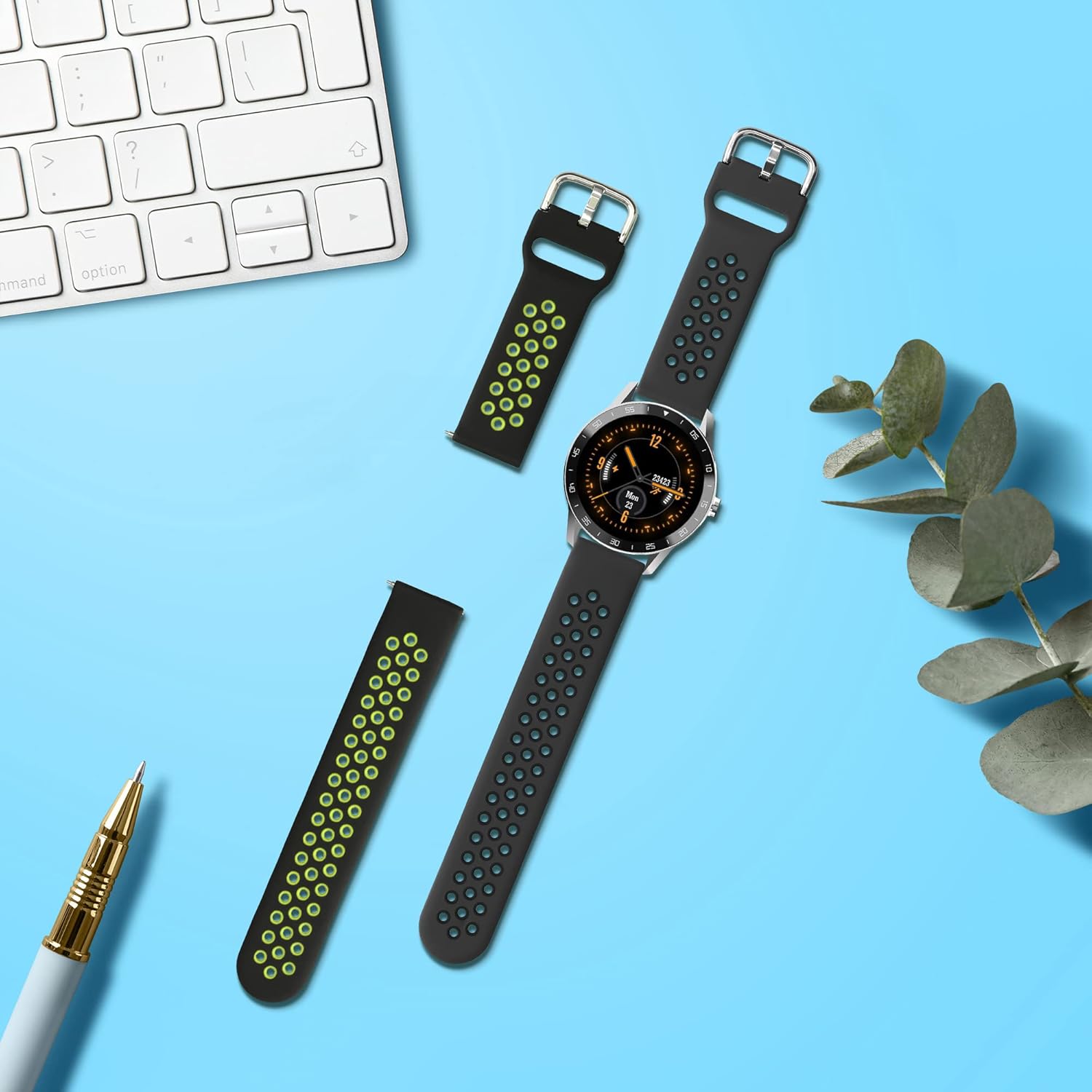
Image 3.1: The Blackview X1 Smartwatch fitted with kwmobile replacement bands, illustrating the product in a typical setting.
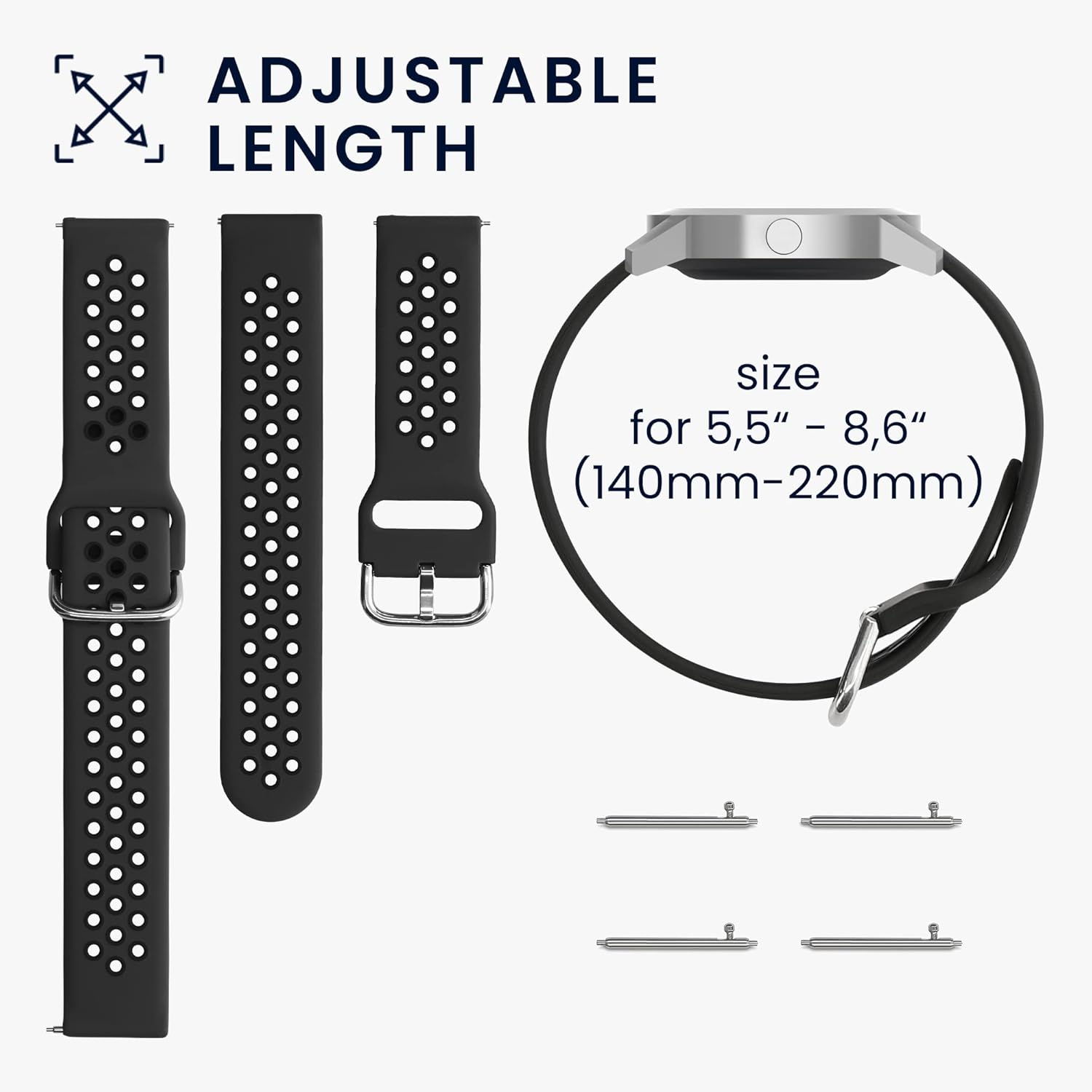
Image 3.2: Illustration of the adjustable length of the watch bands (5.5" - 8.7" or 140mm - 220mm) and the spring bars used for attachment.
4. Operating and Usage
Once installed, the kwmobile silicone watch bands are ready for use. Adjust the buckle to achieve a comfortable and secure fit on your wrist. The flexible and waterproof nature of the TPU silicone makes these bands suitable for various activities, including sports and everyday wear.

Image 4.1: Examples of the watch bands being worn during everyday activities and exercise, highlighting their suitability for various uses.
5. Maintenance and Care
To ensure the longevity and appearance of your kwmobile silicone watch bands, follow these care guidelines:
- Cleaning: Wipe the bands regularly with a soft, damp cloth. For deeper cleaning, use mild soap and water, then rinse thoroughly and dry completely before reattaching to your smartwatch.
- Avoid Harsh Chemicals: Do not expose the bands to strong chemicals, solvents, or abrasive cleaners, as these can damage the silicone material.
- Storage: When not in use, store the bands in a cool, dry place away from direct sunlight to prevent material degradation.
- Inspect Regularly: Periodically check the bands and buckles for any signs of wear or damage.

Image 5.1: A close-up view highlighting the soft, comfortable, waterproof silicone material and flexible design of the kwmobile watch bands.
6. Troubleshooting
If you encounter any issues with your kwmobile watch bands, consider the following:
- Band Not Attaching Securely: Ensure the spring bars are correctly seated in both lug holes. Sometimes, a slight jiggle or re-insertion is needed. Verify that you are using the correct size spring bars for your Blackview X1 Smartwatch.
- Discomfort or Skin Irritation: Ensure the band is not too tight. Clean the band regularly to remove sweat, dirt, or residue that might cause irritation. If irritation persists, discontinue use and consult a healthcare professional.
- Band Damage: If the band shows signs of significant wear, tears, or damage, it is recommended to replace it to prevent accidental detachment of your smartwatch.
7. Specifications
| Product Name | kwmobile Replacement Silicone Watch Bands |
| Compatibility | Blackview X1 Smartwatch |
| Material | TPU; Silicone |
| Adjustable Length | Approx. 5.5 - 8.7 inches (14 - 22 cm) |
| Clasp Type | Tang Buckle |
| Manufacturer | KW-Commerce |
8. Warranty and Support
For information regarding warranty coverage or technical support, please refer to the official kwmobile website or contact their customer service directly. Keep your purchase receipt as proof of purchase.
Manufacturer: KW-Commerce
For further assistance, visit the kwmobile Store on Amazon.


