
1. Product Overview
The ASHATA Headphone Upgrade Cable is designed to enhance the audio experience of compatible Audio-Technica headphones. Constructed with pure copper plated silver wire, this replacement cable aims to deliver clearer sound, improved resolution, and reduced noise interference. Its durable design ensures longevity and reliable performance.
This cable is specifically engineered for a range of Audio-Technica models, providing a direct replacement or upgrade for your existing headphone cable.

Figure 1: The ASHATA Headphone Upgrade Cable, showcasing its braided design, 3.5mm angled plug, and A2DC connectors for headphone attachment.
2. Compatibility
This upgrade cable is compatible with the following Audio-Technica headphone models that utilize an A2DC interface:
- ATH CKS1100
- ATH E40, E50, E70
- ATH LS200, LS300, LS400
- ATH CKR90, CKR100
- ATH LS50, LS70
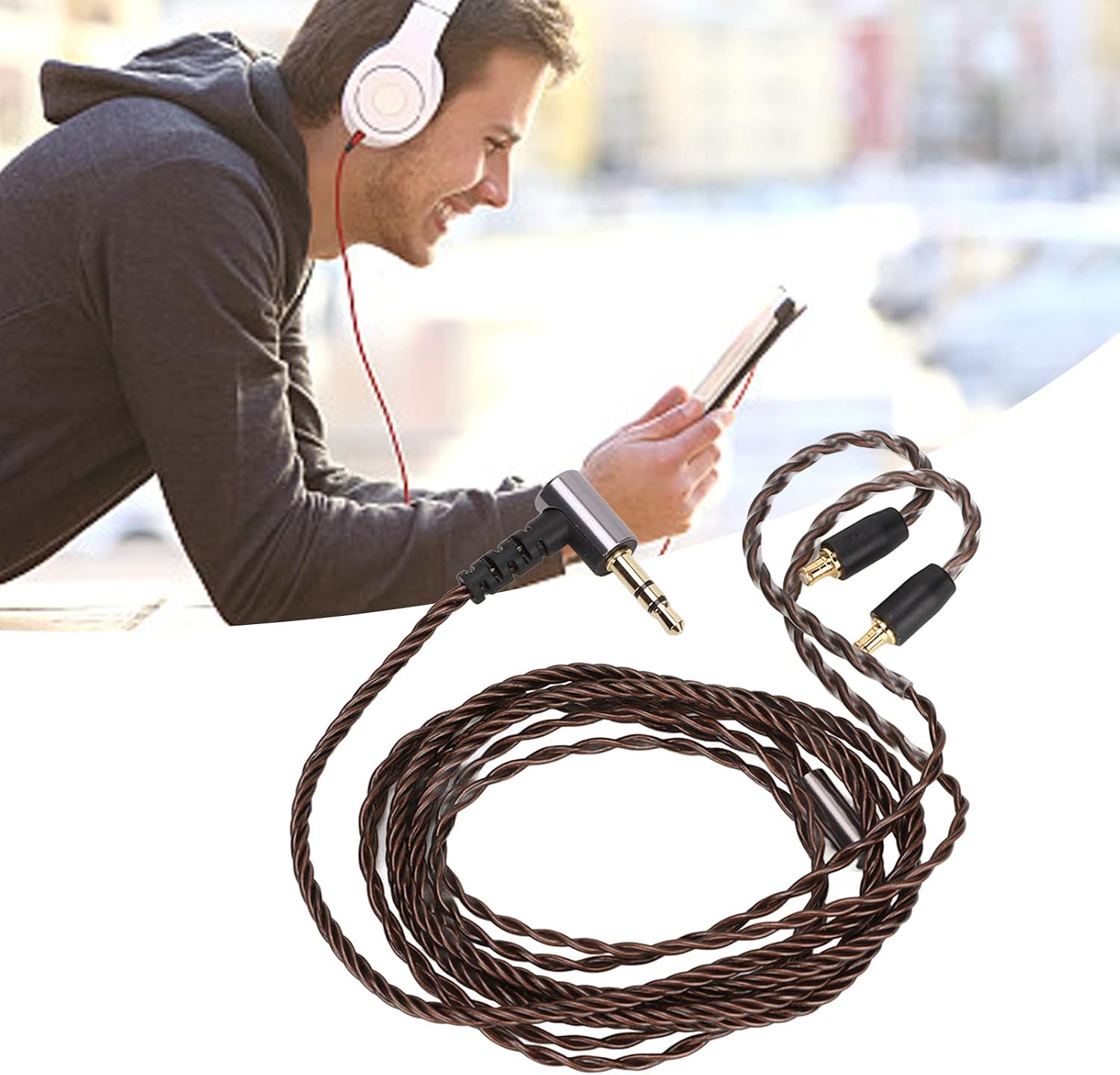
Figure 2: Illustrates the cable in use with compatible headphones, connected to a portable audio device.
3. Setup and Installation
Follow these steps to properly connect your ASHATA Headphone Upgrade Cable to your headphones and audio source:
- Identify Connectors: The cable features two A2DC connectors for the headphones (one for each ear cup) and a single 3.5mm plug for your audio device. The A2DC connectors are typically marked for left (L) and right (R) channels.
- Disconnect Old Cable (if applicable): Gently remove your existing headphone cable from both ear cups. Refer to your headphone's original manual for specific instructions on detaching cables, if necessary.
- Connect to Headphones: Align the A2DC connectors of the ASHATA cable with the corresponding ports on your headphones. Push firmly until you hear or feel a click, indicating a secure connection. Ensure the left connector goes into the left ear cup and the right into the right.
- Connect to Audio Source: Insert the 3.5mm plug into the headphone jack of your audio device (e.g., smartphone, tablet, computer, audio player).

Figure 3: A detailed view of the cable's connectors, highlighting the 3.5mm angled plug and the A2DC headphone connectors.
4. Operating Instructions
The ASHATA Headphone Upgrade Cable includes an in-line remote with a multifunction key and volume controls. This remote allows for convenient control of your audio playback and calls.
4.1. Volume Control
- '+' Key: Press to increase volume.
- '-' Key: Press to decrease volume.
4.2. Multifunction Key
- Single Click: Play/Pause audio playback. Answer/End phone calls.
- Double Click: Skip to the next song.
- Triple Click: Go back to the previous song.
5. Maintenance and Care
To ensure the longevity and optimal performance of your ASHATA Headphone Upgrade Cable, follow these maintenance guidelines:
- Storage: When not in use, coil the cable loosely. Avoid tight coiling or sharp bends, which can damage the internal wires.
- Cleaning: Wipe the cable with a soft, dry cloth to remove dust and dirt. Do not use harsh chemicals or abrasive cleaners.
- Handling: Always pull the plug, not the cable itself, when disconnecting from devices or headphones. This prevents strain on the connectors and wiring.
- Environment: Avoid exposing the cable to extreme temperatures, direct sunlight, or excessive moisture.
6. Troubleshooting
If you encounter issues with your ASHATA Headphone Upgrade Cable, refer to the following common problems and solutions:
| Problem | Possible Cause | Solution |
|---|---|---|
| No sound or intermittent sound from one or both ear cups. |
|
|
| Remote control functions (play/pause, skip) are not working. |
|
|
7. Specifications
Detailed technical specifications for the ASHATA Headphone Upgrade Cable:
| Feature | Detail |
|---|---|
| Item Type | Headphone Cable |
| Wire Outer Covering Material | PVC |
| Wire Core Material | Silver Plated Copper |
| Main Line Diameter | Approx. 2.7mm (0.1in) |
| Secondary Line Diameter | Approx. 2.0mm (0.07in) |
| Main Line Length | Approx. 80cm (31.5in) |
| Secondary Line Length | Approx. 40cm (15.7in) |
| Total Cable Length | Approx. 120cm (47.2in) |
| Color | Bronze |
| Plug Type | 3.5mm / A2DC |
| Compatible Devices | Audio-Technica Headphones with A2DC Interface (CKS1100, E40, E50, E70, LS200, LS300, LS400, CKR90, CKR100, LS50, LS70) |
| Weight | Approx. 0.634 ounces (18 grams) |
| Country of Origin | China |
Note: Manual measurements may have slight errors.

Figure 4: Visual representation of the cable's dimensions, including main and secondary line diameters and overall length.
8. Warranty and Support
Specific warranty information for the ASHATA Headphone Upgrade Cable is not provided in the product details. For any warranty claims or technical support inquiries, please contact the seller or manufacturer directly through the platform where the product was purchased.
You can typically find seller contact information on your order details page or the product listing page on Amazon. For general inquiries about ASHATA products, you may visit the ASHATA Store on Amazon.