
PTHTECHUS PTH-G4-S07
PTHTECHUS 4G Kids Smart Watch User Manual
Model: PTH-G4-S07
Product Overview
The PTHTECHUS 4G Kids Smart Watch is designed to keep children safe and connected. It features real-time GPS positioning, two-way calling, SOS emergency functions, and various multimedia capabilities. This manual provides detailed instructions for setup, operation, and maintenance of your smartwatch.

Image: The PTHTECHUS 4G Kids Smart Watch in silver, shown alongside a SpeedTalk SIM card, highlighting its primary function as a communication and tracking device for children.
What's in the Box
- 1 x PTHTECHUS 4G Kids Smart Watch
- 1 x Charging Cable
- 1 x User Manual
Setup Guide
1. SIM Card Insertion and Activation
For full functionality, a pre-activated Nano SIM card is required. The watch supports 4G networks for reliable communication and tracking.
- Fully Charge the Smartwatch: Before initial use, ensure the watch is fully charged using the provided charging cable.
- Power Off the Watch: Turn off the smartwatch completely before inserting the SIM card.
- Insert Nano SIM Card: Locate the SIM card slot on the watch. Carefully insert a pre-activated Nano SIM card into the slot as shown in the diagram below. Ensure it is correctly oriented.
- Power On the Watch: After inserting the SIM card, turn on the smartwatch.
- Download and Register App: Download the companion application (Carepro+) on your smartphone. Scan the QR code provided in the user guide (or on the watch itself) to download the app. Register your account and log in to pair with the watch.

Image: A visual guide demonstrating the correct method for inserting a Nano SIM card into the smartwatch, highlighting the SIM card slot and the power/SOS button.
Note on SIM Card: It is recommended to use a Speedtalk 4G Nano SIM card. Ensure the watch is powered off before inserting the SIM card to prevent damage or data corruption.
Key Features
- Real-Time GPS, WiFi, and LBS Multi-Location Tracking: Provides accurate positioning for monitoring your child's location. The electronic fence (geofence) feature allows setting safe zones with alerts if the child leaves or enters designated areas.
- Two-Way Voice and Video Calling: Facilitates direct communication between the watch and pre-approved contacts.
- SOS Emergency Alarm: A dedicated button for immediate alerts to emergency contacts in case of distress.
- Voice Messaging: Allows sending and receiving short voice messages between the watch and the paired app.
- Built-in Camera: Enables taking photos and recording videos directly from the watch.
- Music Playback: Supports music playback, with Bluetooth functionality for connecting to headphones. Music files can be transferred via the charging cable.
- Pedometer: Tracks daily steps for health monitoring.
- Alarm Clock & Class Mode: Manage daily routines and minimize distractions during school hours.
- Flashlight: A convenient built-in light.

Image: The smartwatch screen showing an active video call, emphasizing the two-way video communication feature. A phone screen is also shown, indicating the connection between the watch and a parent's device.
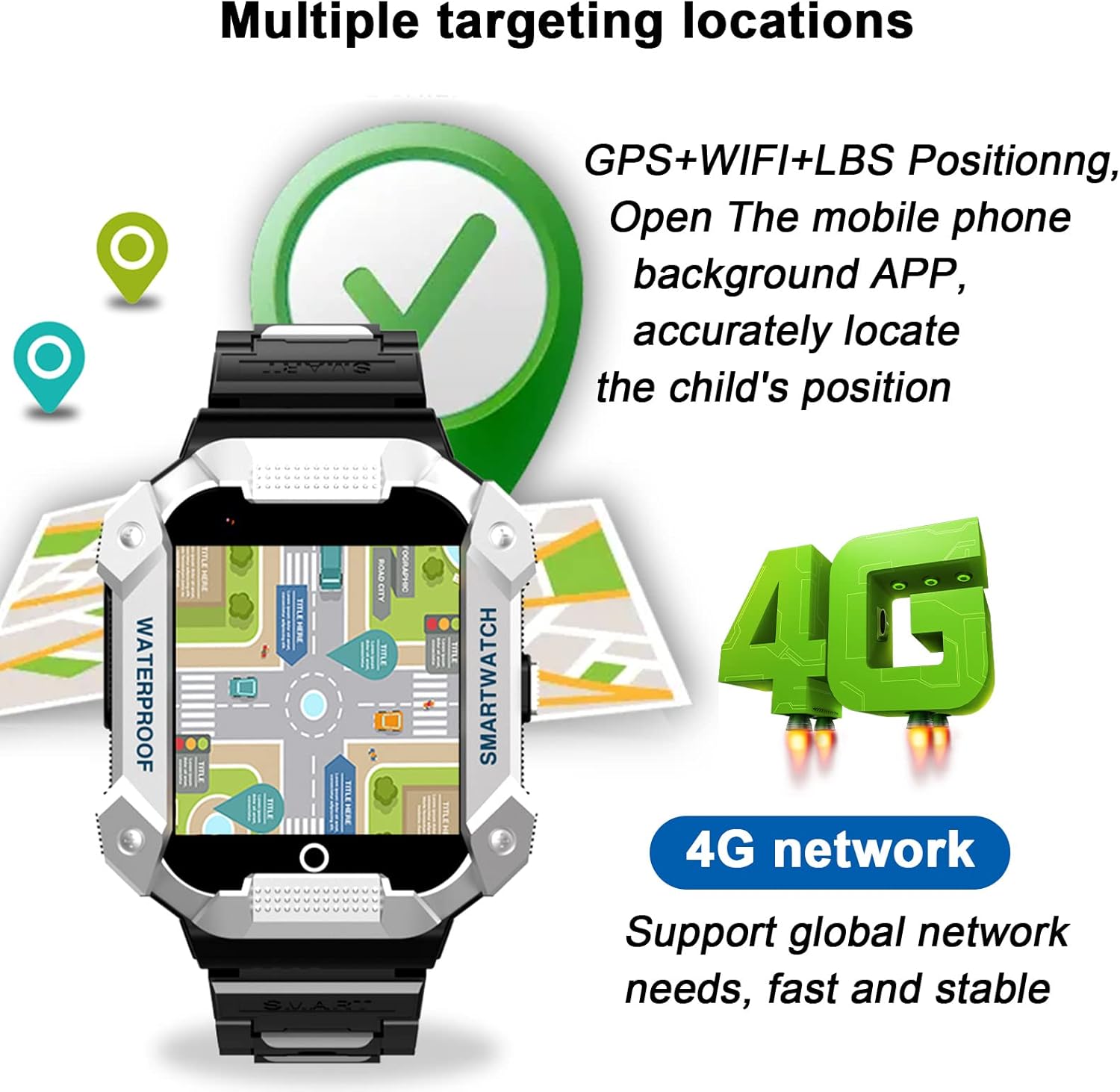
Image: An illustration of the smartwatch's multi-targeting location capabilities, showing GPS, WiFi, and LBS icons over a map, indicating precise tracking.

Image: The smartwatch highlighting its SOS emergency function, with a hand pressing the side button, and an adjacent image illustrating the long standby time due to its 600mAh battery.

Image: A collage of the smartwatch's various app screens, showcasing its multi-functional capabilities including 4G, call, video call, camera, WiFi, electric fence, music, SOS, address book, LBS, GPS, photo, settings, voice chat, Bluetooth, remote shutdown, and pedometer.

Image: A child happily listening to music with headphones while wearing the smartwatch, illustrating the device's music playback and Bluetooth earphone connectivity.
Operating Instructions
This section provides a guide to navigating and utilizing the various functions of your PTHTECHUS 4G Kids Smart Watch. For a visual demonstration of these features, please refer to the instructional video below.
General Navigation and Functions
- Power On/Off: Press and hold the power button (usually on the side) to turn the watch on. To turn off, navigate to the settings menu on the watch or use the remote shutdown feature in the app. Note: Long-pressing the power button also activates the SOS function.
- Screen Navigation: Swipe left or right on the touchscreen to browse through the different applications and features. Tap an icon to open an application.
- Phone Function: Access the 'Phone' app to dial numbers directly or select contacts from the 'Contact' list.
- Video Call: Initiate video calls with pre-approved contacts through the 'Video Call' app.
- Settings: Adjust mobile network settings, Wi-Fi, Bluetooth, volume, and other preferences in the 'Settings' menu.
- WeChat/Voice Chat: Use the 'WeChat' or 'Voice Chat' app for sending and receiving voice messages with family members connected via the app.
- Camera & Gallery: Open the 'Camera' app to take photos or record videos. View captured media in the 'Gallery'.
- Pedometer: Track your child's steps by opening the 'Pedometer' app. Ensure it is enabled in the companion app.
- Educational Games: Engage with pre-installed educational games like 'Childhood Math Game'.
- Alarm Clock: Set alarms via the companion app to manage daily schedules.
- Stopwatch & Calculator: Utilize the built-in stopwatch for timing activities and the calculator for basic arithmetic.
- Music Player: Play music files stored on the watch using the 'Music' app.
- Sound Recorder: Record audio using the 'Sound Record' function.
Instructional Video: 4G S07 Smart Watch Function Display
Video: A comprehensive demonstration of the PTHTECHUS 4G Kids Smart Watch's features, including how to power on, navigate applications, make calls, use the camera, access settings, and utilize various other functions like the pedometer, calculator, and music player.
Maintenance
- Wearing Comfort: To prevent skin irritation, especially from sweat, avoid wearing the watch too tightly.
- Screen Protection: Remove the protective film from the screen before regular use for optimal display clarity.
- Cleaning: Gently wipe the watch with a soft, dry cloth. Avoid using harsh chemicals or abrasive materials.
- Water Resistance: The watch has an IP67 waterproof rating, meaning it is resistant to splashes and brief immersion. However, it is not suitable for swimming or showering.
Troubleshooting
| Problem | Possible Cause / Solution |
|---|---|
| Watch not receiving calls. | Check if "Reject Strange Call", "Do Not Disturb", or "Night Power Saving" functions are enabled in the companion application. Disable them if necessary. |
| Watch stuck on boot screen. | Try long-pressing the side button for several seconds to re-initiate the boot process. If the issue persists, ensure the SIM card is properly inserted and the watch has sufficient charge. |
| Charging issues / Watch not charging properly. | Ensure the magnetic charging cable is securely connected to both the watch and the power source. Verify that the charging contacts on the watch and cable are clean and free of debris. Try a different USB power adapter if available. |
| Inaccurate GPS location. | Ensure the watch has a clear view of the sky for optimal GPS signal. Check if Wi-Fi and LBS positioning are enabled in the app for improved accuracy indoors or in areas with weak GPS. |
| Cannot connect to network / No signal. | Verify that the Nano SIM card is correctly inserted and activated. Check network coverage in your area. Restart the watch. Ensure mobile data is enabled in the watch settings. |
Specifications
| Attribute | Detail |
|---|---|
| Model Number | PTH-G4-S07 |
| Product Dimensions | 8.66 x 1.57 x 0.79 inches |
| Item Weight | 2.12 ounces (60 Grams) |
| Screen Size | 1.54 Inches |
| Battery Capacity | 600 Milliamp Hours (Lithium Metal) |
| Memory Storage Capacity | 500 MB |
| RAM Memory Installed Size | 512 MB |
| Operating System | Android, iOS (compatible) |
| Connectivity Technology | Bluetooth, Wi-Fi, USB |
| GPS | GPS Via Smartphone (likely means it uses phone's GPS or relies on network-assisted GPS) |
| Shape | Square |
| Special Features | Calendaring, Alarm Clock, Camera, GPS, Calorie Tracker |
Warranty and Support
For any questions, technical assistance, or support regarding your PTHTECHUS 4G Kids Smart Watch, please contact the seller's support channel. Information regarding specific warranty terms may be provided with your purchase documentation.
Please note that SIM card service fees are separate and depend on the coverage plan chosen from your SIM card provider.
Related documentsPTH-G4-S07


Ask a question about this manual
Ask about setup, troubleshooting, compatibility, parts, safety, or missing instructions. Manuals+ will review the question and use this page’s manual context to help answer it.