
1. Safety Instructions
Please read these safety instructions carefully before installation and use. Keep this manual for future reference.
- Electrical Safety: Installation must be performed by a qualified electrician in accordance with all local and national electrical codes. Always disconnect power at the main circuit breaker before installation, maintenance, or cleaning.
- Handling: Handle the product with care to avoid damage. Do not expose the light to excessive moisture or extreme temperatures.
- Cleaning: Use a soft, dry cloth for cleaning. Do not use abrasive cleaners or solvents.
- Integrated LED: The LED light source is integrated and not user-replaceable. Do not attempt to open or modify the light fixture.
2. Package Contents
Verify that all components are present before beginning installation:
- Brilliant Runda LED Ceiling Light
- Remote Control (batteries included)
- Mounting Material (screws, anchors)
- Instruction Manual
3. Product Overview
The Brilliant Runda LED Ceiling Light is a modern, round fixture designed to provide efficient and versatile illumination for various indoor spaces. It features integrated LED technology, offering energy savings and a long lifespan. The light is dimmable and allows for adjustable color temperature, ranging from warm white (3000 K) to daylight white (6000 K), controlled via the included remote.
Key Features:
- Dimmable with remote control
- Adjustable light color from warm white to cool white (CCT technology)
- Energy-efficient and durable LED technology
- Timeless design suitable for various living spaces

Image 3.1: Front view of the Brilliant Runda LED Ceiling Light.
4. Setup and Installation
This ceiling light is designed for semi-flush ceiling mounting. Ensure the power supply is disconnected before proceeding.
- Prepare the Installation Area: Choose a suitable location on the ceiling. Ensure the mounting surface is clean, dry, and capable of supporting the weight of the fixture.
- Mark Drilling Points: Hold the mounting bracket (if separate) or the fixture base against the ceiling at the desired installation point. Mark the positions for drilling holes.
- Drill Holes: Drill holes at the marked positions using an appropriate drill bit for your ceiling material. Insert wall anchors if necessary.
- Secure Mounting Bracket: Attach the mounting bracket or fixture base to the ceiling using the provided screws. Ensure it is securely fastened.
- Electrical Connection: Connect the household electrical wires to the fixture's wires according to local electrical codes. Typically, this involves connecting live (L), neutral (N), and ground (GND) wires. Ensure all connections are secure and insulated.
- Attach the Fixture: Carefully lift the ceiling light and attach it to the secured mounting bracket or base. Follow the specific instructions in the included mounting guide for your model.
- Restore Power: Once the fixture is securely installed and all electrical connections are properly made, restore power at the main circuit breaker.
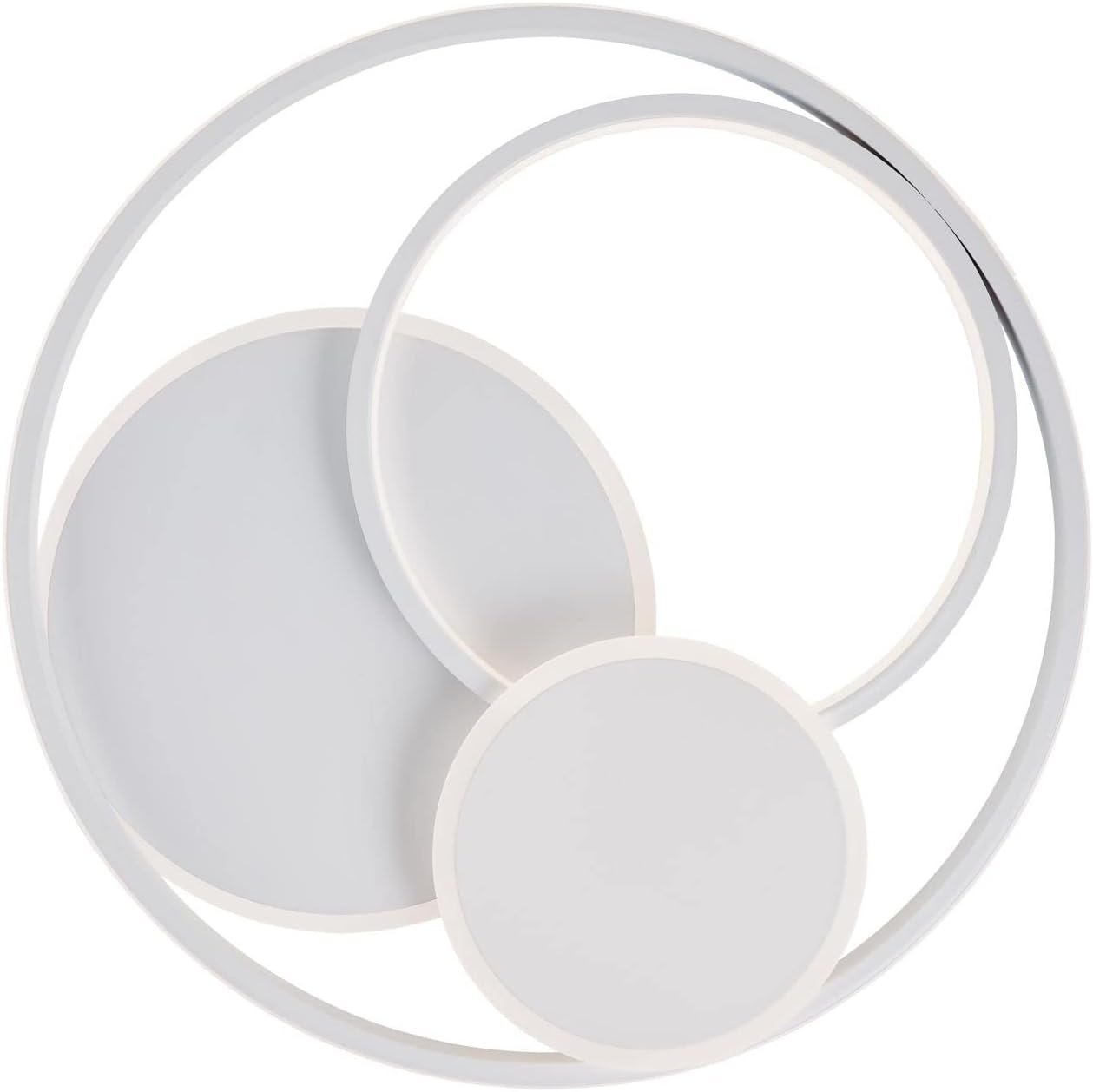
Image 4.1: Top-down view of the ceiling light, showing its circular design.
5. Operating Instructions
The Brilliant Runda LED Ceiling Light is operated using the included remote control.
5.1 Remote Control Functions
- Power On/Off: Press the power button to turn the light on or off.
- Dimming: Use the brightness adjustment buttons (usually marked with '+' and '-') to increase or decrease the light intensity.
- Color Temperature Adjustment (CCT): The remote allows you to change the color temperature from warm white (3000 K) to daylight white (6000 K). Look for buttons typically marked with 'W' (Warm) and 'C' (Cool) or a color spectrum icon.
- Preset Modes: Some remotes may include preset buttons for specific brightness levels or color temperatures.

Image 5.1: Visual representation of the CCT (Correlated Color Temperature) range from warm to cold light.
6. Maintenance
Regular maintenance ensures optimal performance and longevity of your Brilliant Runda LED Ceiling Light.
- Cleaning: Ensure the power is off before cleaning. Gently wipe the fixture with a soft, dry, or slightly damp cloth. Do not use harsh chemicals, abrasive cleaners, or sprays directly on the light.
- Inspection: Periodically check the fixture for any signs of damage or loose connections. If any issues are found, disconnect power and consult a qualified electrician.
- LED Lifespan: The integrated LED has a long operational life and does not require replacement.
7. Troubleshooting
If you encounter issues with your ceiling light, refer to the following common problems and solutions:
| Problem | Possible Cause | Solution |
|---|---|---|
| Light does not turn on. | No power supply. Loose electrical connection. Remote control battery depleted. | Check circuit breaker. Verify electrical connections (consult electrician). Replace remote control batteries. |
| Light flickers or dims unexpectedly. | Unstable power supply. Loose connection. Incompatible dimmer switch (if not using remote). | Ensure stable power. Check connections. Use only the provided remote for dimming. |
| Remote control not working. | Batteries depleted or incorrectly inserted. Remote out of range. Obstruction between remote and light. | Replace batteries, ensuring correct polarity. Move closer to the light. Remove any obstructions. |
| Cannot change color temperature. | Remote control issue. | Check remote batteries. Ensure remote is pointed directly at the light. |
8. Specifications
| Brand | Brilliant |
|---|---|
| Manufacturer | Brilliant |
| Model Number | 4004353390470 |
| Product Dimensions (L x W x H) | 50 x 50 x 7 cm |
| Item Weight | 2.65 Kilograms |
| Style | Modern |
| Color | White |
| Shape | Round |
| Material | Metal |
| Finish Type | Matte |
| Number of Bulbs | 1 (Integrated LED) |
| Included Components | Remote control, Mounting material |
| Specific Uses | Home |
| Shade Material | Plastic |
| Bulb Type | LED |
| Energy Label | Very Efficient |
| Luminous Flux | 5200 lumen (Product Title) / 4300 lumen (Description/Specs) - Using 5200lm from title for clarity. |
| Color Temperature | 3000-6000 K (Warm White to Daylight White) |
| Power Source | Corded Electric |
| Installation Type | Semi-flush Mount |
| Indoor/Outdoor Use | Indoor |
9. Warranty and Support
For warranty information and customer support, please refer to the documentation provided with your purchase or contact Brilliant customer service directly. Keep your proof of purchase for any warranty claims.


