
1. Introduction
This manual provides comprehensive instructions for the installation, operation, and maintenance of your Vogel's TVM 5845 Full-Motion Ultra-Thin TV Wall Bracket. This ELITE Full-Motion+ TV wall mount is specifically designed for large high-end TVs, including OLED and QLED models. Its ultra-slim profile allows your TV to be mounted just 4 cm from the wall in its resting position, while offering exceptional strength. It supports TVs from 55 to 100 inches and weighing up to 55 kg (121 lbs).
The mount features One-Finger™ Movement technology for smooth adjustments and 2D Leveling™ for precise horizontal and vertical alignment, even after initial installation. The integrated Cable Inlay System (CIS®) ensures cables are neatly concealed within the support arms, and special cable holders keep them tidy at the back of your TV, with all technical details hidden behind cover plates.
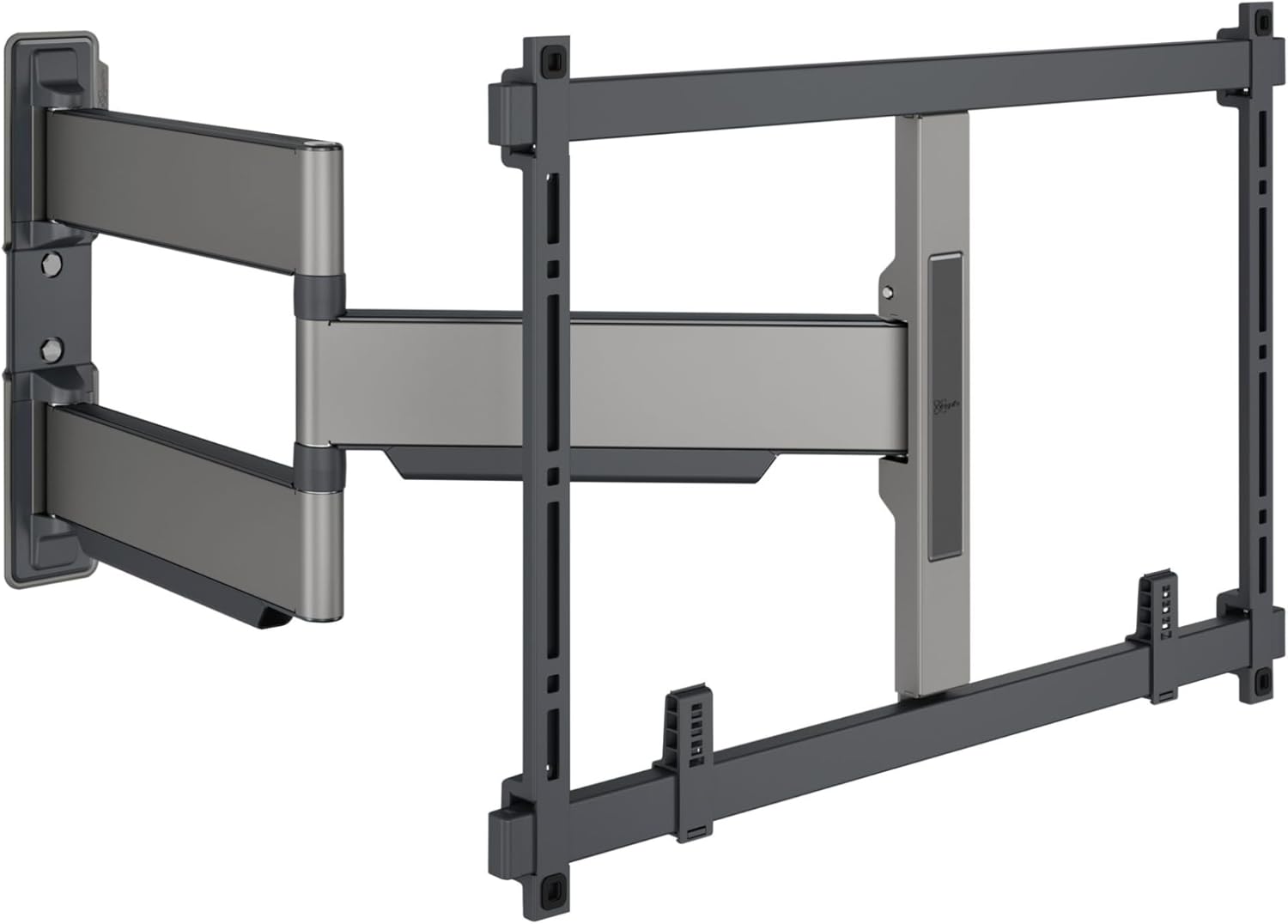
Image: The Vogel's TVM 5845 Full-Motion Ultra-Thin TV Wall Bracket, showcasing its robust design and articulating arms.
2. Setup and Installation
Installation of the ELITE Full-Motion TV wall mount is designed to be straightforward. The packaging includes essential components to assist with the mounting process.
2.1 Included Components
- Drilling template
- Screws
- fischer® DuoPower plugs
- Spirit level

Image: Contents of the Vogel's TVM 5845 packaging, highlighting the drilling template, screws, plugs, and spirit level.
2.2 Using the DrillRight™ AR App
For simplified installation, the free Vogel's DrillRight™ AR app (available for Android & iOS) can assist in accurately marking the first drill hole. The app utilizes augmented reality to guide you through the process.

Image: A user interacting with the Vogel's DrillRight AR App on a tablet to mark a drill hole on the wall.
2.3 Installation Video Guide
Video: An official Vogel's video demonstrating the ease of installation using the DrillRight app and general mounting process.
For detailed step-by-step instructions, please refer to the official Installation Manual PDF linked in the "Warranty and Support" section.
3. Operating Instructions
The Vogel's TVM 5845 mount is designed for optimal viewing flexibility and ease of use.
3.1 Movement and Adjustment
Utilize the unique One-Finger™ Movement technology to smoothly turn your TV to the desired position. The mount allows for swiveling up to 180°, depending on the size of your display, ensuring an ideal viewing angle from various points in the room. The 2D Leveling™ feature allows you to perfectly align your TV horizontally and vertically, even after the mount has been installed.

Image: Diagram illustrating the ultra-slim profile and the smooth one-finger movement capability of the TV mount.
3.2 Cable Management (CIS®)
The integrated Cable Inlay System (CIS®) guides all cables invisibly through the support arms of the mount. Special cable holders are provided to neatly conceal cables at the back of your TV, maintaining a clean and organized appearance. All technical details and cables are discreetly hidden behind cover plates.
4. Maintenance
To ensure the longevity and optimal performance of your Vogel's TV wall mount, regular maintenance is recommended.
- Cleaning: Use a soft, dry cloth to wipe down the mount. Avoid abrasive cleaners or solvents that could damage the finish.
- Inspection: Periodically check all screws and connections to ensure they remain secure. Do not overtighten.
- Movement: If the movement feels stiff over time, gently operate the arms through their full range of motion a few times to redistribute any internal lubricants. Do not apply external lubricants unless specifically instructed by Vogel's support.
5. Troubleshooting
This section addresses common issues you might encounter. For more complex problems, please refer to the official manual or contact customer support.
- TV not level: Use the 2D Leveling™ feature to make fine adjustments. Ensure the wall plate is installed correctly and securely.
- Difficulty moving the TV: Ensure no cables are snagged or obstructing movement. The One-Finger™ Movement technology relies on precision bearings; excessive force should not be required.
- Mount feels loose: Immediately check all mounting screws and bolts for tightness. If the issue persists, re-evaluate the wall type and anchor suitability.
6. Specifications
| Feature | Detail |
|---|---|
| Product Dimensions | 26.93 x 18.62 x 2.24 inches |
| Item Weight | 2.5 pounds |
| Item Model Number | 5858450 |
| Mounting Type | Wall Mount |
| Movement Type | Rotate, Swivel |
| Material | Stainless Steel |
| Maximum Compatible Size | 100 Inches |
| Minimum Compatible Size | 55 Inches |
| Color | Black |
| Max. Weight Capacity | 121 lbs (55 kg) |
| Distance from Wall (min) | 1.57 inches (4 cm) |

Image: Chart detailing the maximum turning angle for various TV sizes with the ELITE series mounts, including TVM 5845.
7. Warranty and Support
The Vogel's ELITE Full-Motion+ TV wall mount is TUV certified and tested to three times its maximum weight capacity, ensuring high safety standards. It comes with a 15-year guarantee.
For further assistance, detailed installation guides, or troubleshooting, please refer to the official Installation Manual:
Download Official Installation Manual (PDF)
For additional support, please visit the official Vogel's website or contact their customer service.


