
1. Introduction
Thank you for choosing the Lucci Air Climate III Fan Light Kit. This kit is designed to seamlessly integrate with your Lucci Air Climate III ceiling fan (sold separately), providing efficient and dimmable LED illumination. This manual provides essential information for the safe installation, operation, and maintenance of your new light kit.

Figure 1: Lucci Air Climate III Fan Light Kit (Model 21064501)
The light kit features a replaceable 12-watt GX53 LED bulb, emitting a warm 3000 Kelvin temperature and 1100 lumens of light output. When combined with your Climate III ceiling fan, it offers dimmable functionality and an anti-burglary feature, allowing you to automate light activation via the remote control.
2. Important Safety Instructions
Please read and understand all instructions before beginning installation. Failure to follow these instructions may result in electric shock, fire, or personal injury.
- Always turn off power at the main circuit breaker or fuse box before attempting any installation, maintenance, or troubleshooting.
- Ensure all electrical connections comply with local codes and ordinances, as well as the National Electrical Code (NEC).
- If you are unsure about wiring or installation, consult a qualified electrician.
- Do not install this light kit in wet or damp locations. It is designed for indoor use only.
- Use only the specified GX53 LED bulb type.
- Do not attempt to modify the light kit or its components.
3. Package Contents
Carefully unpack your light kit and ensure all items are present and undamaged. If any parts are missing or damaged, contact your retailer immediately.
- One (1) Lucci Air Climate III Fan Light Kit
- One (1) GX53 LED Bulb (pre-installed or separate)
4. Installation Instructions
This light kit is designed for easy installation onto a compatible Lucci Air Climate III ceiling fan using a simple twist and lock mechanism. Ensure your ceiling fan is already securely installed and powered off before proceeding.
4.1 Preparing for Installation
- Turn off power: Locate the circuit breaker or fuse that supplies power to the ceiling fan and turn it off. Verify that the power is off by attempting to operate the fan or any existing light.
- Access fan light housing: Refer to your Lucci Air Climate III ceiling fan manual for instructions on how to access the light housing area, typically at the bottom of the fan motor.
4.2 Attaching the Light Kit
- Carefully align the light kit with the designated mounting points on the bottom of the Climate III ceiling fan motor housing.
- Gently push the light kit upwards and twist it clockwise until it locks securely into place. You should feel or hear a click, indicating it is properly seated.
- Ensure all wiring connections are secure and not pinched during installation.
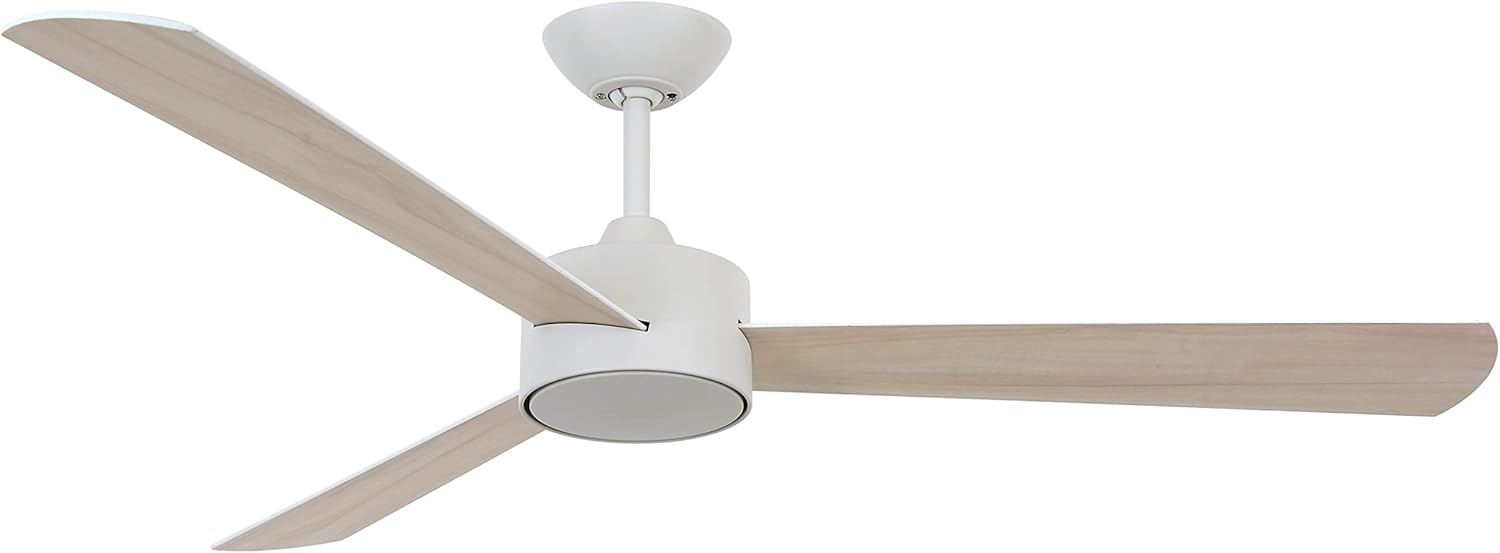
Figure 2: Lucci Air Climate III Ceiling Fan (Light Kit attaches to the bottom of the motor housing)
4.3 Bulb Installation/Replacement
The light kit comes with a replaceable GX53 LED bulb. If the bulb is not pre-installed or needs replacement:
- Ensure power is off at the circuit breaker.
- Gently twist the GX53 bulb counter-clockwise to remove it from its socket.
- Insert the new GX53 LED bulb into the socket and twist clockwise until it is secure. Do not overtighten.
4.4 Final Steps
- Once the light kit is securely installed and the bulb is in place, restore power at the main circuit breaker.
- Test the light kit using your Lucci Air Climate III ceiling fan remote control.
5. Operating Instructions
The Lucci Air Climate III Fan Light Kit is controlled via the remote control provided with your Lucci Air Climate III ceiling fan.
5.1 Basic Light Control
- Turning On/Off: Press the designated light button on your fan's remote control to turn the light kit on or off.
- Dimming: If your remote control has dimming functionality, press and hold the light button or use the dedicated dimming buttons to adjust the brightness of the LED light.
5.2 Anti-Burglary Functionality
The light kit, in conjunction with your Climate III ceiling fan and its remote, offers an anti-burglary feature. This function allows you to program the light to turn on and off automatically for 5-20 minutes every 2 hours, simulating occupancy. Refer to your Climate III ceiling fan remote control manual for specific instructions on activating and customizing this feature.
6. Care and Maintenance
Regular cleaning and proper care will ensure the longevity and optimal performance of your light kit.
- Cleaning: Always turn off power to the fan and light kit at the circuit breaker before cleaning. Use a soft, dry, or slightly damp cloth to wipe down the exterior surfaces. Do not use abrasive cleaners, solvents, or polishes, as these can damage the finish.
- Bulb Replacement: When replacing the GX53 LED bulb, ensure power is off. Allow the bulb to cool completely before handling.
- Inspection: Periodically check for any loose connections or signs of wear. If any issues are found, turn off power and consult a qualified technician.
7. Troubleshooting
If you experience issues with your Lucci Air Climate III Fan Light Kit, refer to the following common problems and solutions:
| Problem | Possible Cause | Solution |
|---|---|---|
| Light does not turn on. | No power to the fan/light kit. Bulb is loose or faulty. Remote control battery is dead. | Check circuit breaker. Ensure fan is powered. Turn off power, check bulb connection, replace bulb if necessary. Replace remote control batteries. |
| Light flickers or dims unexpectedly. | Loose bulb connection. Incompatible dimmer (if not using fan remote). Faulty bulb. | Turn off power, check bulb connection. Ensure you are using the fan's remote for dimming. Replace bulb. |
| Anti-burglary function not working. | Feature not activated or incorrectly set. | Refer to your Climate III ceiling fan remote control manual for activation steps. |
If you continue to experience problems, please contact customer support.
8. Specifications
Detailed technical specifications for the Lucci Air Climate III Fan Light Kit (Model 21064501):
- Model Name: 21064501
- Brand: Lucci Air
- Color: White
- Material: Metal, Polycarbonate
- Light Source Type: LED
- Bulb Base: GX53
- Wattage: 12 watts
- Brightness: 1100 Lumens
- Light Color Temperature: 3000 Kelvin (Warm White)
- Voltage: 120 Volts
- Control Method: Remote Control (via Climate III fan remote)
- Special Feature: Dimmable, Anti-Burglary Functionality
- Indoor/Outdoor Usage: Indoor
- Product Dimensions: 6.9 x 6.9 x 2.2 inches (Diameter x Height)
- Item Weight: 12 ounces (0.75 Pounds)
- Assembly Required: No (for the light kit itself, attaches to fan)
- Water Resistance Level: Not Water Resistant
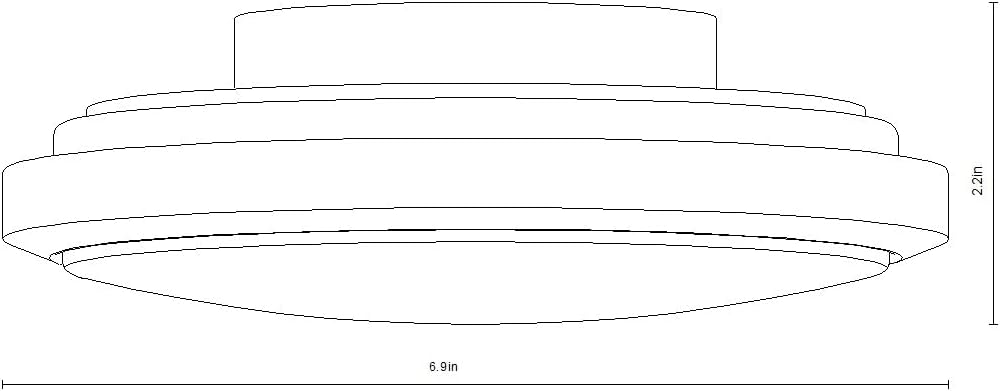
Figure 3: Light Kit Dimensions
9. Warranty Information
The Lucci Air Climate III Fan Light Kit (Model 21064501) is covered by a 1-year limited warranty from the date of purchase. This warranty covers defects in materials and workmanship under normal use. It does not cover damage resulting from improper installation, accident, misuse, abuse, or unauthorized modifications.
Please retain your proof of purchase for warranty claims.
10. Customer Support
For technical assistance, warranty claims, or further inquiries regarding your Lucci Air Climate III Fan Light Kit, please contact your retailer or visit the official Lucci Air store:
